Sim-Lab Mercedes-AMG PETRONAS Formula One Steering Wheel
Over the years, we at SimRaceBlog have had many different sim racing products in our hands. Sometimes we cover hardware positioned as entry-level products in the sim racing market, but more often we talk about mid-end and high-end products. Every now and then we get the chance to write about something truly unique. This time it’s time for that last category.
In January 2023, we were invited by Sim-Lab to their headquarters in Tholen, the Netherlands. This visit included a behind-the-scenes look in their workshop and warehouse, a nice chat, and a look at products that were still in development. During this visit, we saw prototypes and drawings of, among other things, the now released XP1 Loadcell pedal set, Push-Pull Rally Shifter, their new generation cockpits, and more. Somewhat cautiously, Richard, founder and owner of Sim-Lab, hinted that they were developing a unique new product in collaboration with none other than the Mercedes-AMG Petronas F1 Team; an official, Mercedes-AMG licensed sim racing replica of the W15 steering wheel. We were, of course, very surprised and excited that we were allowed to hear this ‘inside information’ so early on, and even got to see the first 3D model. We appreciate the trust Sim-Lab placed in us to keep this information within SimRaceBlog, which we naturally did.
At the ADAC Simracing Expo in October 2024 in Dortmund, we were able to see the final steering wheel in person for the first time at the Sim-Lab stand. We had extensive talks with the guys from Sim-Lab about the process they went through during development and production. We also heard some fun anecdotes about Sim-Lab’s visit to the Mercedes-AMG Petronas F1 factory in Brackley, England.
Eventually, we saw each other again at the SimFormula Europe event in Maastricht, organised by Andy Maassen, in January 2025. Here, we once again got talking with Richard and Sim-Lab Engineer Marcel, during which a potential review came up. After the event, we stayed in touch and eventually the Mercedes-AMG PETRONAS F1 steering wheel was sent to us. Time to put it to the test!
The Mercedes-AMG PETRONAS Formula One Team Sim Racing Steering Wheel is available in Sim-Lab’s webshop for a price of €2699.00 including VAT but excluding shipping costs.

Packaging & Contents
The Sim-Lab Mercedes-AMG PETRONAS Formula One Team steering wheel, which we’ll call the ‘Mercedes-AMG F1 steering wheel’ from here on, was shipped to us from Tholen, Zeeland. A day later, the package was delivered to us by UPS. We received a standard brown shipping box containing the product box of the steering wheel.
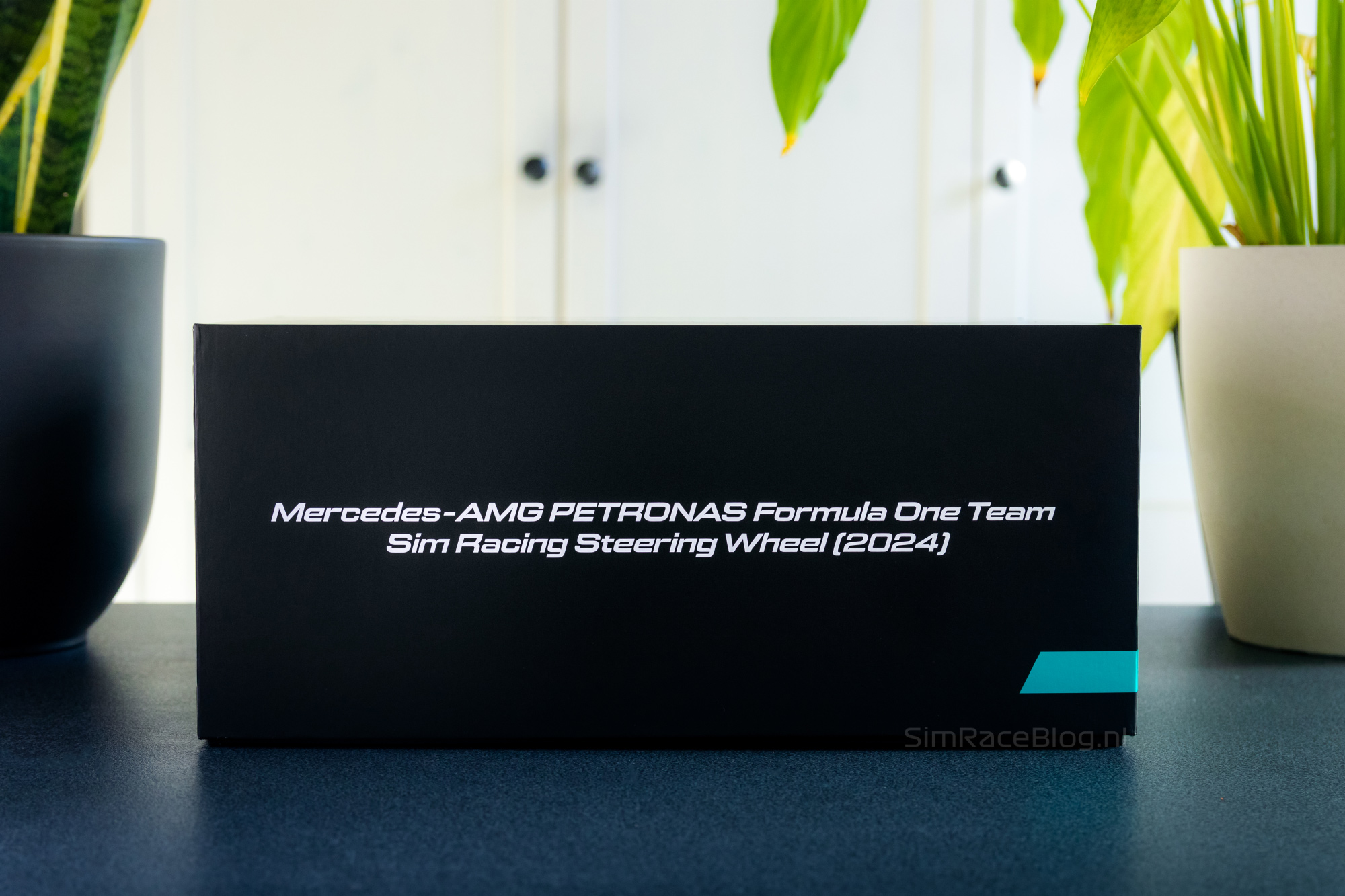
The Mercedes-AMG F1 steering wheel from Sim-Lab comes in a sleek, matte black product box that feels high quality. All around it features Sim-Lab branding, but also the official Mercedes-AMG Petronas Formula One Team logo. On top of the box we see a line drawing of the steering wheel in glossy black print. The product box doesn’t have any tabs to open it, but instead a large lid that fits snugly around the bottom of the box, yet slides off smoothly.



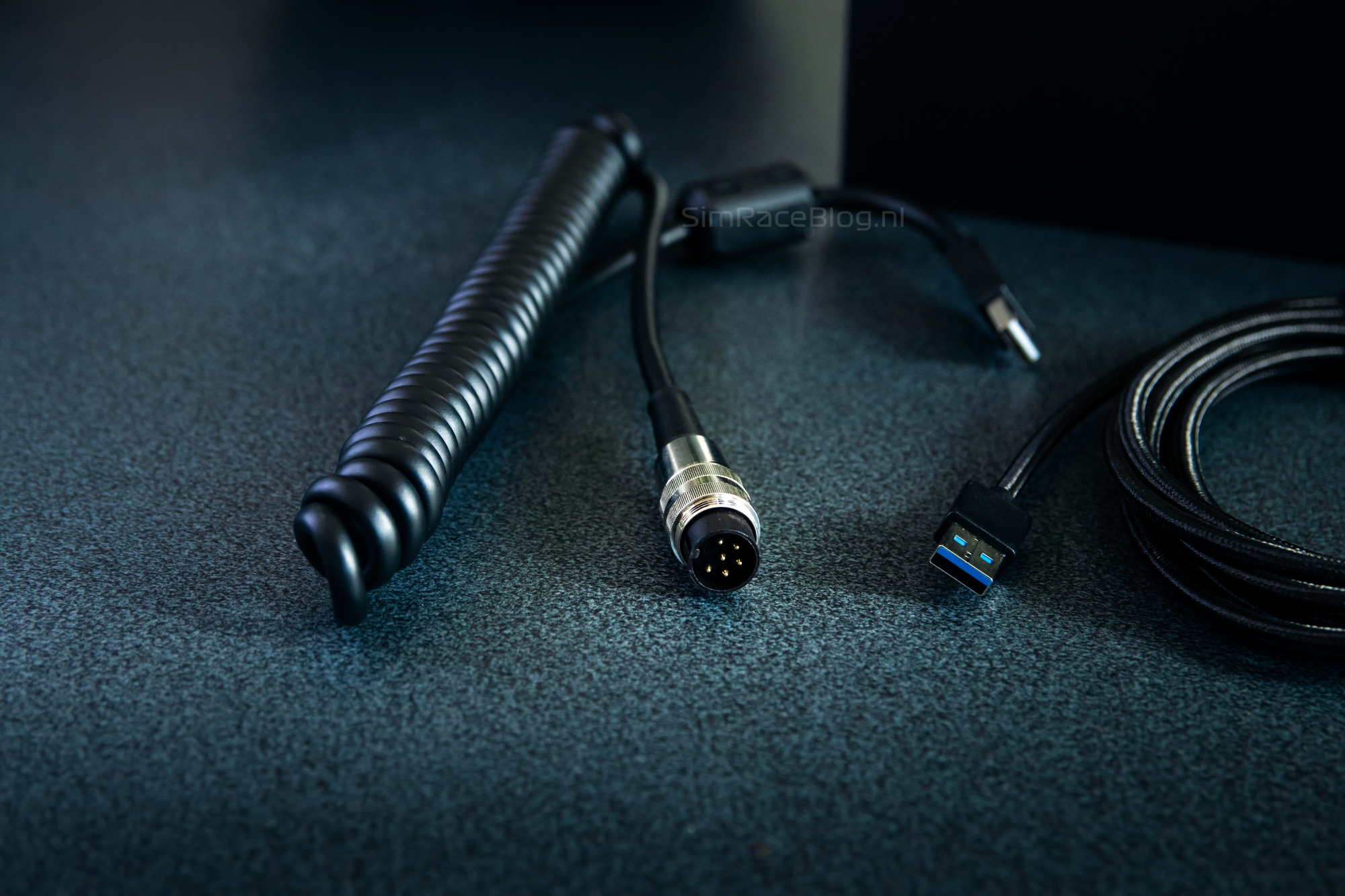
After sliding up and removing the lid, we first find a black layer of foam with a ‘quick start guide’ and two sets of stickers, with subtle differences that match the colour scheme and options for Lewis Hamilton* on one hand, and George Russell on the other. Under the stickers and the manual, we immediately see a cut-out section hiding the Lumberg 6-pin to USB data cable, a USB extension cable, small tools, tweezers for the stickers, mounting hardware for attaching a Quick Release, and small parts including magnets to adjust the resistance of the shifters, and a blue knob for the middle encoder on the steering wheel. This blue knob is also meant to make your wheel look more like George Russell’s steering wheel, whereas the standard purple encoder knob matches Lewis Hamilton’s.
*We have received the steering wheel in the Lewis Hamilton – George Russell edition. During the process of this review, Sim-Lab has made slight adjustments towards a Kimi Antonelli – George Russell edition.




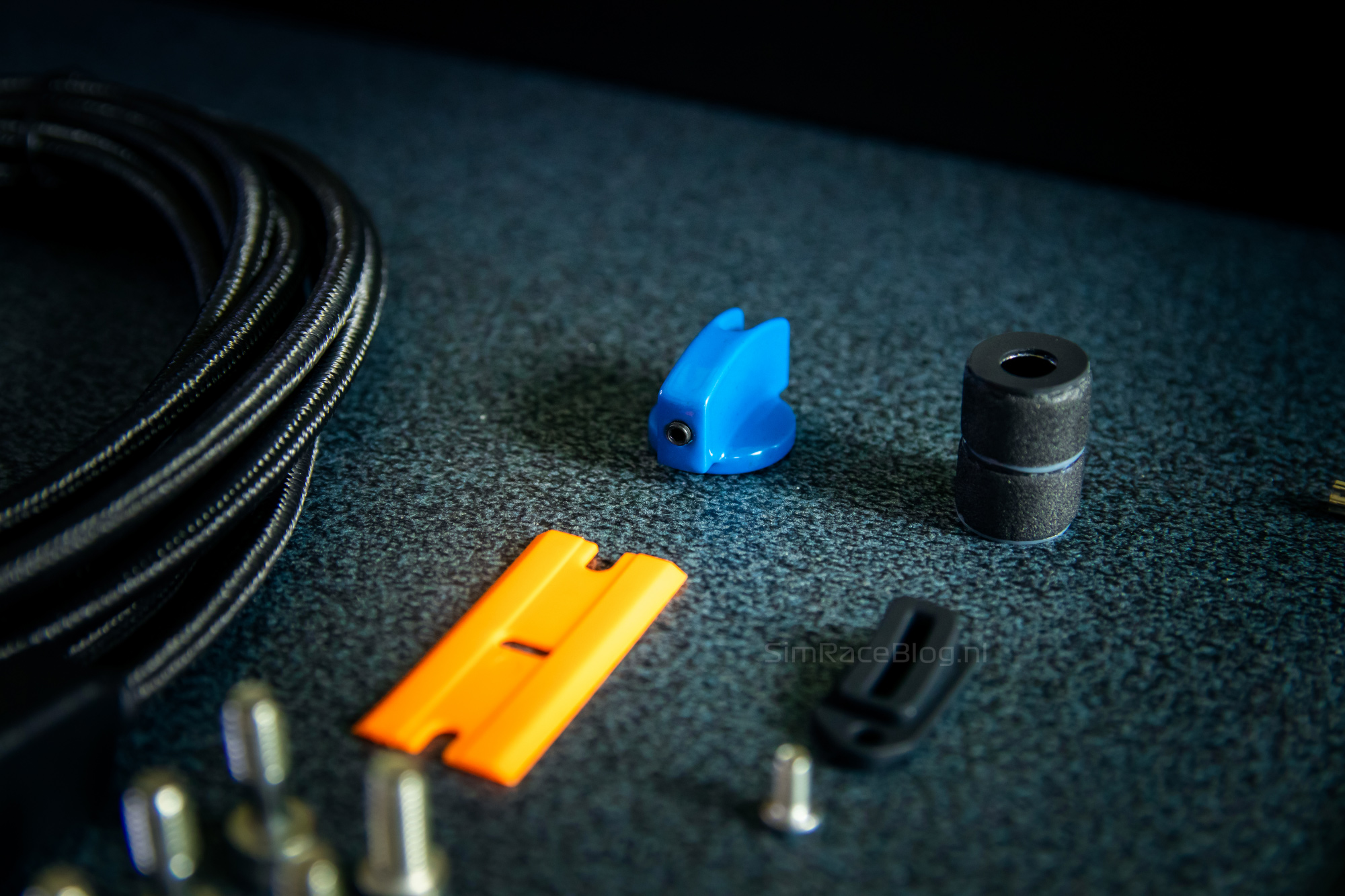
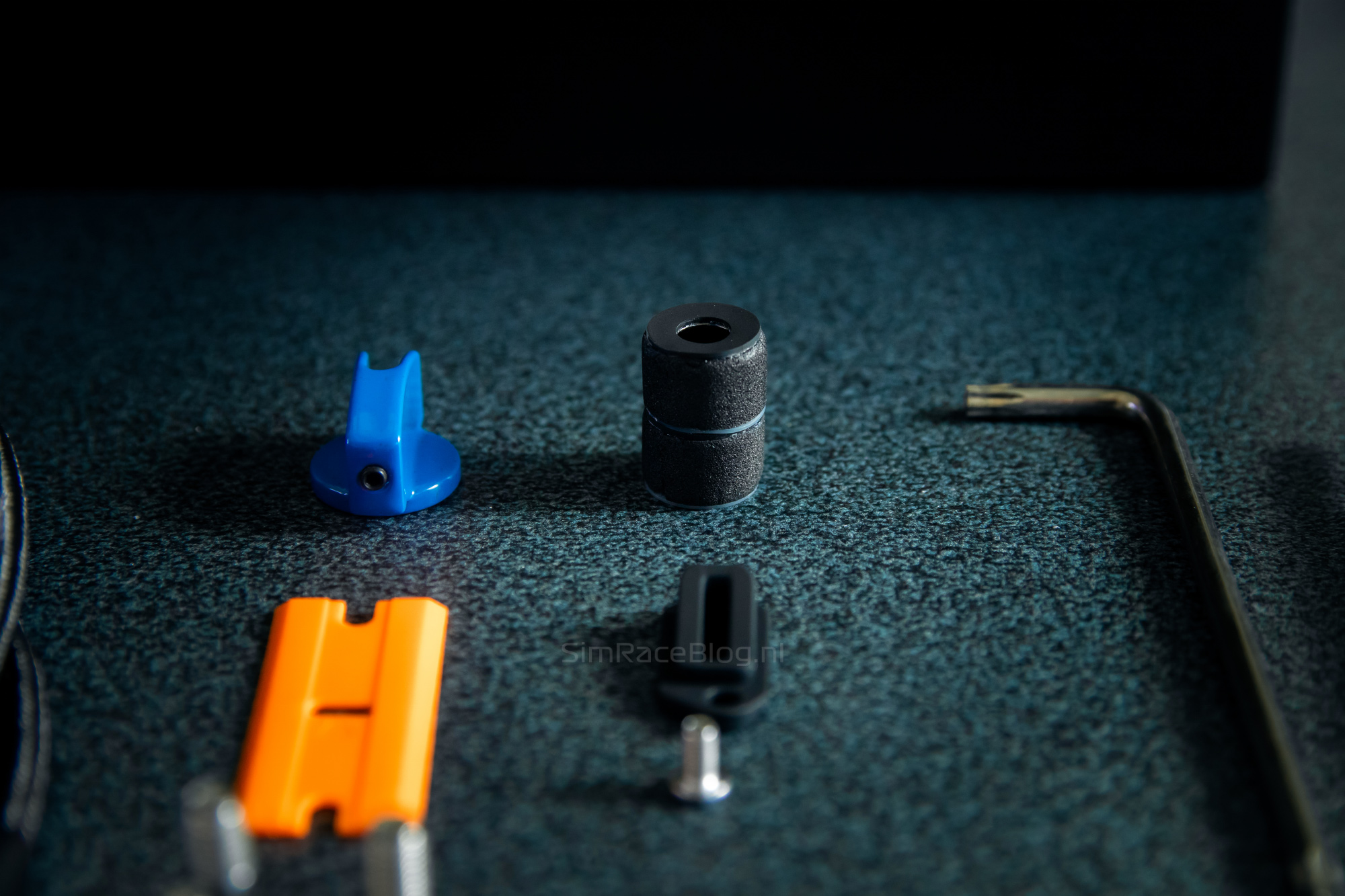
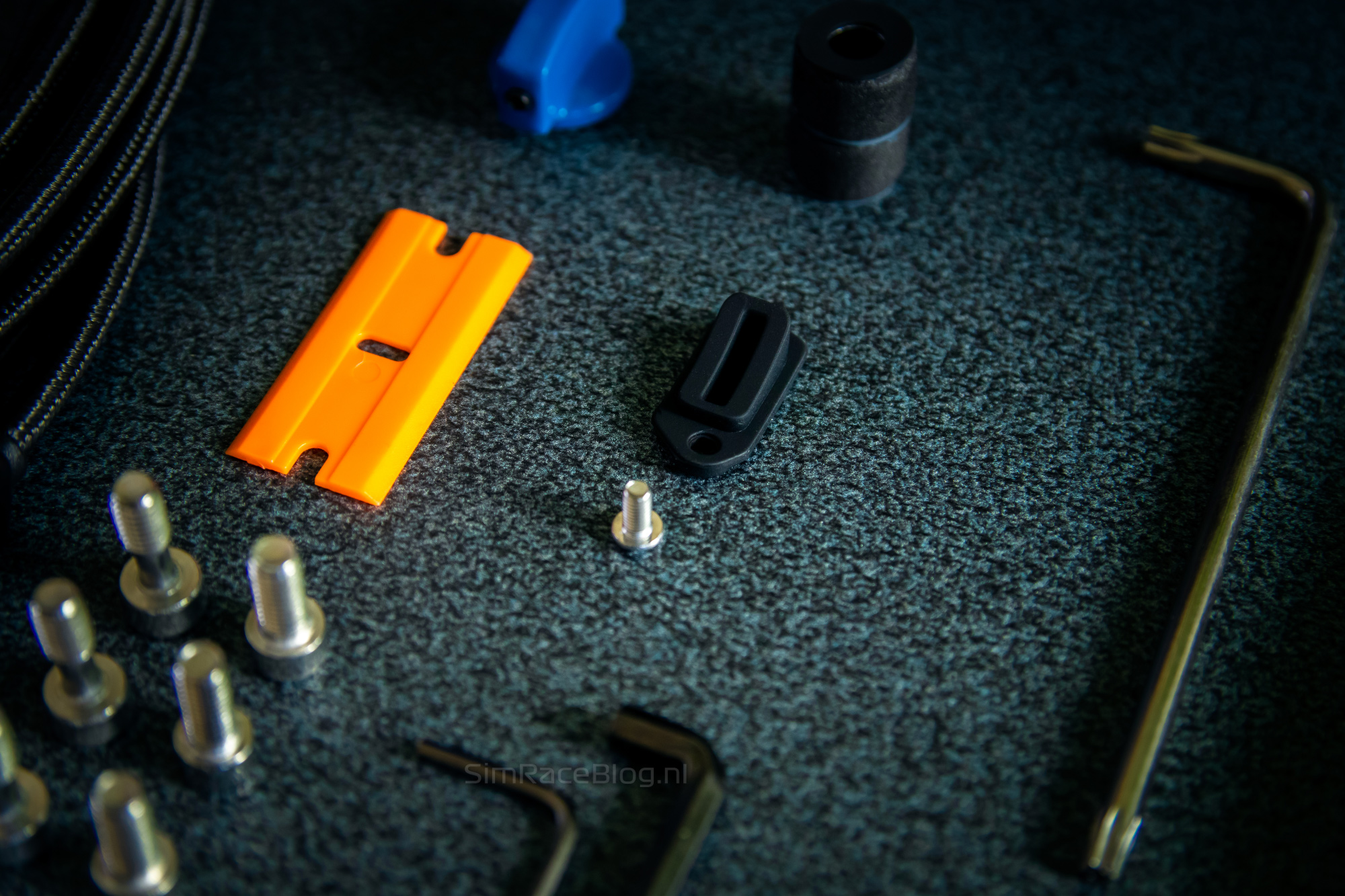

Above the cut-out holding the accessories, we see a foam lid shaped like the steering wheel, covering a cut-out of the same shape underneath. Once we remove this, the Mercedes-AMG F1 steering wheel lies neatly nestled in the foam, waiting for us. Knowing this is a true-to-life replica of the official Mercedes-AMG Petronas F1 steering wheel, this is a special moment for us as (sim) racing fans. At the aforementioned ADAC Sim Expo and SimFormulaEurope, two of us, Roy and Wayne, already had the wheel in hand and got to do a few laps with it. As the author, I, Robert, decided to postpone my first physical introduction with the wheel until now.

Given the market positioning of the steering wheel and how it came about, we might have expected a more exclusive approach packaging-wise. A nice case that gives the illusion or experience it could hold the real Mercedes-AMG PETRONAS Formula One Team wheel wouldn’t have been out of place. At the same time, we know Sim-Lab as a company that likes to take good care of their products but also lets them speak for themselves without too much fuss. We really appreciate that, and this clean product box, without any bells and whistles, fully reflects that. All in all, we’re more than happy with this unboxing experience!
The Sim-Lab Mercedes-AMG F1 steering wheel
As mentioned, the Sim-Lab Mercedes-AMG F1 steering wheel was developed in collaboration with the actual Formula 1 team itself. Sim-Lab received CAD models of original, recent wheels from MGP (Mercedes Grand Prix), which formed the basis for the wheel. The goal? To deliver the most authentic Formula 1 racing experience and create the best sim racing wheel on the market.
Each Sim-Lab Mercedes-AMG F1 wheel is hand-built using the best and most authentic materials. The 280mm wide wheel’s shell is hand-crafted from carbon fiber, guaranteeing a lightweight yet extremely stiff wheel. The wheel weighs 1129 grams without the Quick-Release Hub, and 1240 grams including the hub. The grips are ergonomically designed and made from silicone rubber material, which is antistatic to prevent dust buildup.

Front side
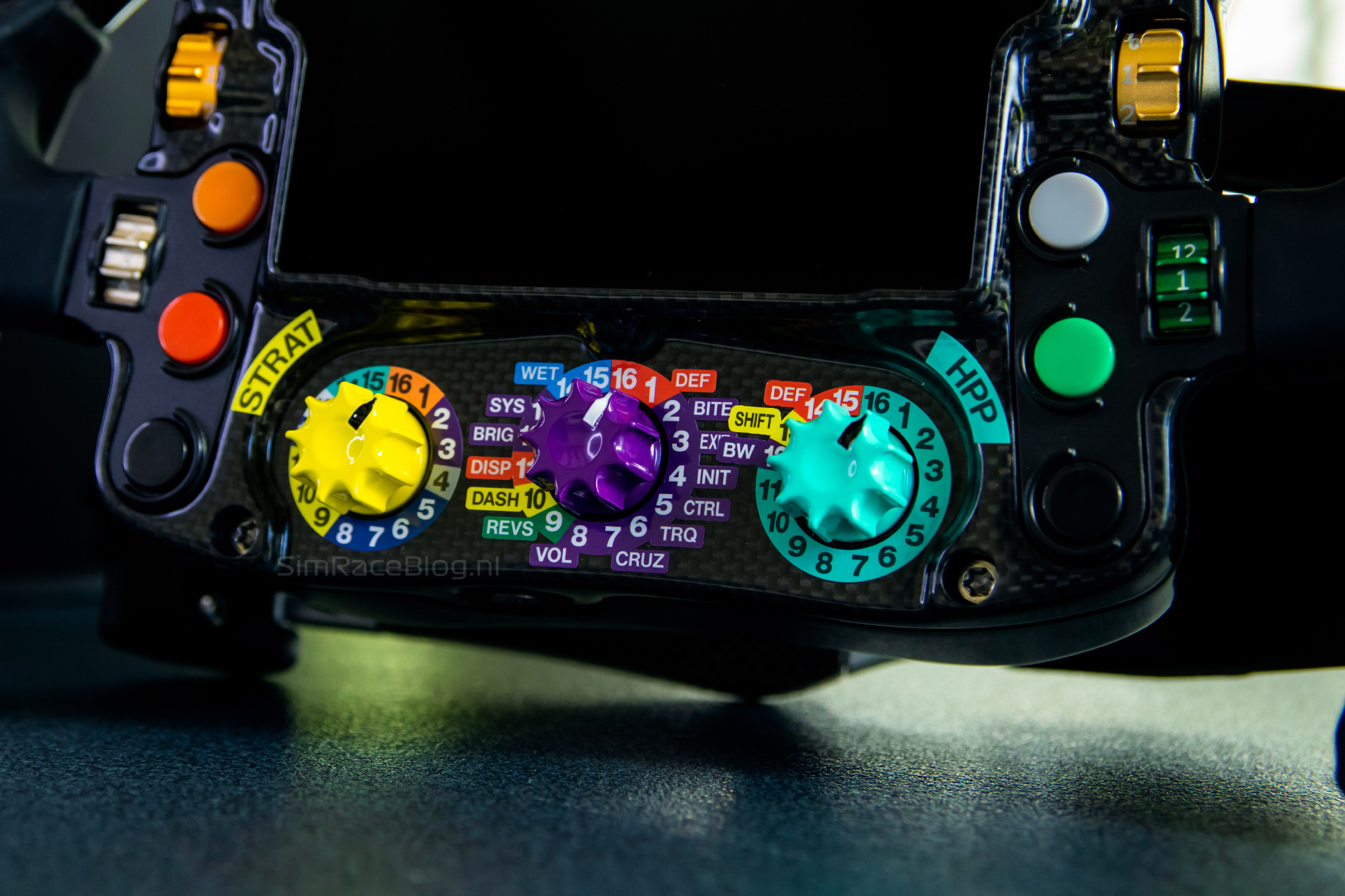
The front of the steering wheel is very generously equipped with input options. We count twelve strategically placed push buttons, six on the left side and six on the right, all with partial collars to prevent accidental presses. No less than six rotary thumb encoders are within easy reach, three on each side. At the bottom, in the centre of the wheel, there are three more rotary encoders. All encoders come from the well-known sim racing brand Grayhill, loved for their reliability, high-end feel, and tactile, consistent feedback during use. All nine rotary encoders can be used in both ‘position’ and ‘pulse’ modes, meaning they can act as simple ‘plus’ and ‘minus’ buttons for adjusting brake bias, for example, or to cycle through twelve or fifteen preset settings with a flick of the fingertips.


As described, we received two full sets of sticker sheets with the wheel. The stickers for the push buttons are the same, but the stickers for the rotary encoders differ. These differences are based on the button layouts of Lewis Hamilton and George Russell. By default, the wheel is set up in Lewis Hamilton’s style. Aside from the sticker sheets, the earlier mentioned blue knob is also included, which can be placed on the middle rotary encoder to match George Russell’s layout.
On the front of the wheel, we also find the 4.3-inch LCD screen with a resolution of 800×480 pixels, more than enough for a crisp and clear view. Around the screen, there are 21 RGB LEDs arranged in a 3x15x3 pattern. On each side, there are three LEDs that can be used to display telemetry data or, for example, to show DRS availability. The fifteen RGB LEDs in the center above the wheel serve as RPM LEDs to read the virtual car’s engine revs.

Rear side
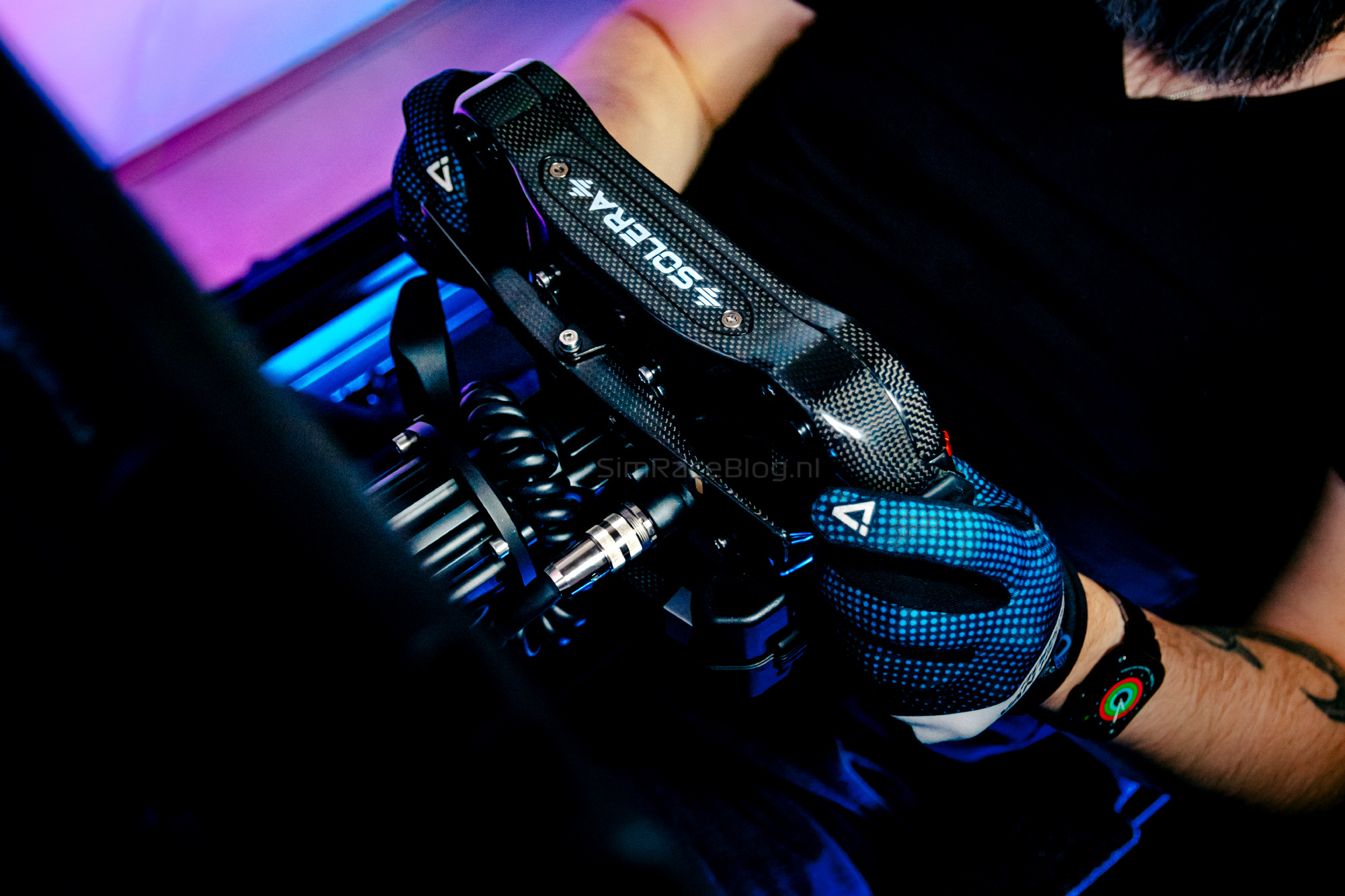
The rear side of the Mercedes-AMG F1 steering wheel is just as exciting as the front. While many wheels come with two separate shift modules, this one features a full carbon fiber mono-style shift paddle, also called a ‘rocker’ type. It’s a centrally placed paddle made from one piece that can be pushed both towards and away from you. Upshifting and downshifting happen with the same paddle. The paddle has an actuation force of up to 900 grams, meaning it requires some commitment to operate.


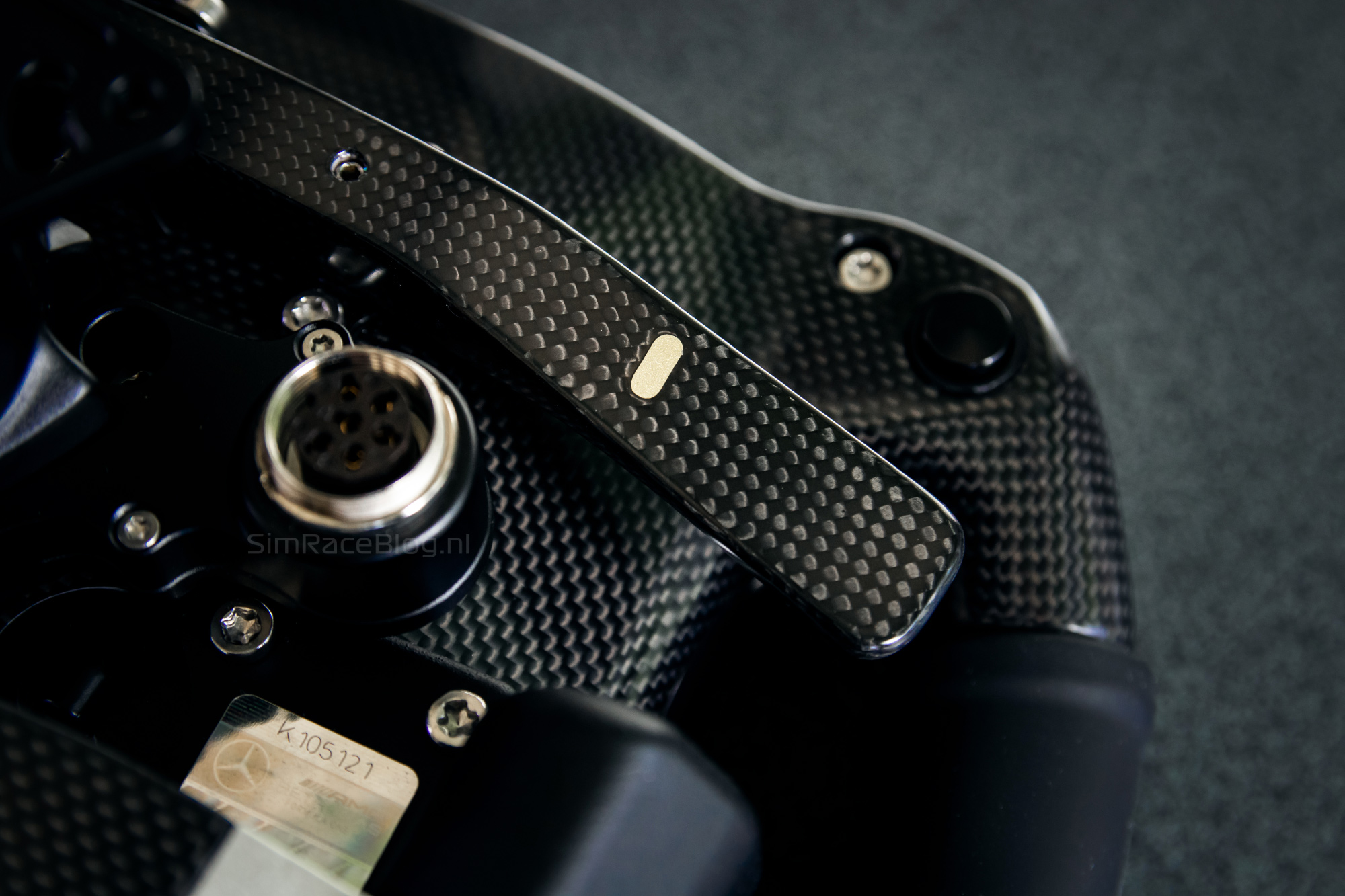
Under the shifter paddle is a large, single clutch paddle. It’s a fairly long paddle spanning the entire width of the wheel with an adjustable travel. According to Sim-Lab’s info, the cup where the fingers rest is replaceable. The whole clutch paddle can also be flipped to either side, left or right.
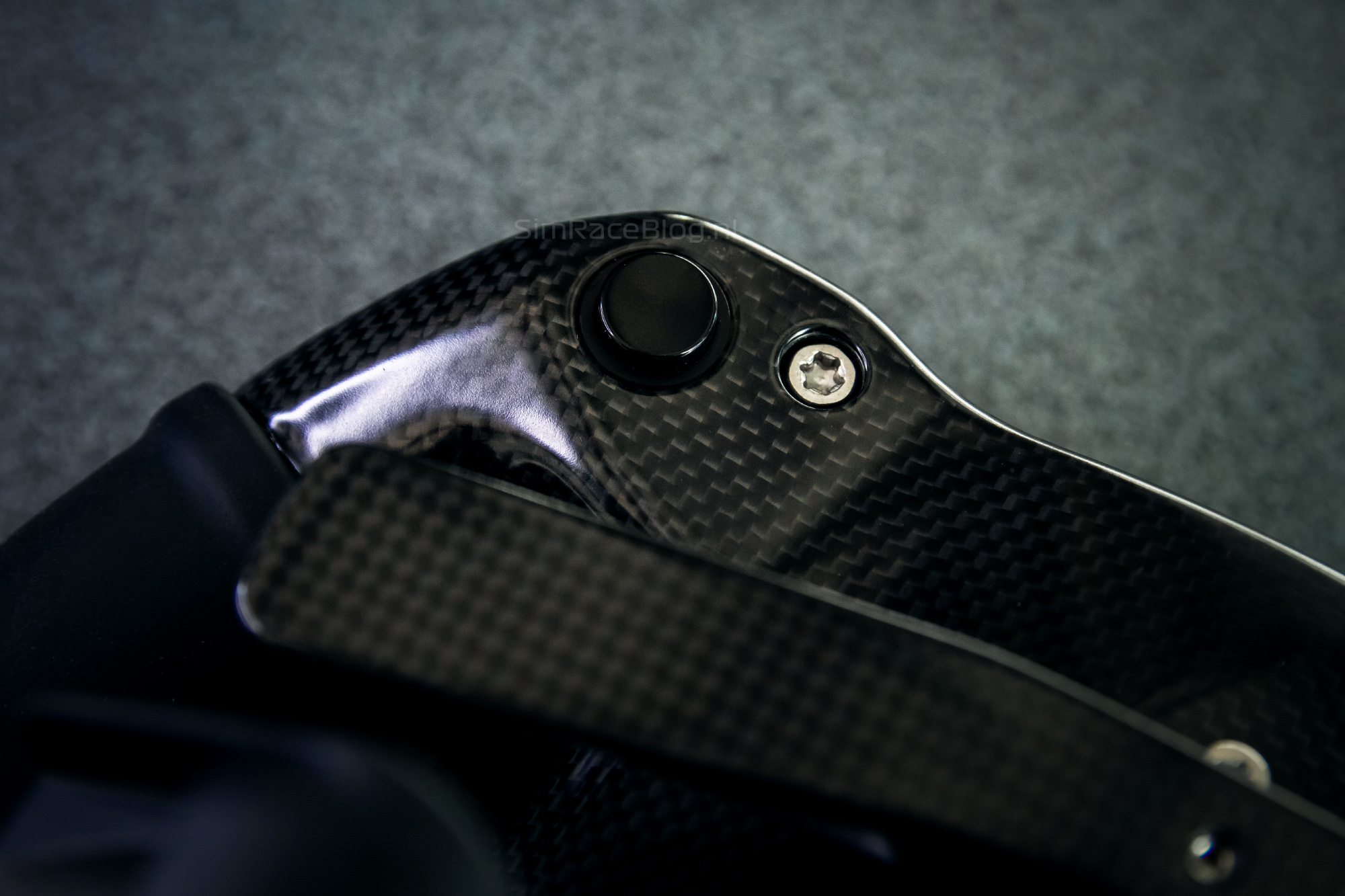
At the top of the back of the wheel, near where our index fingers sit, we find two black push buttons that can be custom configured. For many hardcore Formula 1 fans, one of these will be known as the famous ‘brake magic’ button from the Mercedes-AMG F1 team.

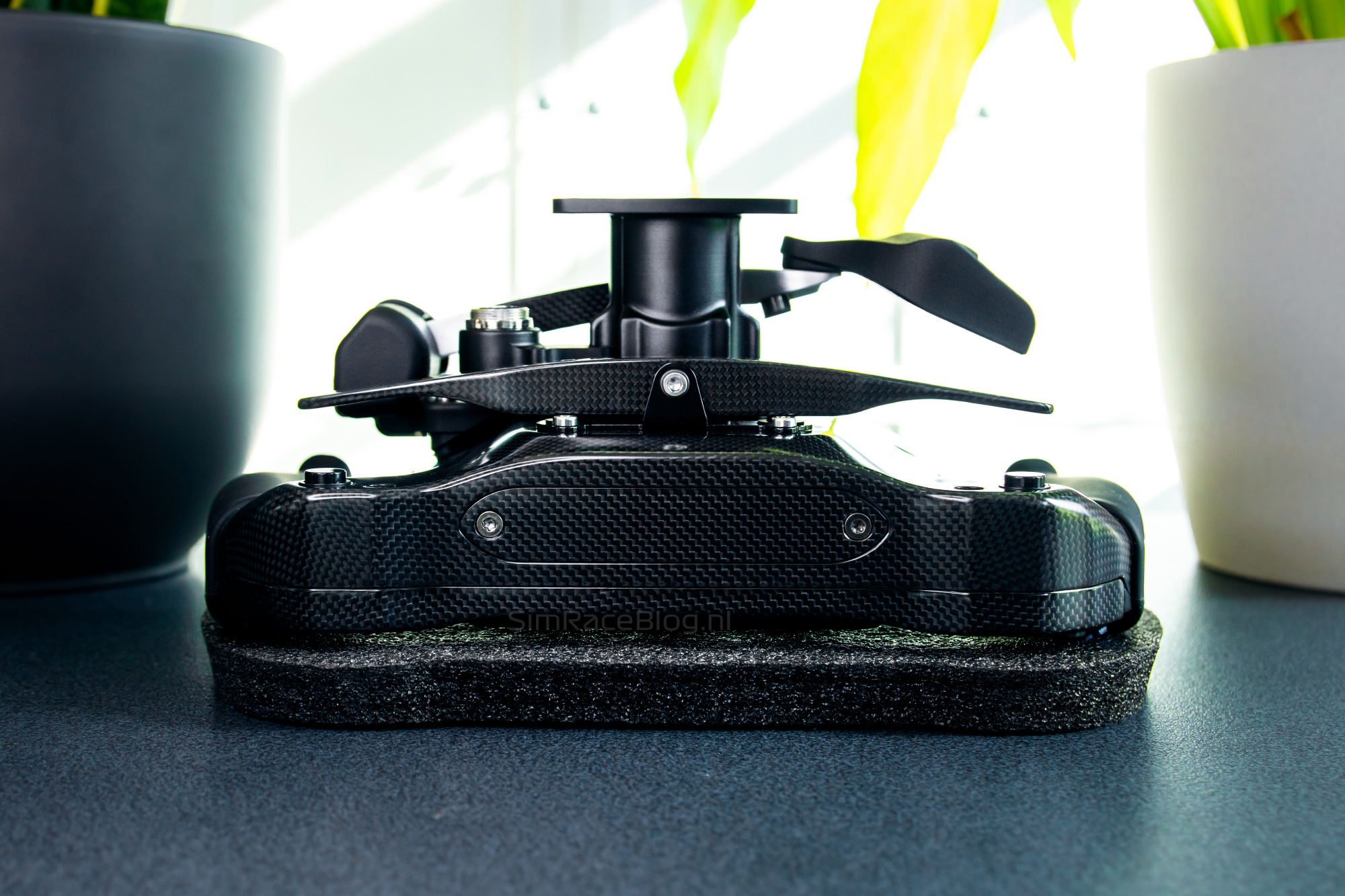
Centered on the wheel, you’ll find the 70mm pattern adapter for mounting a Quick Release system, and the Lumberg 6-pin to USB connector. This Lumberg connector is also removable. With the included Molex to USB-A adapter*, full passthrough functionality can be used, meaning data transfer to the wheelbase goes completely through the Quick Release without a bulky loose cable around your wheel. Of course, the wheelbase you use must support USB-A passthrough.
*We did not receive the connector at the time of writing, but is included in the steering wheel right now
Compatibility
The Mercedes-AMG F1 wheel is PC-only and can be used with any wheelbase that supports mounting a Quick Release on the wheel’s 70mm bolt pattern. This means it works at least with Fanatec, Simucube, Simagic, MOZA, Asetek wheelbases, and more.


Mounting
Mounting needs little explanation. We removed one of our Asetek SimSports Invicta Quick Releases from another wheel, connected the Lumberg 6-pin to USB cable to the cable in the Asetek Quick Release, and mounted the entire Quick Release with three bolts onto the Mercedes-AMG F1 wheel’s 70mm bolt pattern. Easy as that.


Software
To run the Sim-Lab Mercedes-AMG F1 wheel, the primary software needed is Sim-Lab RaceDirector. Additionally, the wheel can optionally be controlled via SimHub.
Sim-Lab RaceDirector
First, we download the RaceDirector software from Sim-Lab’s website. Installation is quick, so soon we can launch the program for the first time. Initially, it seems like the software doesn’t detect the wheel because it doesn’t show up. We quickly find out that in the gear menu at the bottom left, we first need to check that the Mercedes-AMG F1 wheel is connected. Once done, it appears on the left sidebar and we can open it.
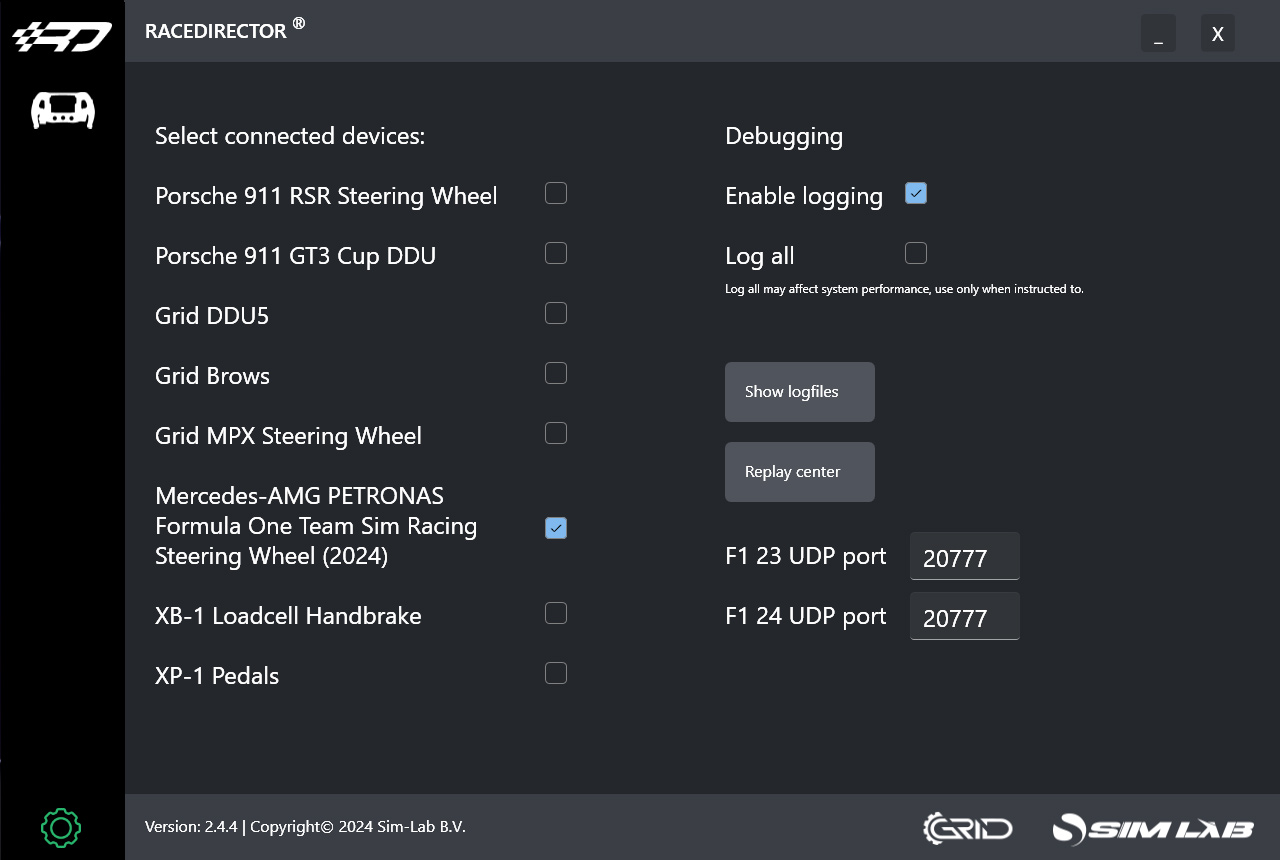

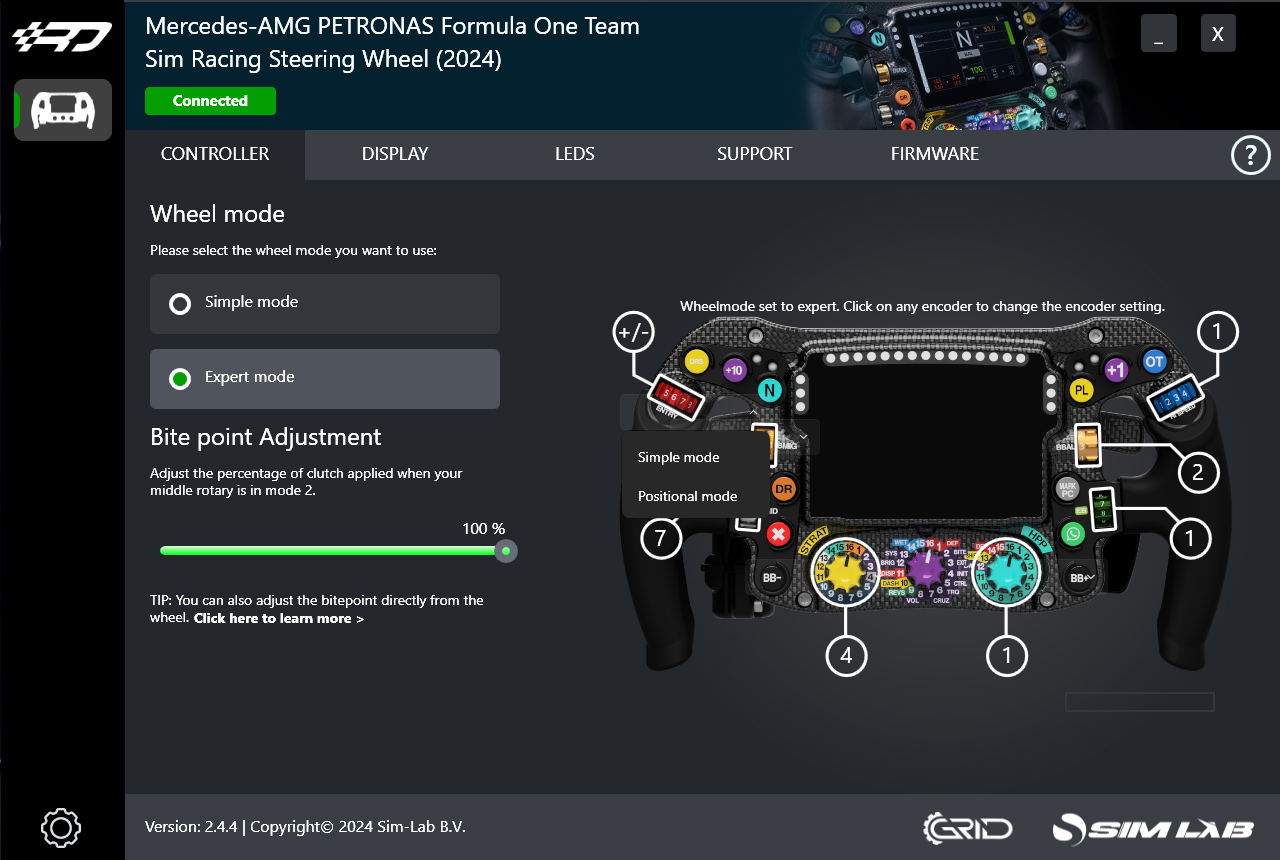
After selecting the wheel, we see a page with five tabs: Controller, Display, LEDs, Support, and Firmware. In the ‘Controller’ tab, we can configure the wheel itself. Here, we can choose between ‘Simple Mode’ and ‘Expert Mode’ for the wheel operation. The difference is that in ‘Simple Mode’ all rotary encoders are set to ‘Pulse’ mode by default to easily register plus and minus inputs. This mode can still be adjusted per encoder. In ‘Expert Mode,’ some encoders are in ‘Pulse’ mode, while others are in ‘Positional’ mode, allowing twelve or fifteen different positions depending on the encoder. In ‘Expert Mode,’ there’s also the option to adjust the clutch paddle’s actuation point, with a note that this can also be done directly on the wheel.

On the ‘Display’ tab, we find options to customize the wheel’s 4.3” screen. First, we can choose between different dashboards offered by Sim-Lab. Naturally, we go for the Mercedes-AMG W15 dashboard. We can also assign buttons to navigate between dashboard pages. Additionally, there’s an option to assign a button to ‘Launch Practice,’ which we’ll come back to later.


The ‘LEDs’ tab, unsurprisingly, offers options to customize the RGB LED lighting. We can choose from multiple profiles, and again, we stick with the W15 profile. Here, we can adjust LED brightness, set the RPM LEDs’ blink threshold, and configure the blink speed as desired. Interestingly, the screen says the W15 LED profile can’t be edited—but that message stays even when we select ‘New Profile.’

The ‘Support’ tab offers the user manual, a ‘Downloads’ button, and a button to contact Sim-Lab. The ‘Firmware’ tab is self-explanatory; here we can see which version of RaceDirector firmware we have, what’s available, and what firmware the wheel is currently running.
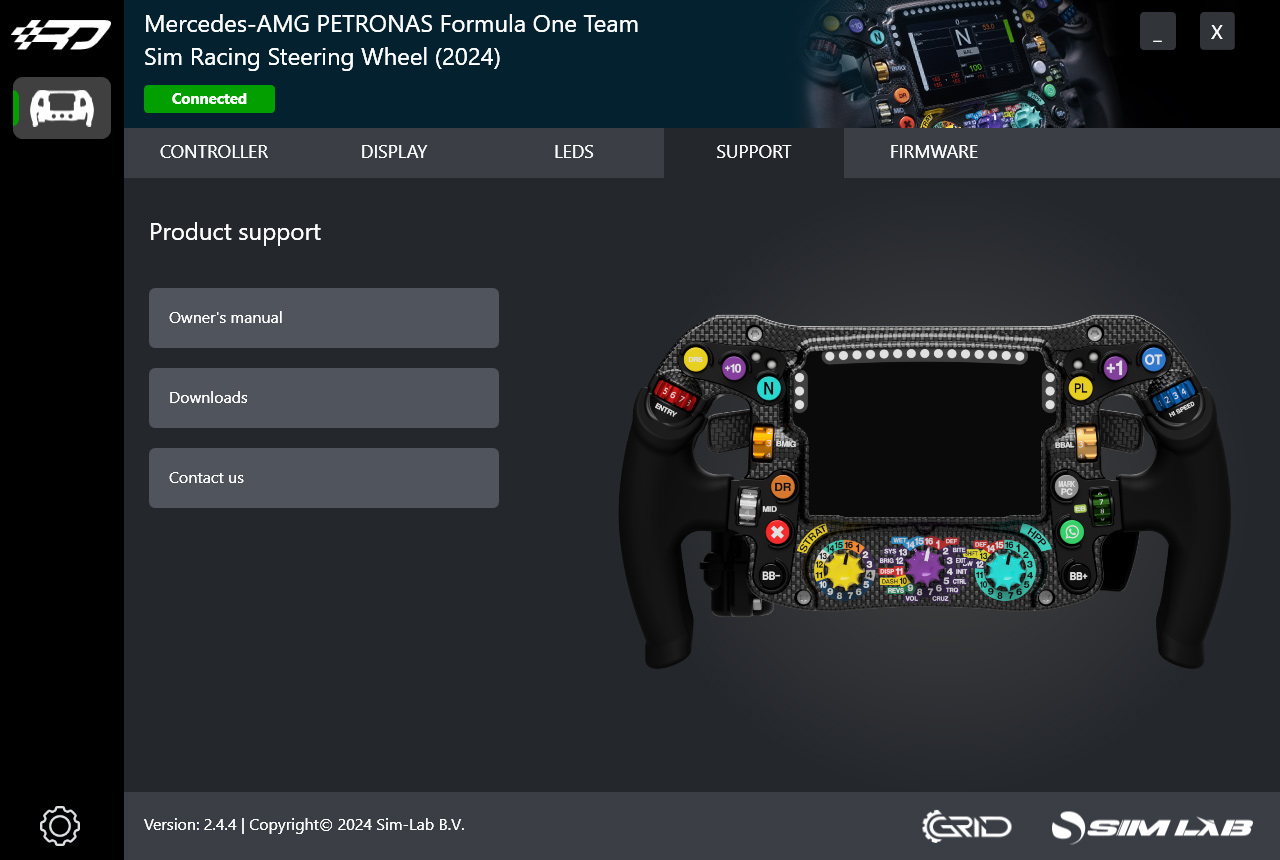
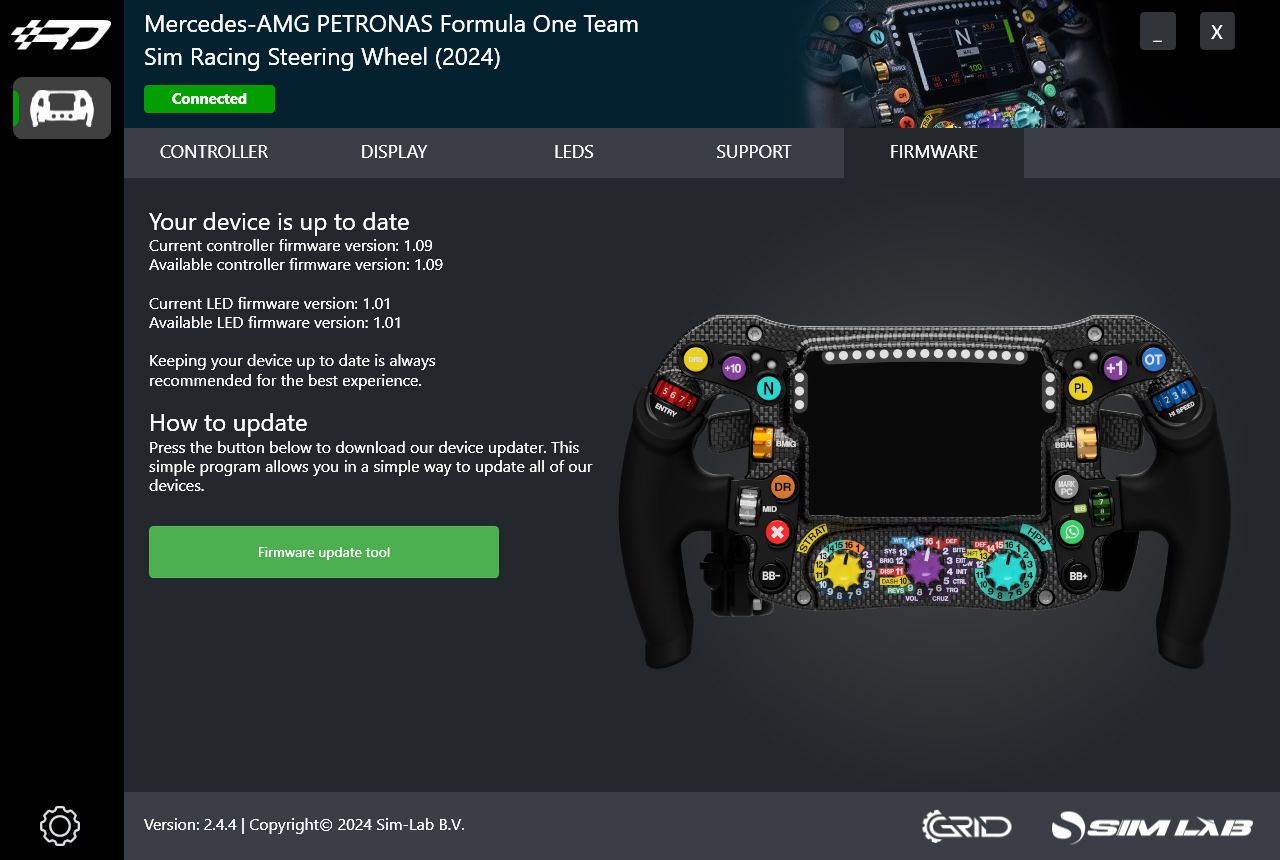
At first glance, the Sim-Lab RaceDirector software doesn’t look very extensive, partly because we can’t seem to create a new LED profile. Still, the basic settings are well covered, and having a way to update the wheel’s firmware is obviously important.
SimHub
As mentioned, the wheel can also be optionally controlled via SimHub. Adding the wheel to SimHub is a breeze since it’s natively supported. We navigate to ‘Devices,’ click on the Mercedes-AMG F1 wheel, and it’s paired.


The options to configure the wheel in SimHub are pretty standard and what we’re used to. Opening the wheel shows three tabs: LCD, LEDs, and Controls, starting with the ‘LCD’ page. Here we can adjust screen brightness, select an in-game dashboard and an idle dashboard, and tweak screen settings. Under ‘Dashboard playlists and car assignment,’ we can assign dashboards per car for use in Assetto Corsa.
On the LEDs screen in SimHub, we can also adjust brightness—but for the LEDs. Plus, we can set or import a light profile. By default, there’s a profile from Sim-Lab, which is great because it saves setup time. There are two standard profiles: one for F1 23 and F1 24 games, and one for basically every other (popular) sim. Adjusting the light profile works as usual; we can add different effects per event or situation on the LEDs, including based on telemetry data. On the ‘Controls’ tab, we can configure hotkeys for navigating dashboards and the number of screens per dashboard.


Driving with the Sim-Lab Mercedes-AMG F1 steering wheel
After configuring the Sim-Lab Mercedes-AMG F1 wheel, it’s finally time to hit the track for our first laps. Of course, we jump into one of our FormulaSimRigs setups and start a session in Assetto Corsa with one of the RaceSimStudio Formula Hybrid cars. Gloves on, and we’re ready to roll.
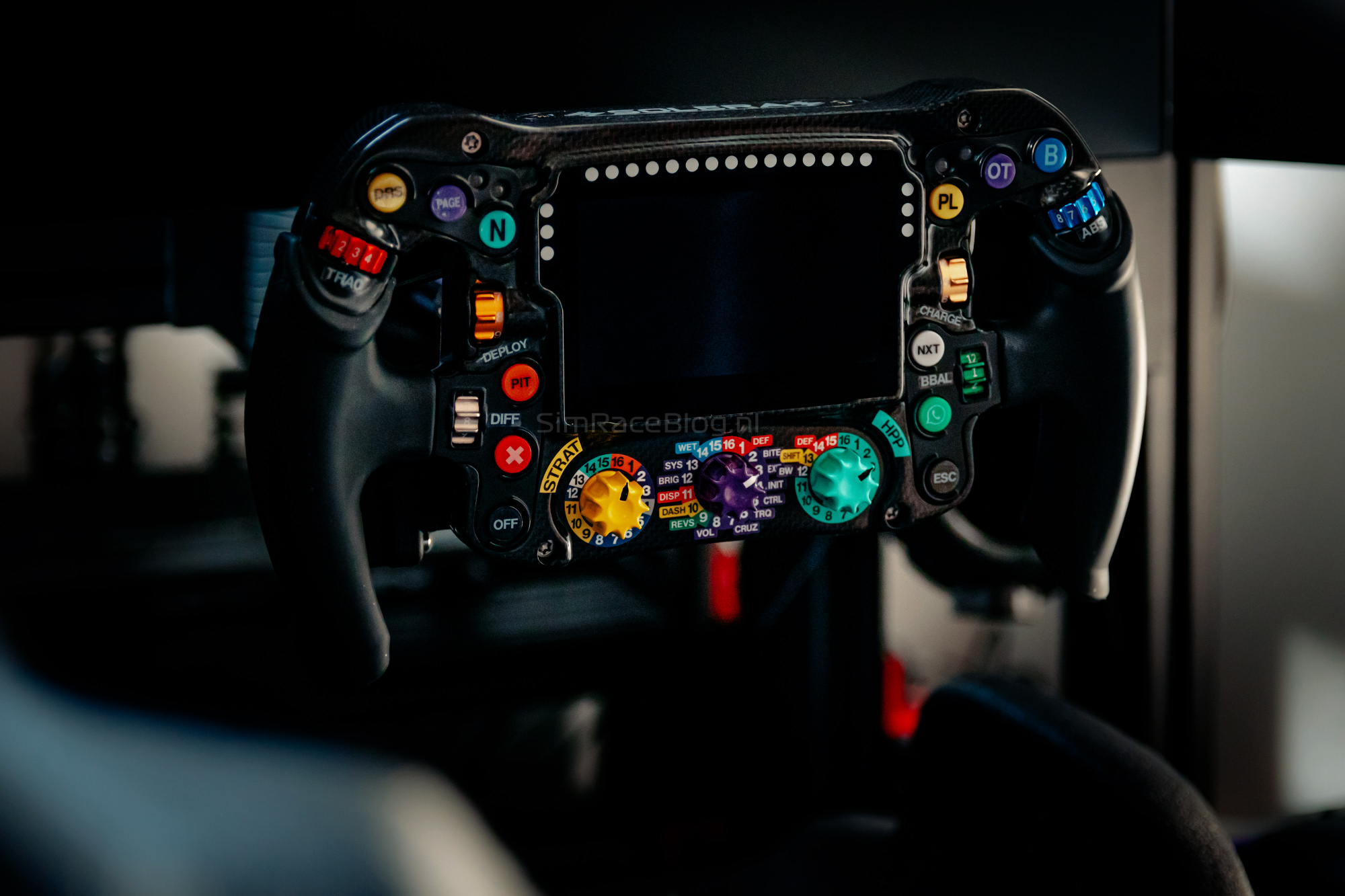
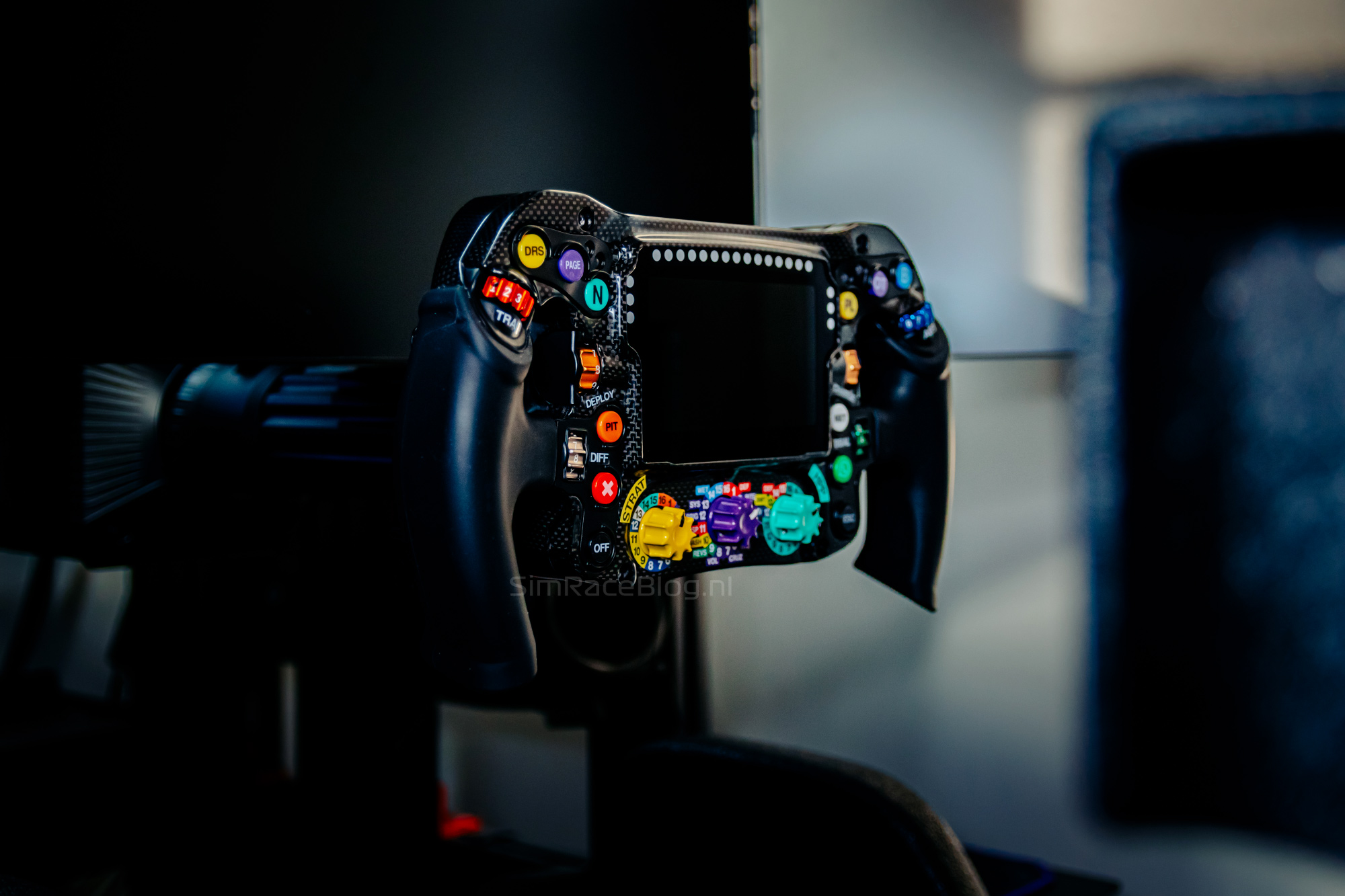

Our first impression of the Mercedes-AMG F1 wheel is multi-layered. On one hand, weobviously feel the comfortable shape of the wheel. At the same time, we realize this is, to some extent, the wheel driven by Lewis Hamilton, George Russell, and Kimi Antonelli. Knowing how the wheel was developed and how close it is to the real thing—and that this is probably the closest we’ll get to driving a real Formula 1 wheel—makes it something special. We put that thought aside for now and focus more on driving with the steering wheel itself.

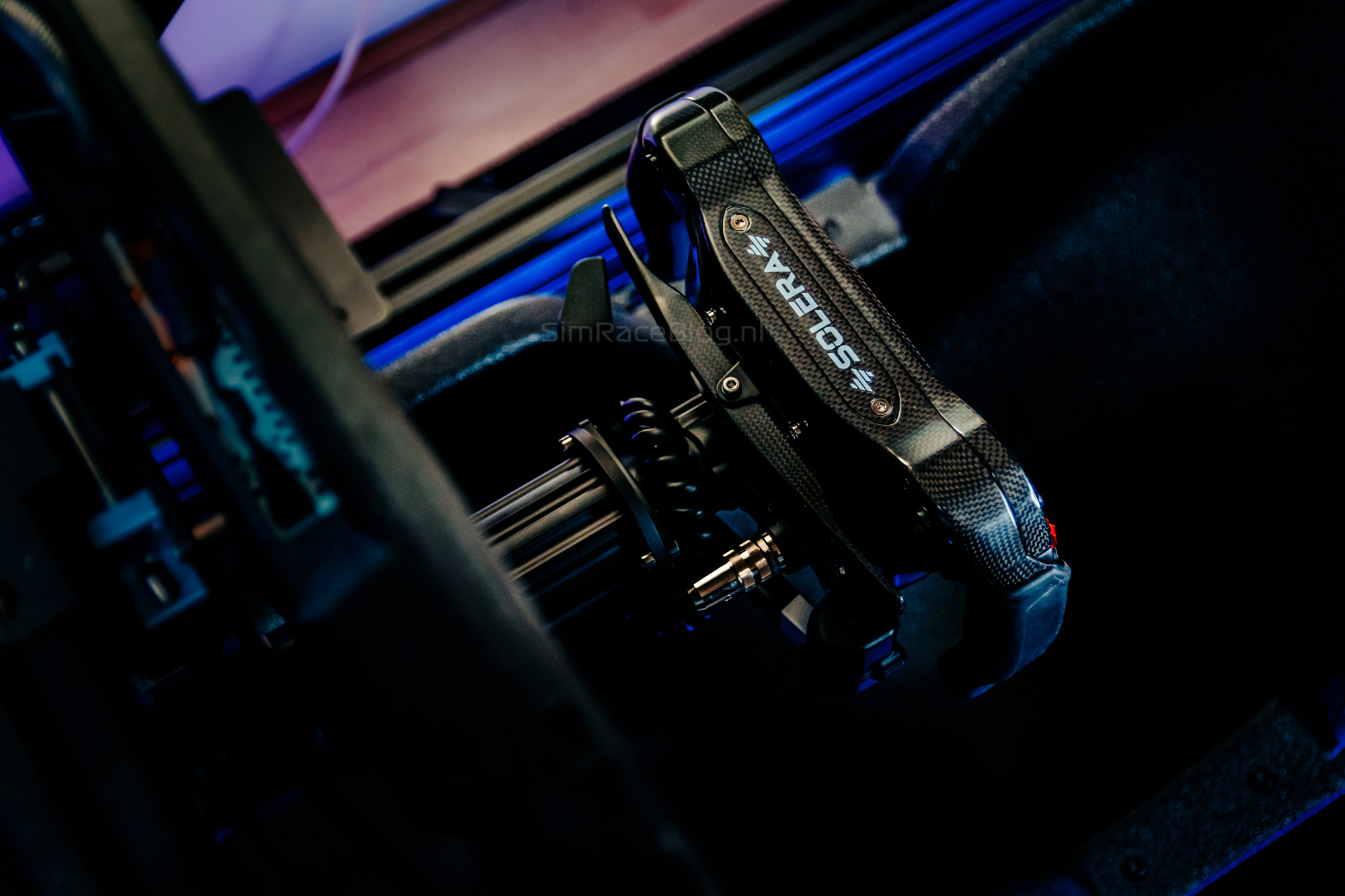

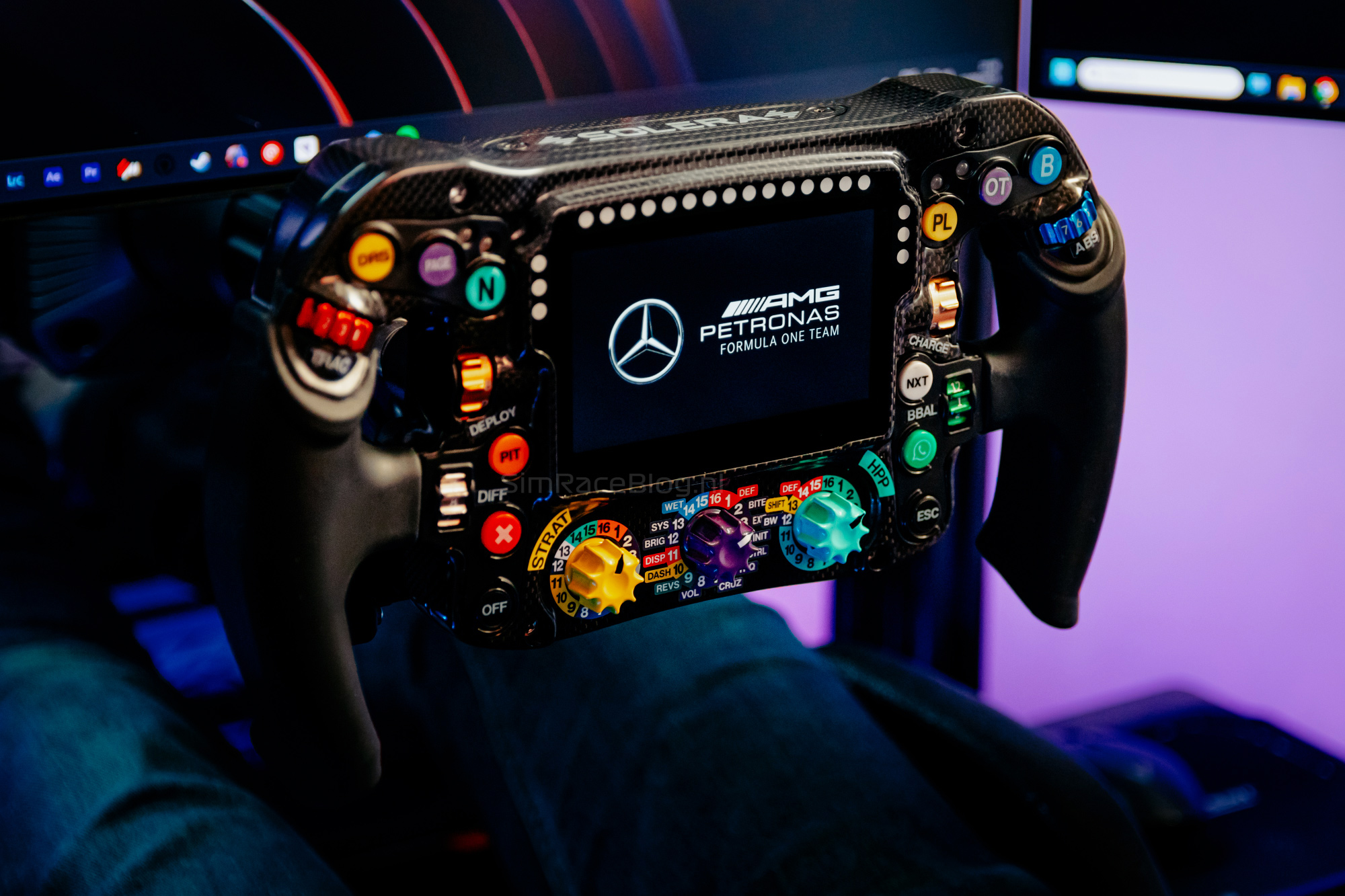
The first thing we always notice is the grip of a wheel. The grips on the Mercedes-AMG F1 wheel are well-sized and thick enough, holding firm without feeling bulky. Ergonomically, the grips work great for us. The wheel is actually more compact than we expected, which makes it feel more comfortable for smaller hands.
What caught our eye during inspection were the seams on the sides of the grips. On some wheels, these seams can be quite the annoying factor, but on the Mercedes-AMG F1 wheel, they’re barely noticeable while driving—especially with gloves on. Not a distraction, if you ask us.
Driving with gloves, the grip feels solid and secure, just nice to hold. As usual, we also did a few sessions without gloves. The grip is still good in that scenario. It feels like a more direct connection with the wheel, but out of habit and comfort, we usually prefer gloves—though that’s just personal preference.

Front side
As we described earlier, the front of the wheel is packed with push buttons and other inputs. The twelve push buttons are well strategically placed and easy to operate while driving—but honestly, that’s to be expected from a sim racing replica of a real Formula 1 wheel. The top four buttons close to each thumb can be pressed without losing grip on the handles; the bottom button on each side is a bit harder to reach. The buttons feel nicely tactile with a ‘clicky’ feedback and short travel. Sometimes buttons with this description can get noisy, but that’s not the case with the Sim-Lab Mercedes-AMG F1 steering wheel. Each button has a raised collar, matching the angle your thumb makes when pressing it. This makes each button easy to find and minimizes the chance of accidental presses.
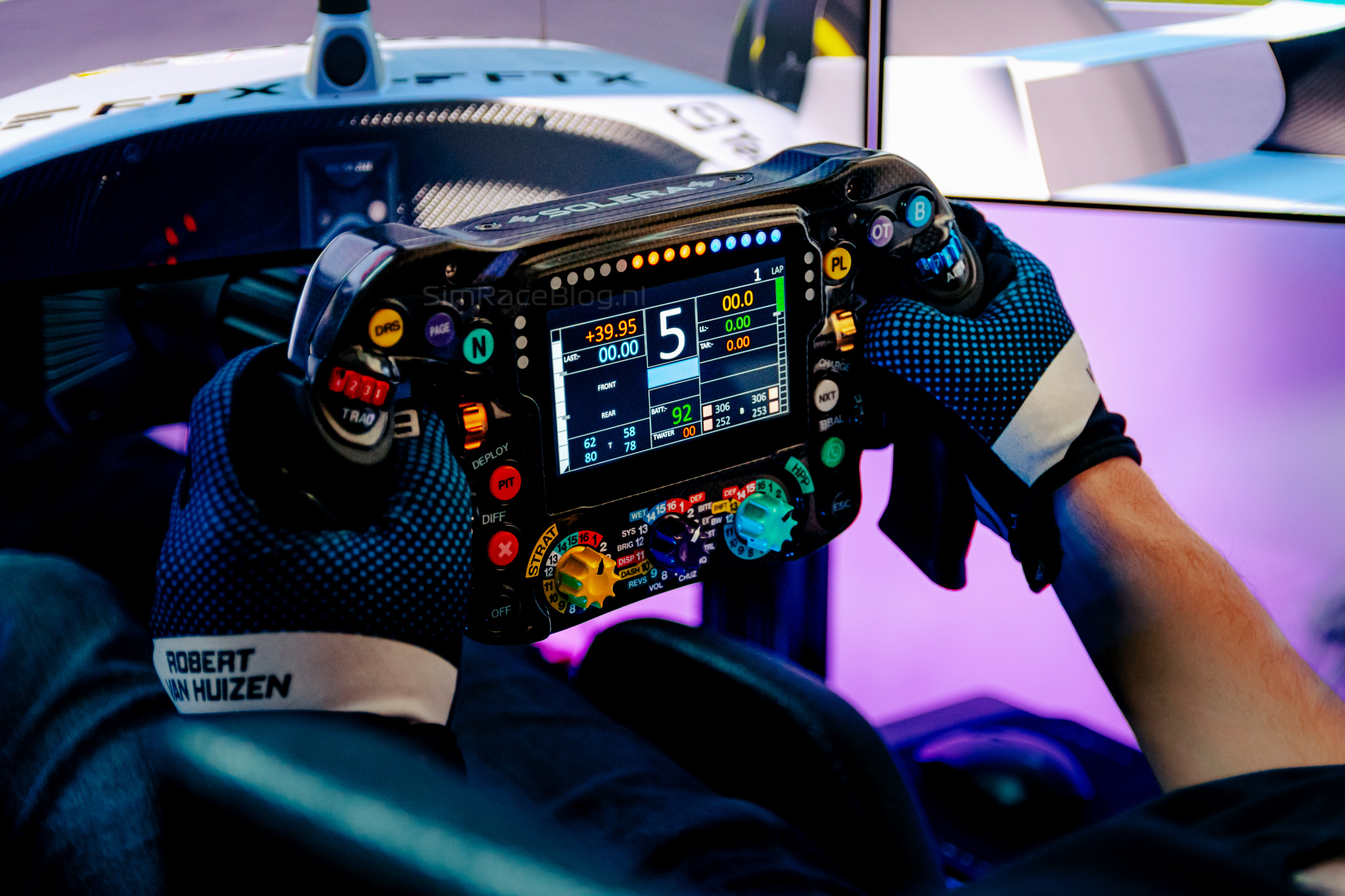
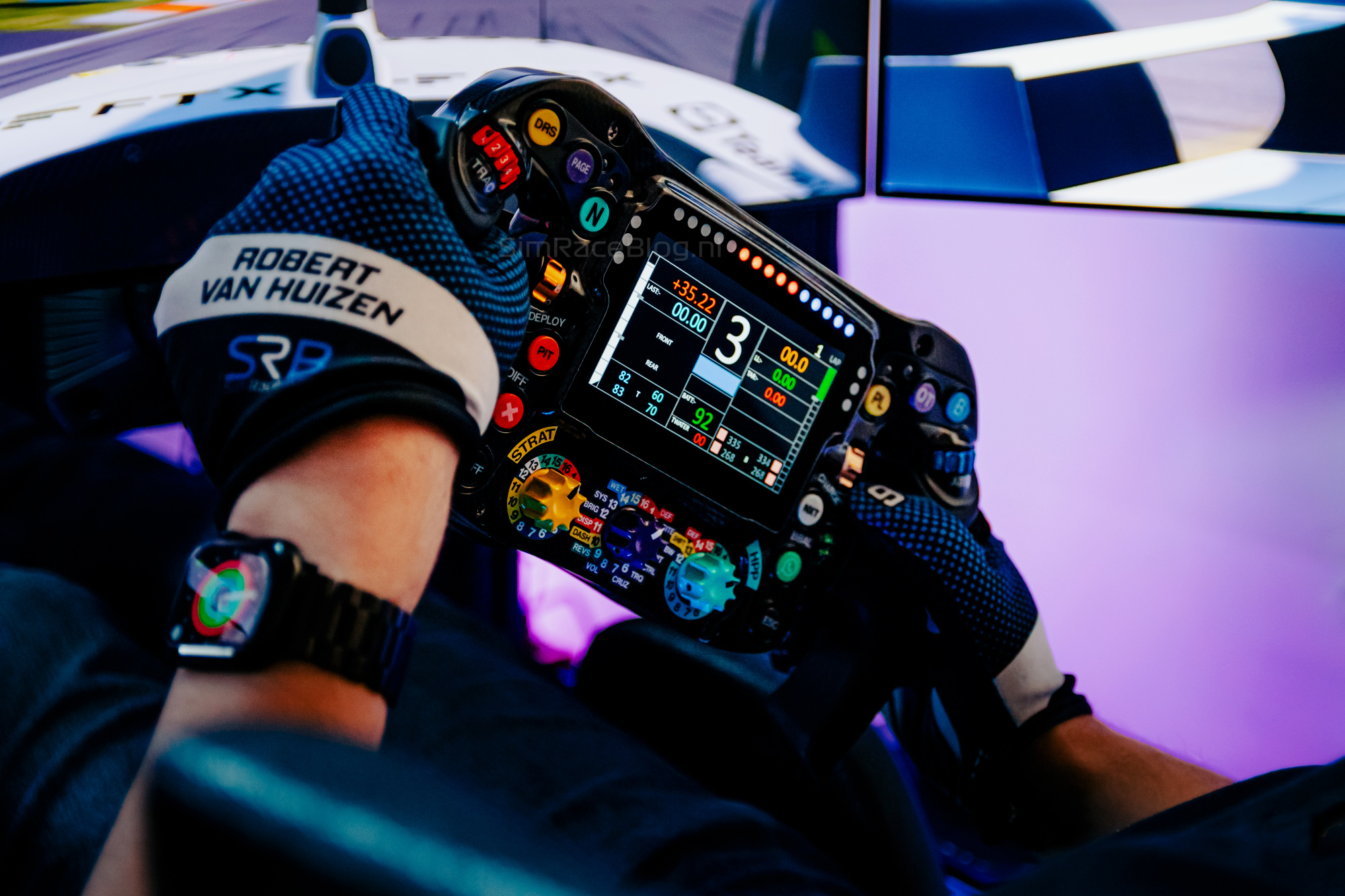
The nine rotary Grayhill encoders work and feel exactly as expected. They require a fair amount of force to operate, demanding focus and decisiveness. The resistance feels really pleasant, and the feedback when turning is excellent. With a Grayhill encoder, accidentally over-rotating is no longer a thing.
The encoders around the thumbs—three on each side—are well within reach. However, we find the lowest of the three, located next to the grip where the thumb rests, a bit recessed into the wheel’s frame, making ultra-fast and precise operation slightly trickier.
The three rotary encoders at the bottom centre of the wheel are nicely positioned, their pointed shape offering great grip, making them a joy to use. We run the wheel in a true Formula 1 position close to our chest. Reading the encoder positions based on the stickers is tricky from this angle. In other positions, or with different arm lengths and distances, this issue will be less noticeable.


The steering wheel also has some hidden features in the rotary encoders. When the middle encoder is set to position ‘1 – DEF’ (default), all buttons on the wheel work as normal. If we set the middle encoder to position ‘2 – BITE,’ we can adjust the clutch’s bite point using the instructions in the manual. Choosing position ‘9 – REVS’ lets us, by pressing a chosen button on the wheel while in this mode, enter the previously mentioned Launch Practice. Here, we can pull in the clutch, see five lights light up on the screen, and release the clutch when they go out—after which our reaction time is displayed on the screen. That’s a cool little feature.

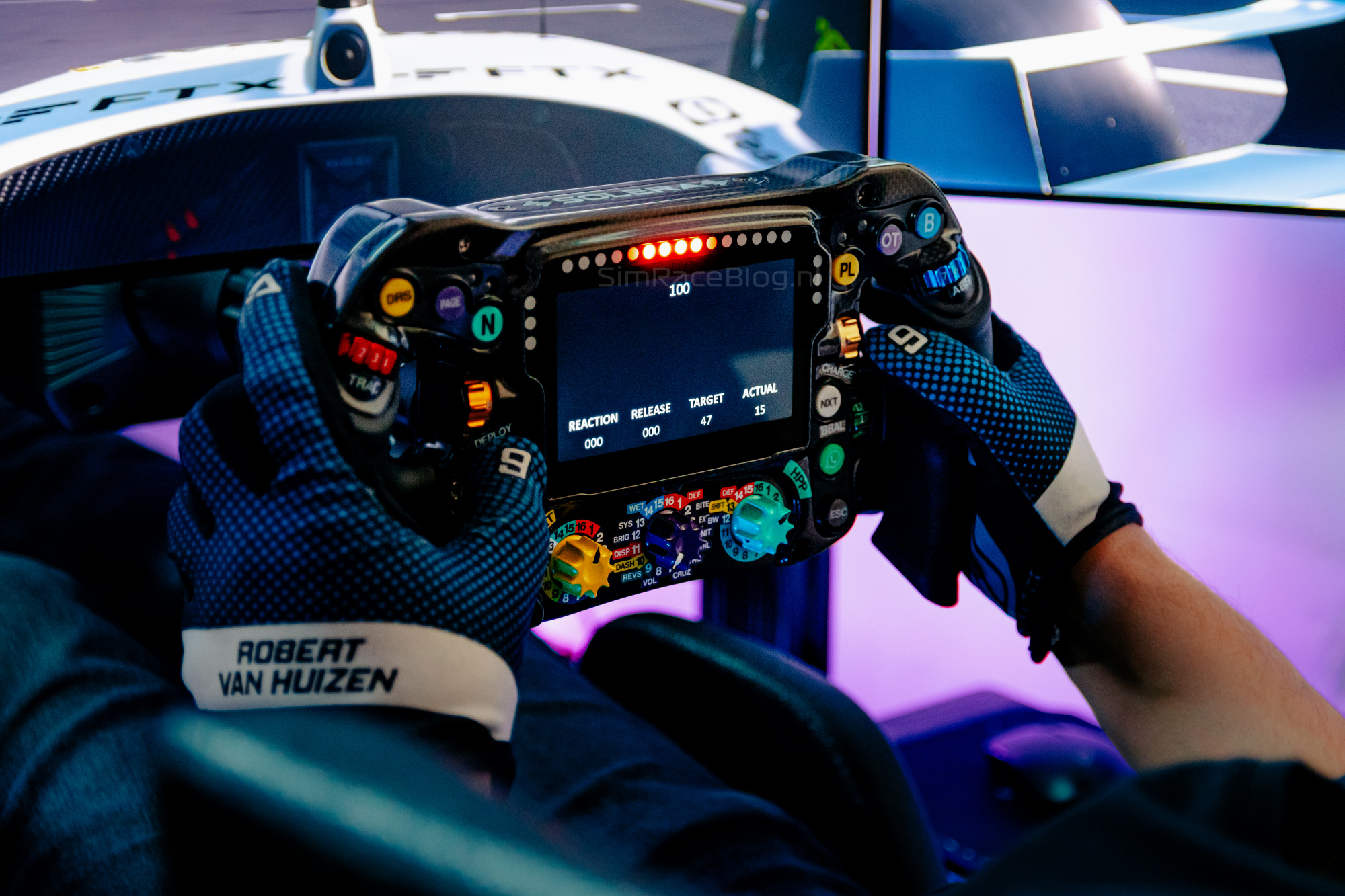
The RGB lighting on the front of the wheel is top-notch and well done. The maximum brightness is quite intense, so we dialed it down to about 75% by default. The colors are nicely saturated and clear.
Last but not least: the 4.3-inch 800×480 LCD screen at the center of the wheel. The screen is excellent in terms of color, brightness, and sharpness. We have no trouble quickly and clearly reading data from it. What we do find disappointing is that when using the original W15 dashboard that comes with the wheel, we depend on Sim-Lab’s RaceDirector software. We usually prefer running our wheels through SimHub, but the two don’t work together, and there’s no W15 dashboard included for SimHub. Why don’t they work together? When we open SimHub while RaceDirector is also running, the screen constantly flickers between the idle screen and dashboard. Closing one of the two programs stops this. For now, we have to choose either RaceDirector or SimHub, and we mostly go for the latter for full control and customization. That said, Sim-Lab has made a really nice W15 dashboard that they continue to develop.


Rear side
The most important feature on the back of the wheel is usually, of course, the shift paddles. The ‘rocker style’ paddle is very authentic for this wheel, but it takes some getting used to if you’re used to regular dual paddles. The shift module is one single arm used for both upshifts and downshifts, so we can do both with one hand. Usually, we rest our fingers on shift paddles while racing. When doing that with this rocker paddle—say, downshifting with the left hand—we feel our fingertips getting pushed off on the right hand side. Once you get used to it, it’s not annoying, but it’s something to be aware of.
The paddle grip is narrow, designed for just one finger. Out of the box, the resistance—set at 600 grams activation force—is very comfortable for us. By flipping the magnets and using the included alternatives, we can adjust the activation force to 250g, 400g, 600g, or 900g. The instructions are straightforward, but the included Torx wrench doesn’t fit well with the tightly screwed Torx bolts on the wheel, often slipping out. For us, this was a frustrating job that could have been made much easier.

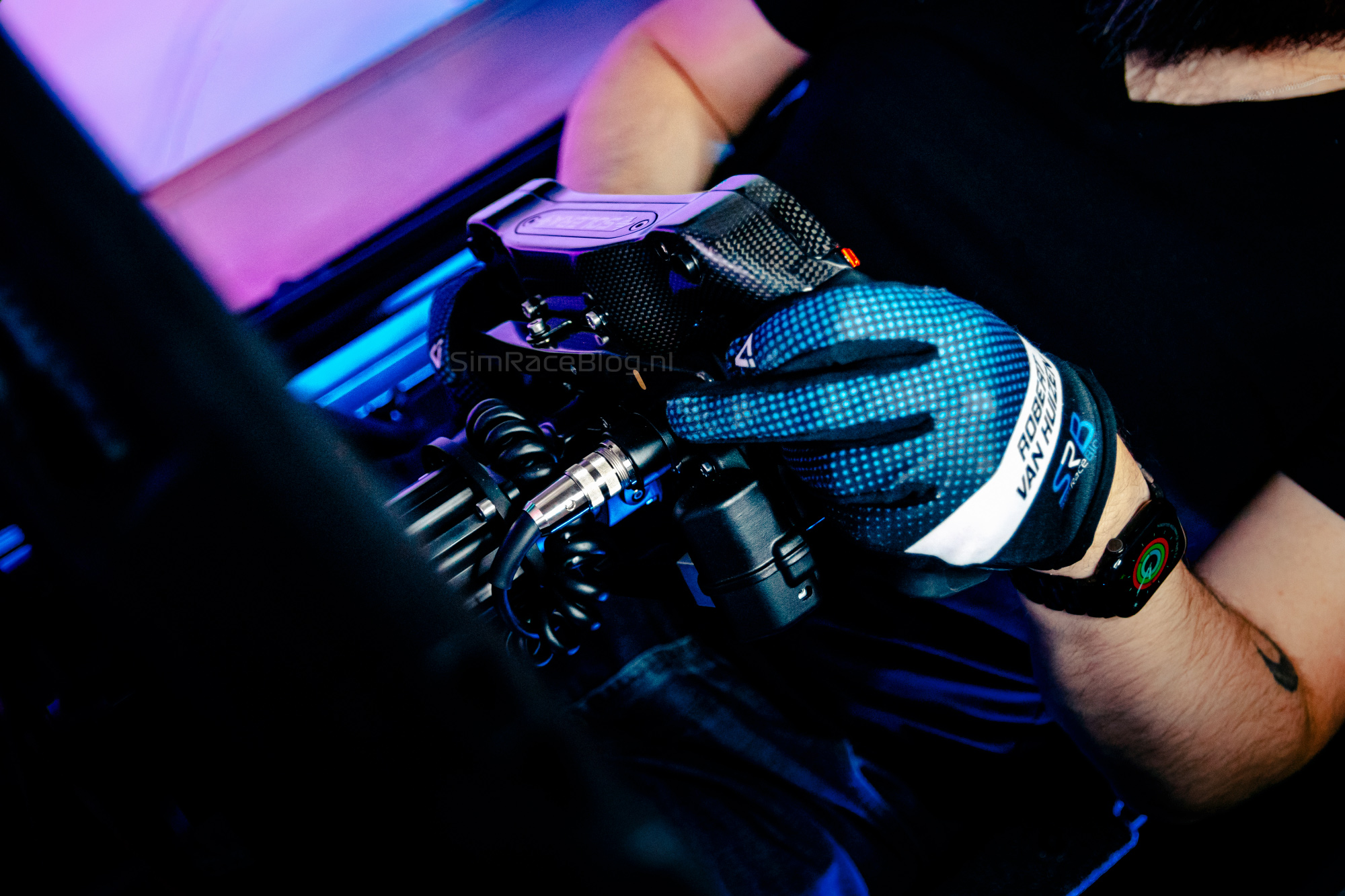
Unique on this wheel is the clutch lever. Whereas you’d usually find a simple module resembling a shift paddle but spring-loaded instead of magnetic, the Mercedes-AMG F1 wheel sports a full-fledged clutch lever. It’s mounted on the left side and has a long arm reaching all the way to our right-hand fingertips.
Finding the opening isn’t tricky—it fits our fingers pretty well, though we do feel we have to reach a bit. Our initial impression is that the resistance and feel of the clutch lever aren’t great. The arm is quite light, and we don’t get a very defined feedback. That said, we can dose the clutch fairly easily and get used to the feel, so we have little to complain about in that respect.
The lever’s travel is super easy to adjust by simply tightening a screw with the included Allen key. Shortening the travel makes the clutch lever easier, more comfortable, and more intuitive for us, though this will vary per simracer. The lever can be flipped to operate with the left hand as well, but we didn’t test that for this review.
The extra push buttons on the back of the wheel are excellently positioned and easy to use while driving. They feel the same as the front push buttons—nice and comfortable with clicky feedback and short travel. These buttons don’t have raised collars like the ones on the front. Our wheel doesn’t include collars either since it’s based on Lewis Hamilton’s setup, and those collars on the original wheel are the driver’s intellectual property, as Sim-Lab informed us. Units ordered now will come standard in the Kimi Antonelli configuration, which does include two collars for the two rear side push buttons.
A sidenote
As we did more sessions with the Sim-Lab Mercedes-AMG F1 wheel, we started noticing a creaking noise coming from the wheel creeping in. This was especially noticeable when testing the wheel under higher forces from the Direct Drive wheelbase. Eventually, the noise became annoying, and we noticed it even more when removing the wheel from the base.
After consulting with Sim-Lab, we sent the wheel back immediately. Their conclusion was that friction was occurring between the carbon fiber front plate and other parts. Since the carbon fiber components are handmade with tight tolerances, this can happen. Sim-Lab replaced the front plate on our wheel and sent it back quickly—so we had it back within a few days.
Good news for us, not only do we now have a creak-free steering wheel again, but we also got to peel off a new plastic protective film from the wheel’s screen. You don’t often get to have that magical experience twice.
Conclusion
With the Mercedes-AMG F1 wheel, Sim-Lab has brought a pretty exotic and unique product to market in collaboration with the official Mercedes-AMG PETRONAS Formula One team. Holding this wheel gives you an experience eerily close to that of the Mercedes-AMG F1 drivers. It’s built from CAD drawings from the Mercedes-AMG F1 team and crafted from handmade carbon fiber. The wheel exudes quality, luxury, and a faithful experience. The grips are ergonomic and feel great in hand as well.
Input-wise, it’s spot on; the Grayhill encoders are, as always, a joy to use with their force and precision. The push buttons feel nicely clicky with very short travel. The ‘rocker style’ shift paddle takes some getting used to and is a bit narrow but very pleasant to use. The paddle resistance is adjustable with magnets, though doing this feels a bit frustrating. The clutch lever is authentic and unique, but somewhat lacking in feedback for us. Shortening the travel improved this enough, and calibration and setup aren’t an issue.
Sim-Lab’s RaceDirector software is solid and quite comprehensive at its core. Being able to switch the wheel between ‘simple’ and ‘expert’ mode is a nice touch. We love the hidden features unlocked by the middle rotary encoder position on the front of the wheel. The wheel has so many functions that covering them all individually is tough—that’s where the 39-page Sim-Lab manual comes in handy. Connectivity with SimHub is also great, and honestly, we spent most of our time using it.
Our unit developed a creaking noise after extended use, but Sim-Lab handled and fixed it very quickly and efficiently. Definitely not a downside in our book—in fact, it shows they take quality seriously and that we’re dealing with a truly handmade product.
Our final verdict? It’s twofold. The wheel is beautifully built with high-quality materials and components, plus stunning details. The finish and overall experience are top-notch, and Sim-Lab nailed it on the software side too. At the same time, the wheel sticks so close to the original Mercedes-AMG F1 design, leaving little room to critique the layout or design choices. Simply put, the steering wheel is what it is: a well-executed, authentic, hardcore Mercedes-AMG Formula 1 experience right in your sim rig. And definitely a joy to drive.
The Sim-Lab Mercedes-AMG F1 wheel is priced at €2699.00 including VAT, excluding shipping costs, and is available in Sim-Lab’s webshop. Use the code ‘simraceblog_discount5’ at checkout to get 5% off your purchase.
Do you want to stay informed about SimRaceBlog content, news, announcements and (future) give-aways? Follow us on Instagram @simraceblognl and/or our Discord channel.