
BavarianSimTec Omega Pro Steering wheel
It’s no surprise that the southern part of Germany has a passion for motorsports. With major car manufacturers like Audi, BMW, Mercedes, and Porsche nearby, many locals seem to have motor oil running through their veins instead of blood. They’re also quite knowledgeable about digital racing; for example, sim racing giant Fanatec has its headquarters in the Bavarian region. Recently, this area can add another name to its list: BavarianSimTec.
BavarianSimTec is a small company that has experienced significant growth over the past few months. The founder, Kolja, an enthusiastic sim racer, started building steering wheels using his 3D printer during his student days. It all began with a DIY steering wheel based on the Formula 1 wheel used by the Mercedes team. However, he wasn’t completely satisfied with the quality and kept refining and improving it. This led to the creation of the Omega steering wheels, which form the foundation of their current product line. After convincing his father, they launched BavarianSimTec together to offer their steering wheels to the world.
We had the opportunity to review the flagship product from BavarianSimTec, the Omega Pro. This was an opportunity we definitely couldn’t pass up. Using the configurator on their website, we were able to customize our steering wheel entirely before it was shipped to us. The custom Omega Pro, complete with shifters, pull paddles, dual clutch, and the specially modified Invicta Quick Release for Asetek wheelbases, comes with a price tag of €2,331.49, excluding shipping costs.
Packaging & Contents
After submitting our configuration, it took a while for our steering wheel to be built. Once it was ready, it took about three days to be delivered to our door. The actual delivery time for an Omega Pro wheel varies with each case. Depending on stock availability, the number of orders, and the chosen customization, delivery can range from a few days to a few weeks. Fortunately, BavarianSimTec has a very active Discord channel where the team answers all questions about orders and current delivery times.
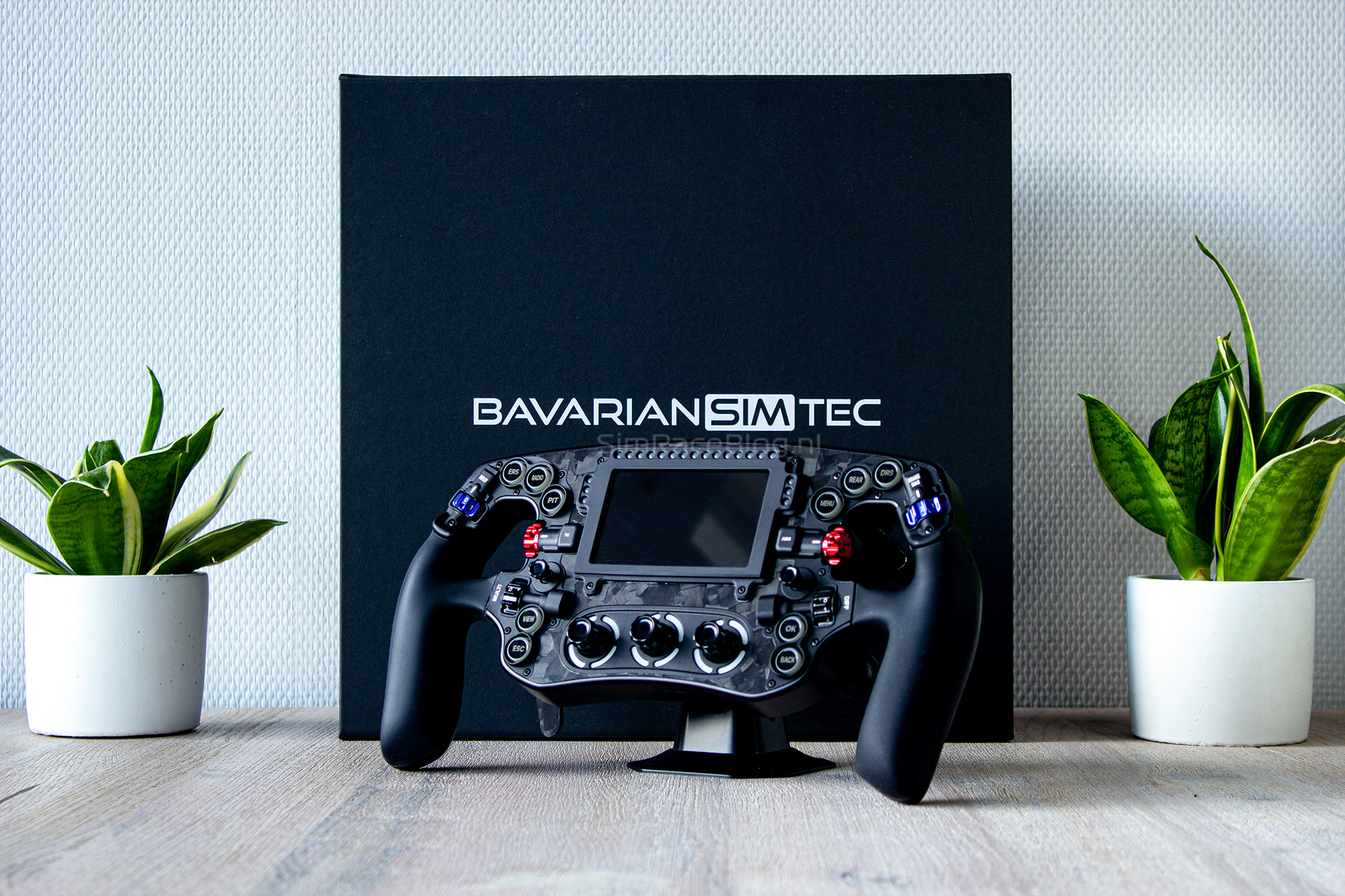
The deliveryman handed us a brown box with BavarianSimTec branding printed in black. Upon opening it, we found the actual product box for the Omega Pro steering wheel inside. It’s a sturdy, minimalist box with a matte black color, featuring only the BavarianSimTec logo in white on the lid. Despite its simple appearance, we quickly noticed that it was a high-quality box. Even after cutting the seal, the box remained neatly closed. This is because the flap on the front of the box has a hidden magnet that keeps it securely shut.

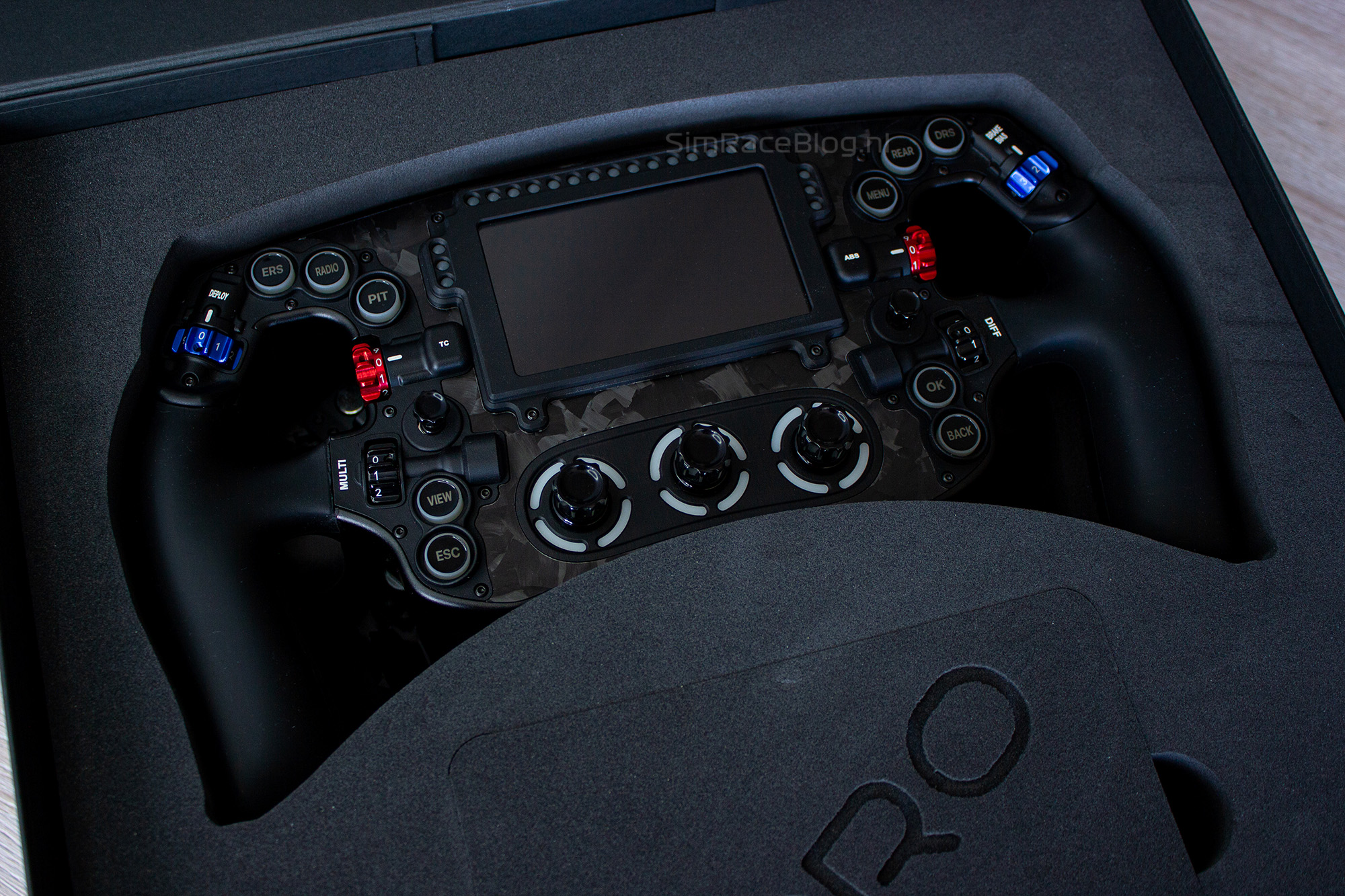
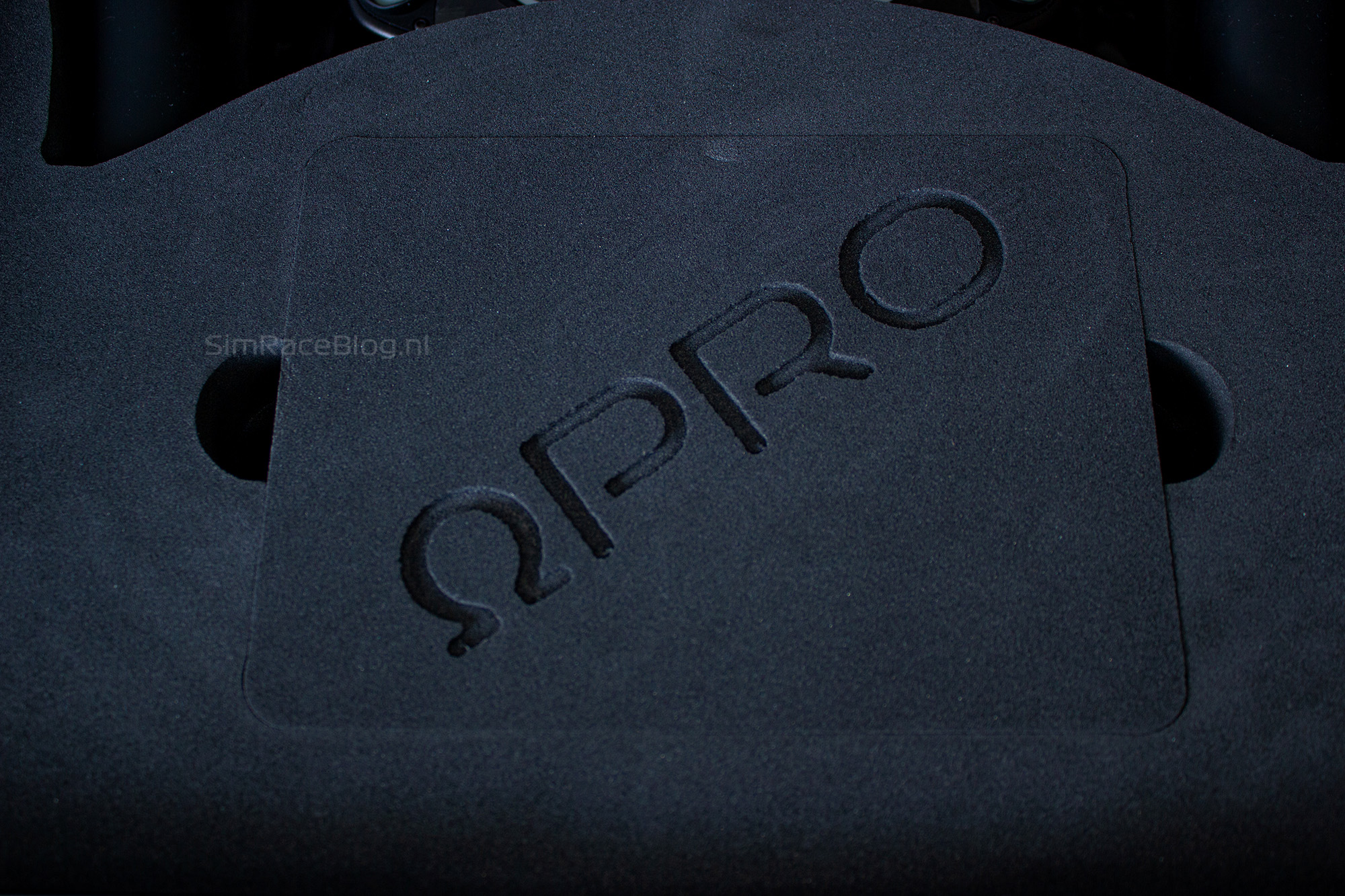
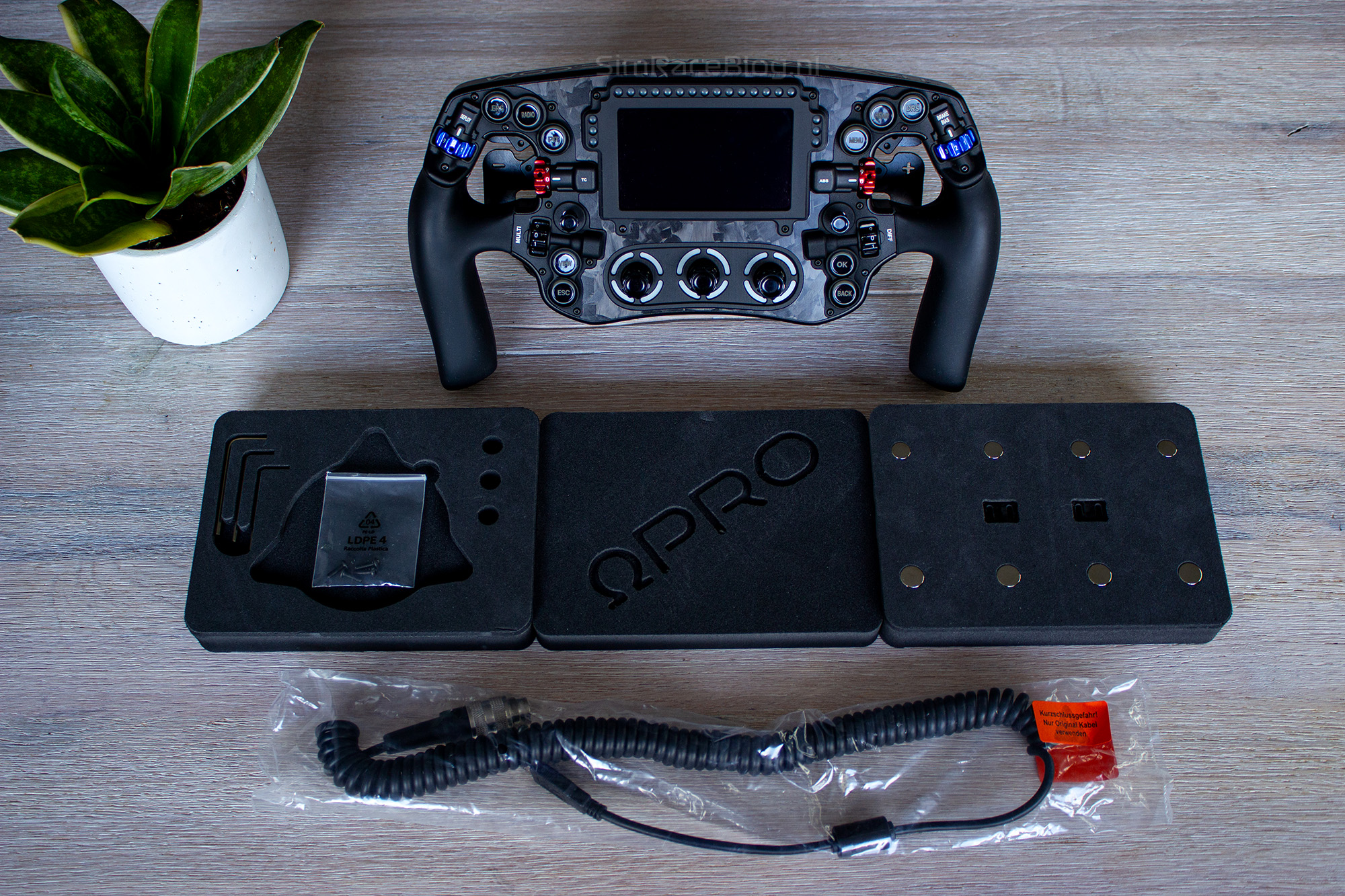
When we pull on the flap at the front of the box, the lid unfolds to reveal a layer of very dense foam. We remove this layer and immediately see the crown jewel of the package: the beautiful steering wheel itself. Aside from the wheel, there’s nothing else visible except for a small lid made from the same sturdy foam as the rest of the inlay, with “ΩPRO” engraved on it. There are cutouts on the sides of this lid where we can insert our fingers to lift it off. Underneath, we find a second layer containing three Allen keys and a few empty slots where the mounting ring for the Quick Release (QR) and the necessary screws would typically be. The reason these slots are empty in our case is that we opted for the specific Asetek QR mounted by BavarianSimTec. We’ll discuss this more later in the review.
We notice that the cutouts for our fingers go even deeper, allowing us to remove the layer containing the QR materials. Below this, we find a tray holding eight extra magnets—four for the shifter modules and four for the pull paddles. In the center of this tray, there are two adjustment plates for the shifter paddles. This layer can also be removed, revealing a small compartment underneath. Inside, we find a bag with four small screws for use with the shifter paddles when adding the extra adjustment plates. Additionally, there’s a coiled cable for connecting the steering wheel to the PC.



The Omega Pro Steering wheel
The Omega Pro steering wheel from BavarianSimTec is a true Formula-style wheel at its core. This 300mm wide wheel clearly draws inspiration from the Formula 1 Mercedes steering wheel. The base frame of the Omega Pro is crafted from a single block of aluminum, which is fully milled and finished with a black anodized layer for a sleek appearance and protection. The front of the wheel is covered with a faceplate made entirely of forged carbon, giving it a slightly rugged look. The handles are made from a firm yet soft-to-the-touch silicone rubber material, making it comfortable to hold.

The Front
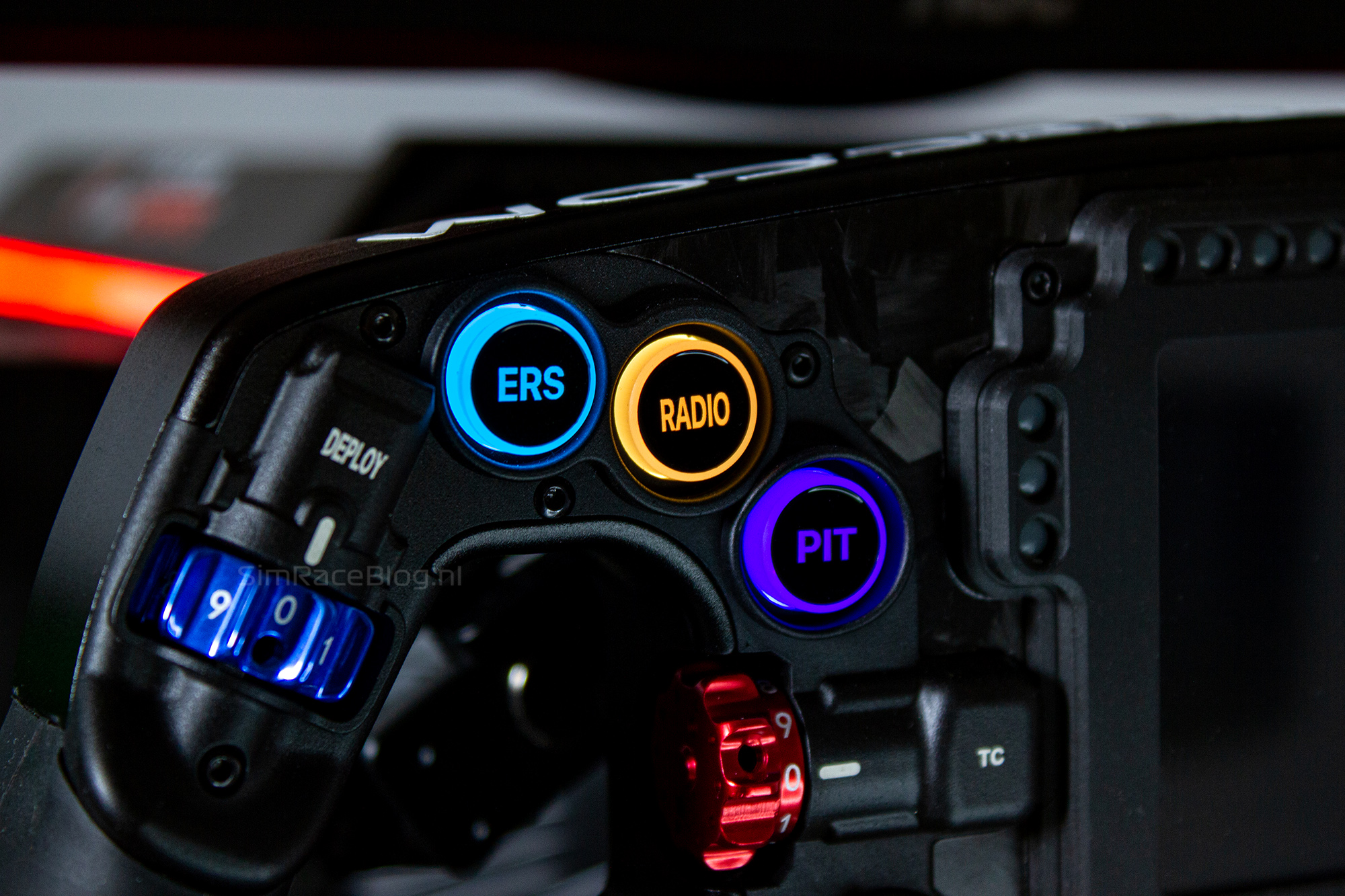
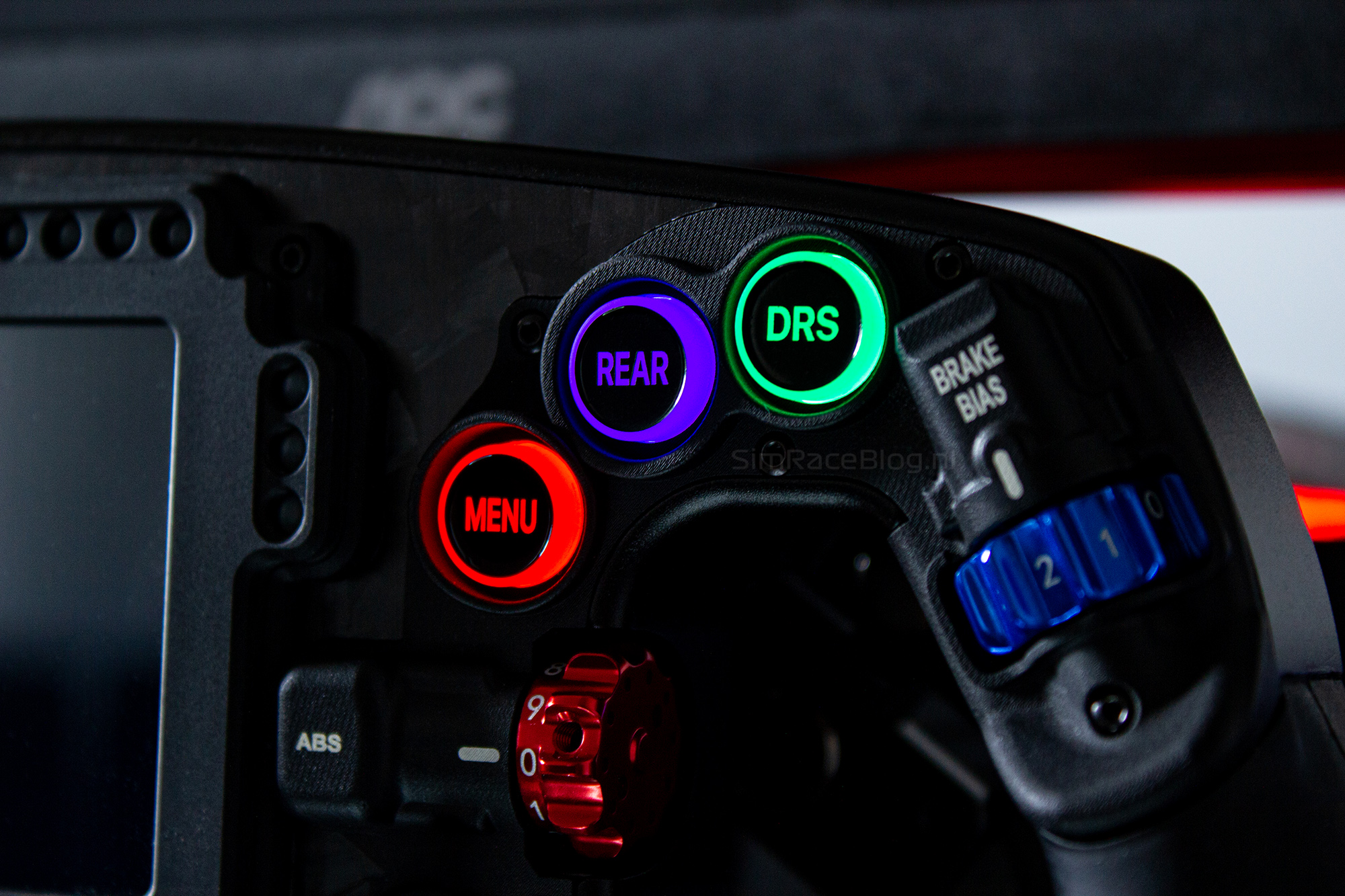
The front of the Omega Pro steering wheel is nothing short of impressive, with a range of beautifully integrated input options immediately catching your eye. It’s clear that this is a high-end steering wheel designed without compromise. The wheel features ten APEM push buttons, each equipped with four LEDs for backlighting. Each button is sleekly finished with a laser-engraved black top, and the text is transparent to allow the LED light to shine through. This means no more worries about stickers peeling off—these buttons will stay in perfect condition for a long time. With the custom variant we received, we could also personalize the text on the buttons through the configurator, giving us a unique button layout on our wheel.
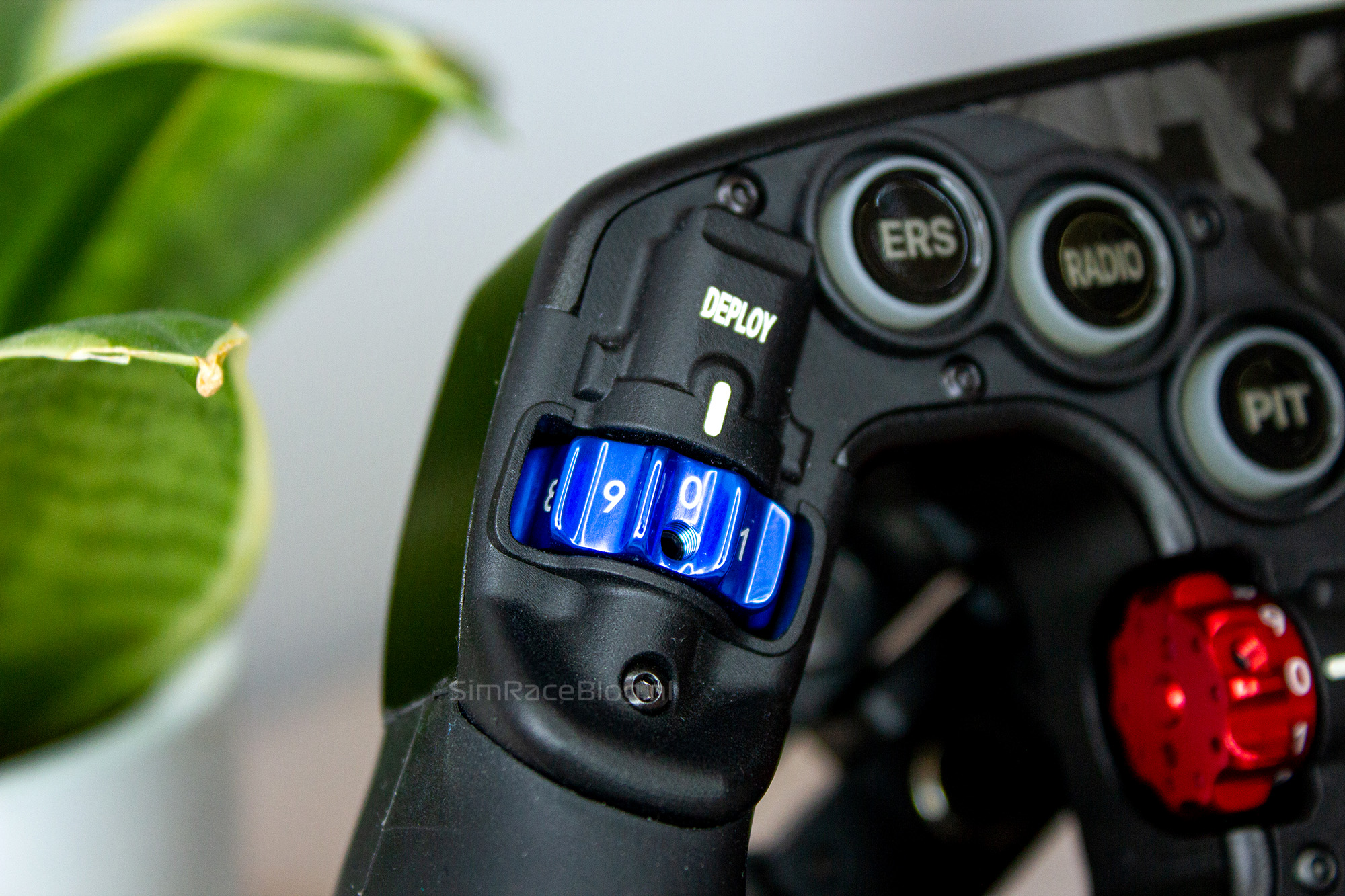
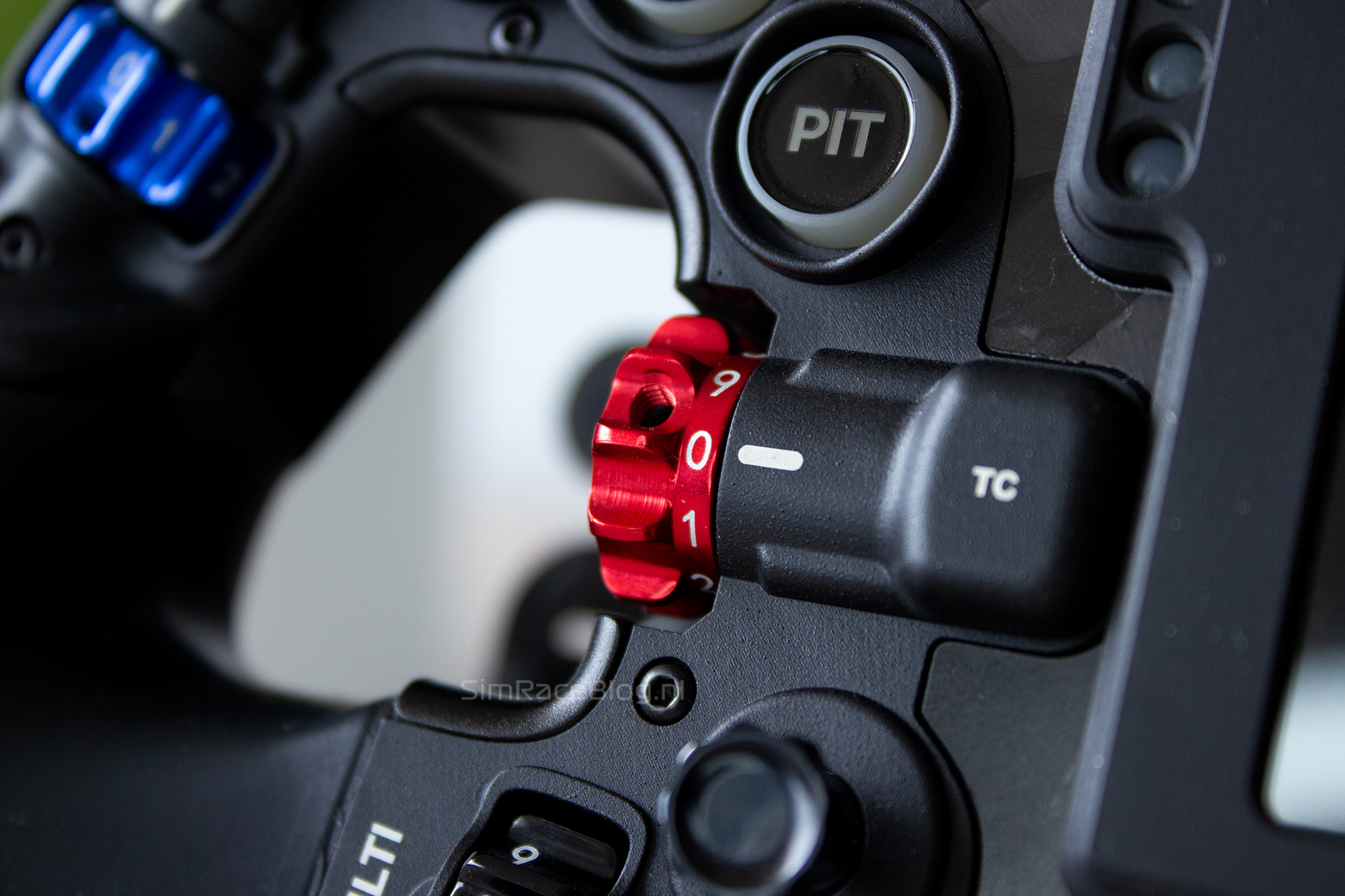
Customization doesn’t stop with just the push buttons; you can also choose a color for the wheels on the thumb encoders. After all, the steering wheel has more than just push buttons. The Omega Pro features six thumb encoders, strategically placed with three near the left grip and three around the right grip. As expected in this price range, high-quality materials are used for these encoders. The thumb encoders above the grips and next to the thumb holes use Grayhill 56 series encoders, the same type used in real race cars like GT3 and even Formula 1 cars. The lower thumb encoders use a different type with high rotational resistance for a solid feel. The Grayhill encoders can function as either position switches, where the switch has a fixed value, or pulse switches, where each direction sends out a “+” or “-” pulse.
Between the two lower thumb encoders on each side, we find a 7-Way-Funky-Switch. On both the left and right, there is an identical joystick within thumb reach for easy operation and access to fourteen input options.
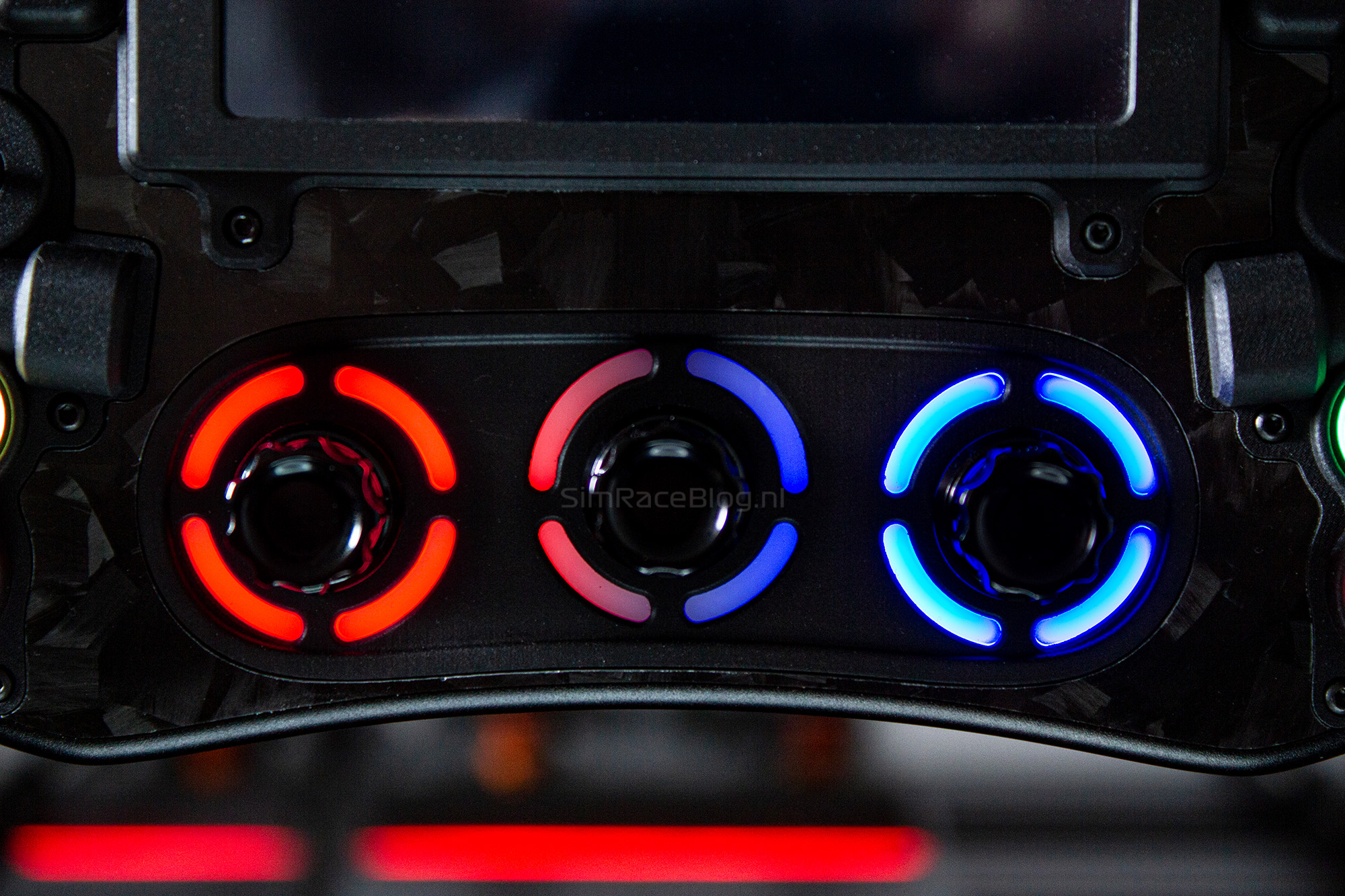
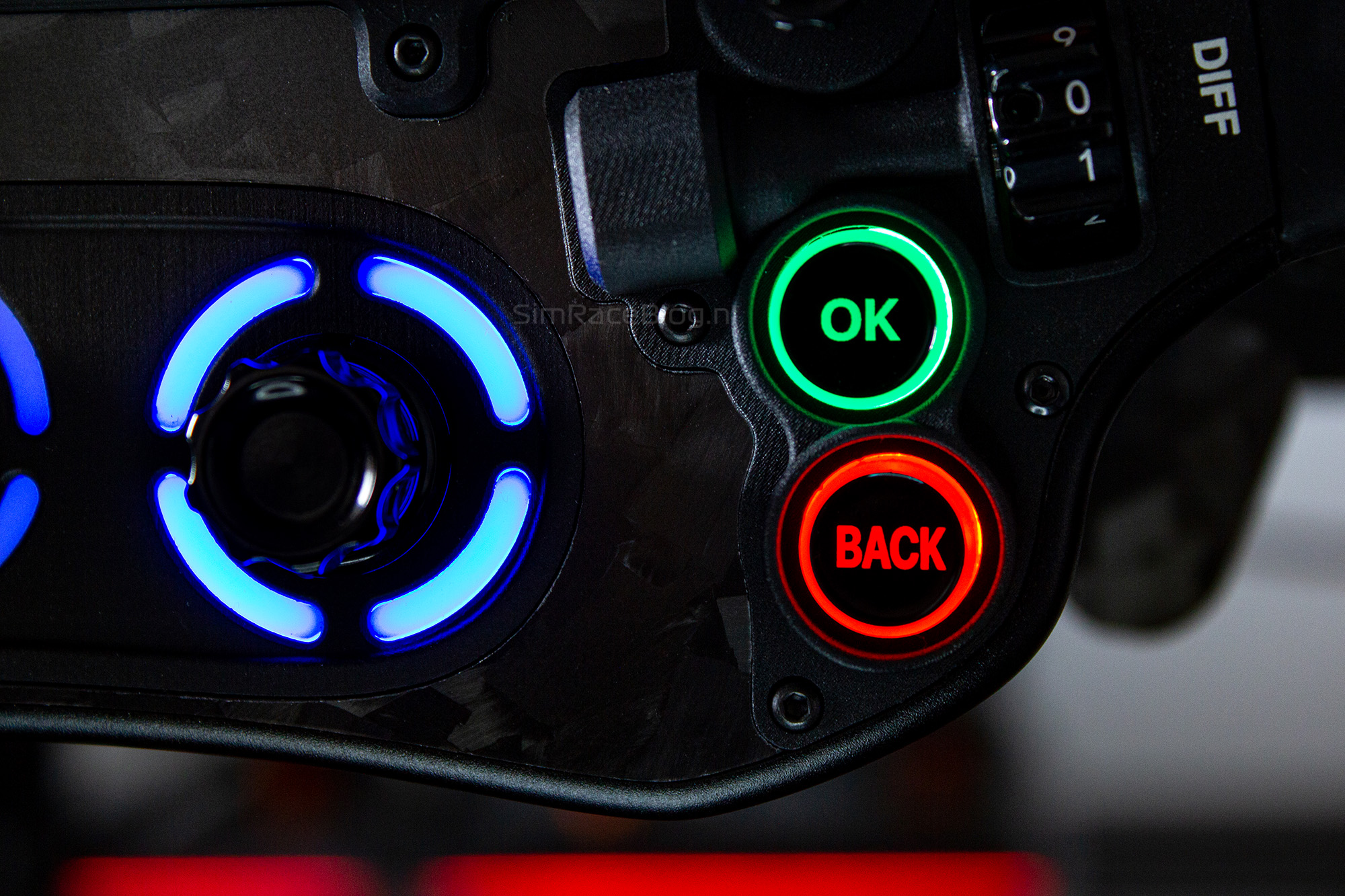
But there are also three more encoders outside of thumb reach. At the bottom of the wheel, three rotary encoders are lined up in the center. These encoders feature a bottom ball spring, allowing them to be used in the usual rotary directions and also as push buttons. To complete the visual appeal, these encoders are also equipped with LED lighting around their bases.
The front of the BavarianSimTec Omega Pro steering wheel isn’t just about buttons and input options. It also includes a beautiful 4″ VoCore screen, fully compatible with SimHub. The screen has a resolution of 800×480 for a sharp display, refreshing at 25fps. Integrated into the bezel holding the screen are fifteen LEDs at the top that serve as rev lights. Additionally, three vertically placed LEDs on either side of the screen can be used as flag lights.



The Rear
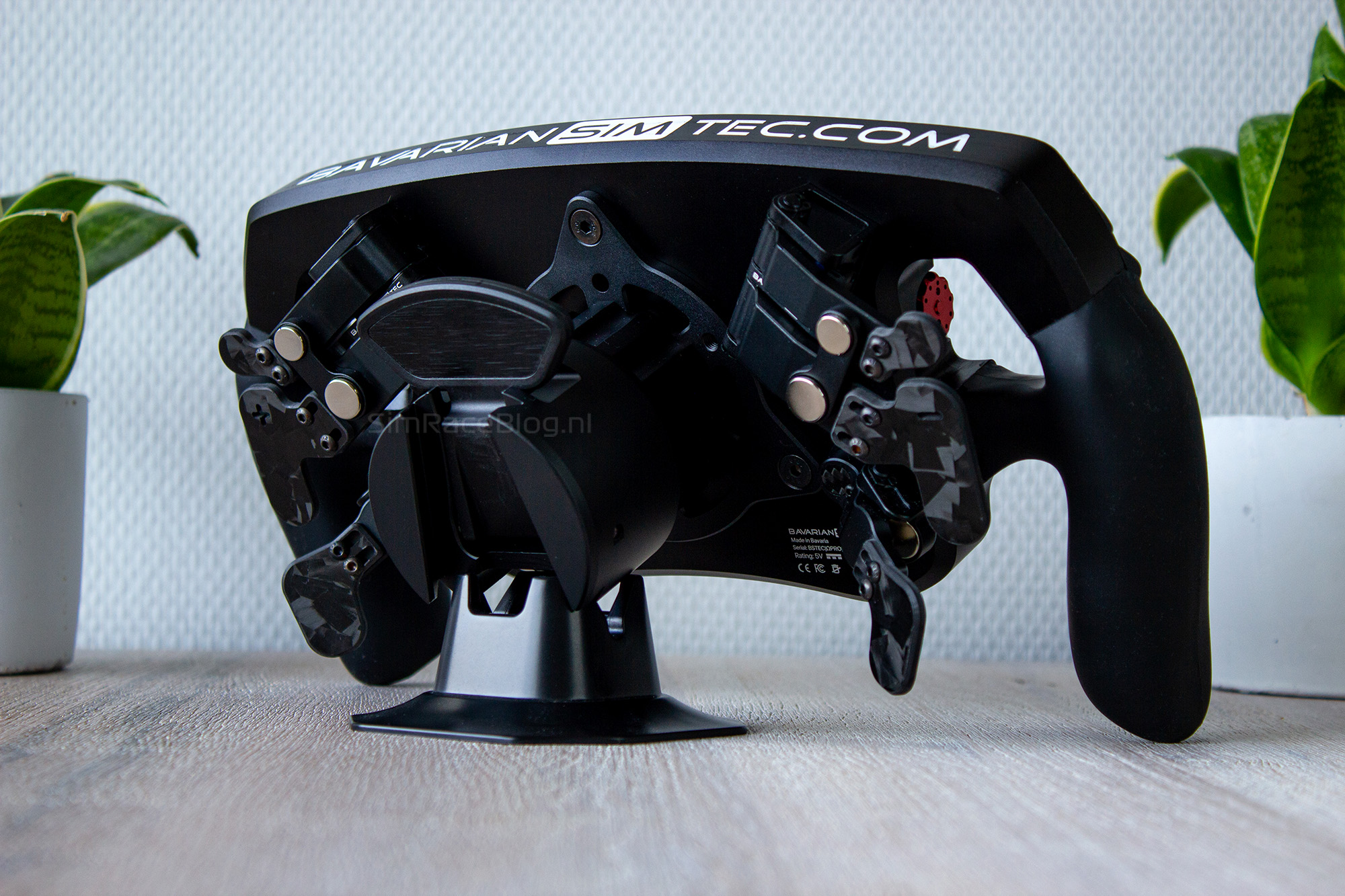
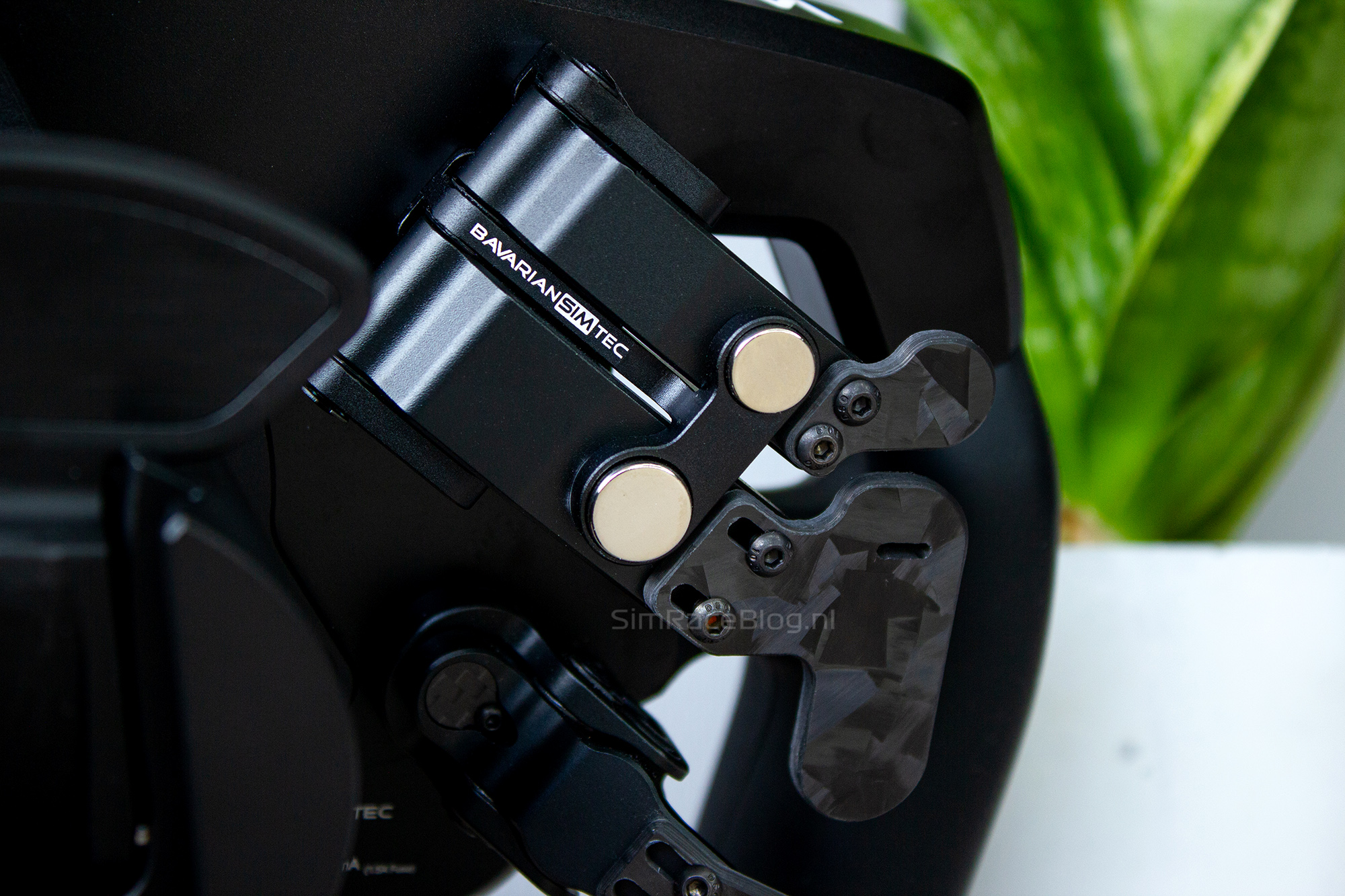
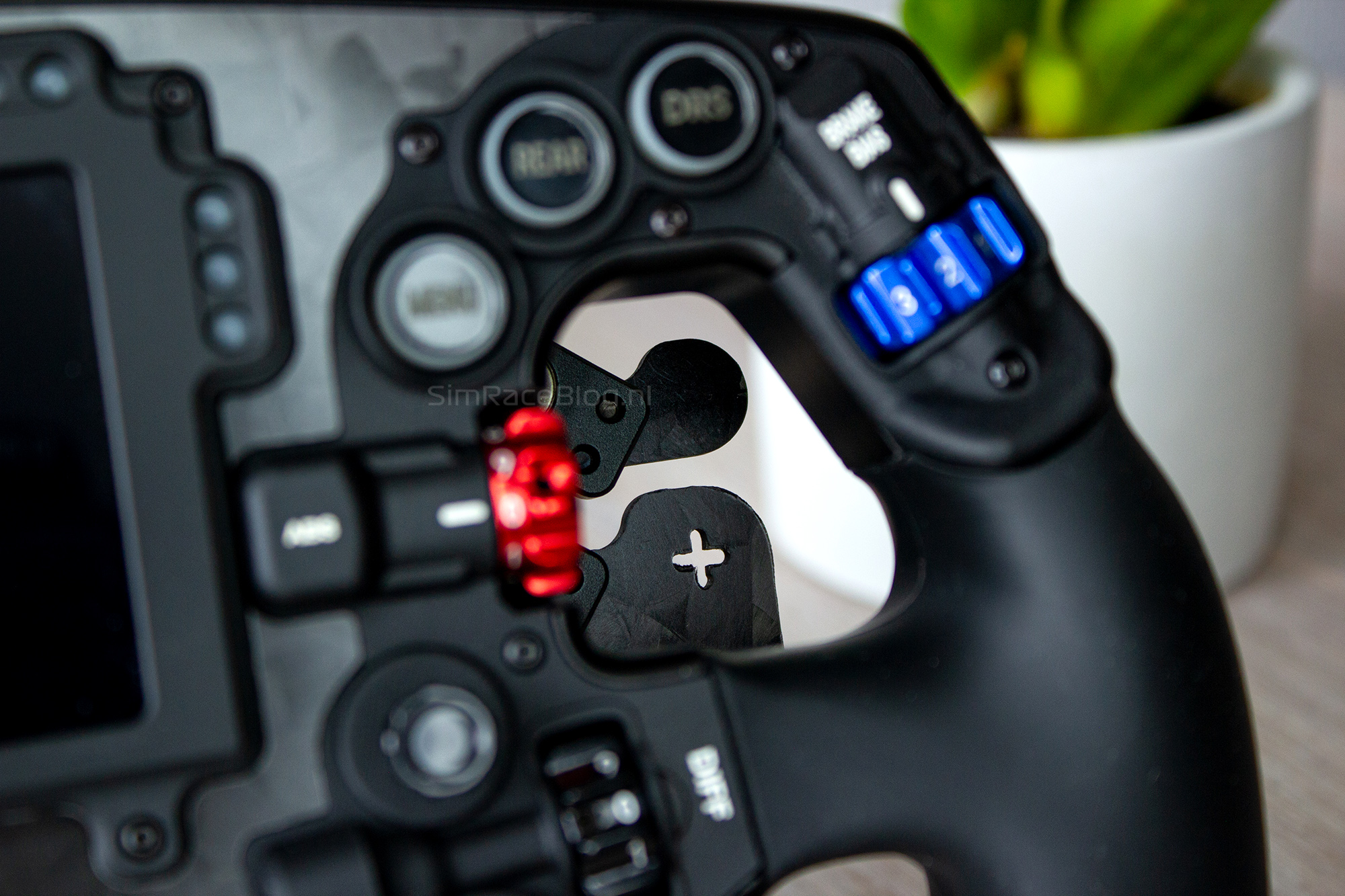
In addition to the well-equipped front the Omega Pro, as provided to us, also features a well-appointed back. The rear of the wheel comes with two shifter paddles. Since we opted for the “Pull Paddles” option, the shifters and these additional paddles are integrated into a single module known as a butterfly shifter. This module has two levers: the lower lever is used for the shift paddle, and the upper lever can be used for an extra input, such as DRS. Both levers are easily recognizable by the actual paddles attached to them. Although both paddles are made from sturdy 3mm thick carbon plate, the pull paddle has a small plate just large enough for your index finger, while the shifter features a long, narrow plate with either a “+” or “-” cutout.
At the bottom of the rear of the wheel, you’ll find the optional dual clutch paddles. What’s special about these clutch levers is that they use magnets instead of a torsion spring. The module contains two magnets that repel each other, so the clutch lever is not affected by metal fatigue from a torsion spring, and the feel should remain consistent throughout its lifespan.
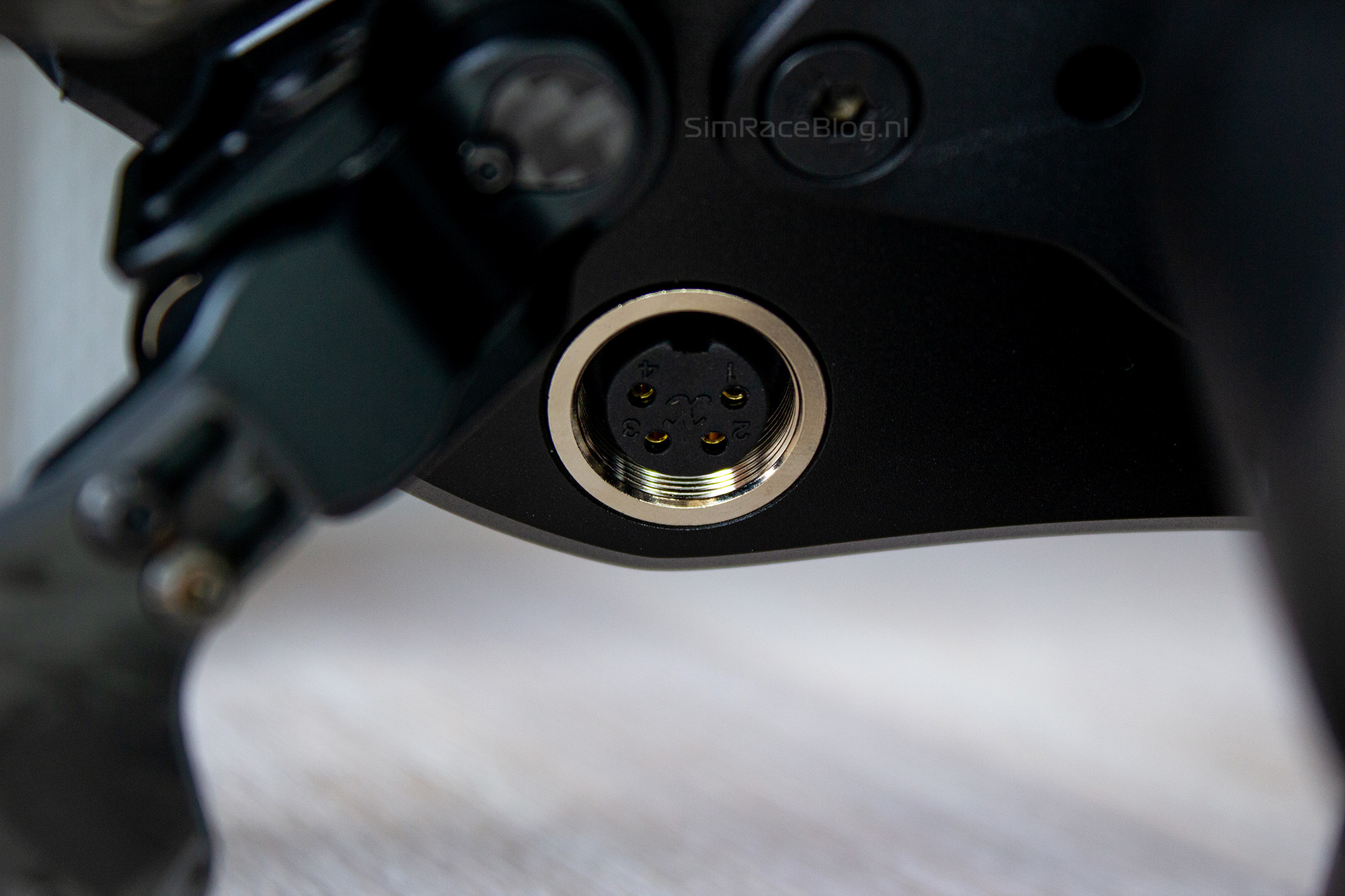
Last but not least, there’s also a connector on the back for the included coiled cable, which is used to connect the steering wheel to a PC.


Assembly
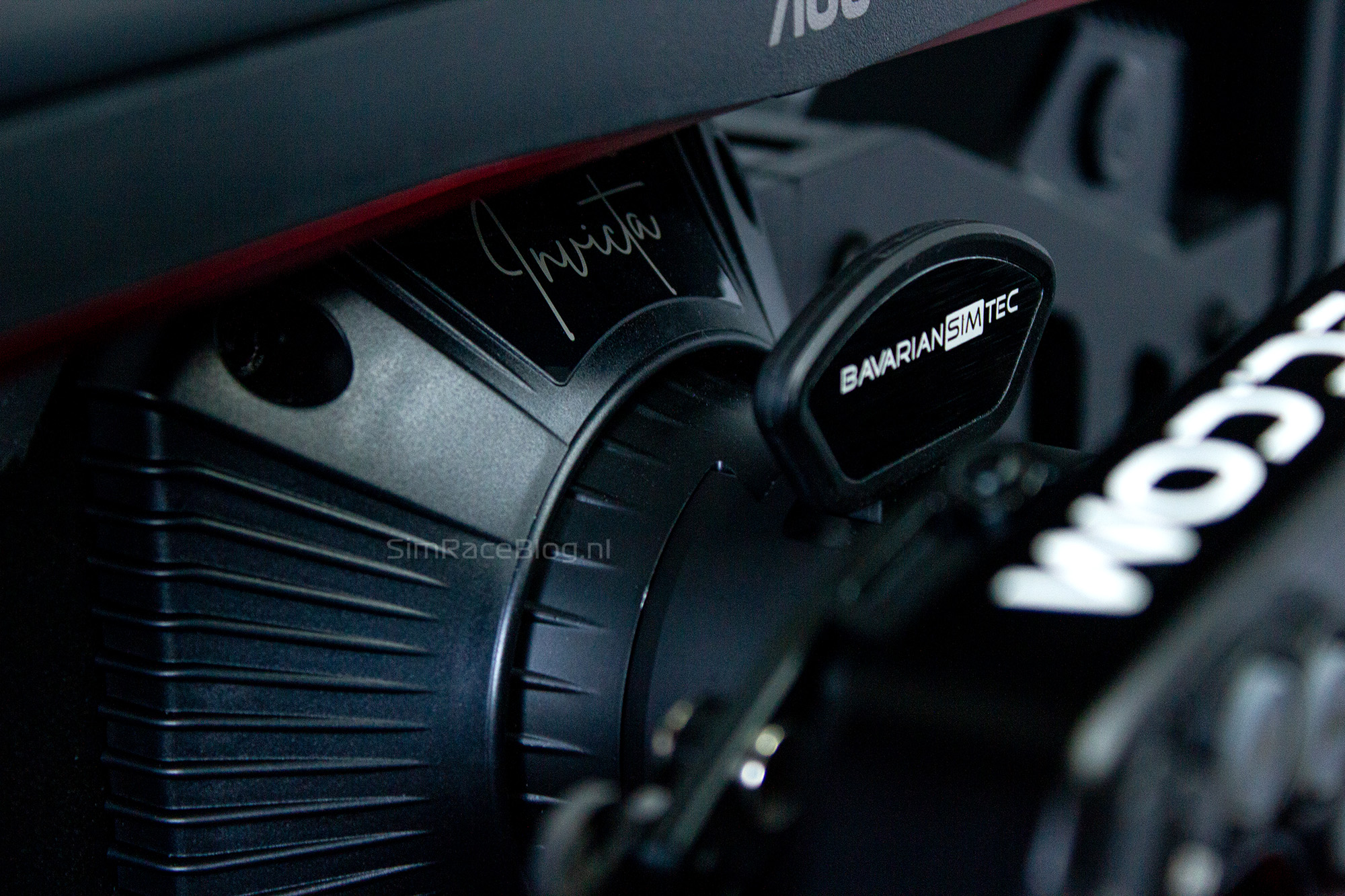
We can be brief about mounting a Quick Release (QR) system on the Omega Pro steering wheel. We didn’t have to do any assembly ourselves. For our Omega Pro, we chose the option to have a BavarianSimTec-specific QR mounted for an Asetek wheelbase. The advantage is that the steering wheel connects directly to the Asetek wheelbase and our computer without needing an external cable. The connection process is as simple as clicking the wheel onto the wheelbase. The steering wheel receives its power and telemetry data directly through the wheelbase, immediately making it ready for use.
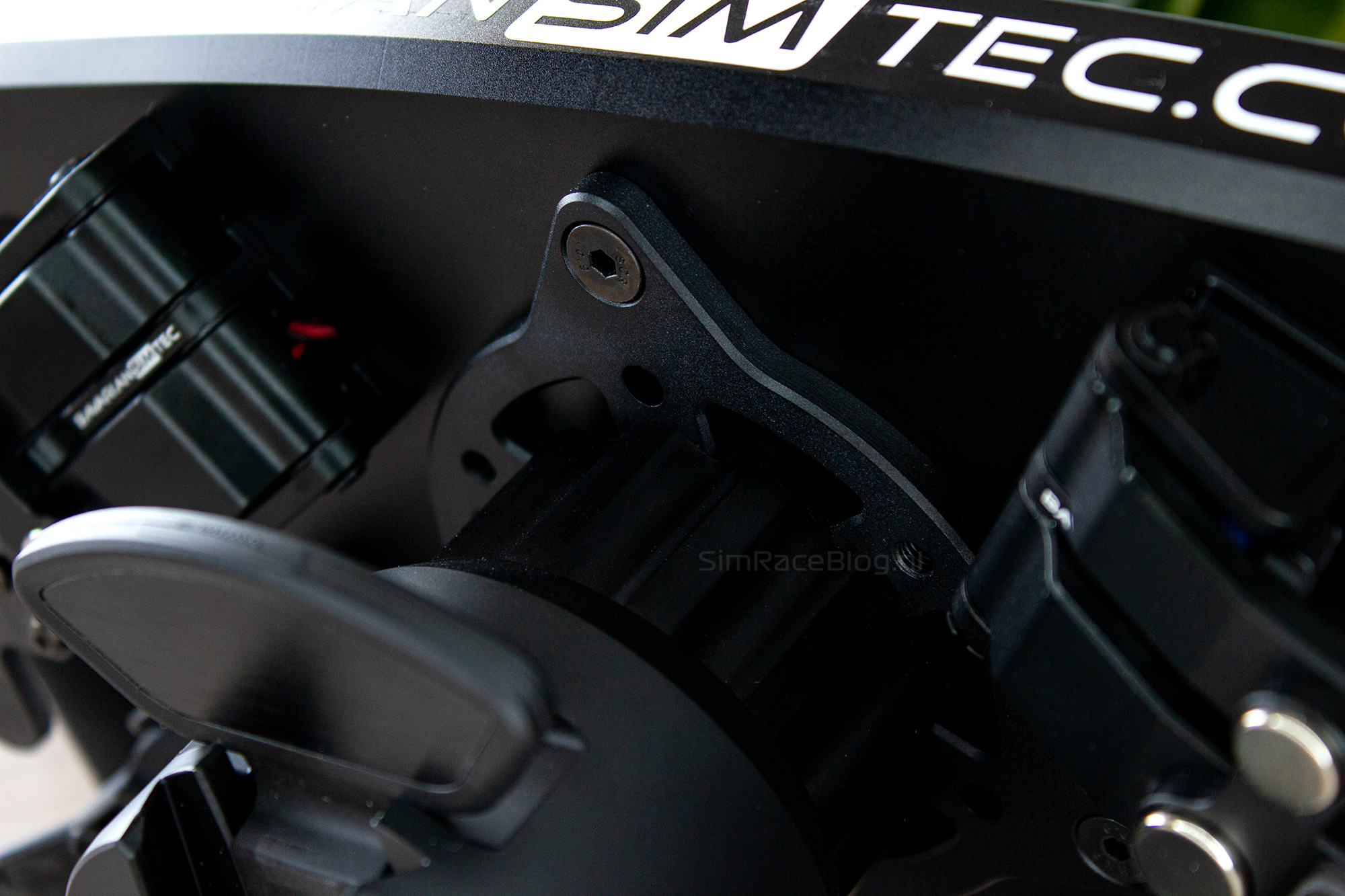
If you have a wheelbase from a different manufacturer, the Omega Pro can be connected in the traditional way. BavarianSimTec includes a mounting ring in the box, which is compatible with most standard QR systems. Once the QR is mounted on the ring, it can be attached to the back of the steering wheel. To connect the wheel to the PC, plug the included cable into the connector on the back of the wheel and then into a USB port or hub on the PC.
If you need to switch from any wheelbase to an Asetek wheelbase, you can also order the BavarianSimTec-specific QR separately. With a few simple steps, you can retrofit the steering wheel to the wireless configuration without needing to disassemble the whole wheel.


Software
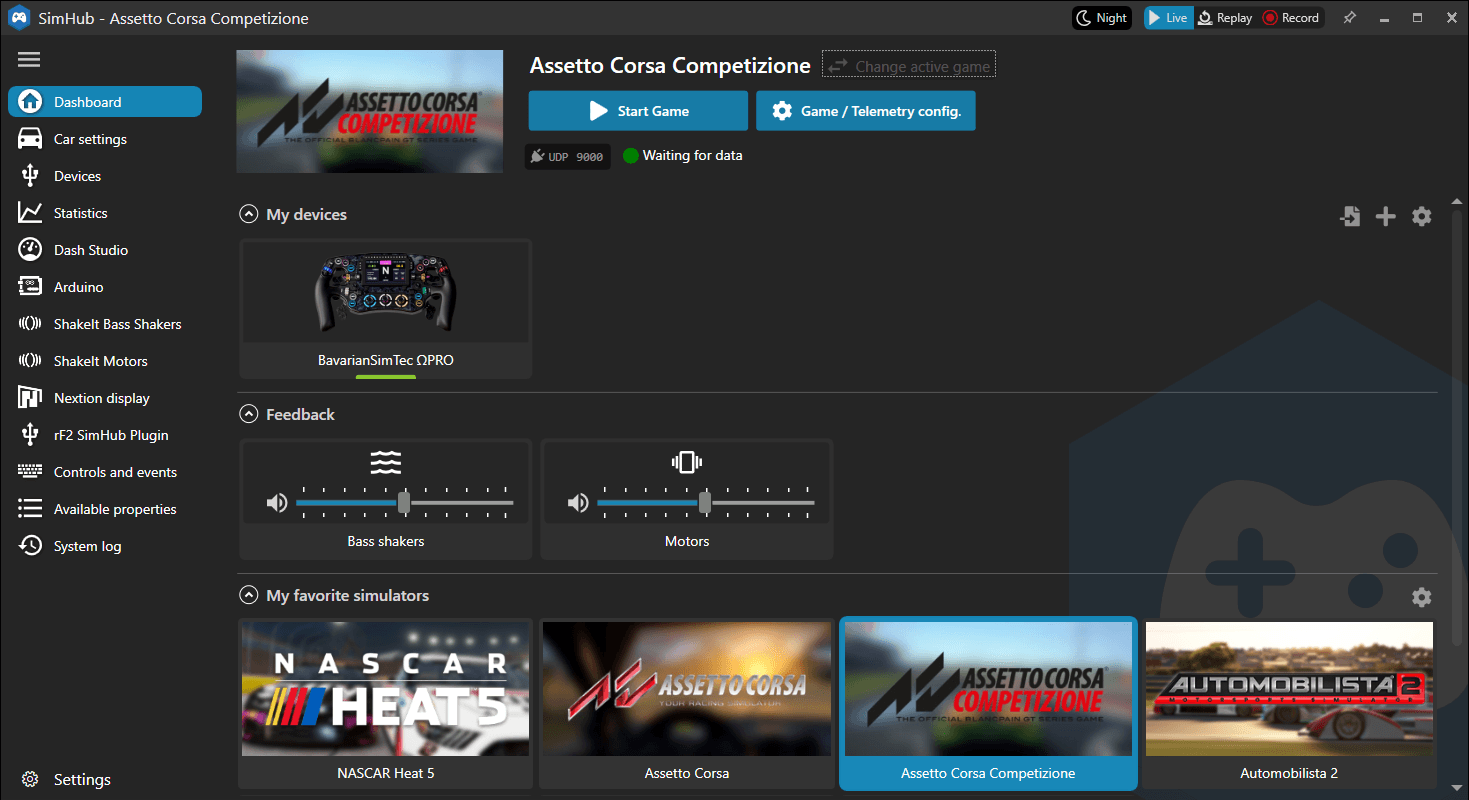
The BavarianSimTec Omega Pro steering wheel doesn’t come with its own software but is fully compatible with SimHub. The Omega Pro manual, available on BavarianSimTec’s support page, provides a step-by-step guide on how to set up the wheel. After downloading SimHub, you can follow the instructions in the manual to easily add the wheel as a device. Once added, the wheel will appear under “My devices,” and you can start using it.
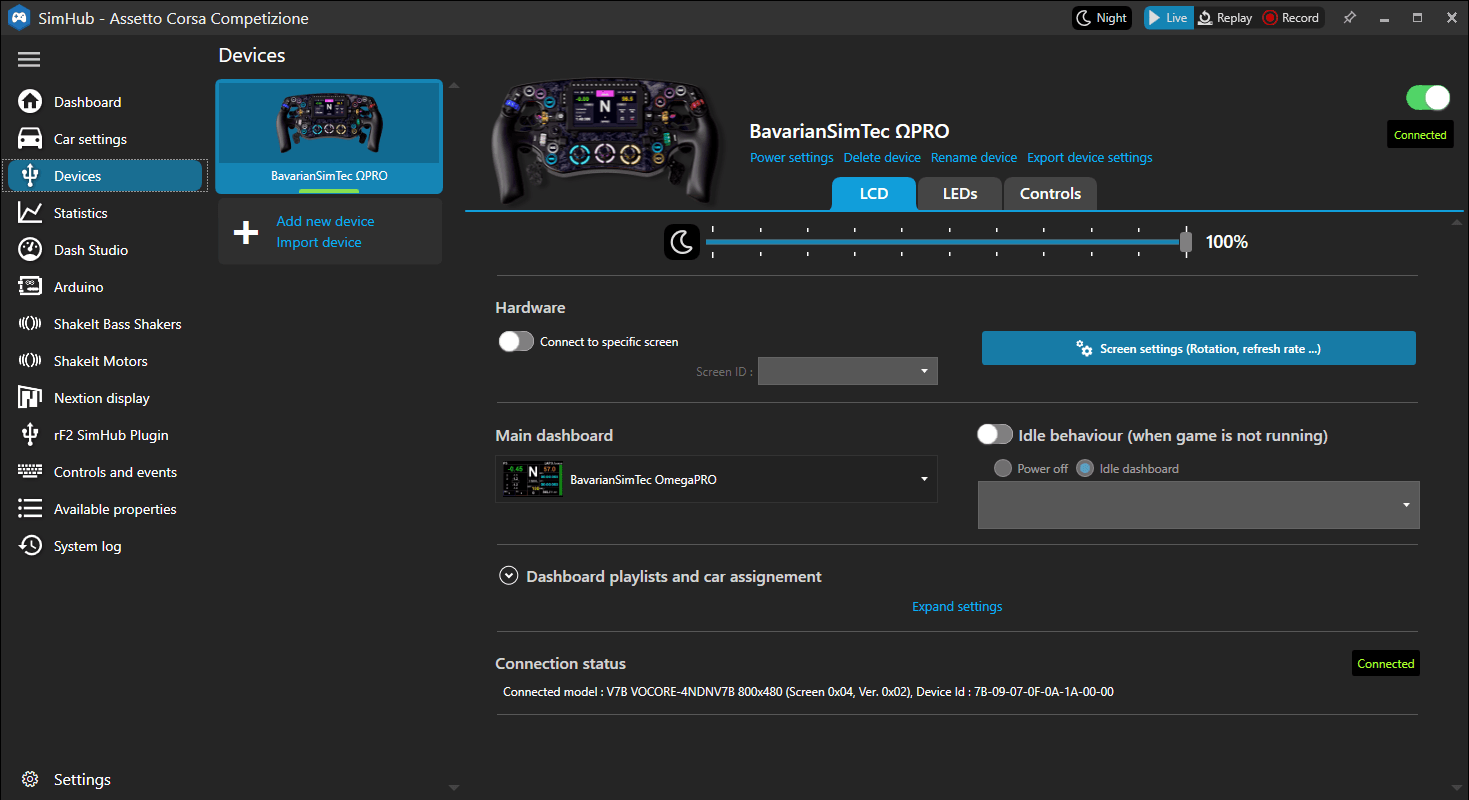
In the Devices menu, there are three tabs available: LCD, LEDs, and Controls. The first tab, LCD, is quite straightforward. This menu allows you to adjust the brightness of the LCD screen on the wheel and select a dashboard to display. You can download BavarianSimTec’s standard dashboard from their support page on the website, providing you with a ready-to-use dashboard. SimHub lets you create your own dashboards or download and load existing presets, so the possibilities for what’s displayed on the LCD screen are endless.


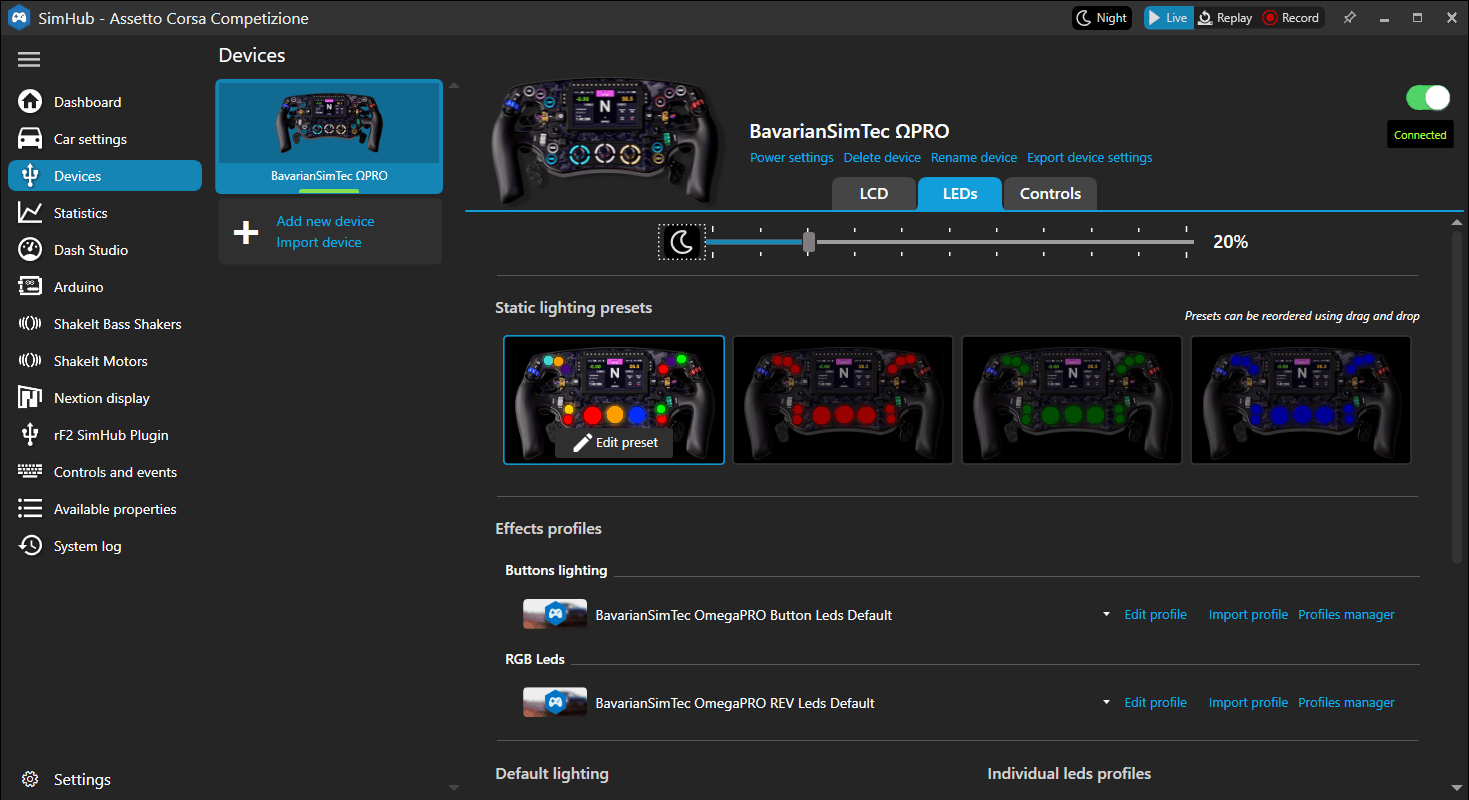
The second tab, LEDs, is a bit more detailed than the LCD tab. In this menu, you can initially adjust the brightness of all the LED lights on the wheel. This can be done for all LEDs at once or separately for the button lighting and the RPM and flag LEDs. Customizing the RPM and flag LEDs—such as when they should turn on or off and their colors—can be quite complex. For someone unfamiliar with SimHub, this can be confusing and complicated. Fortunately, BavarianSimTec’s provided dashboard comes with pre-configured LED profiles, so you don’t need to worry about this. The RPM and flag LEDs are already set up and ready to use.
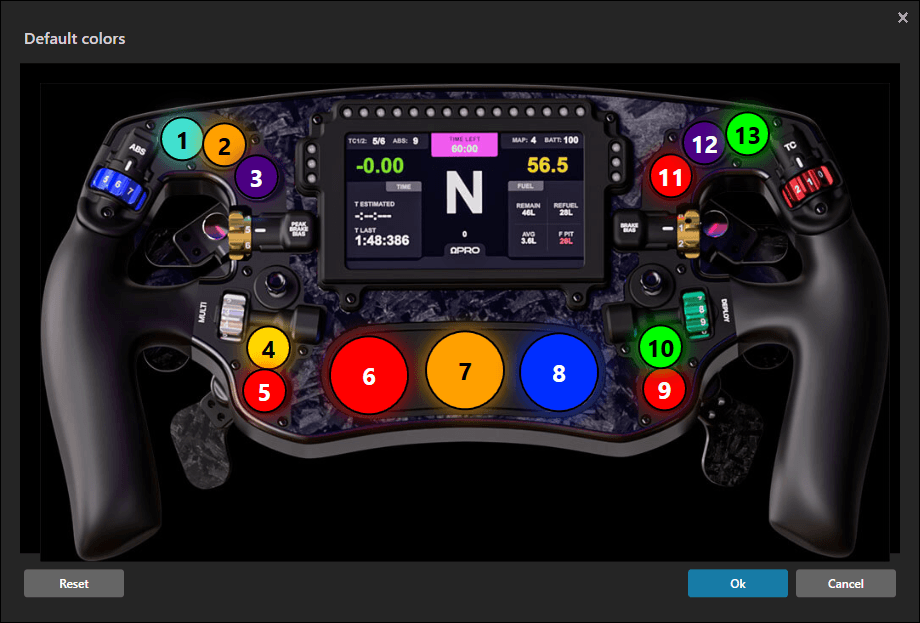
Adjusting the LED lighting behind the buttons is much simpler. There are four “Static lighting presets” available by default, which change the button colors with a single click. These presets are also easy to customize. By clicking the “Edit preset” button on a preset, you enter a small menu with a photo of the steering wheel. The buttons on this photo are labeled, showing what color each button will be. Clicking a button opens a second pop-up where you can choose the color you want. With full RGB support, you can select from any color in the rainbow and everything in between for maximum personalization.

When setting up the colors on our steering wheel, we did encounter a small downside to the Omega Pro. The button lighting works perfectly and looks great. The colors appear deep, the buttons are clearly readable, and there’s no unwanted light bleeding around the buttons. This is exactly what we expect from a high-end wheel. However, the lighting of the rotary encoders at the bottom of the wheel is somewhat disappointing. The LED rings around the encoders, which are neatly separated on the wheel, tend to bleed into each other. This causes some overlapping of the lighting between adjacent encoders, creating a blotchy effect. We find this to be a notable issue on a steering wheel in this price range.

The third tab, Controls, is also straightforward. In this menu, you can assign functions to buttons, such as scrolling through different dashboards. But that’s not all you can customize on the Omega Pro steering wheel. The wheel has a built-in “EditMode,” which can be accessed using a preset button combination. Note that this only works with the default “BavarianSimTec OmegaPRO” dashboard and while you’re in-game. In EditMode, you can calibrate the clutch levers, set the engagement point of the clutch, and choose whether to use the clutch as a single or dual-clutch system. Lastly, you can decide if the Grayhill encoders should function as position encoders or pulse encoders.


Using the Omega Pro
With the wheel properly set up and customized to our liking, we’re ready to start making our first virtual laps. To thoroughly test the Omega Pro, we’ll use it with various Formula cars in Assetto Corsa and also drive GT3 cars in Assetto Corsa Competizione.
The Steering Wheel
The first impression of the wheel starts with the initial touch. The grips feel silky smooth yet very firm when you hold them properly. Although the silicone rubber shows the mold lines, they are barely noticeable when using the wheel without gloves. We don’t feel them at all on the outside of the wheel, and only slightly on the inside of the grips if we pay close attention. An added comfort is that even during long sessions without gloves, the Omega Pro’s grips remain dry and completely non-sticky
Weighing about 1855g, the Omega Pro isn’t very heavy considering the number of components it has. The advantage of this is that the wheel moves easily with the wheelbase, allowing even the smallest details to be felt. Even when we reduce the force on our wheelbase to 6Nm, the wheel continues to provide precise and accurate force feedback

Front Controls
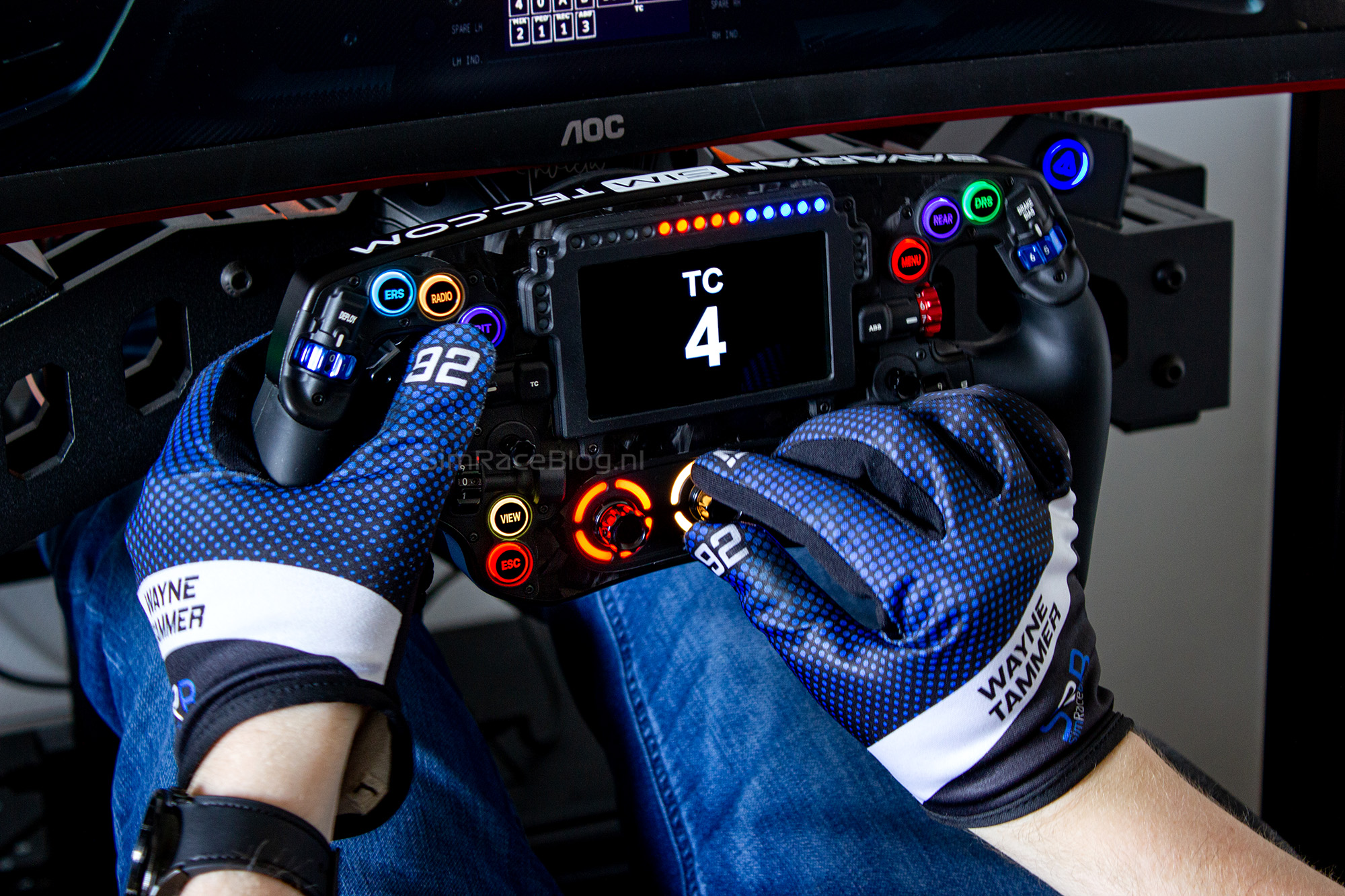
Of course, the steering wheel is used for much more than just steering. With a feature-rich wheel like the Omega Pro, there are many aspects to explore, starting with the buttons. To put it simply, the buttons on this wheel are exceptional and exactly what we expect from a high-quality steering wheel. First off, the buttons stand out due to their precisely laser-engraved button caps and effective backlighting. What particularly impresses us is the accessibility of the buttons. All ten are within thumb’s reach and can be operated without letting go of the wheel. Using these buttons is a pleasure. The APEM buttons have a tactile resistance of approximately 650gf (gram-force), meaning the button is pressed with a force comparable to 650 grams. In our opinion, this resistance is ideal—offering enough feedback to prevent accidental presses and requiring a firm press. Combined with a short travel distance, using the buttons on the Omega Pro is a very satisfying experience.
In addition to the buttons, we also frequently use the thumb encoders. First, we have to give credit for the placement of all six thumb encoders. Just like the buttons, these encoders are all easily reachable with your thumb without needing to let go of the wheel. However, using these encoders gives us mixed feelings; it’s not a completely consistent experience. While the encoders above the hand grips and next to the thumb hole both use the same Grayhill encoder, they provide a very different feel. The encoders above the grips have quite a strong resistance, and while they are good for clicking through each position with significant force and clear feedback, they are a bit too stiff to adjust two or three positions in one movement. You have to click through each step individually. Depending on what functions you assign to these, this may or may not be an issue and could even be seen as a benefit. On the other hand, the encoders next to the thumb hole can be uncomfortable. The design of the encoder wheel doesn’t help much with adjusting the encoder, and the resistance doesn’t feel much lighter, so you have to press quite hard to change its position. This brings us to what we consider a second problem: the encoder wheels have rather sharp edges. They’re not sharp enough to cut your thumbs, but they are sharp enough to be quite uncomfortable to use without gloves. With gloves on, this issue is less noticeable, but the encoder remains relatively difficult to operate.
The lower thumb encoders, as previously mentioned, do not use Grayhill encoders. These encoders feel smooth and provide clear feedback when changing positions, making them ideal for functions where you frequently switch between multiple settings. The only critique here is a visual one. The wheel on these encoders is numbered from “0” to “9”, but the encoder actually has twelve positions. This might explain why there is no marking line on these encoders, unlike the others.
The two Funky-Switches on the Omega Pro are also a nice addition. As with the rest of the controls, these switches are easily accessable with the thumbs when gripping the wheel firmly. There’s minimal play in the joystick, which makes it respond directly when pushed in any direction, and it makes it feel reliable to use as a push button as well. The top of the Funky-Switch is a bit on the small side, so it can be slightly tricky to use as a rotational encoder with gloves on. Without gloves however, the rotation function is comfortable, and the clicks when changing positions are clear and satisfying.
Lastly, there are three rotary encoders at the bottom of the wheel. These encoders are well-sized—neither too big nor too small—making them easy to operate without looking. They offer pleasant feedback when switching positions, providing a noticeable but not overly strenuous resistance. The pressing function of these encoders is smooth, with a clear and audible click. Although it doesn’t affect functionality, we do miss having position markings on these encoders.
Rear Controls
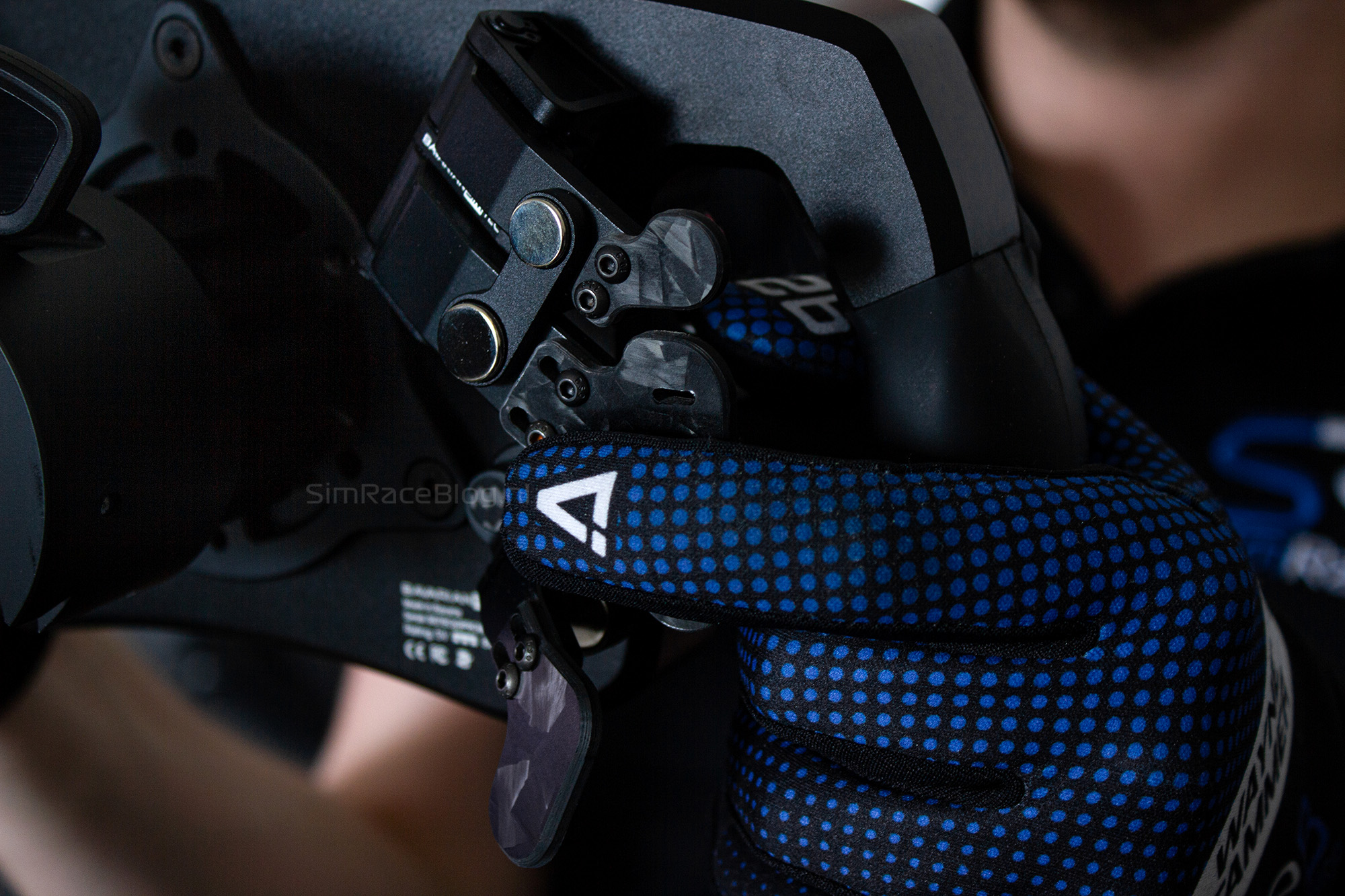
The trend on the front of the Omega Pro continues on the back. In the custom variant we received, the back is equipped with three paddles on each side, and once again, everything is perfectly positioned. Both the pull paddles, the shifter paddles, and the clutch paddles are all comfortably placed underneath our fingers.
The placement of the controls isn’t the only thing that impresses us. When it comes to the most used buttons on a steering wheel, the shift paddles, we can confidently say that these are among the best we’ve ever used. The resistance and travel of the shift modules feel superb. Thanks to the magnets in the shift modules, they need to be handled with a bit of assertiveness. They also have a nice short throw, allowing for quick gear changes. The feedback we get, both tactile and audible, is very comfortable. Shifting feels slightly muted but not spongy or soft, and the sound is a subtle click that’s clearly audible but not loud enough to be distracting.
The same modules also hold the pull paddles in our case. Naturally, these feel very similar to the shift paddles. Even though the actual paddles are quite small, their placement makes them easy to locate and operate with the index finger. This is not only handy for normal operation but also crucial for one of the hidden features of this wheel. The pull paddles and the shifters are physically “connected” and share a control function. The pull paddles can also be used as shifters without needing to rebind the button. This is a great feature in case your shifters fail during a long race while you’re leading. To prevent the race from being interrupted, the Omega Pro has a Failsafe mode. If you press the bottom two buttons, “ESC” and “BACK” on our wheel, simultaneously for a few seconds, the wheel enters Failsafe mode. This disables the regular shifters and temporarily turns the pull paddles into shifters. This way, you can finish the race and deal with the problem later. The Failsafe function remains active until you disconnect the wheel from power.
Finally, the clutch levers on the back are very smooth to operate, thanks to the magnets, and have a pleasant resistance build-up. To make the most of the dual-clutch system, you can easily adjust the engagement point in EditMode to suit your preferences
LCD Screen & LEDs
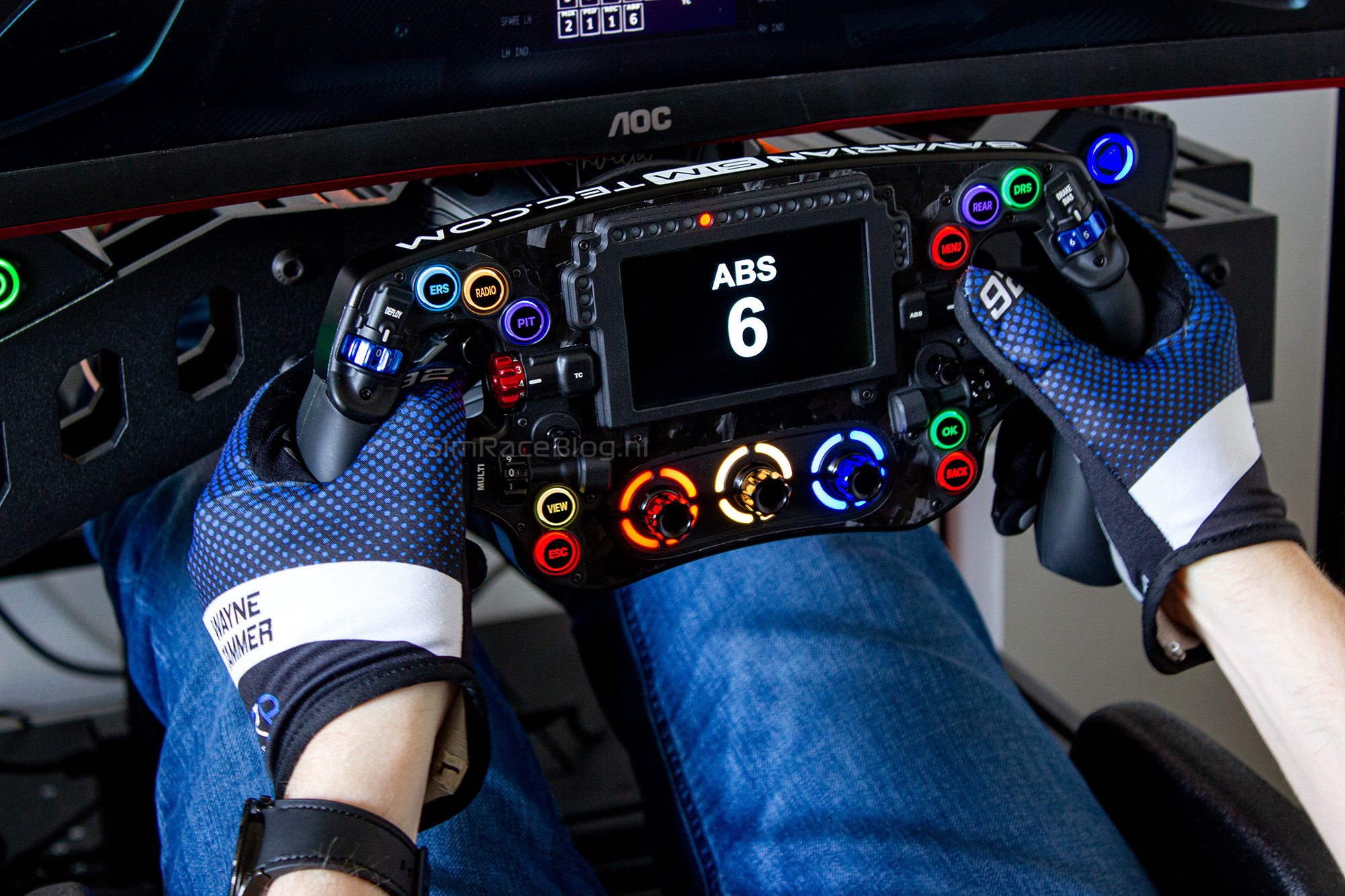
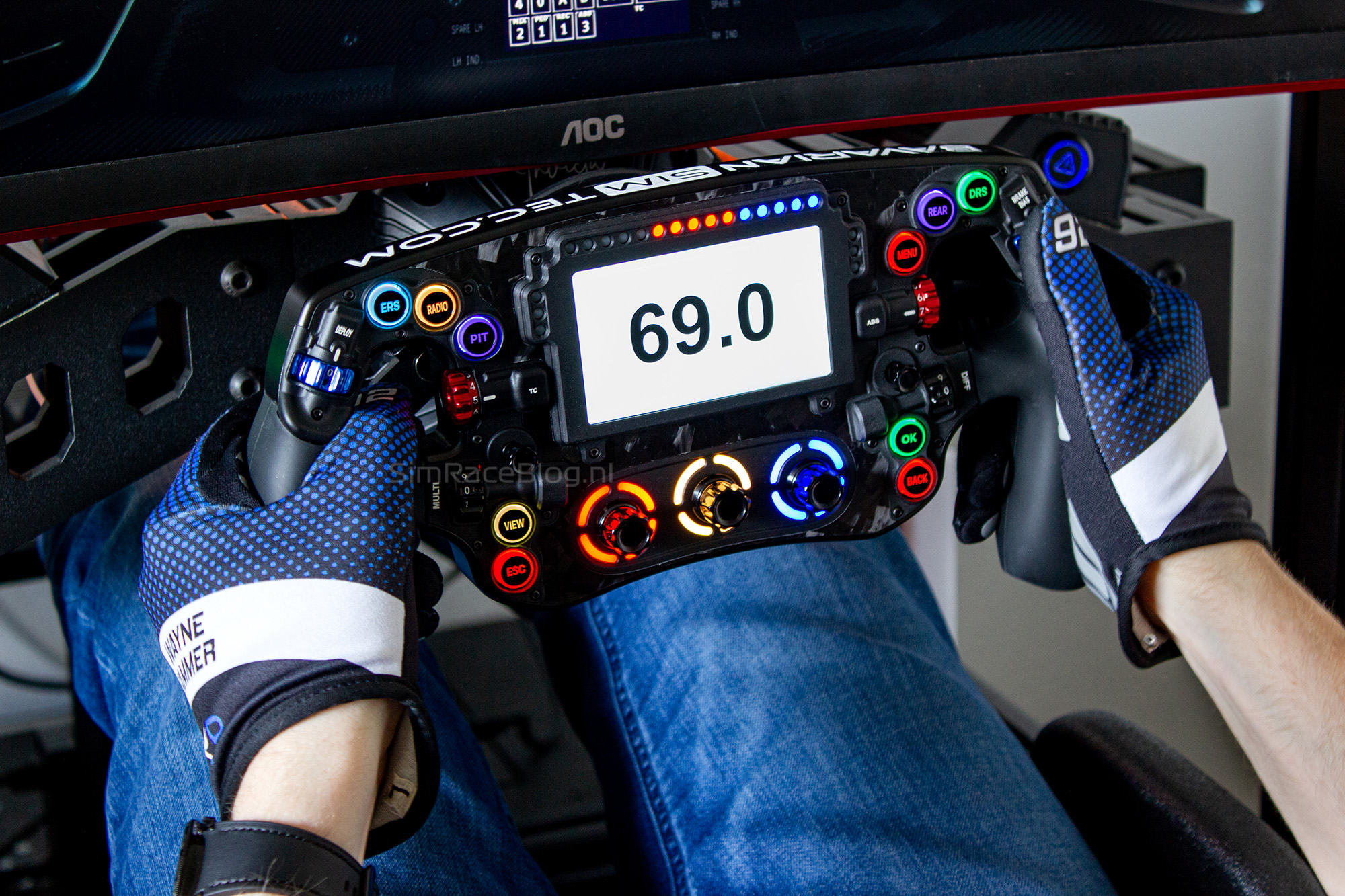
The last, but definitely not least, parts of the steering wheel are the LCD screen and the indicator LEDs. To start with the RPM LEDs and the flag LEDs, we can be brief: both are clearly visible on the wheel and do exactly what we expect. They can be customized via SimHub, though we should note that this can be tricky for beginners and requires some knowledge of SimHub.
A major highlight of the Omega Pro steering wheel is the LCD screen. During our testing, we only used the dashboard provided by BavarianSimTec. This dashboard is packed with information and is clearly readable thanks to the screen’s size and brightness. Even in bright daylight, the blacks and colors remain distinct, creating a very sharp image. When adjusting our brake balance or engine map, this information appears as a large pop-up on the screen, clearly indicating the current setting. After a few seconds, the pop-up fades, and the regular dashboard reappears. The screen isn’t only active during racing but is also on when navigating through menus or doing other tasks. When no active racing session is detected, the wheel displays a neutral standby screen. With the default BavarianSimTec dashboard, the BavarianSimTec logo is shown. Of course, this can also be personalized in SimHub. For example, we created our own SRB standby screen as a small touch of personalization for the wheel.

Conclusion
After testing the BavarianSimTec Omega Pro, we can only say that we thoroughly enjoyed it. It is undoubtedly a high-end steering wheel, and BavarianSimTec has successfully provided a premium experience straight out of the box.
The beautifully designed 300mm wide wheel left a strong impression on us. The use of high-quality materials clearly pays off, as the wheel feels comfortable to hold, fits well in the hands, and is overal very pleasant to use. The placement of all the buttons, encoders, and paddles is an ergonomical masterpiece, providing ultimate convenience while driving without needing to let go of the wheel. The push buttons, rotary encoders, and paddles are all a pleasure to use due to their resistance and feedback.
However, the Omega Pro isn’t without its drawbacks. With a price tag well above €2000, everything is scrutinized extremely closely by us. Therefore, we should mention that while the thumb encoders are perfectly positioned, they are somewhat less comfortable to use compared to the rest of the wheel. This is mainly due to the resistance of the Grayhill encoders and the sharp edges on the wheels of one type of encoder. Additionally, there is a minor inconsistency with the last thumb encoder, which is numbered up to nine but has twelve positions. Nonetheless, this does not detract from the fact that it is still a very pleasant thumb encoder.
Controlling the wheel via SimHub also goes smoothly. The Omega Pro can be endlessly customized, allowing users to tailor everything to their preference, whether it’s the dashboard display or the wheel’s lighting. Everything is adjustable. The LCD screen is well-sized, making even a densely packed dashboard clearly readable, thanks to its bright colors and sharp resolution. The RPM and flag LEDs, as well as the lighting behind the buttons, are bright and give the wheel a sleek look. However, the lighting on the wheel does have one major point of concern. The backlighting behind the rotary encoders in the center of the wheel bleeds quite a bit, causing the lighting to appear washed out and uneven depending on the chosen colors. This is an issue that we feel shouldn’t be present in a high-end wheel. That said, it doesn’t affect usability, and the lighting for the other buttons is perfect and free from any leakage, which certainly adds to the wheel’s beautiful appearance.
Overall, the wheel performs excellently, and we are left with a hugely positive impression. If the biggest drawback is a visual detail, then you know you have an outstanding piece of sim racing hardware. After using this wheel for several weeks, we still approach our rig with a big smile every time we grab the wheel for a good number of laps.
The Omega Pro from BavarianSimTec is available through their webshop, starting at €1798.41, excluding shipping. The fully customized variant we tested is priced at €2,331.49, also excluding shipping. If you’re in the market for a high-end, formula-style steering wheel that you may never feel the need to upgrade from, we definitely recommend putting the Omega Pro high on your list of potential wheels.
Do you want to stay informed about SimRaceBlog content, news, announcements and (future) give-aways? Follow us on Instagram @simraceblognl and/or our Discord channel.


