Asetek Forte Formula Pro Steering Wheel
If there’s one sim racing hardware manufacturer that hasn’t been sitting still lately, it’s Asetek Simsports. With upgrades to their existing lineup, new products, and even the announcement of the new Initium series, Asetek seems to be running at full speed.
One of the most interesting products Asetek has launched is the Asetek Forte Formula Pro Steering Wheel, a wheel that positions itself right between Asetek’s Forte and Invicta product lines. So, when Asetek offered us the chance to review this wheel, we of course couldn’t say no.
For this review, we received the Forte Formula Pro Steering Wheel itself, which we’re combining with the Formula XL Handles. The wheel, which is sold without handles, is priced at €761.59 excluding shipping. The separate handles that need to be ordered for this wheel range from €100.66 to €121.00, also excluding shipping. The Formula XL Handles we’ll be using for this review are priced at €121.00.

Packaging & Contents
Shipped from Denmark, the package took just three days to arrive at our door, delivered by GLS. We received two recognizable white boxes with the Asetek logo on them, one large box containing the steering wheel and a smaller one for the handles.
When opening the boxes, that turned out to be exactly the case. But we were immediately surprised by something unusual for Asetek. Normally, Asetek hides their plain product boxes inside a stylish sleeve, but the Forte Formula Pro Steering Wheel comes in a completely new type of packaging. The product box has a full glossy finish. On the front, there’s a photo of the steering wheel without the handles, shown against a dark background with a glowing Asetek logo behind it. Around it, the product name and branding are displayed in large, bold letters.
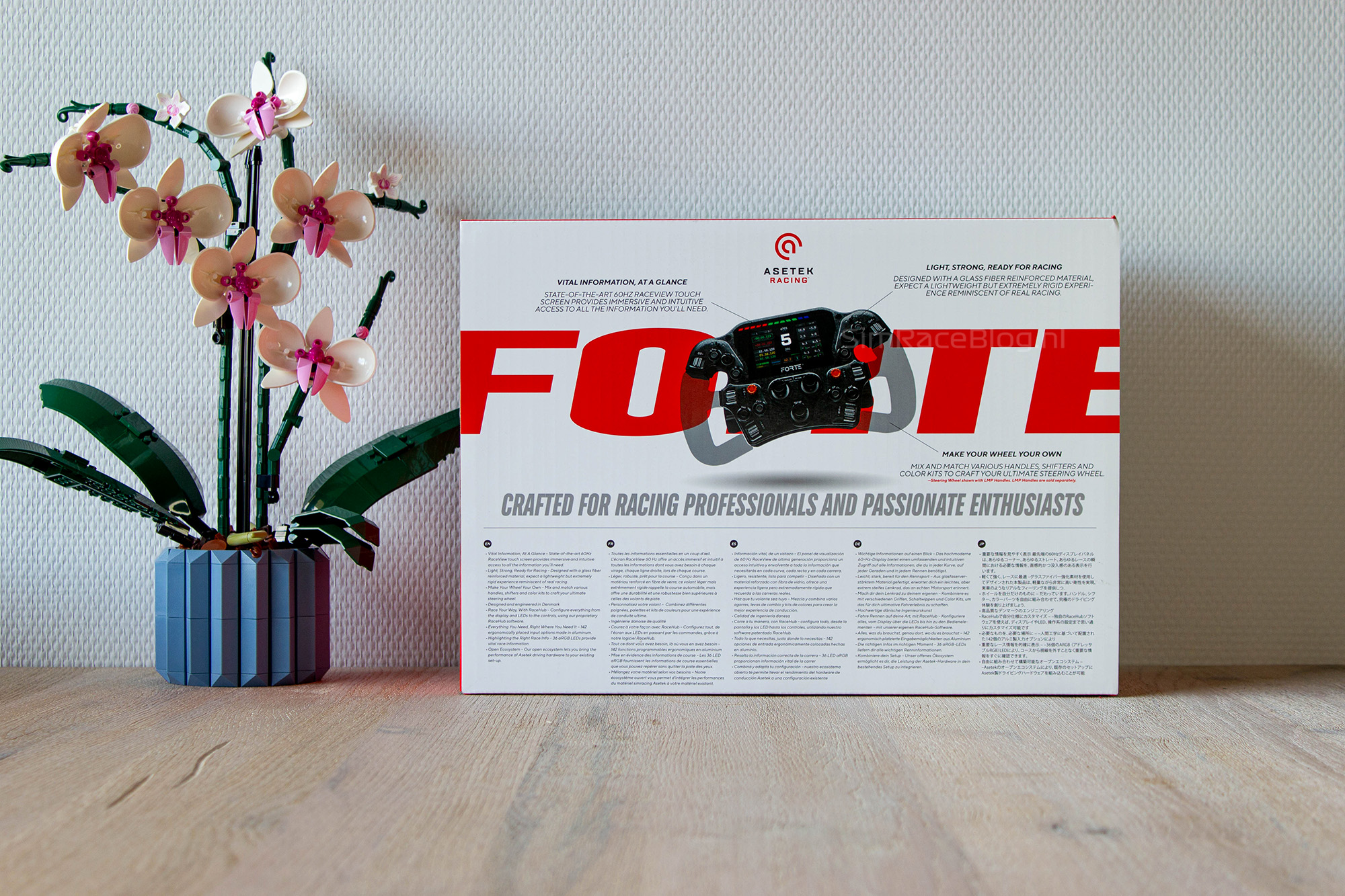
The back of the box has a bright white background with the word “FORTE” written across the full width in bold red letters. Over this, there’s another product photo, this time showing the wheel with a shadow outline of the LMP handles attached. Below the image, you’ll find the technical details of the steering wheel written in small print, available in five different languages.
The other four sides of the box are red and feature details like the technical specifications and the list of what’s included in the box.

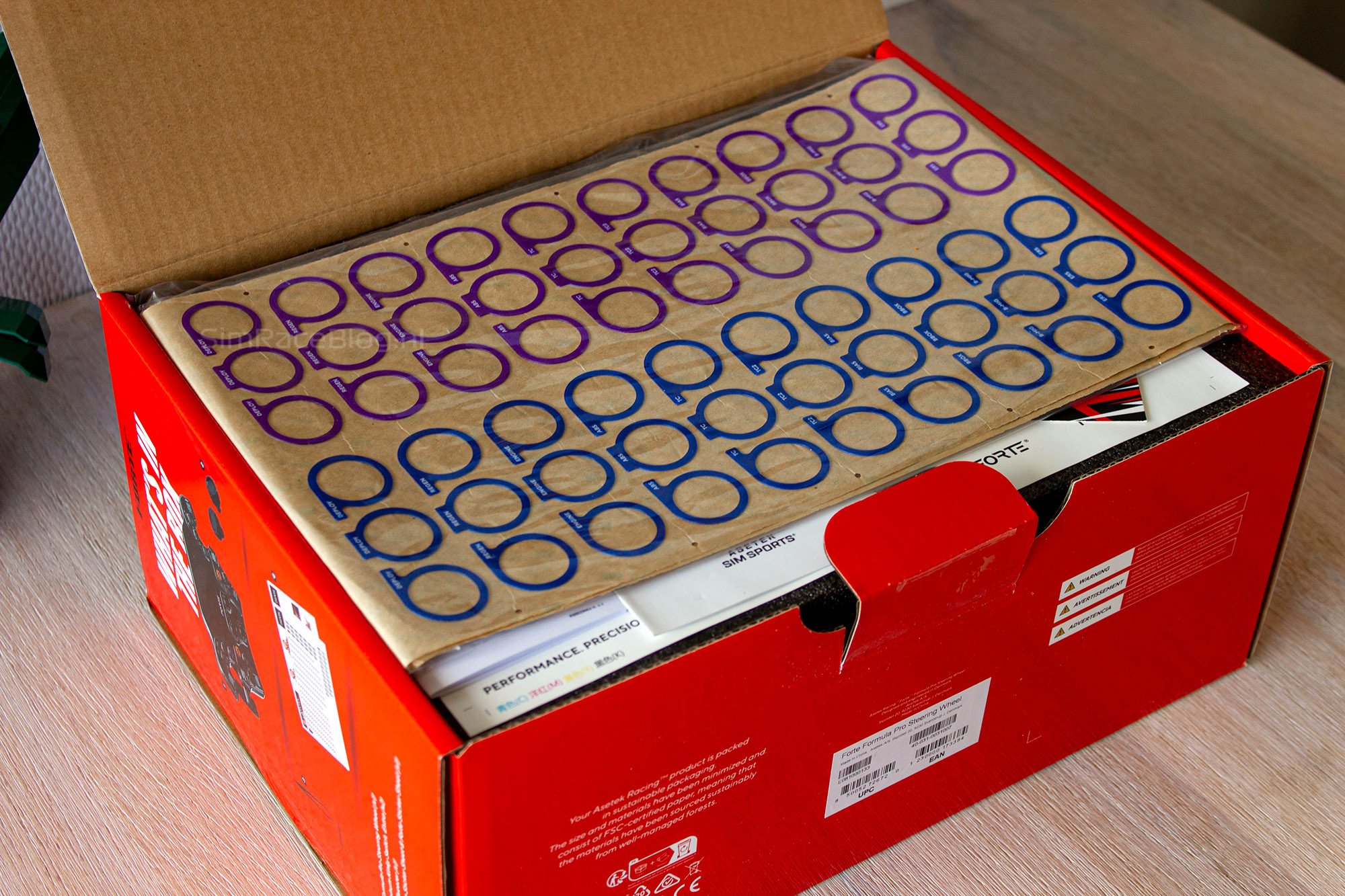
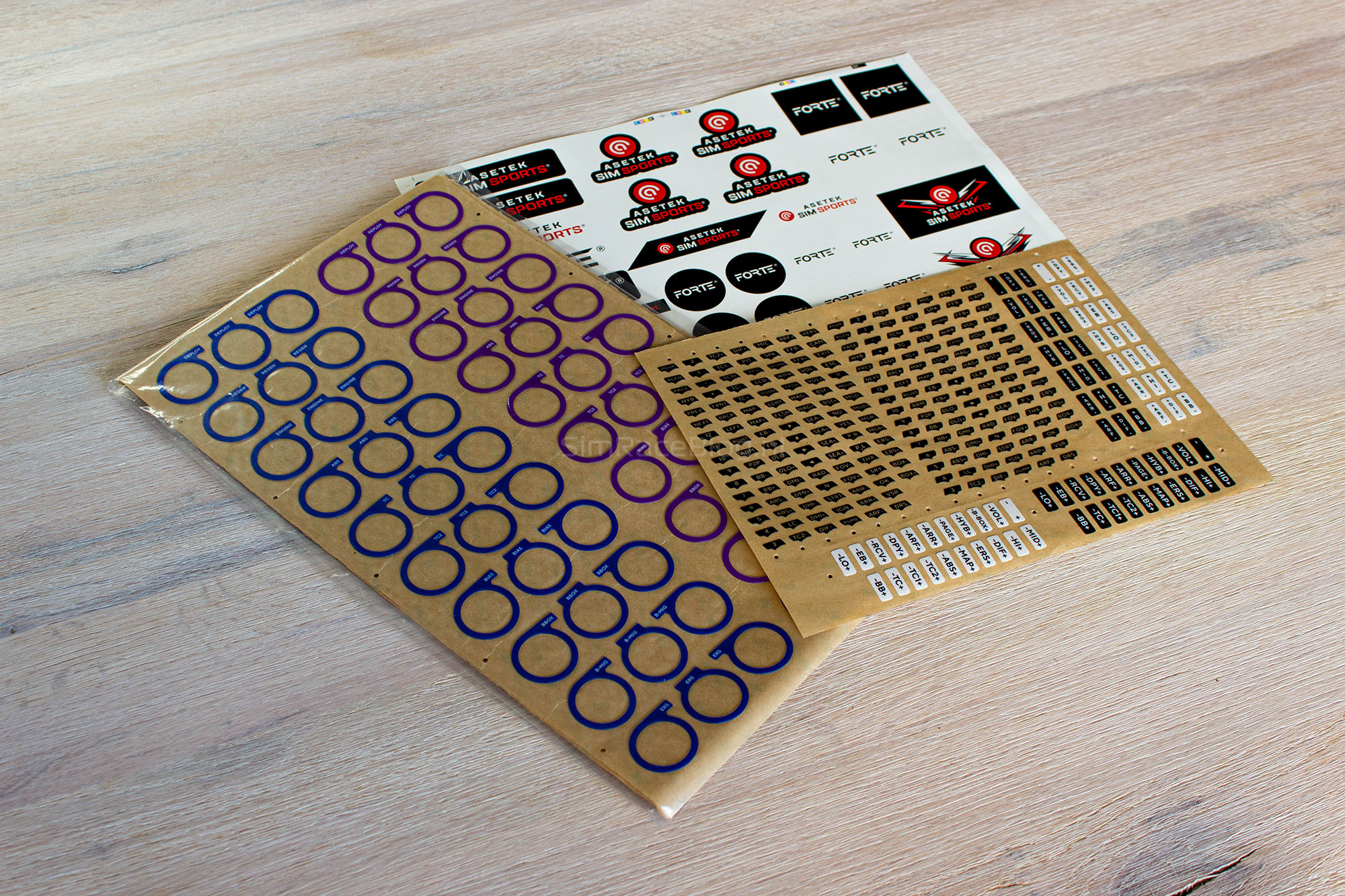
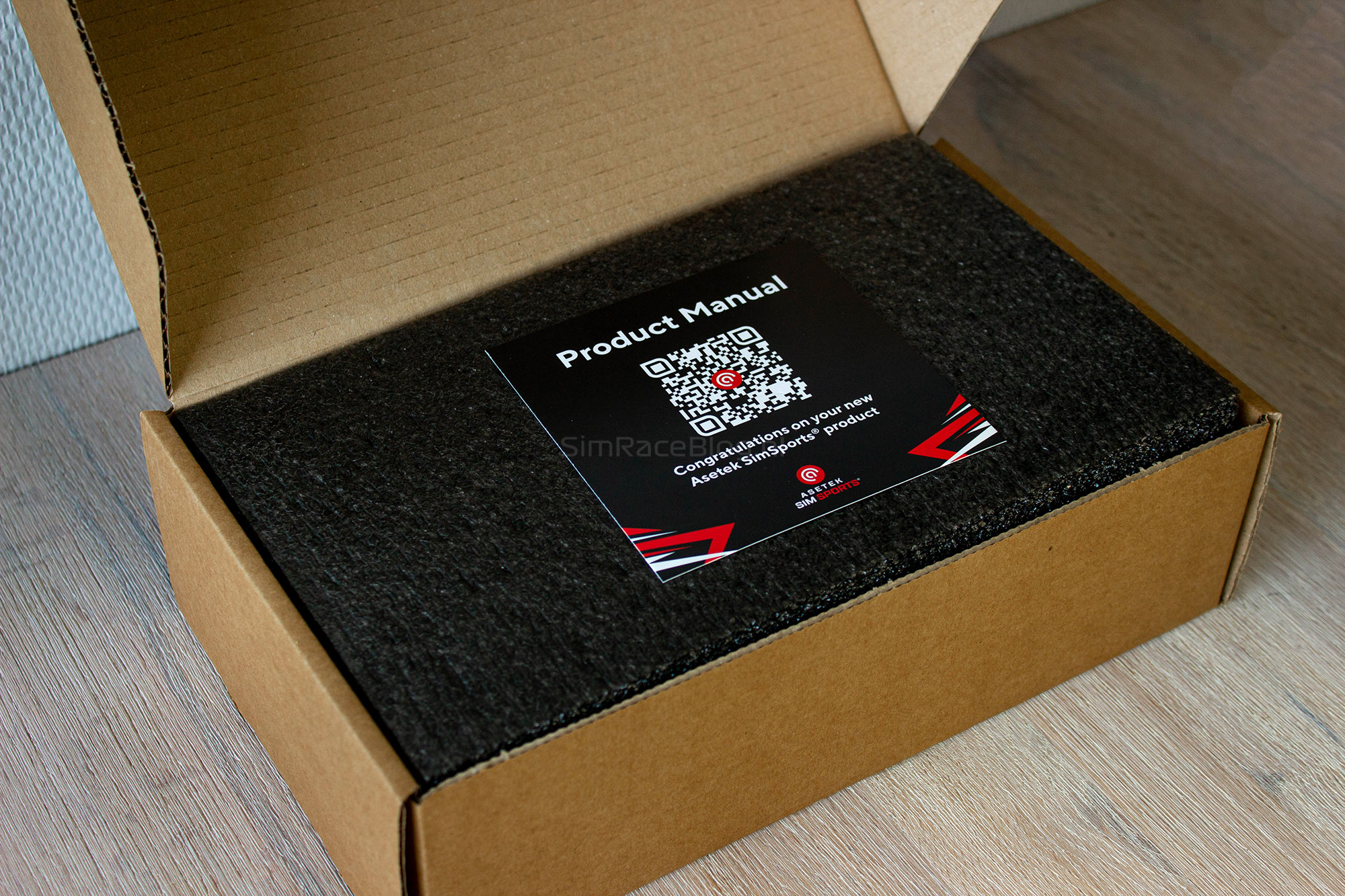
Of course, what we’re really excited about is what’s inside the box. When we open it, the first thing we see is a whole stack of paperwork. Neatly packed in a plastic sleeve, there’s a set of stickers for the rotary encoders, a sticker sheet for the push buttons, a sheet with Asetek logo stickers, a safety information booklet, a warranty booklet, and finally, two square cards for the product manual and a reminder to always use the latest firmware. Quite a pile altogether.
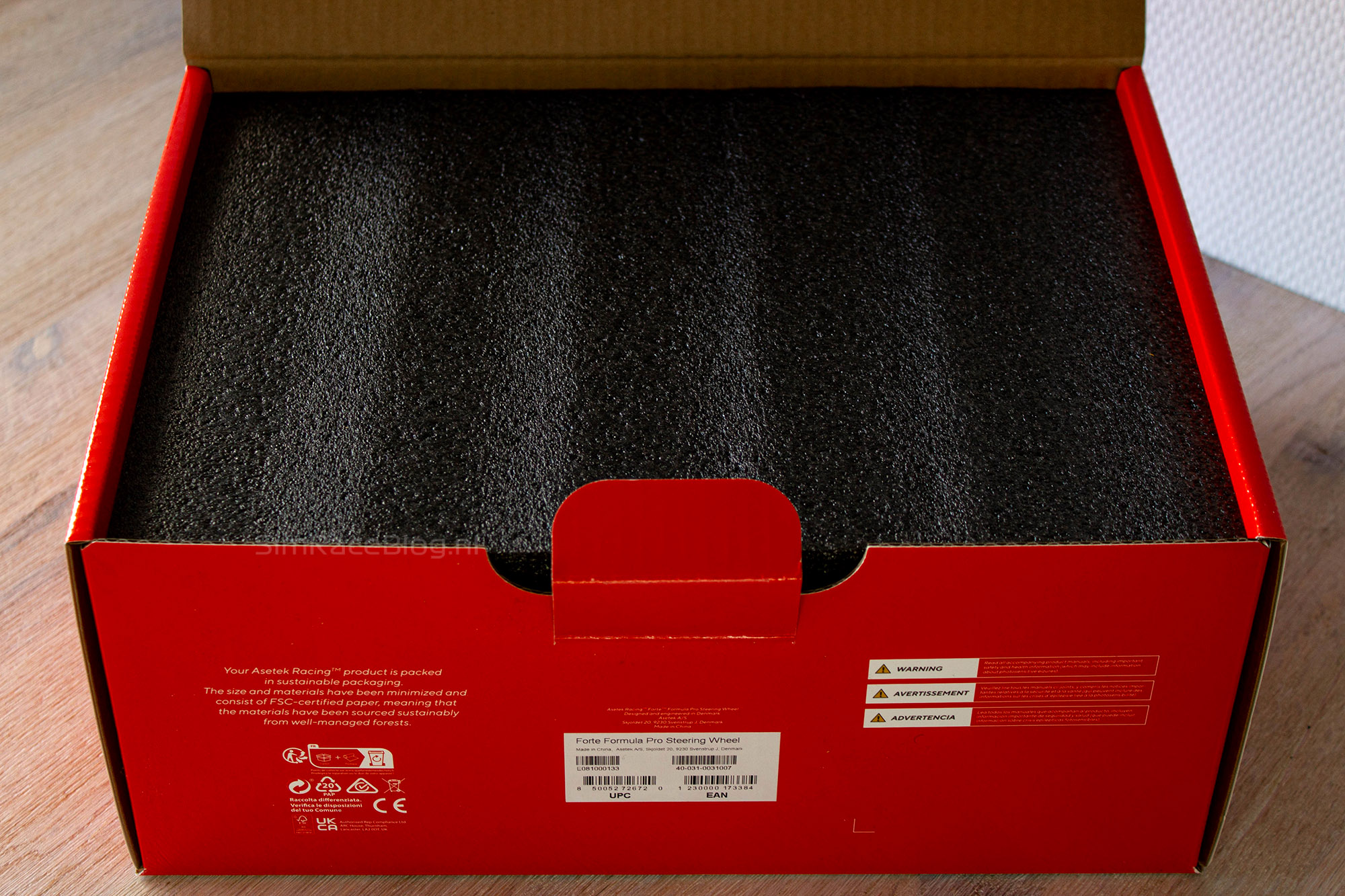
Beneath this paperwork sits a large black foam insert that fills the entire box. When we lift the top layer, the steering wheel is revealed. The wheel is neatly nested into the black foam, keeping it well protected and firmly in place. Next to the wheel, we see two cutouts, one on the left and one on the right, where the shifter modules are placed.
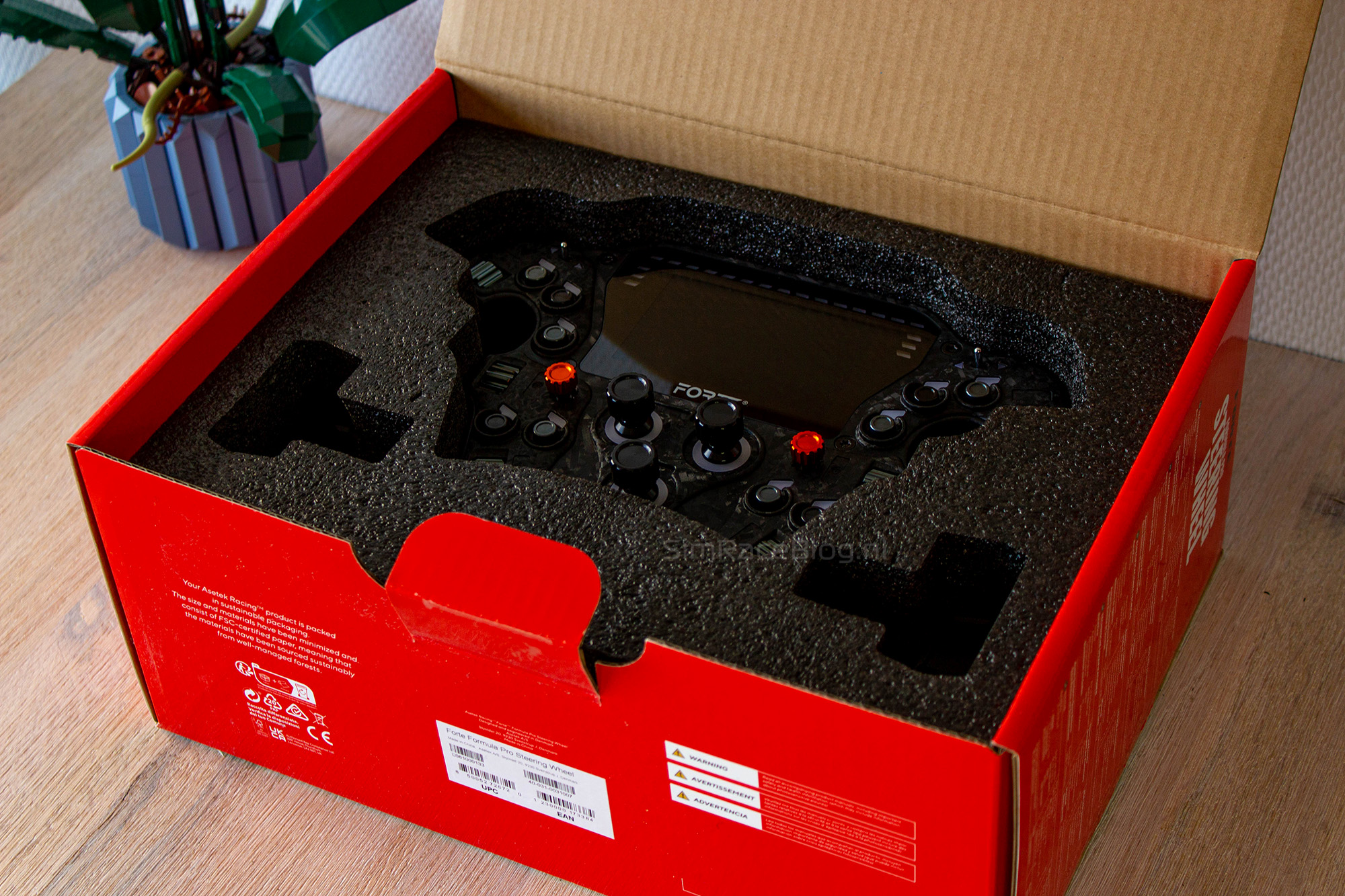
The last items in the box only become visible once we lift the steering wheel out of the foam. Underneath it, there’s a small plastic bag containing the remaining accessories. Inside are the screws for attaching the handles, the tools needed for installation, two black caps for the funky switches (including set screws), rubber fillers to cover the small gaps between the handles and the wheel, and finally, a pair of tweezers for applying the stickers to the wheel.


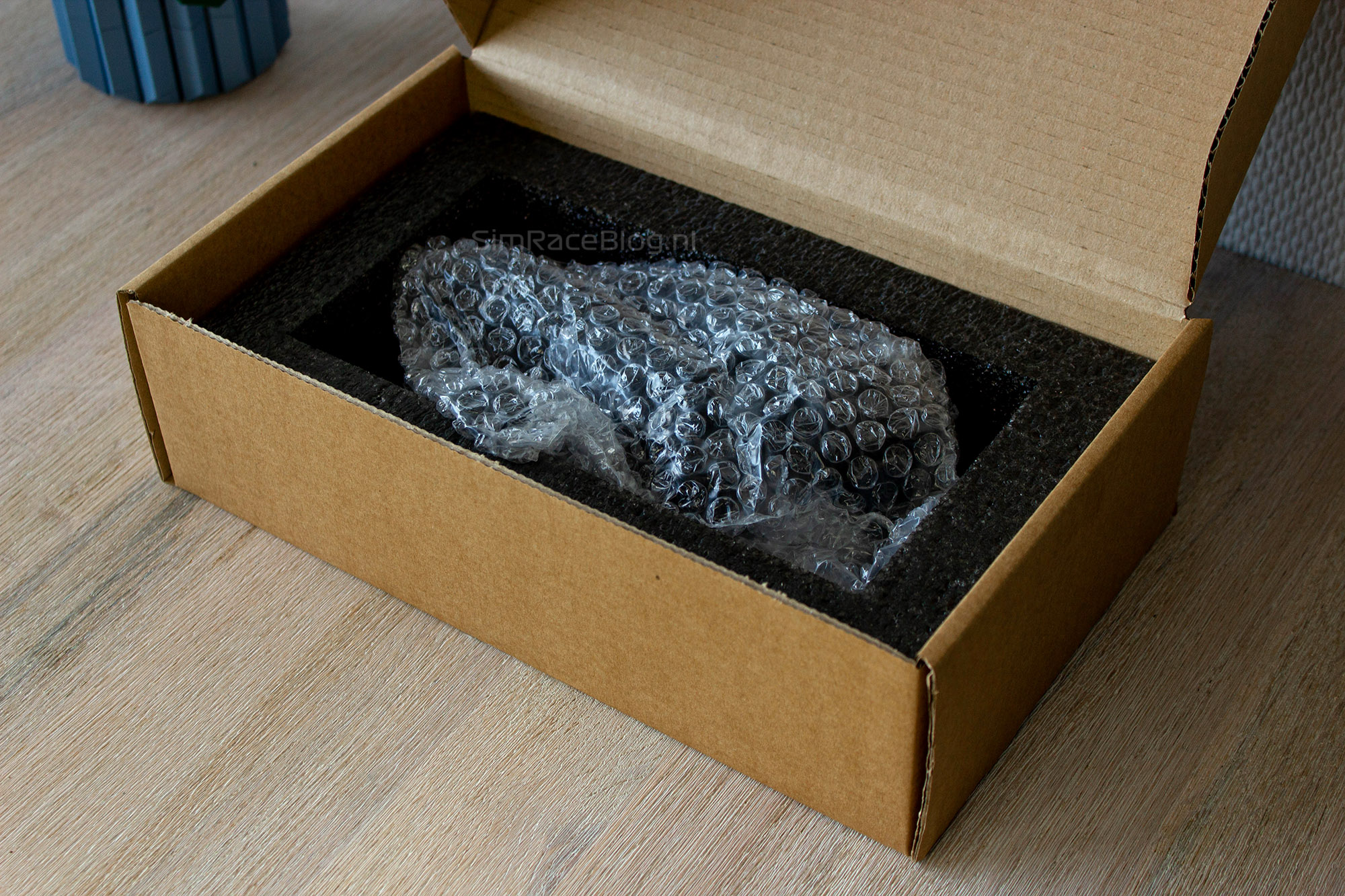
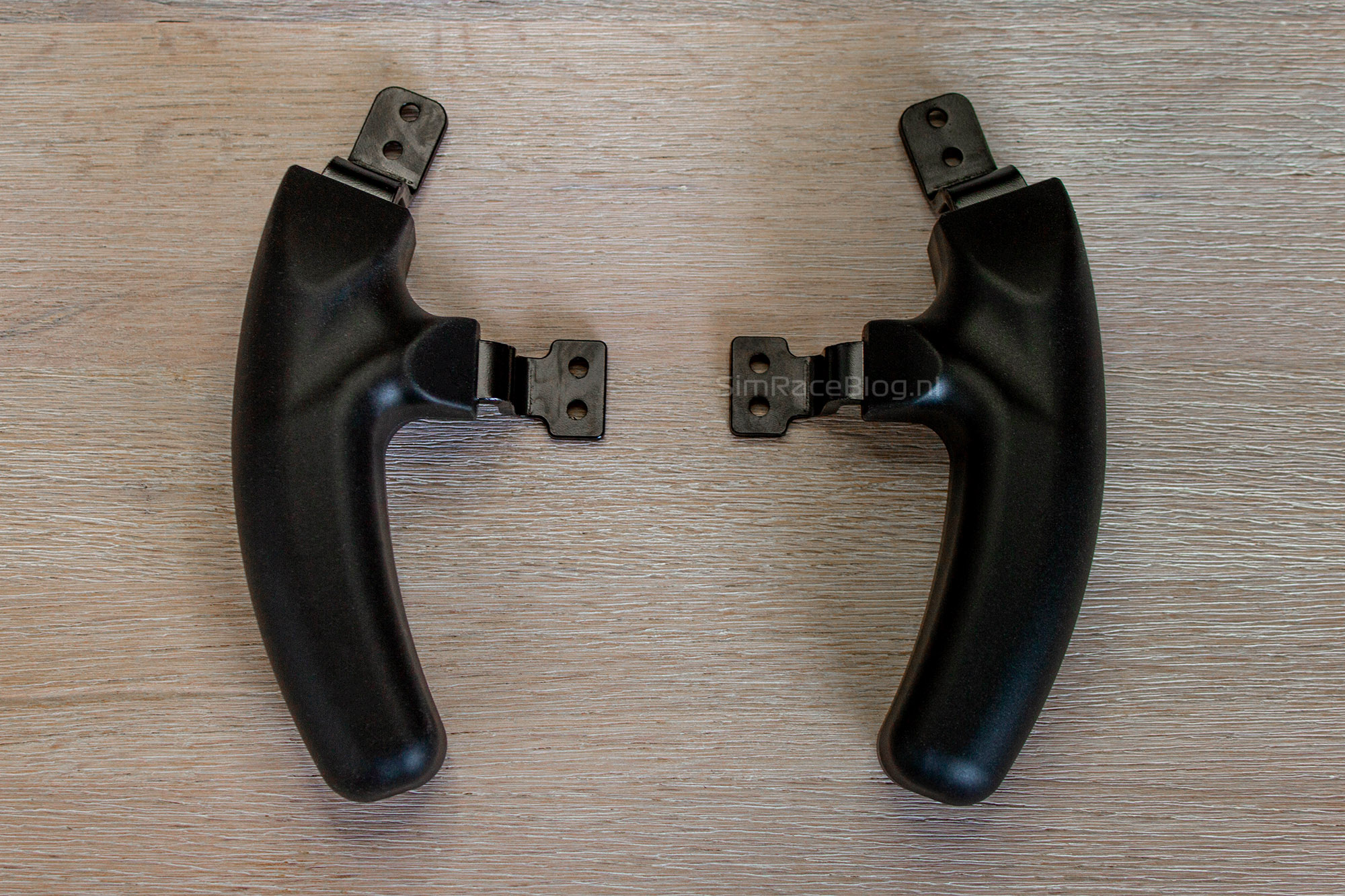
The second box we received contains the Formula XL Handles. Inside the white outer box, we find a simple brown cardboard box. When we open it, we see a black foam insert on top, with just the instruction card resting on top of it. Lifting off the top layer of foam reveals a square cutout holding a bubble wrap bag. Safely packed inside this bag are the two separate XL handles for our steering wheel.
The Asetek Forte Formula Pro
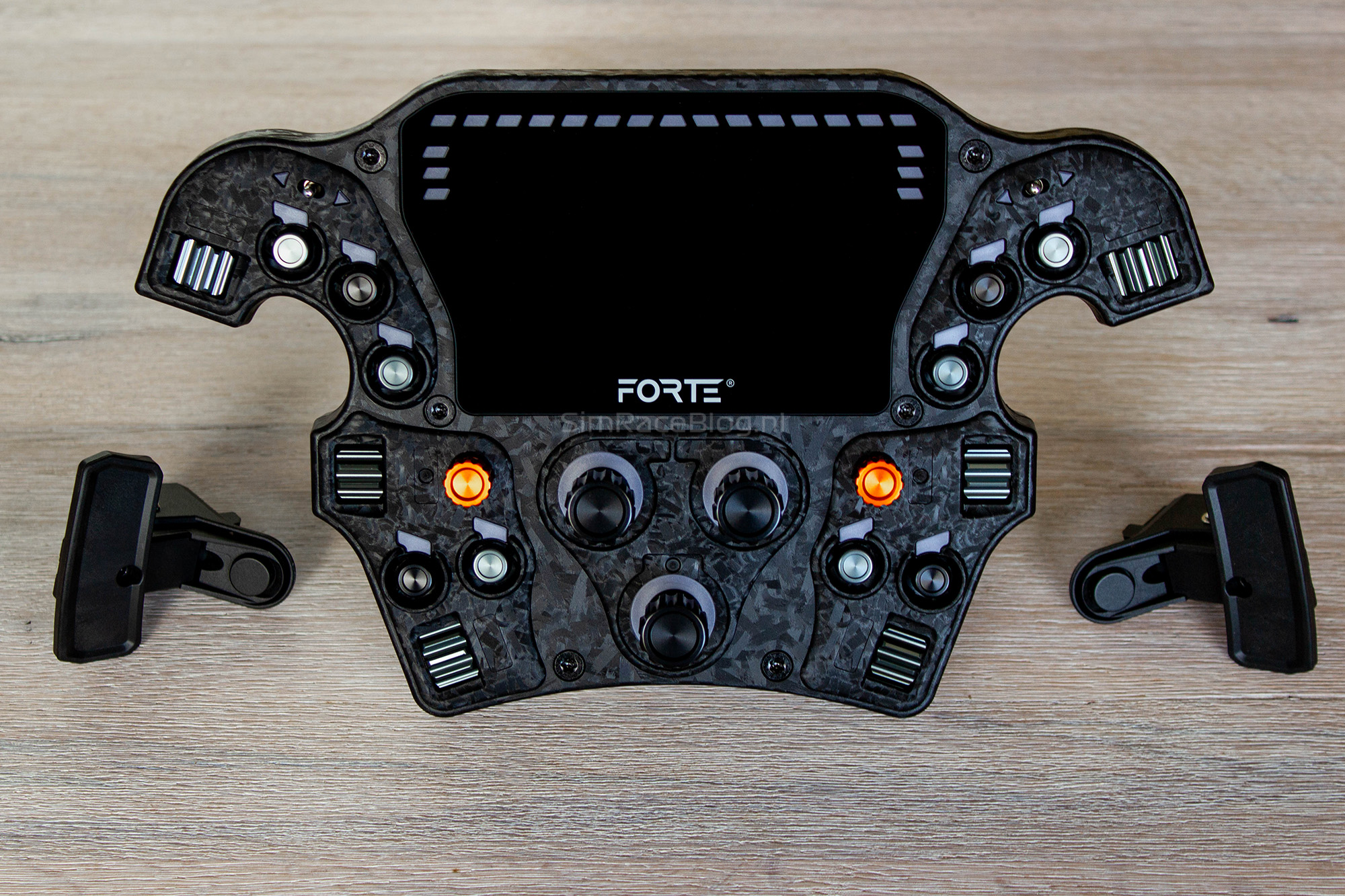
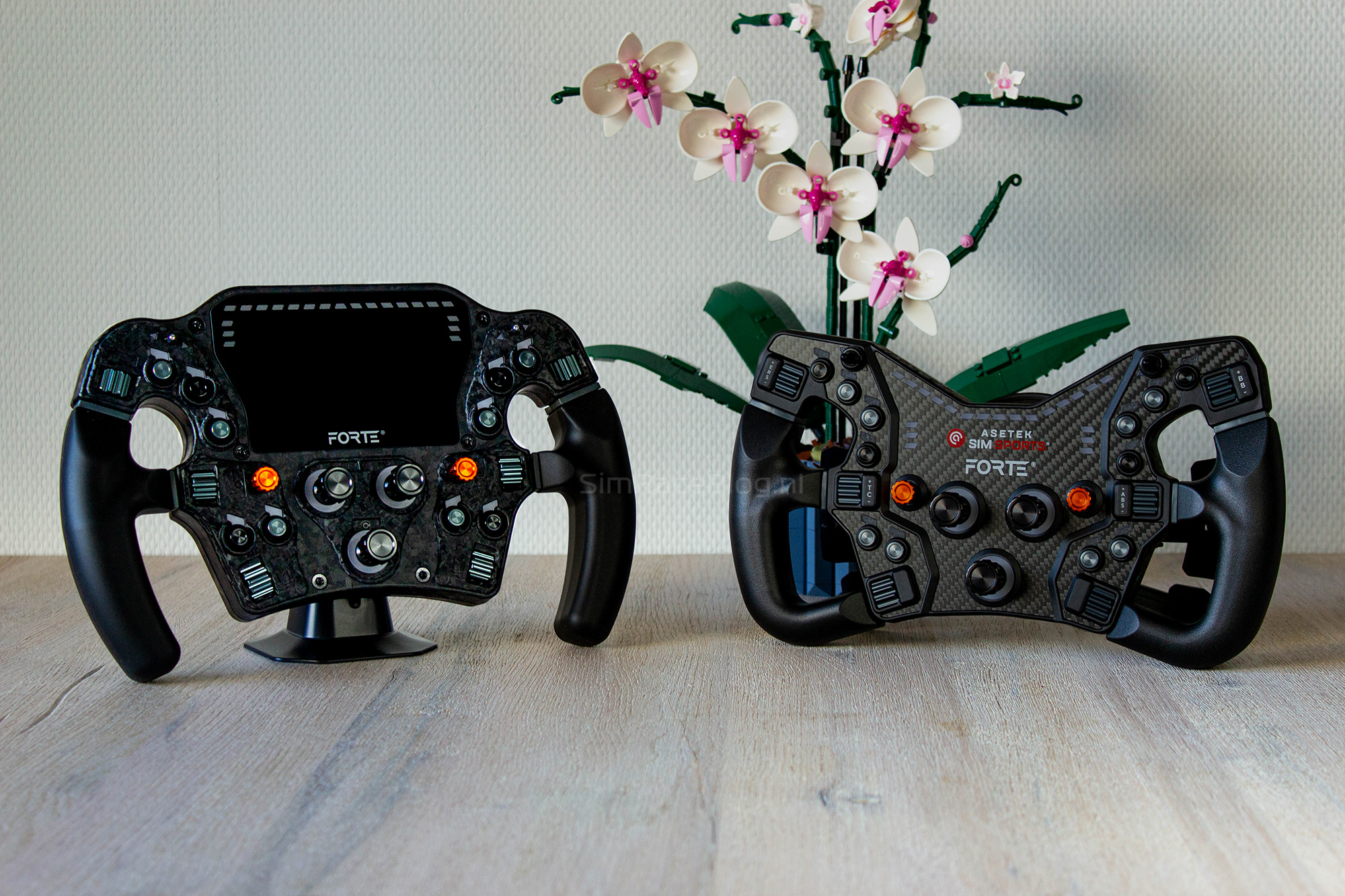
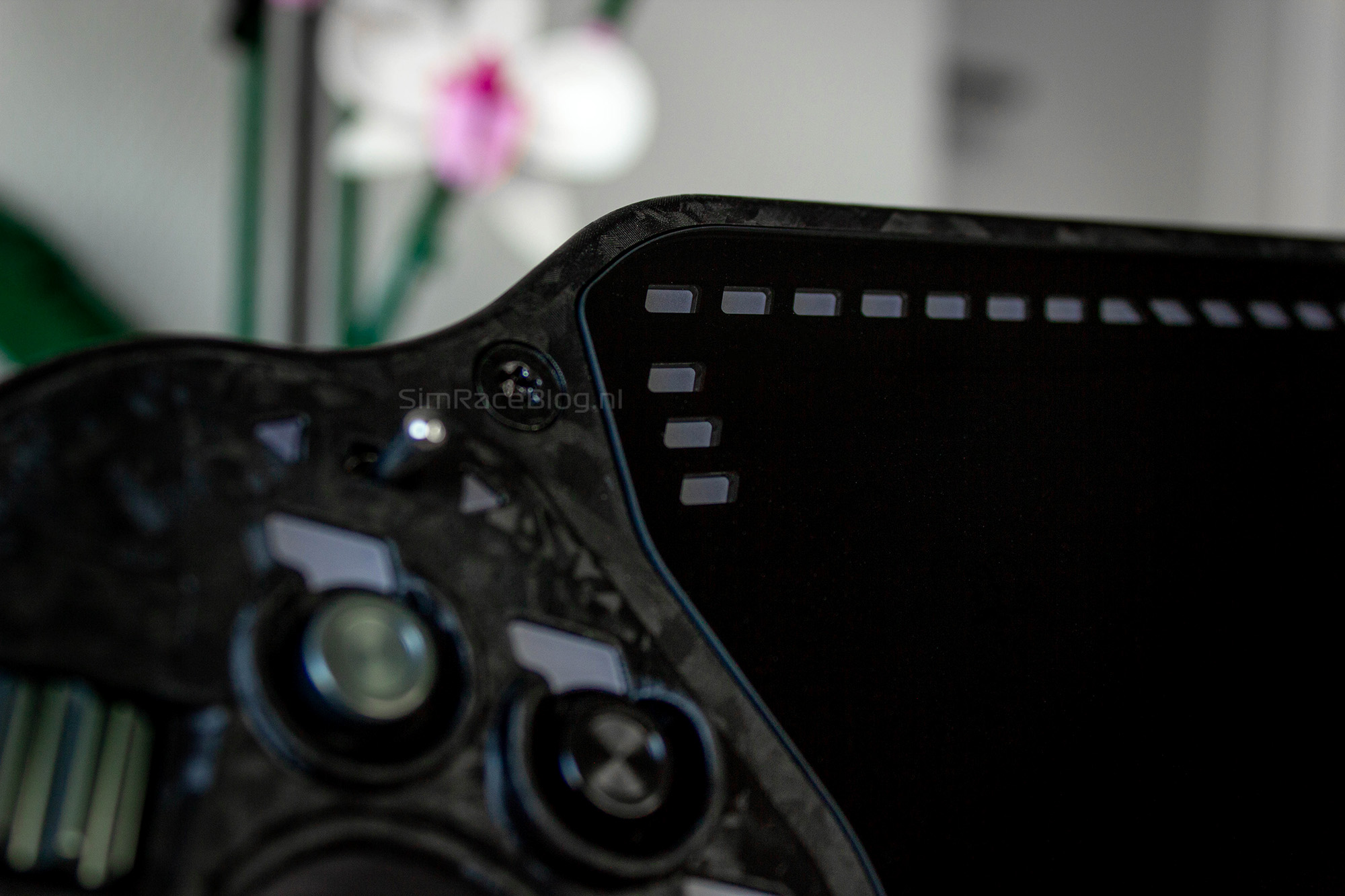
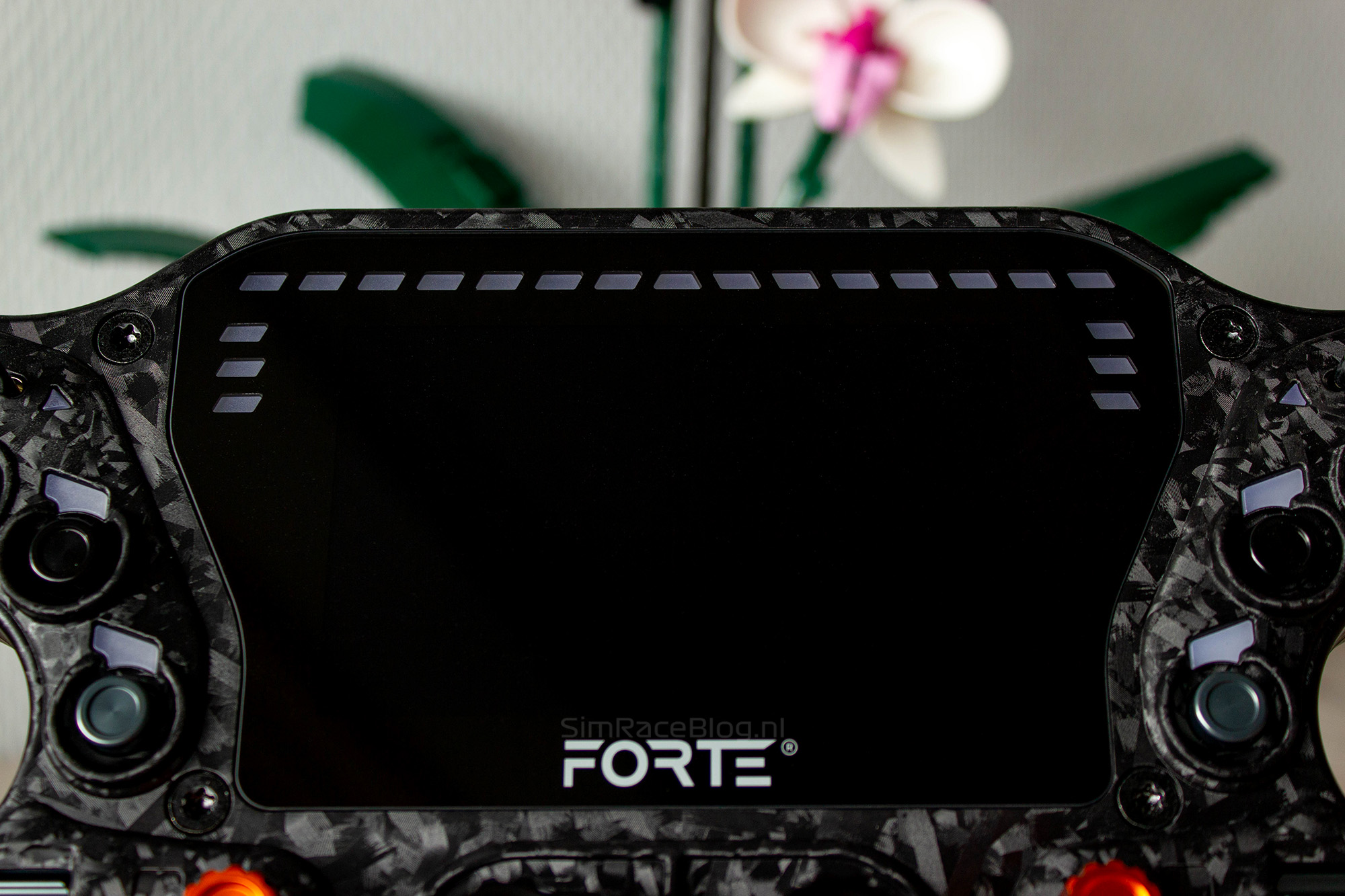
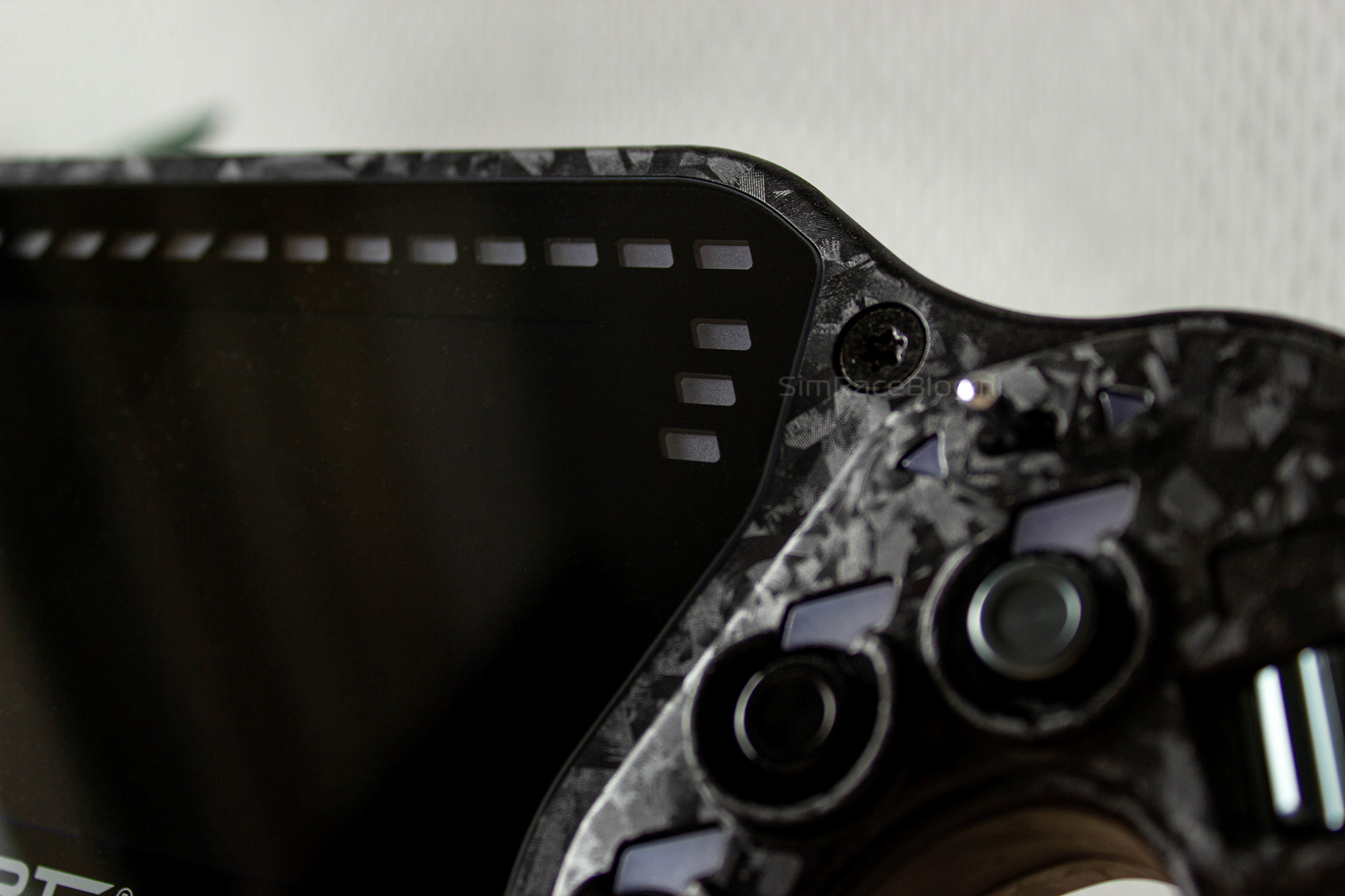
Anyone taking a look at the Asetek Forte Formula Pro wheel will immediately notice that it’s quite large and that it is more similar to the Invicta wheel than the smaller, standard Forte wheel. However, the 300mm-wide Forte Formula Pro uses different materials than the Invicta. The housing is made from a glass fiber–reinforced composite to prevent any flex. Thanks to this material, the wheel feels relatively light, weighing 1160 grams without the handles attached. To give the housing a clean, finished look, it features a forged carbon front plate and a glass cover that sits over the display and LEDs.
The front
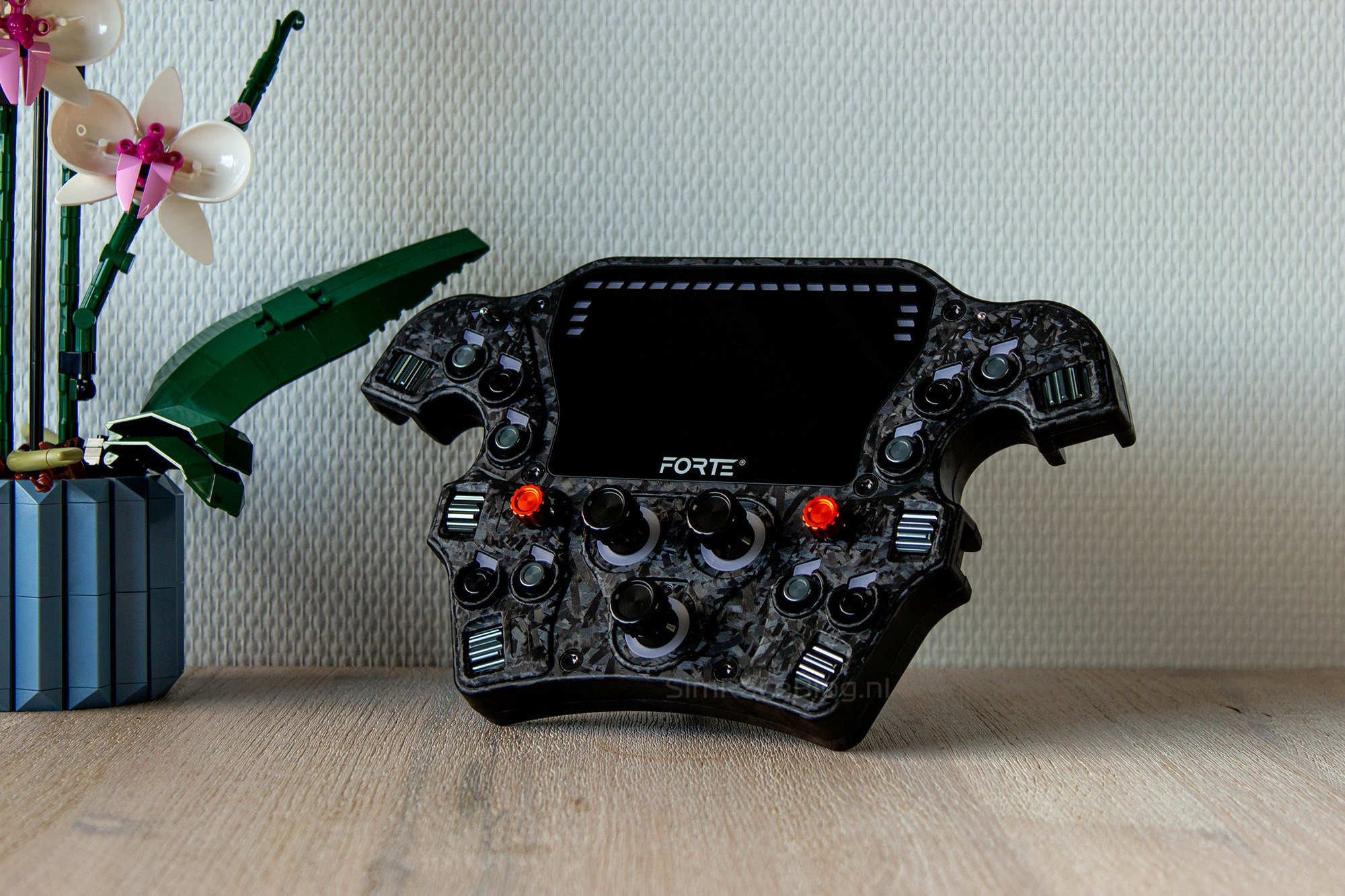
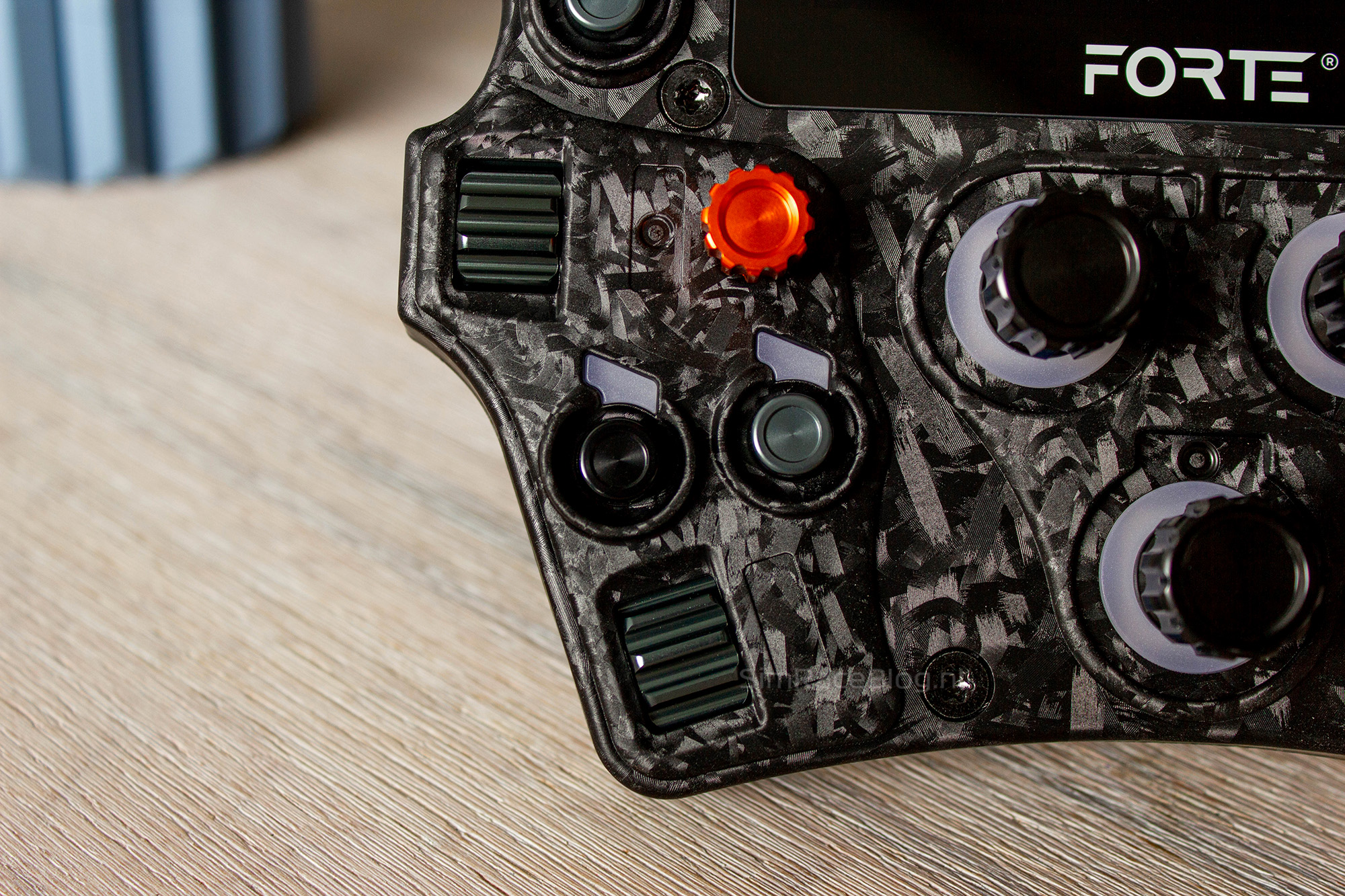
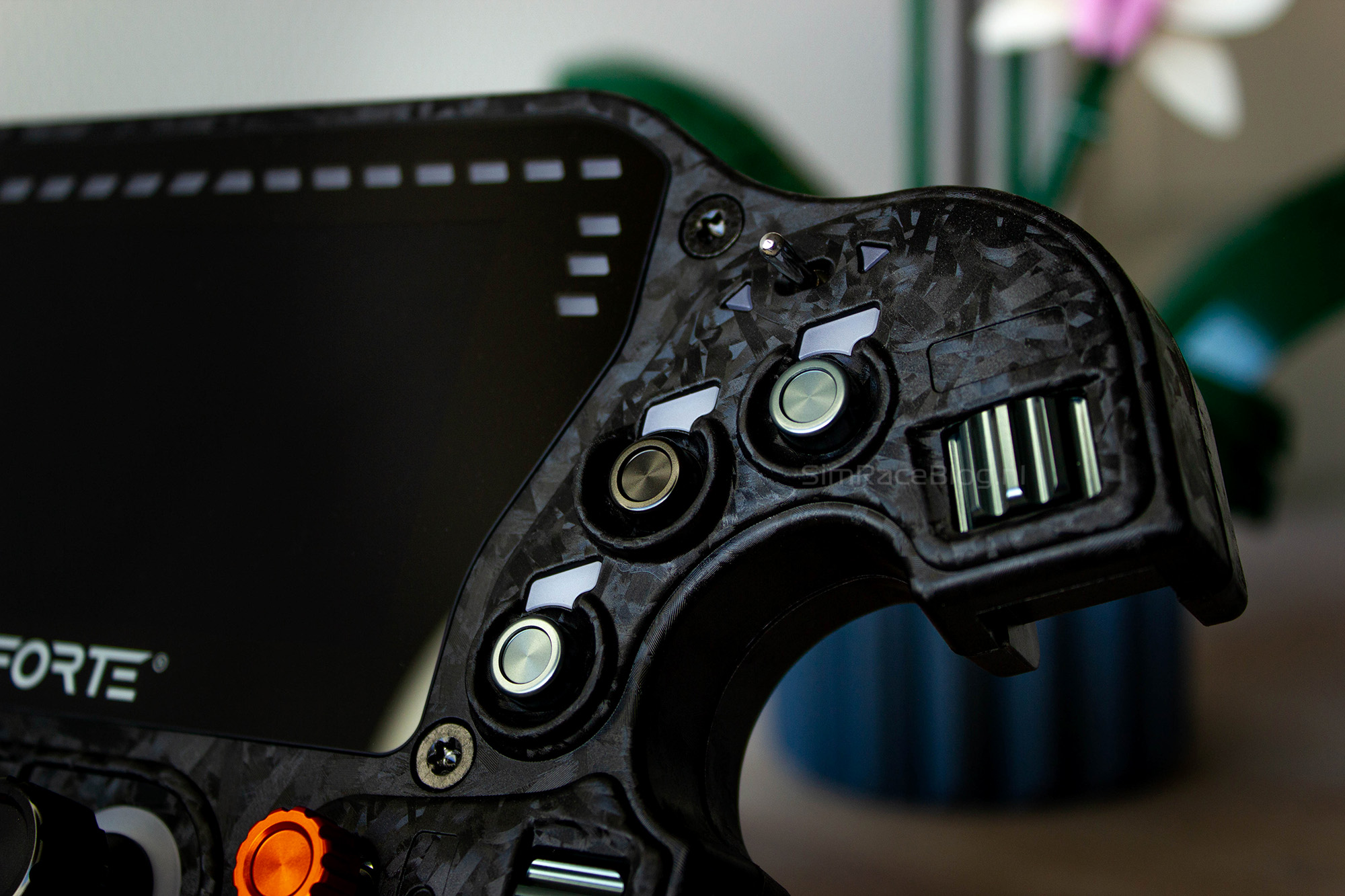
The front of the Asetek Forte Formula Pro wheel is, as we’ve come to expect from Asetek, packed with controls. One noticeable change, though, is that this wheel has two fewer push buttons to make room for the display. So instead of twelve buttons like on the regular Forte wheel, the Forte Formula Pro comes with ten push buttons. Both the left and right sides of the wheel now feature three buttons above the thumb position and two at the bottom. The buttons follow Asetek’s new design style in which they’re made of metal and finished in either black or gray.
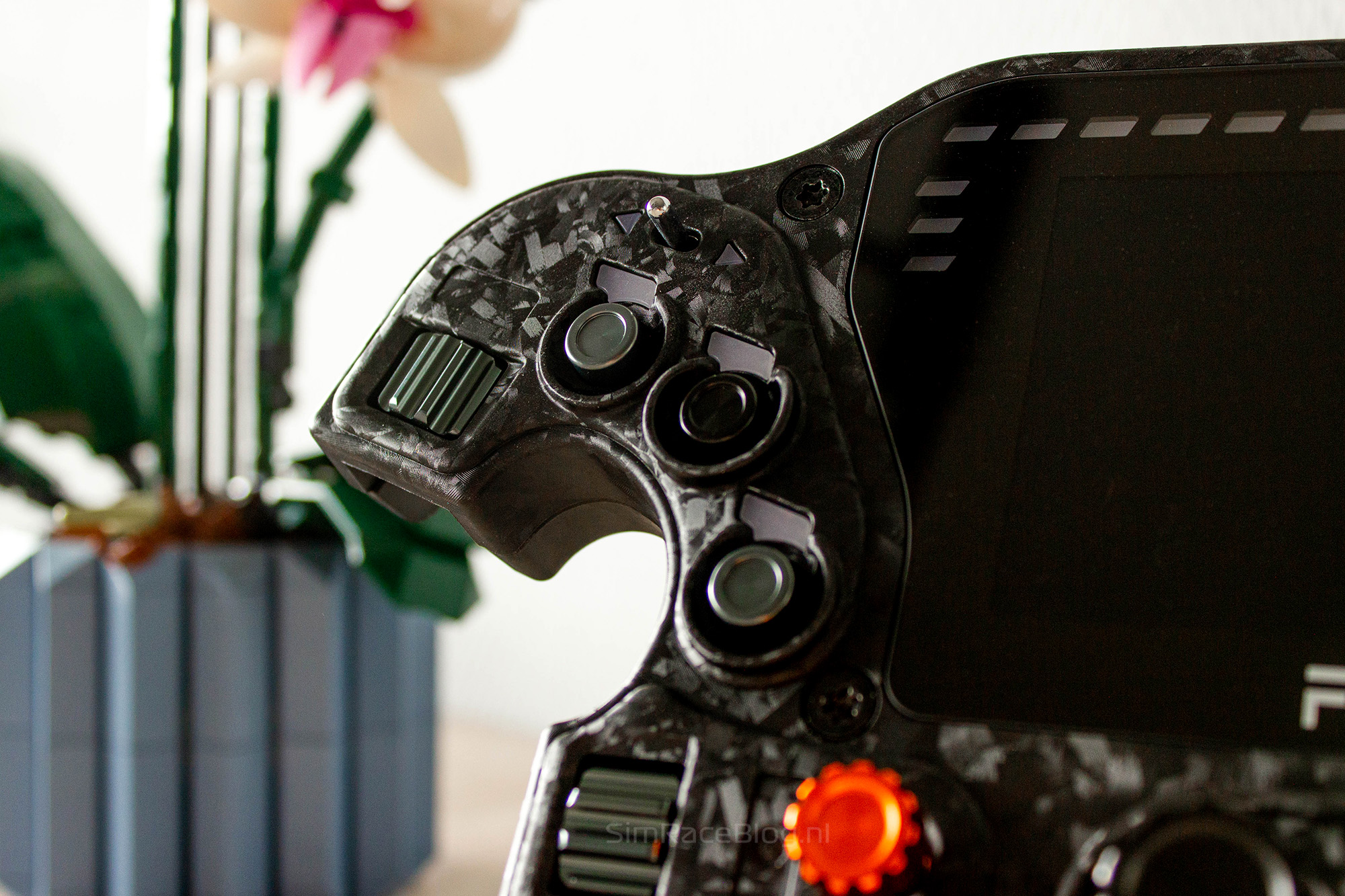
Between the top rows of the buttons we can find the display. The screen measures 4.3 inches with a resolution of 800×480 pixels and a 60Hz refresh rate. As mentioned earlier, the display is neatly integrated behind a glass panel, which also covers the rev and flag LEDs. What’s great about this glass panel is that it sits perfectly flush with the front plate of the wheel. This makes the display feel like a natural part of the wheel instead of something mounted on top, something which is often the case with steering wheels that include a screen.
Above the display, there are fifteen individual LEDs that act as rev lights. On each side of the screen, extending downward from the outermost rev LEDs, are three additional LEDs per side, which are used as the flag LEDs.
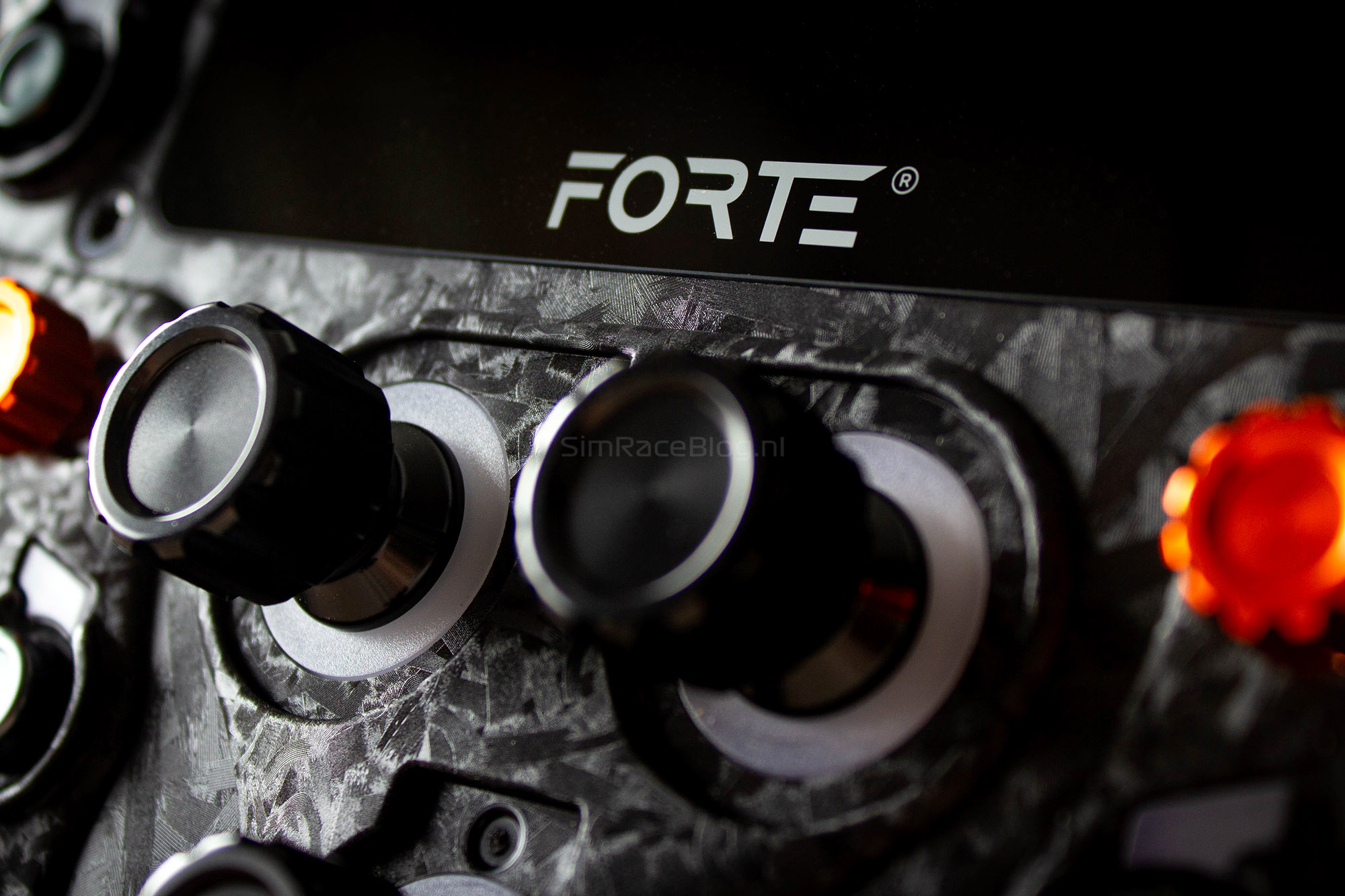
The Forte Formula Pro steering wheel also comes packed with plenty of encoders. It features three rotary encoders in the center of the wheel, along with six thumb encoders on the front; three on each side. Each side has one encoder above the thumb cutout, one just below it, and one at the bottom of the wheel.
For navigating menus and black boxes, the wheel includes two 7-way Funky Switches, or “kinky switches” as Asetek calls them, each topped with a nice orange metal cap. These are neatly positioned next to the middle thumb encoders, making them easy to reach while driving.
Lastly, there’s a two-way toggle switch with a neutral center position on both sides of the front face. Interestingly, unlike Asetek’s other steering wheels, these toggles no longer have a rubber protective sleeve. Instead, they feature a metal finish and are slightly slimmer, giving the wheel a more refined and mechanical look.


The rear
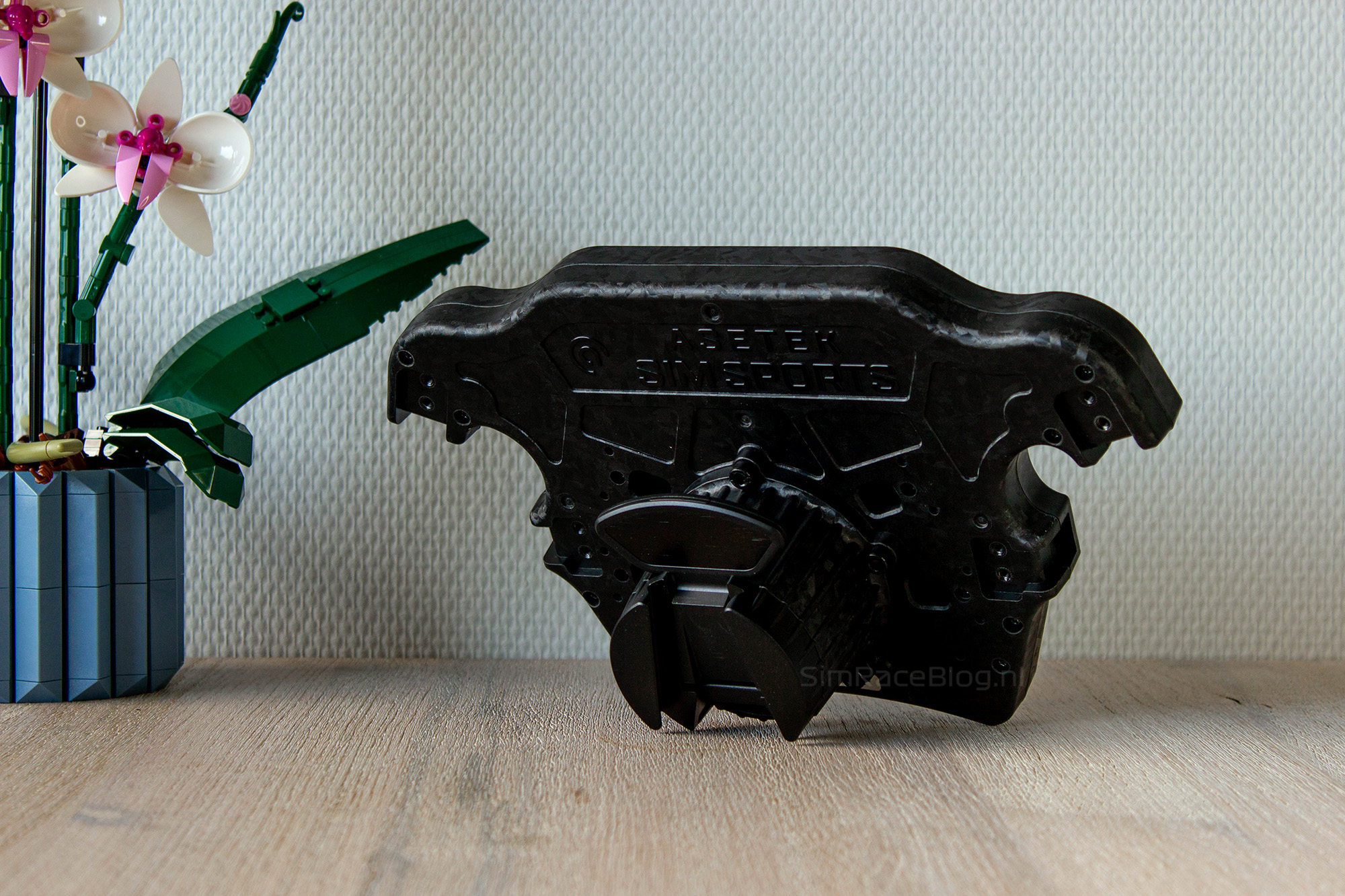
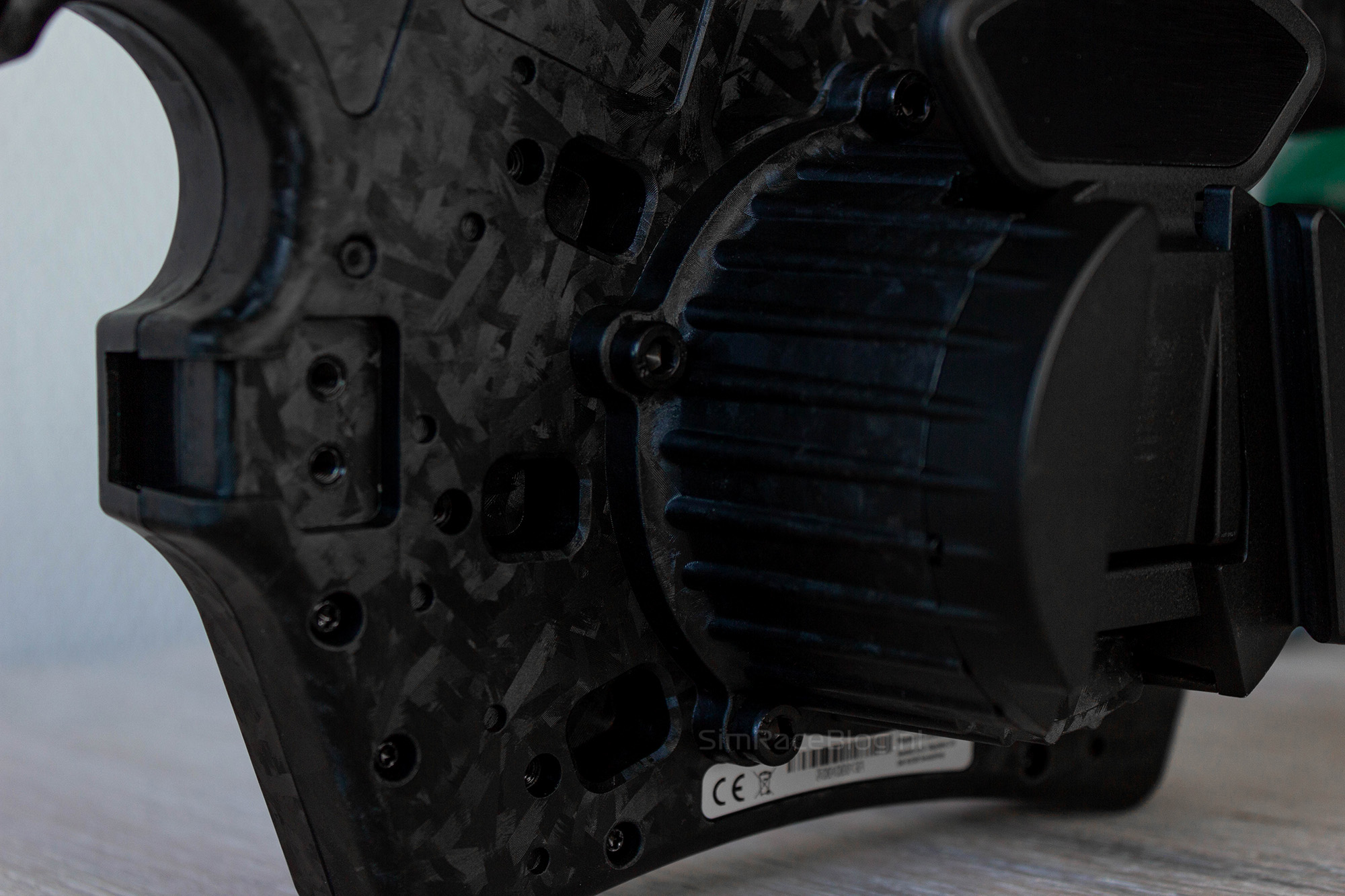
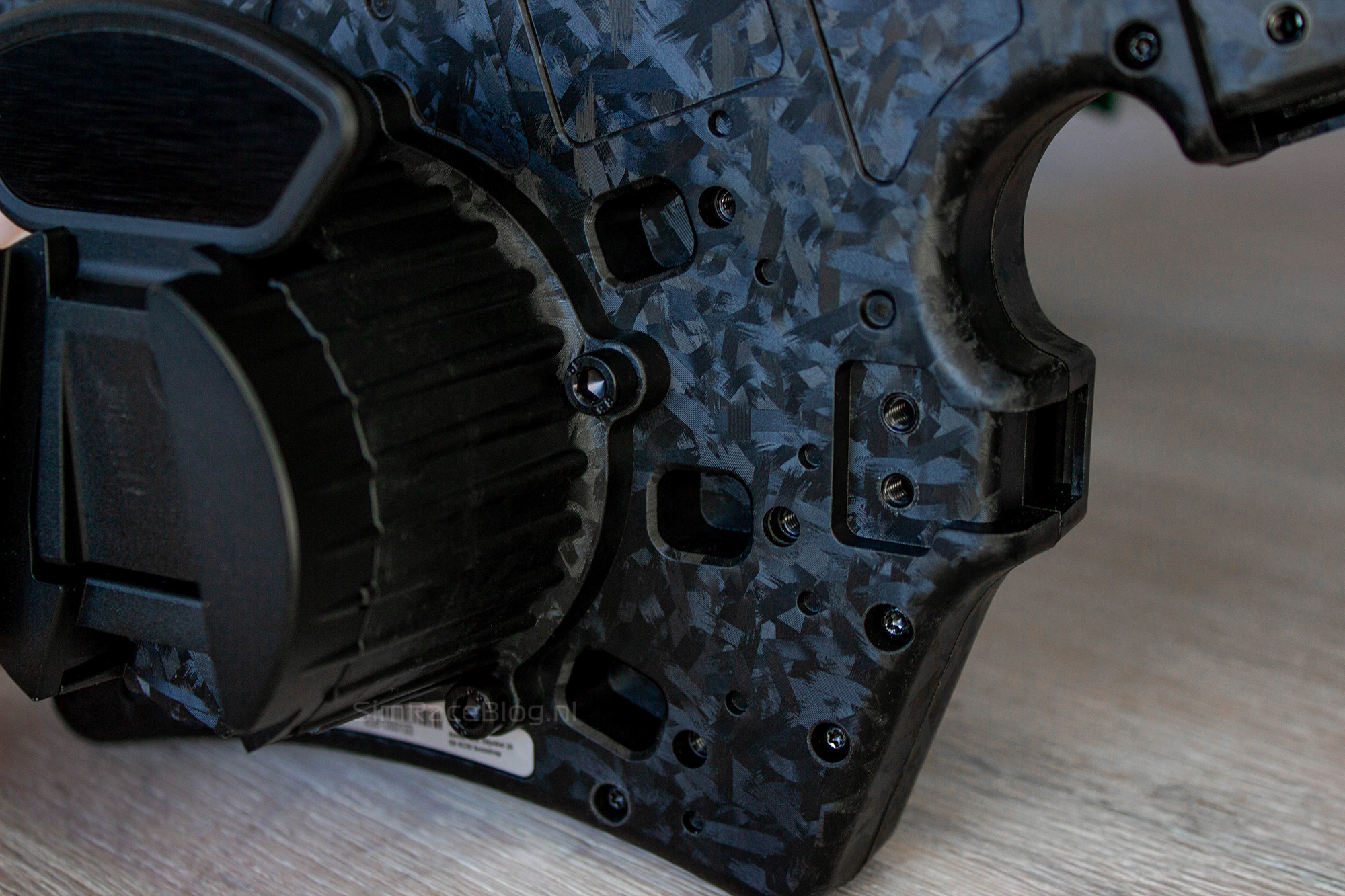
The back of the Asetek Forte Formula Pro steering wheel is exactly what we expect from Asetek and a little bit more. The rear features six square slots where the included shift modules, optional clutch paddles, or optional magnetic input paddles can be installed. The beauty of this system is that everything works with a Hall sensor, so each module can be attached to the wheel with just one screw and is immediately ready to use without any cables.
What Asetek added to the Formula Pro is a detachable Quick-Release (QR). Previously, the QR was integrated into the housing, but on this wheel it’s attached with screws. The advantage is that the wheel can now use other QR systems, making it compatible with wheelbases that aren’t made by Asetek.
Furthermore we also see mounting points with screw holes on the back for attaching the separate handles that need to be ordered with the wheel.
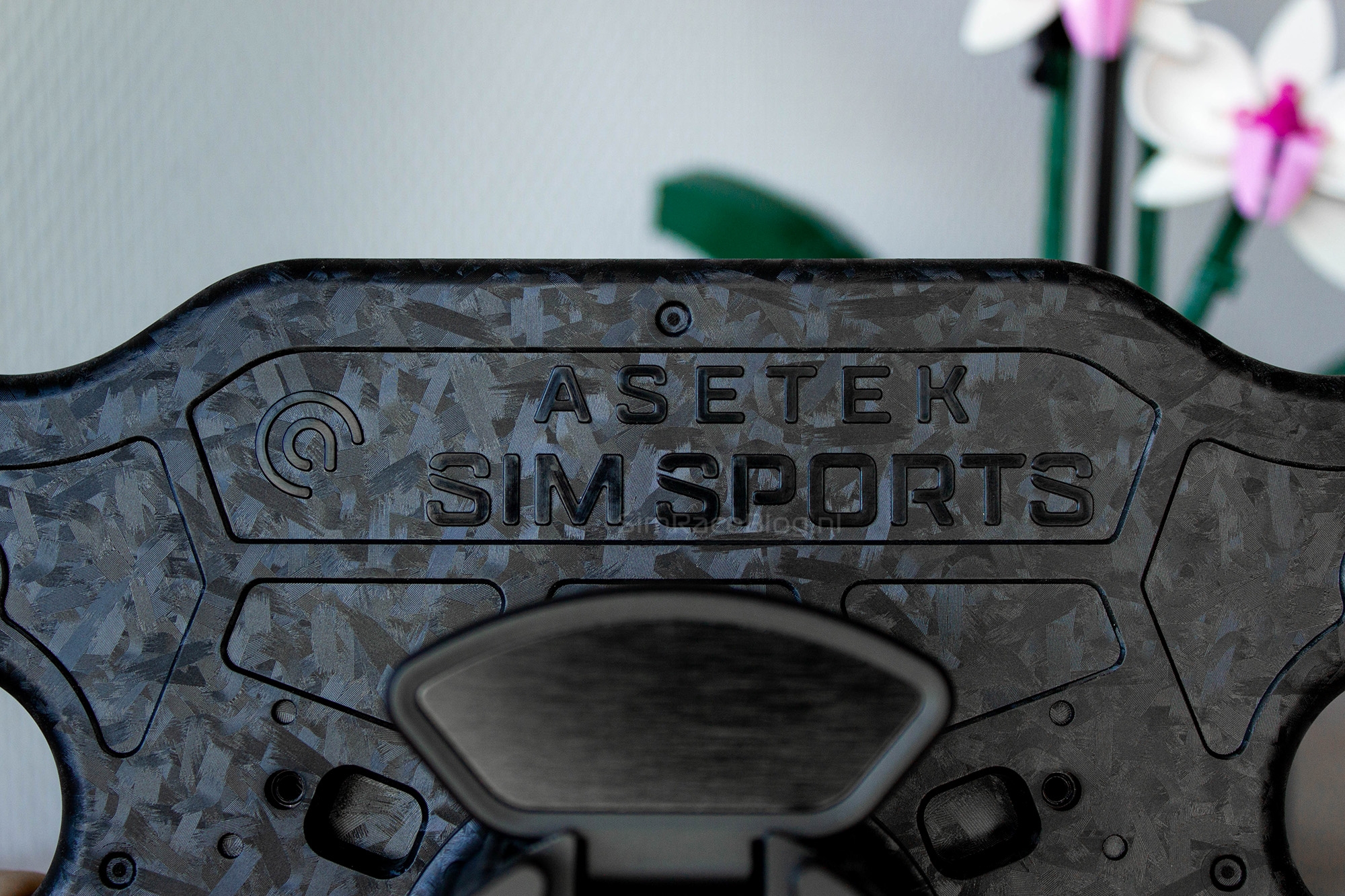
Lastly, Asetek added a visual touch to top of the backside of the wheel, where the Asetek Simsports branding is neatly shown.
Handles
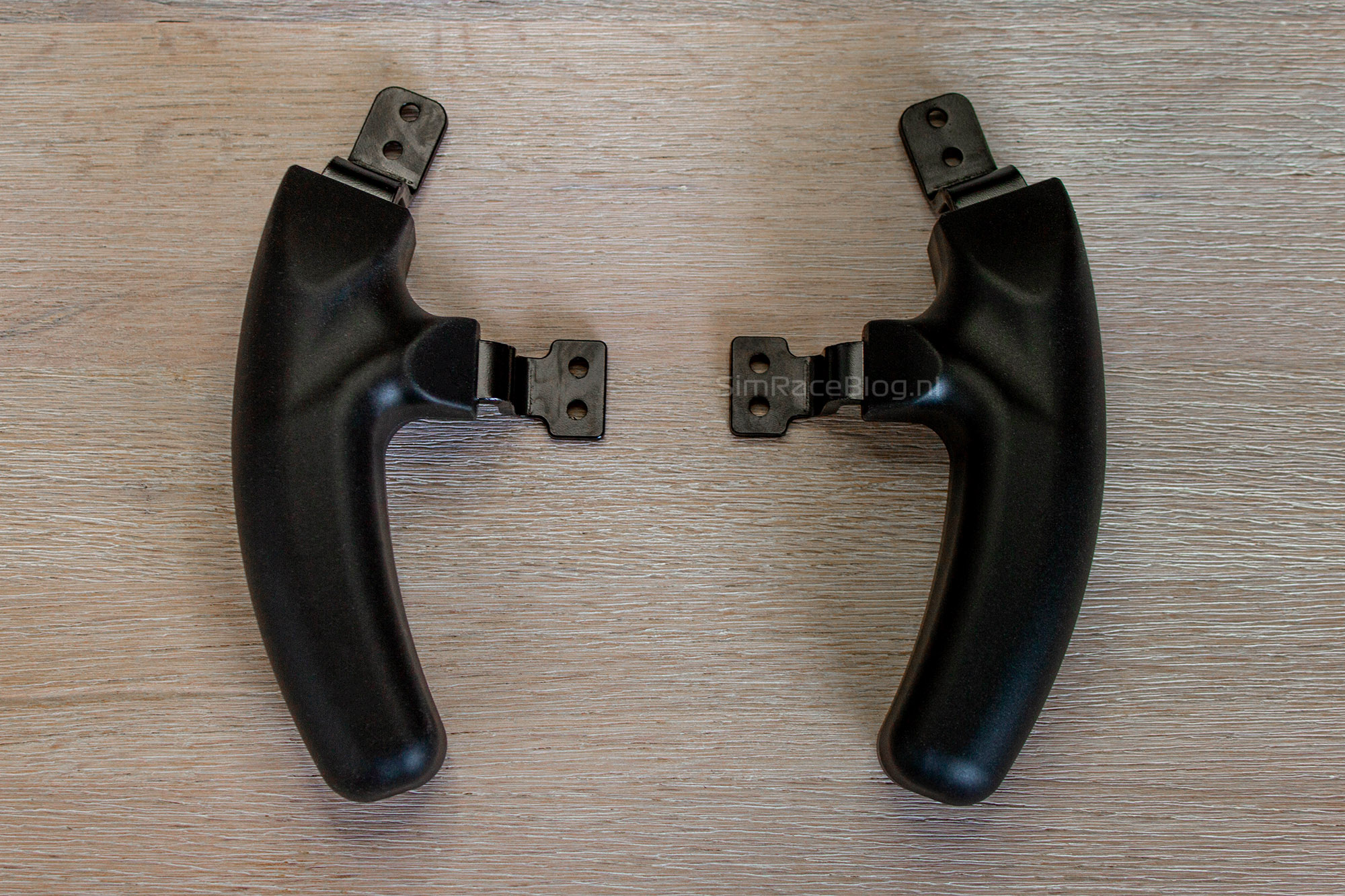
The handles we’ll be using with the Asetek Forte Formula Pro wheel are the Formula XL Handles. These are straightforward formula-style grips with a slight banana-like curve and a small bulge on the inside. The first thing we notice is that the material is different from the Formula LMP Handles , which is a good sign. The XL handles are made of a rubber material, which feels firm yet soft, and most importantly, not slippery at all.
Assembly
Since we’re testing the Asetek Forte Formula Pro steering wheel on our Asetek Invicta wheelbase (Review), there’s no need to install a different quick release. What we will be installing, however, are the included shifter modules, the Formula XL Handles, and the optional Clutch Paddles we already have on hand.
Each component is extremely easy to mount. The holes on the handles line up perfectly with those on the back of the wheel’s housing, and the mounting brackets fit neatly into the recesses of the wheel. Before securing the handles, we slide the included rubber spacers onto them to eliminate any gaps between the wheel and the handles.
Mounting the shifter modules and clutch paddles follows pretty much the same process. By slightly loosening the paddle screw, we can slide the paddle out to reveal the mounting screw. Each module attaches to the wheel with a single screw and locks firmly into place. The only small annoyance here is the well-known struggle with the shifter magnets, these love to pull the Allen key toward them just as you’re trying to line up the screw. Still, since you only need to install the modules once, it’s not really a big deal.

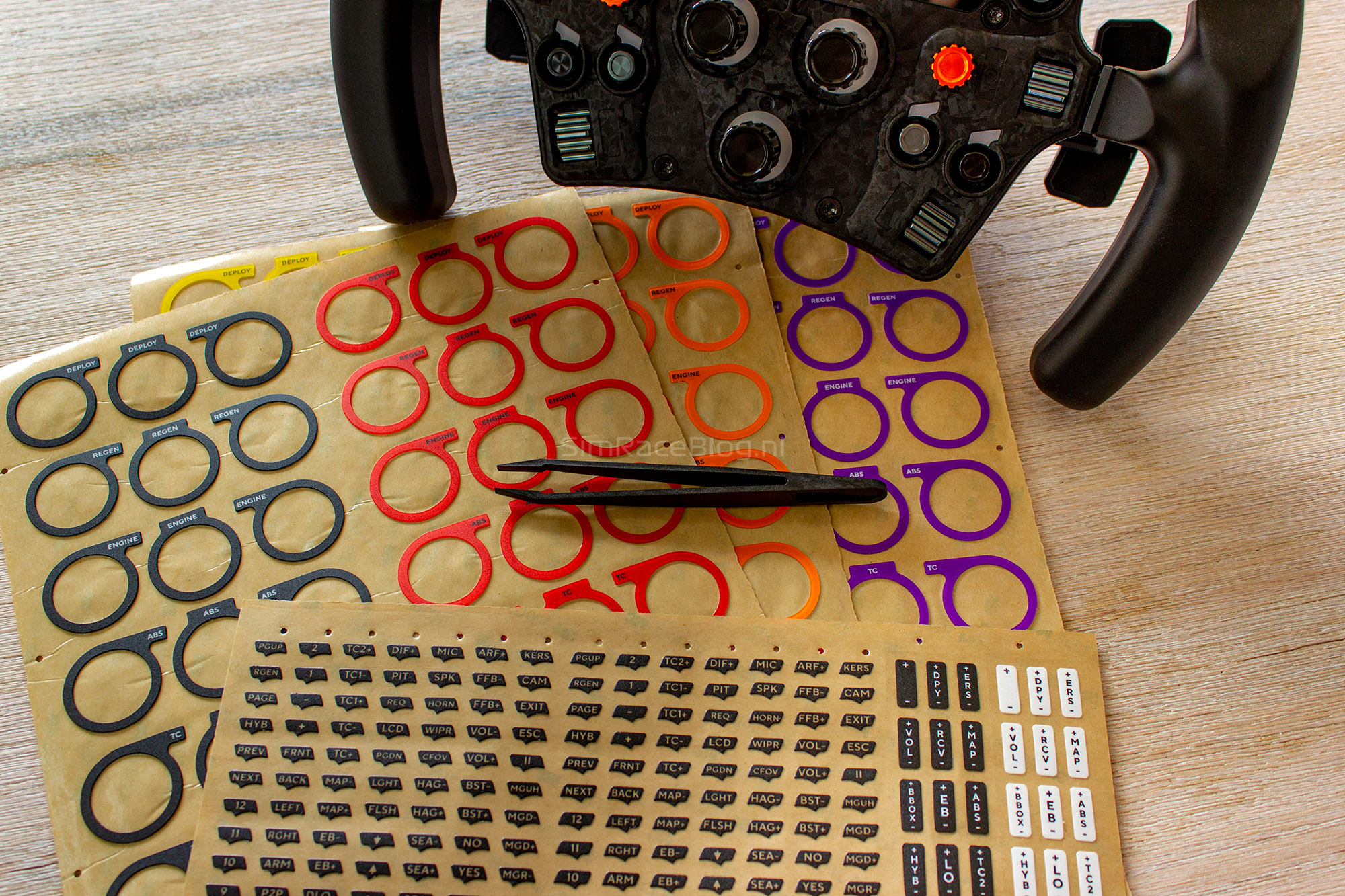
The final step in “assembling” the wheel is adding the stickers. While we’re usually not big fans of stickers, Asetek has come up with a clever solution for applying them. The stickers go on top of the LEDs above the buttons, which keeps them neatly in place and prevents them from peeling off easily due to contact with our fingers.
One thing we noticed with the Forte Formula Pro wheel is that the LEDs behind the buttons sit slightly deeper than usual. This means we can place the stickers into a small recessed area, helping them stay perfectly aligned and giving a clean, professional look.
Another pleasant surprise is that Asetek also includes stickers for the rotary encoders. Inside the box are three sheets of specially made, durable stickers that fit neatly into the recessed ring around each encoder. You can choose from a few different colors to give your wheel a little extra flair. We decided to go with the orange stickers, which match perfectly with the orange caps on the funky switches.

Software
To control the Forte Formula Pro steering wheel, Asetek uses its own RaceHub software, which can be easily downloaded from their website.
Once the software is installed, the wheel is almost completely plug and play. As soon as we mount the wheel onto our wheelbase and power it on, several menus become available. These include the “Steering Wheel” menu, and for the Forte Formula Pro specifically, an additional “Display” menu.
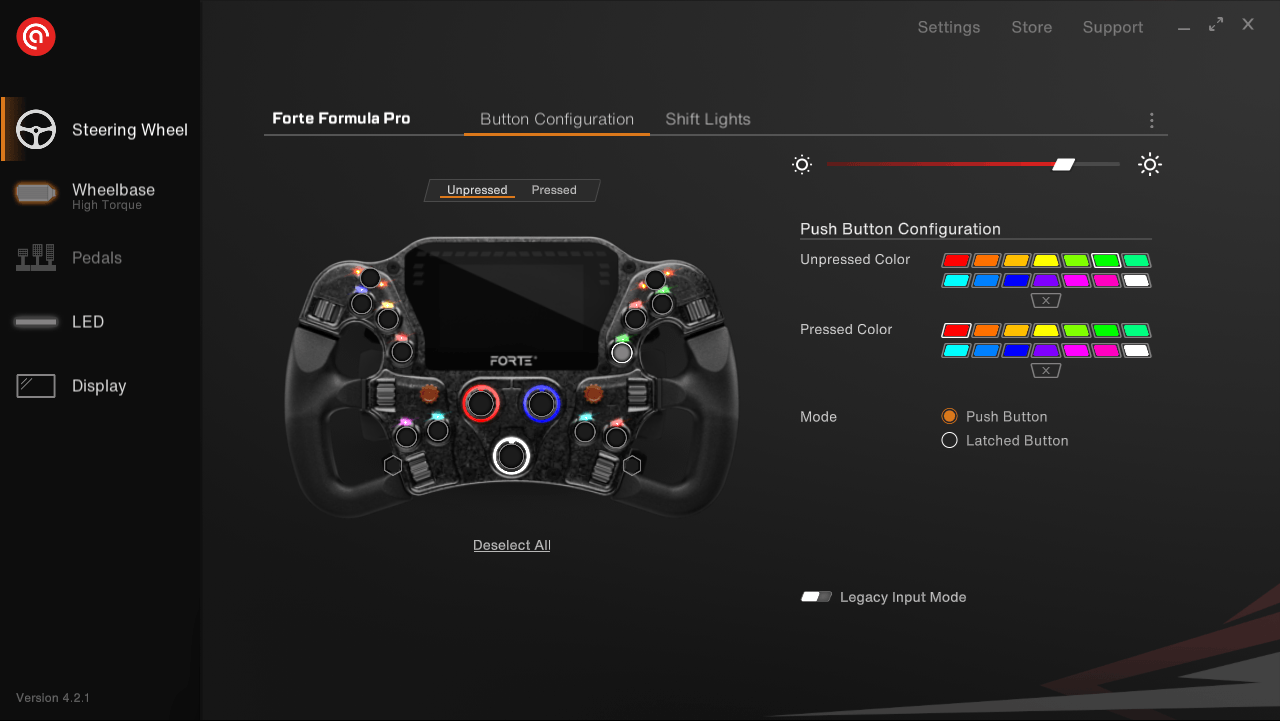
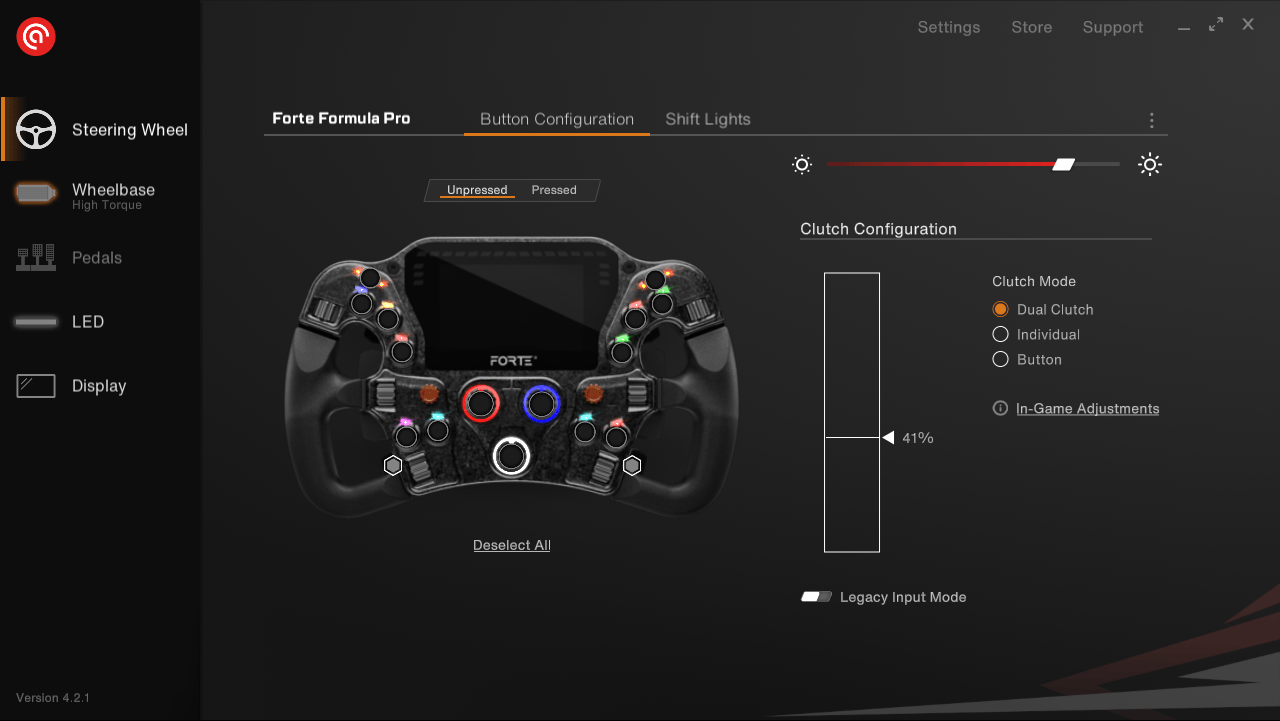
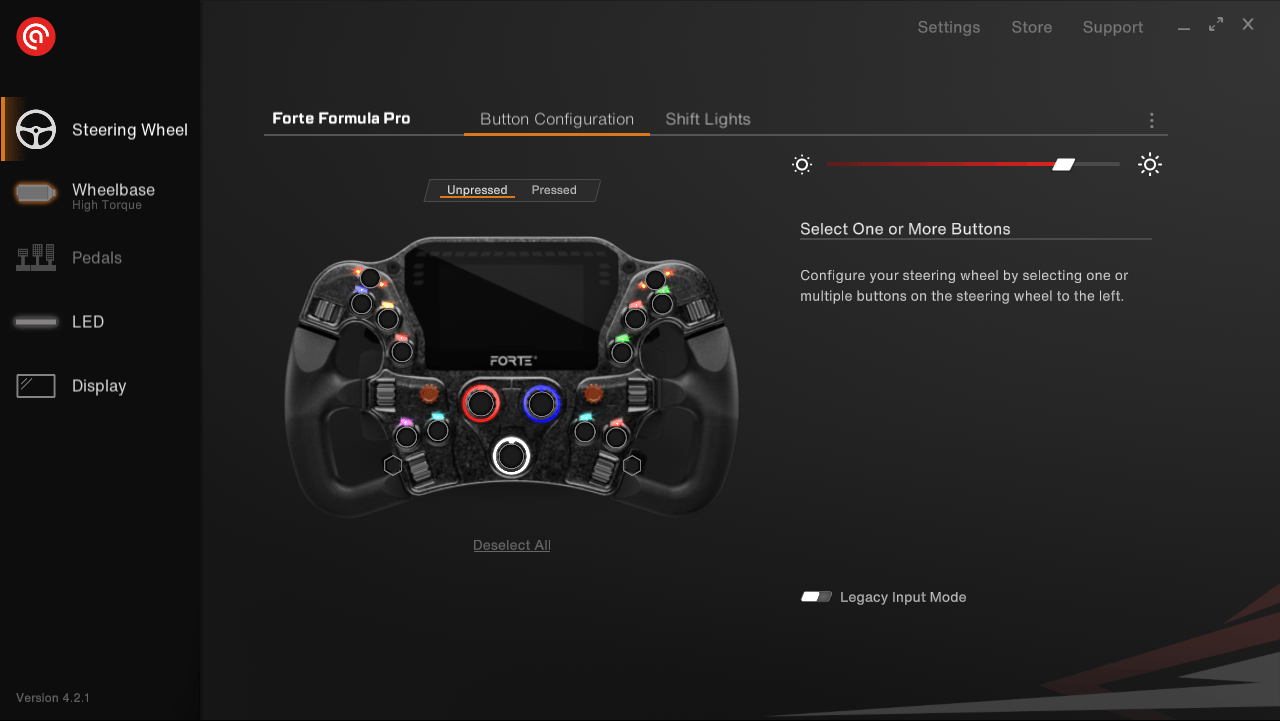
In the “Steering Wheel” menu, we can easily adjust the LED lighting for all the buttons by simply clicking on them in the image of the wheel and then choosing one of the fourteen available colors from the menu. It really doesn’t get any easier or more user-friendly than that. However, this menu isn’t just for lighting. When we select a button, we can also choose whether it functions as a regular push button or as an on/off switch. In that mode, pressing the button once activates it until we press it again to turn it off.
For those using the optional clutch paddles, it’s good to know that these can also be configured through this menu. By clicking the small, somewhat hidden clutch button in the image, we can choose whether to use it as a “Dual Clutch,” “Individual,” or “Button.” When using the “Dual Clutch” mode, we can easily set the bite point using a simple slider.
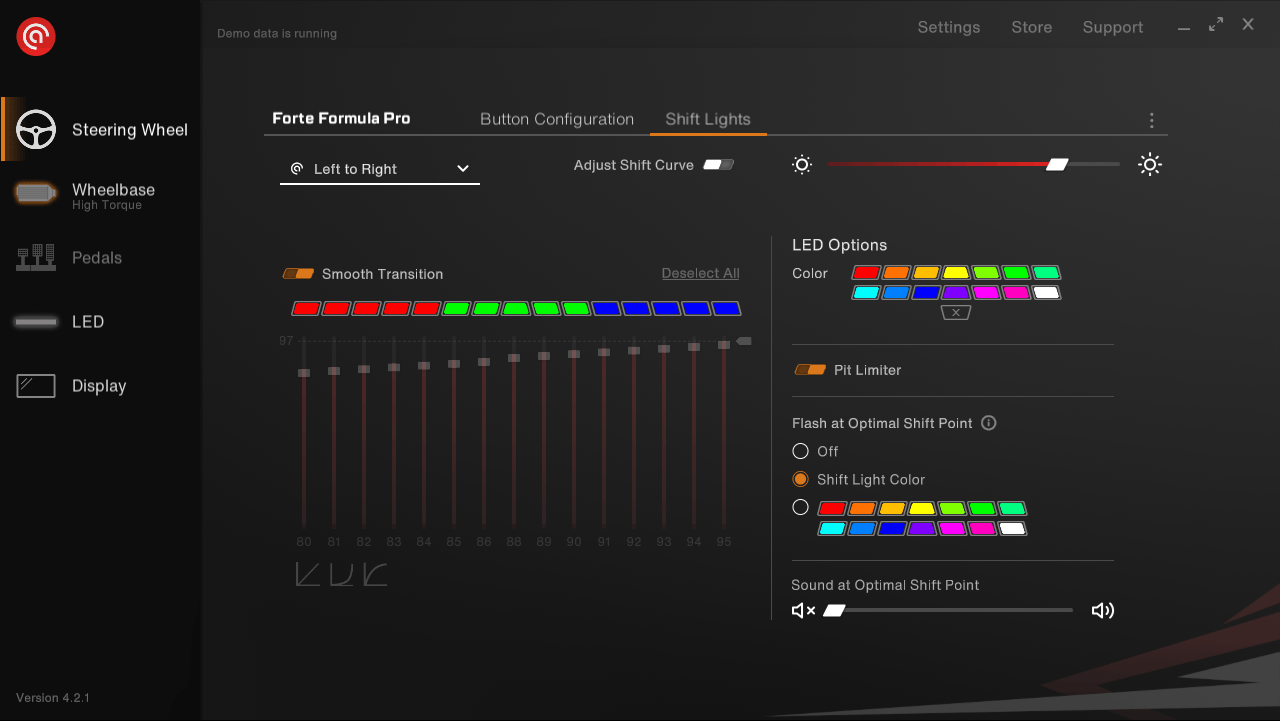
In addition to the button settings, the “Steering Wheel” menu also includes a “Shift Lights” submenu. As the name suggests, this section controls the lighting at the top of the wheel. Here we can adjust when the lights activate and what color they display. It’s also possible to enable or disable an extra pit lane animation, choose whether the lights should flash at the optimal shift point, or have the software emit a beep instead.
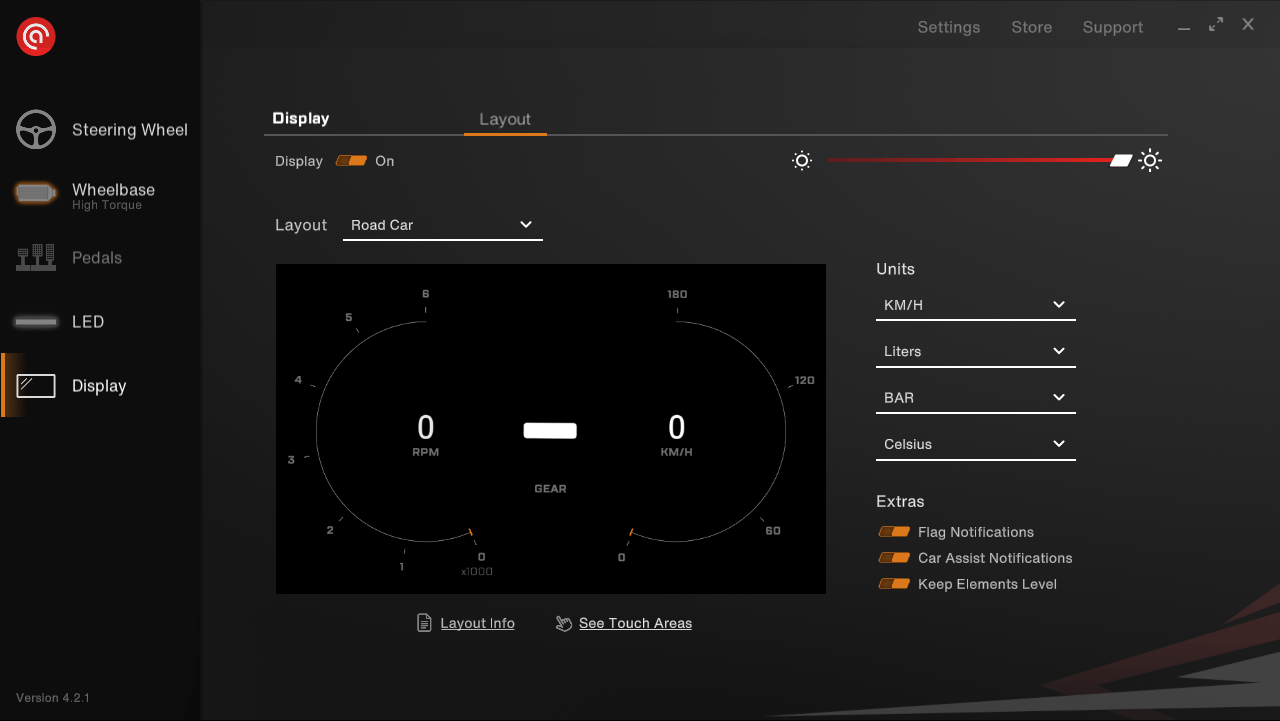
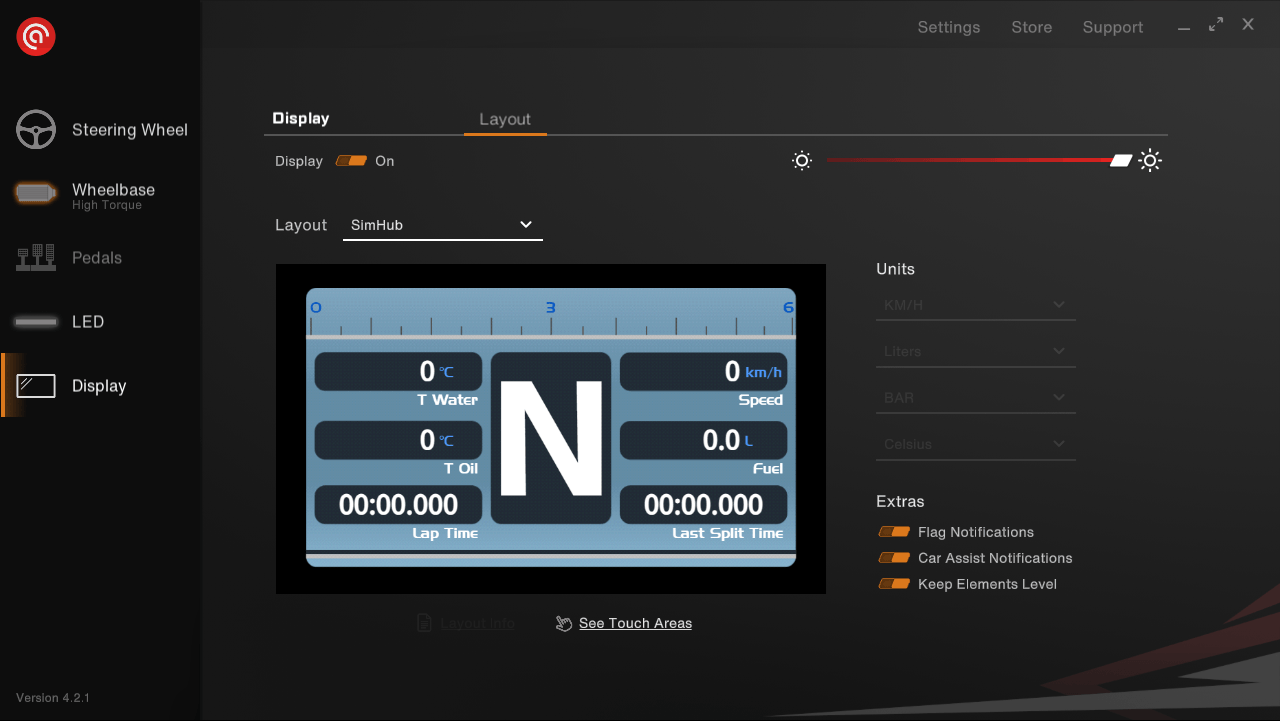
The “Display” menu, as the name suggests, is where we adjust the settings for the wheel’s display. In this menu, we can choose which dashboard layout we want to use and easily select the units for speed, fuel level, tire pressure, and temperature. Everything is clearly laid out and simple to change.
Asetek has also added some special effects to the display. There’s an animation for when a flag is shown, as well as animations for adjustments to ABS, brake bias, or traction control. Finally, there’s an animation for displaying the current gear. This gear indicator always stays level while driving, making it easy to read at all times. If any of these effects turn out to be too distracting, we can simply disable them in this menu.
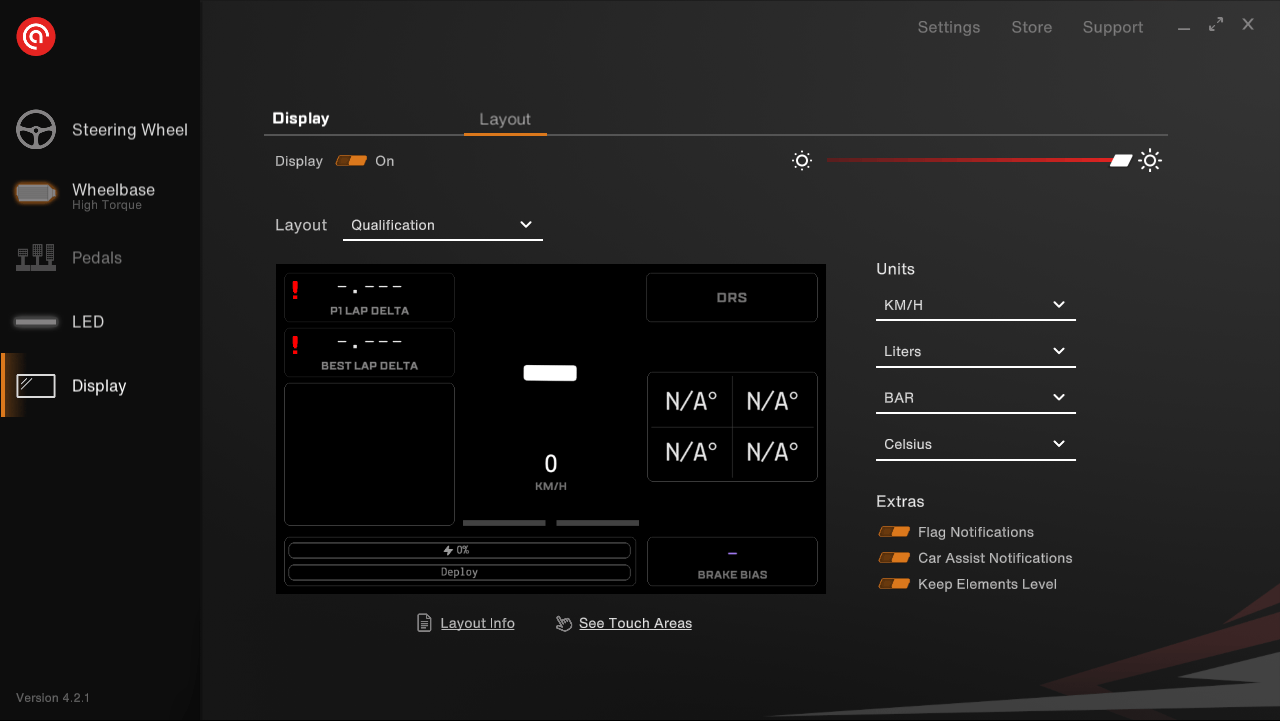
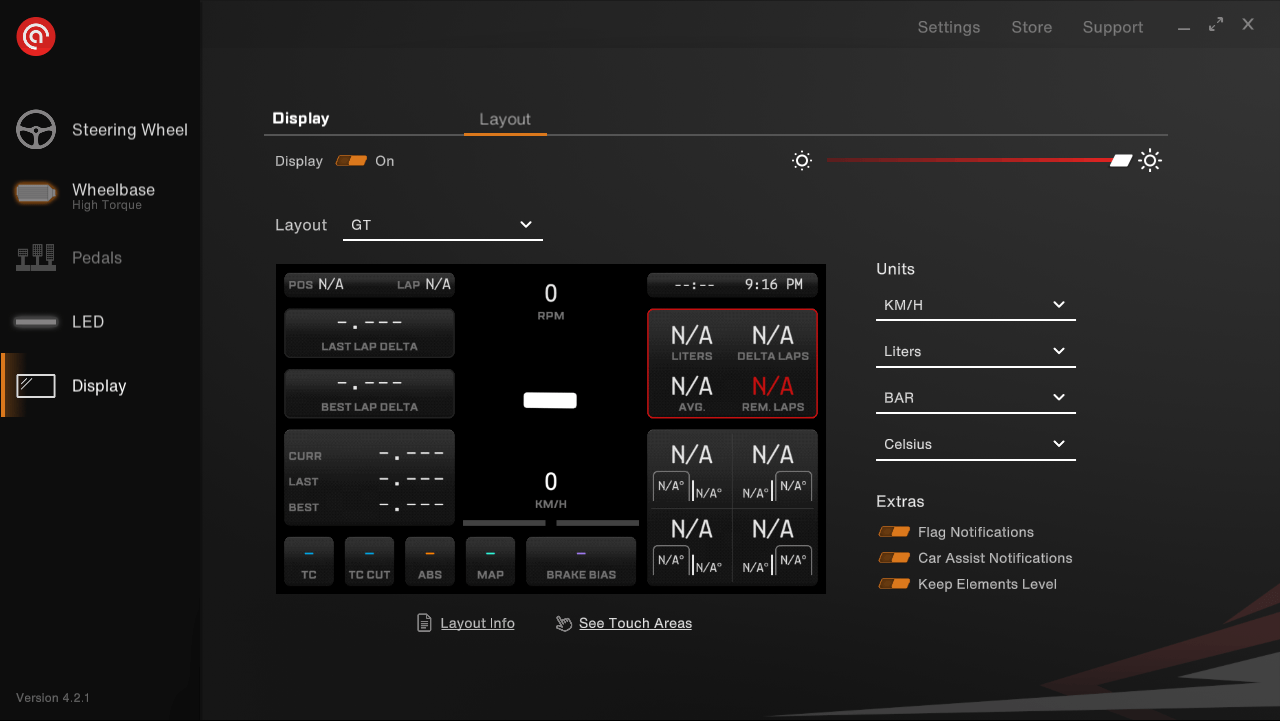
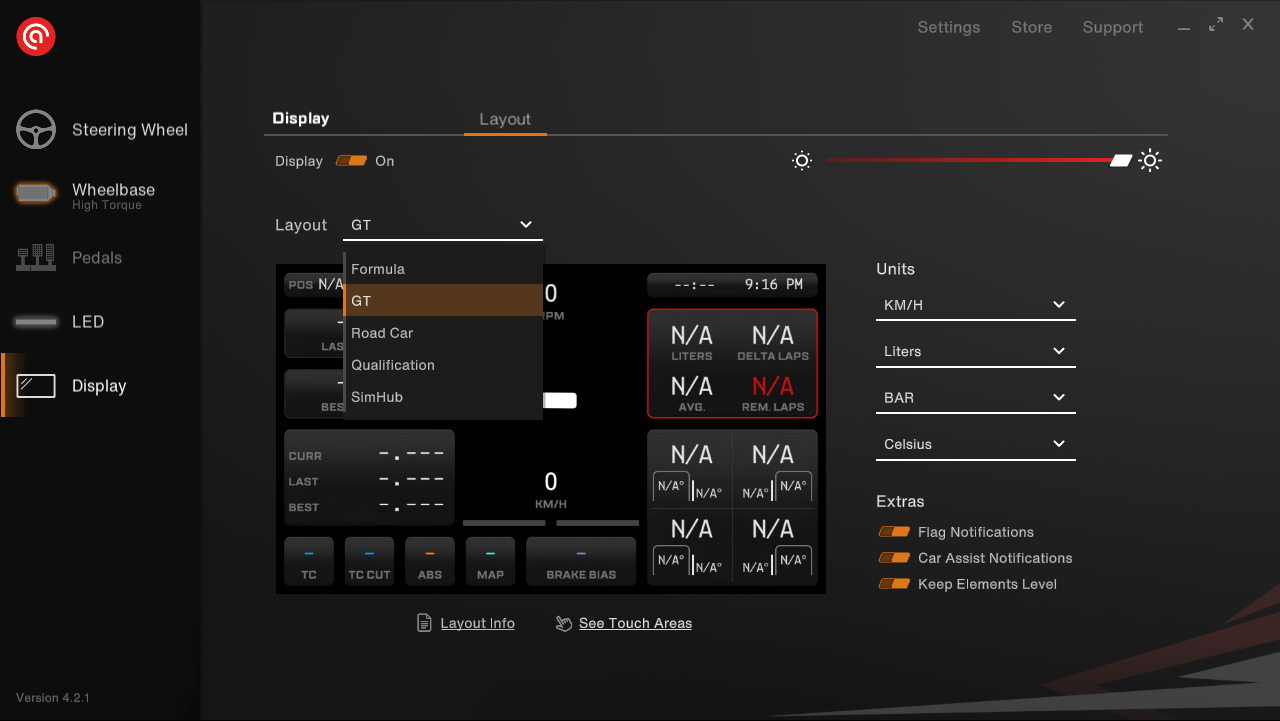
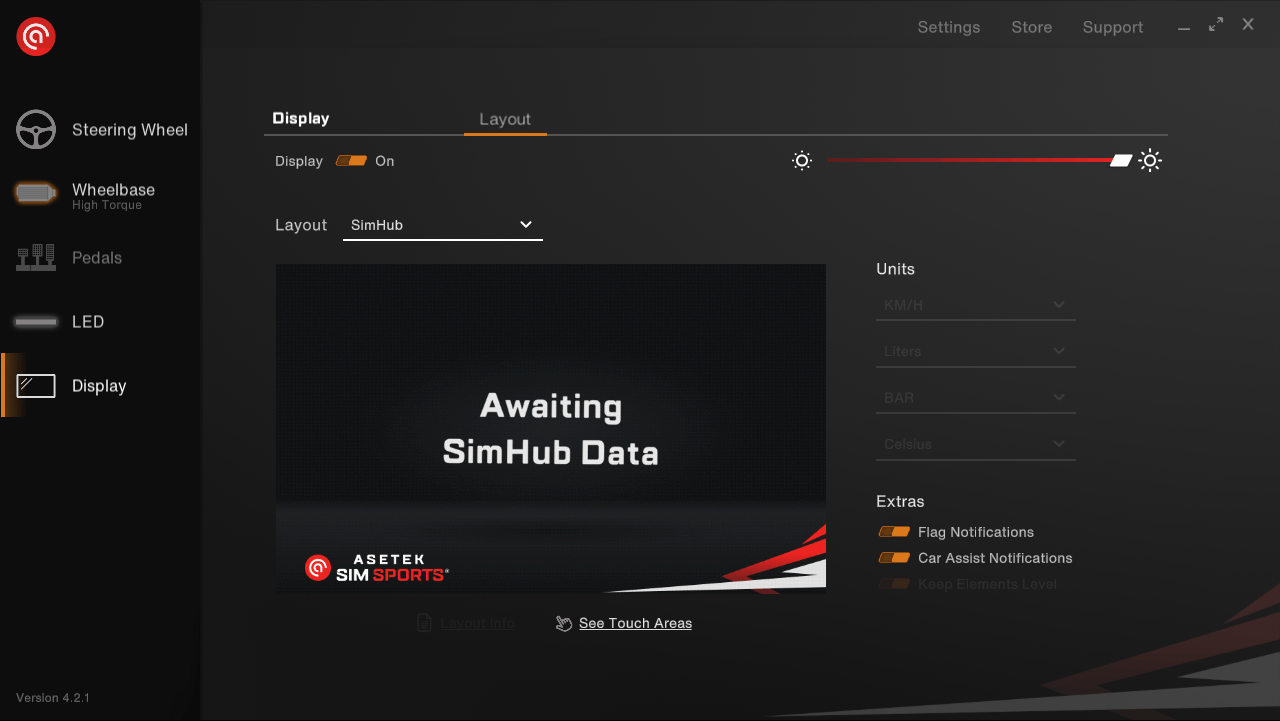
Even though the display of the Forte Formula Pro steering wheel runs entirely on Asetek’s own software, they’ve also added support for SimHub integration. If none of the default dashboards fit our taste, we can load a custom dashboard through SimHub instead. To do this, we simply add the Asetek display in SimHub by selecting it from the list, and then choose the layout called “SimHub” in Asetek’s RaceHub software.
Using the Forte Formula Pro
With everything connected and installed, we’re ready to put the wheel to the test. We’ll be doing that in iRacing and Assetto Corsa, driving formula cars, LMP cars and Porsche Cup cars.
The very first thing we notice when sitting in our rig is the size of the wheel. Because we’re in a formula-style seating position, with the wheel almost directly in front of our face, we really see the difference between the Forte Formula Button Box and the Forte Formula Pro wheel even more. The Formula Pro blocks a noticeable part of our screen. Because of that, we decide to lower our wheelbase a bit so we don’t feel like we’re looking upward while racing.
With the wheel slightly lower, we can also drop the monitor down a bit and get started for real. Just grabbing the wheel brings a small smile to our faces. The Formula XL handles we’ve mounted feel exactly how we want our wheels to feel, firm but soft to the touch. More importantly, they have a nice, grippy texture, especially compared to the Formula LMP handles we had on our Forte Formula Button Box. Thanks to the handles and the width of the wheel, it feels extremely comfortable and secure in our hands. Whether we’re driving with or without gloves, we never feel like the wheel might slip out during quick movements.
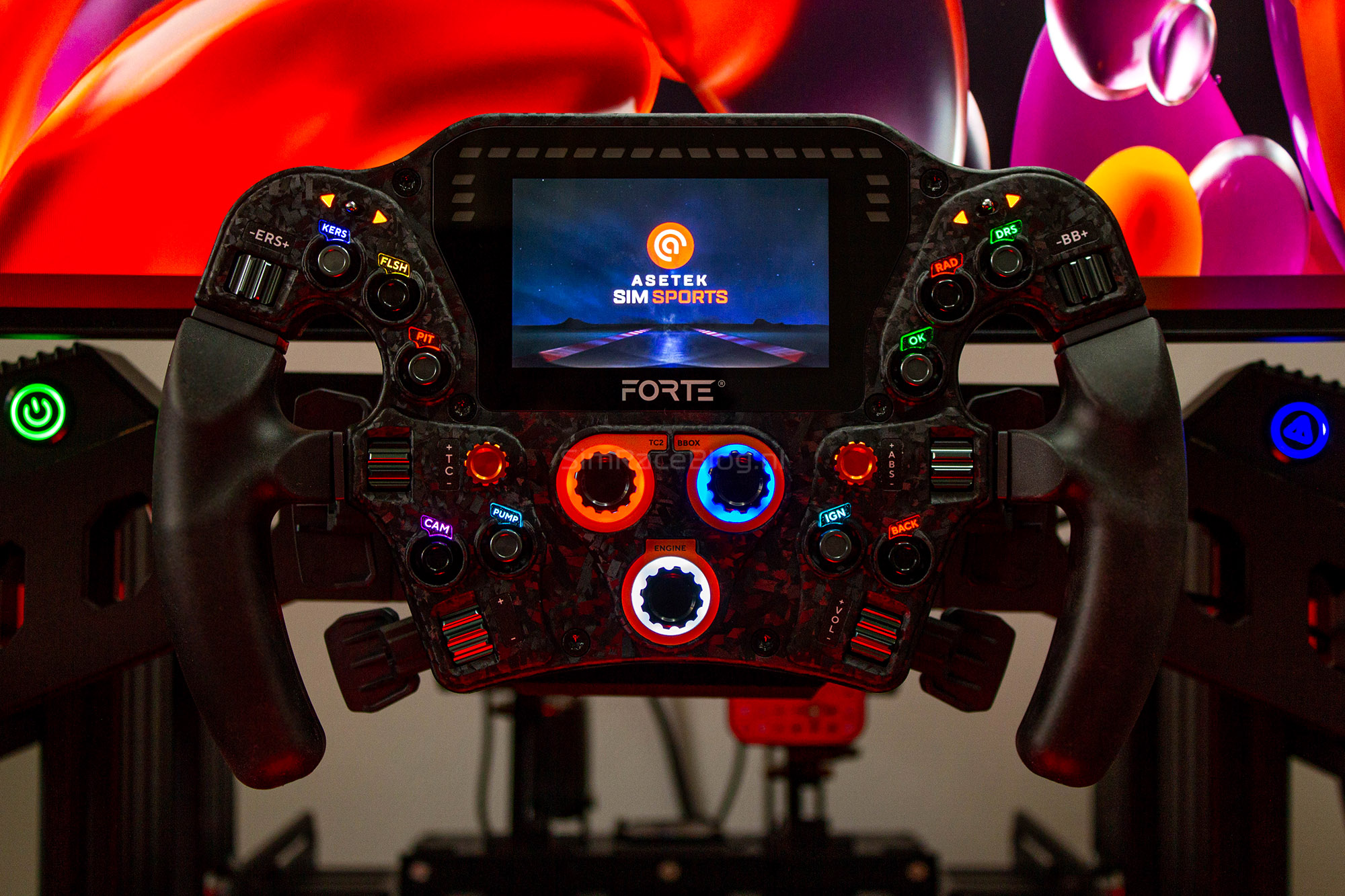
Something that really adds to the overall comfort is the wheel’s excellent ergonomics. Every button, thumb encoder, and Funky Switch is perfectly placed; everything sits within easy reach of our thumbs, so we never have to let go of the wheel. The buttons feel satisfyingly clicky and solid, while the thumb encoders turn smoothly in their slots and offer just enough resistance to avoid feeling loose. The Funky Switches follow the same pattern: easy to use but sturdy enough to not feel flimsy. With some wheels, we hesitate to use the Funky Switch as a regular button, but that’s definitely not the case with the Forte Formula Pro.
The only controls we need to release our hands for are the three large rotary encoders in the middle of the wheel. Which is not really a surprise as that’s just how rotary encoders are used. Aside from the fact that the stickers around them look great and add a nice touch to the design, the encoders themselves are excellent too. The large metal knobs are easy to find while driving, and they have just the right amount of resistance, with clearly defined steps you can feel when turning them.
We’re a bit more reserved about the back of the wheel. It features Asetek’s well known paddle modules. While these modules are reliable and use Hall sensors, they don’t really deliver that “wow” feeling. They’re pleasantly quiet and work well in terms of feel; in fact, shifting with them is quite satisfying. Still, because of the material choice, the paddles feel just a little less refined compared to the rest of the wheel.
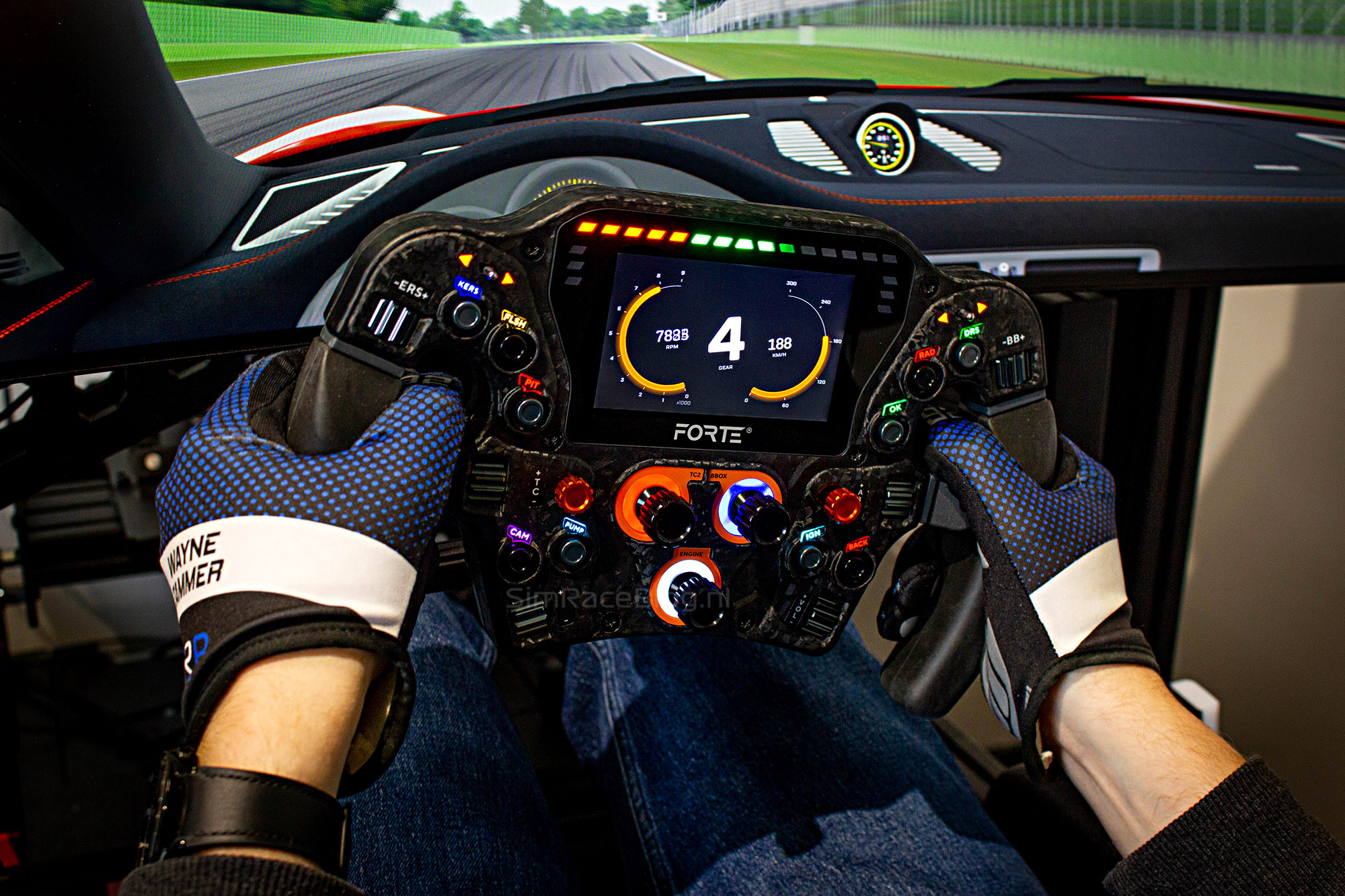
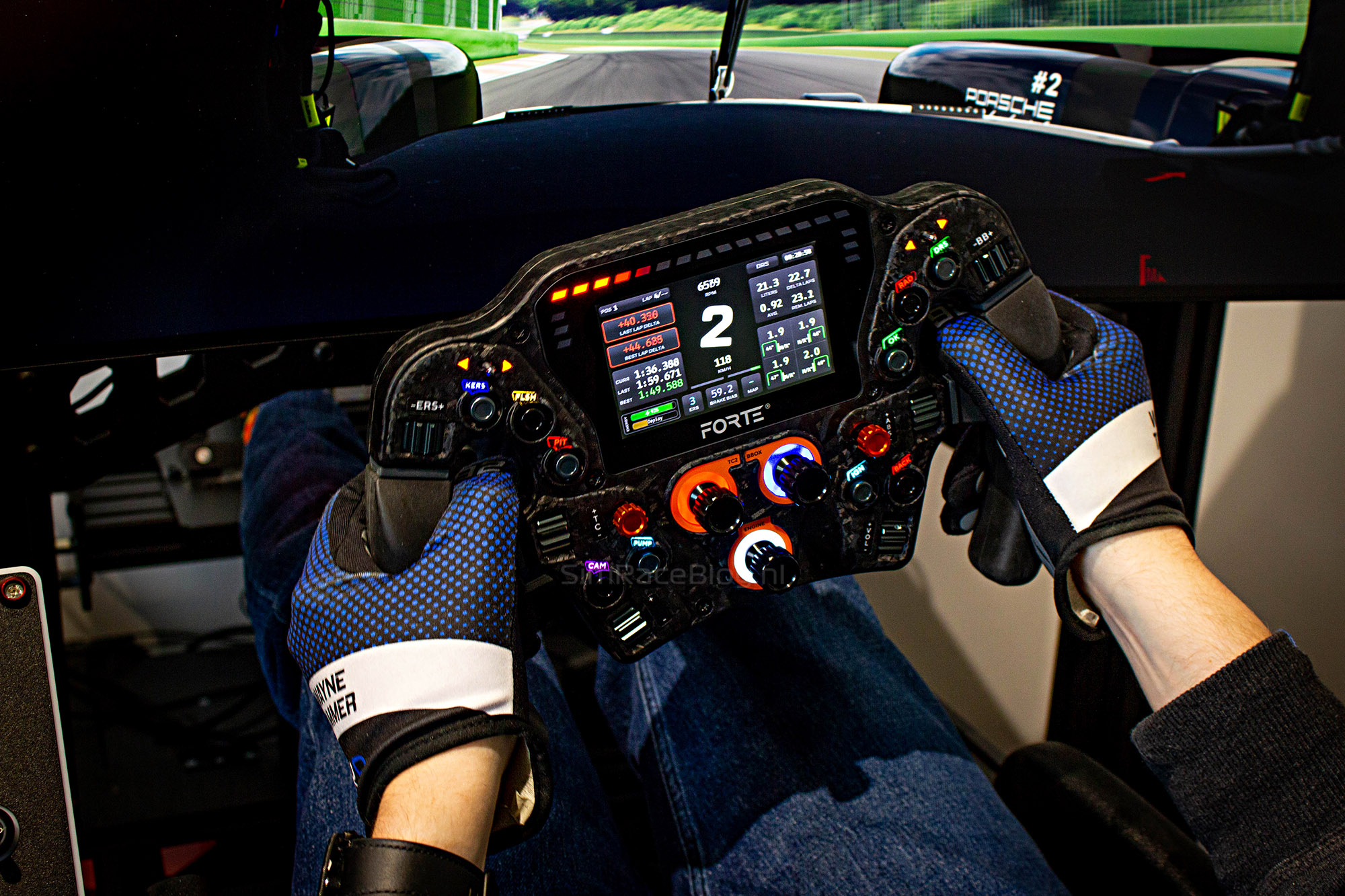
Something that definitely does have a wow factor is the display in the center of the wheel. The screen has great brightness and is easy to read. What really helps here are Asetek’s own dashboard layouts. The first thing that stands out is the gear indicator, which stays level even when we turn the wheel. But that’s not all. When we adjust our brake balance, ABS, or traction control, a small overlay briefly appears on screen and then fades away after a few seconds.
The same goes for flag warnings, a large notification pops up in the middle of the display and then shrinks down to the edge of the screen. While it’s possible to load a custom SimHub dashboard, we honestly don’t feel the need. The default dashboards from Asetek are clear, well-designed, and easy to use, showing just the right amount of information without clutter.
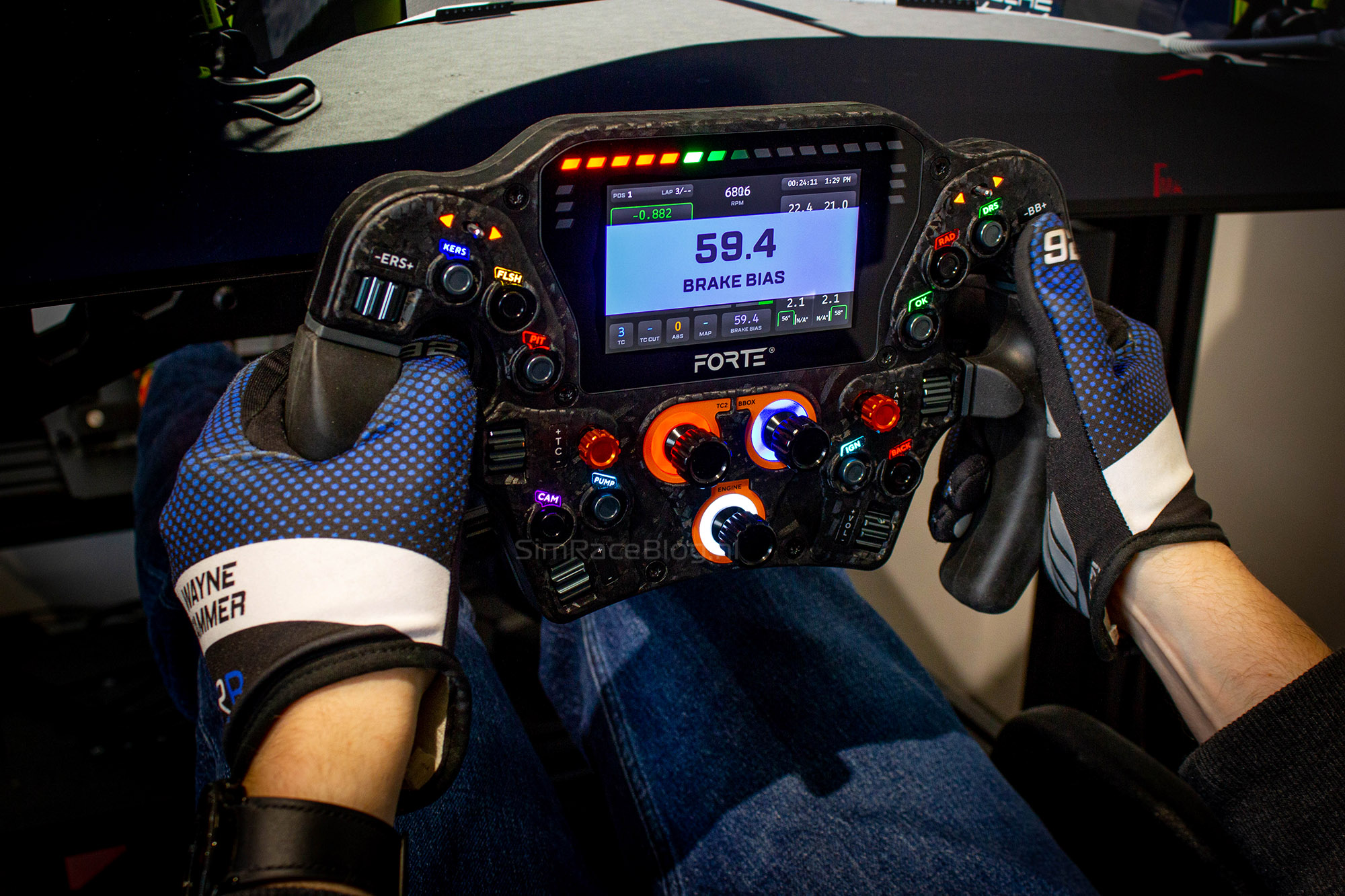
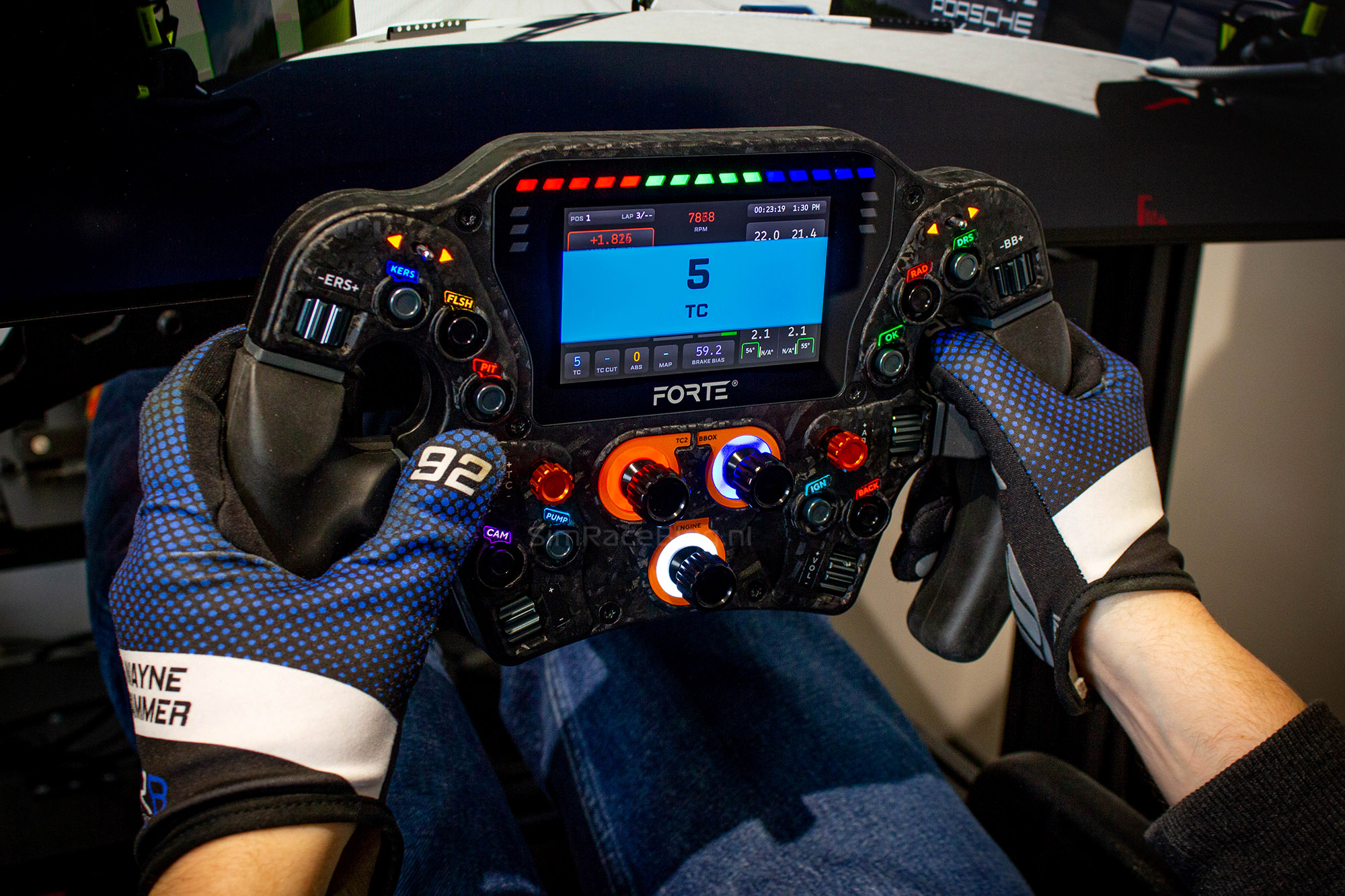
The final visual elements on the wheel are the LEDs. As we’ve come to expect from Asetek, the LEDs are bright and easy to customize through the software. This applies to both the lighting around the buttons and the LEDs located above and beside the display.
Conclusion
After using the wheel for a few weeks, we can only conclude that we’re very impressed with Asetek’s Forte Formula Pro steering wheel.
The first positive experience starts with the new box, which looks clean and no longer uses a sleeve. But the real user experience begins the moment we pick up the wheel. Thanks to the materials, it feels solid and high-quality. The metal buttons and thumb encoders make the wheel feel more premium, enhancing the overall experience. A big part of that is also the Formula XL Handles, which feel great to hold and provide excellent grip.
While using the wheel, all the buttons and encoders are easy to reach and comfortable to operate. Combined with the bright LED lighting around the buttons, there’s really nothing to complain about while driving. The neatly integrated display is also bright and easy to read, and the dashboards are simple to select, well-designed, and display information in a logical way. If we want something different, using a SimHub dashboard is also possible.
If we had to point out one minor criticism, it would be the shifter modules. While all the buttons and encoders have received a materials upgrade, improving the materials on the shifter modules would help elevate the wheel to an even higher level. That said, they are still very comfortable to use and operate relatively quietly.
All in all, Asetek has released a fantastic steering wheel with the Forte Formula Pro, and we’ve really enjoyed using it. If you’re interested in getting the Forte Formula Pro Steering Wheel, it’s available in Asetek’s webshop for €761.59, excluding shipping. Keep in mind that the separate handles also need to be ordered, ranging from €100.66 to €121.00, excluding shipping.
Do you want to stay informed about SimRaceBlog content, news, announcements and (future) give-aways? Follow us on Instagram @simraceblognl and/or our Discord channel.