Simucube 2 Sport Wheelbase
Granite Devices, the manufacterer behind the renowned Simucube wheelbases, was founded in 2006 and is based in Finland. It all started as a passionate hobby project of co-founder M.Sc. Tero Kontkanen. Tero Kontkanen was involved in building a high-level CNC milling/router and discovered that there was no suitable servo drive available. Over time, he realized that with just a few of the latest electrical components and advanced real-time algorithms, a competent AC servo drive could be created. This led to the development of the current Simucube wheelbases, making Granite Devices a well-known name in the world of sim racing.
The Simucube 2 wheelbases platform consists of three different models: the Sport, the Pro, and the Ultimate. The Sport has a torque of 17 Nm, the Pro has a torque of 25 Nm, and the Ultimate boasts a torque of up to 32 Nm. We’ve had the opportunity to review the Simucube 2 Pro and the Tahko GT-21 Black Edition Steering Wheel before, and now Granite Devices has provided us with the Simucube 2 Sport. We’re incredibly excited to review it and can’t wait to see what this wheelbase has to offer.
The Simucube 2 Sport wheelbase is priced at €1244.00 and is available through the Simucube web store. This price includes Dutch VAT and excludes shipping costs.
Packaging & Contents
The package containing the Simucube 2 Sport Wheelbase was dispatched from Finland via DHL and was delivered to us within 3 days. We received a large, brown shipping box. Upon opening this box, we found a white box with Simucube branding. As we opened this box, we were greeted by the actual product packaging, which immediately caught our attention. It’s a beautiful product box in the colors orange and black, perfectly matching the Simucube brand identity. Whereas we previously received the Simucube 2 Pro Wheelbase in a simple white box, the products now come in elegant product boxes. In our opinion, Simucube has done an excellent job with this new packaging, and we’re very excited to see what else we’ll discover.

As we lift the black lid of the product packaging, we see a black foam insert with cutouts. Inside, there are a sticker sheet, a quick start guide, a USB cable, and a power cable. Lifting the black foam insert reveals another layer of black foam containing the power supply, the antenna for wireless connection to steering wheels, the locking pin for the Simucube Quick-Release, the emergency stop, and the wheelbase itself. All in all, it’s a beautifully comprehensive packaging that gets us very excited to dive right into the contents.


The Simucube 2 Sport Wheelbase
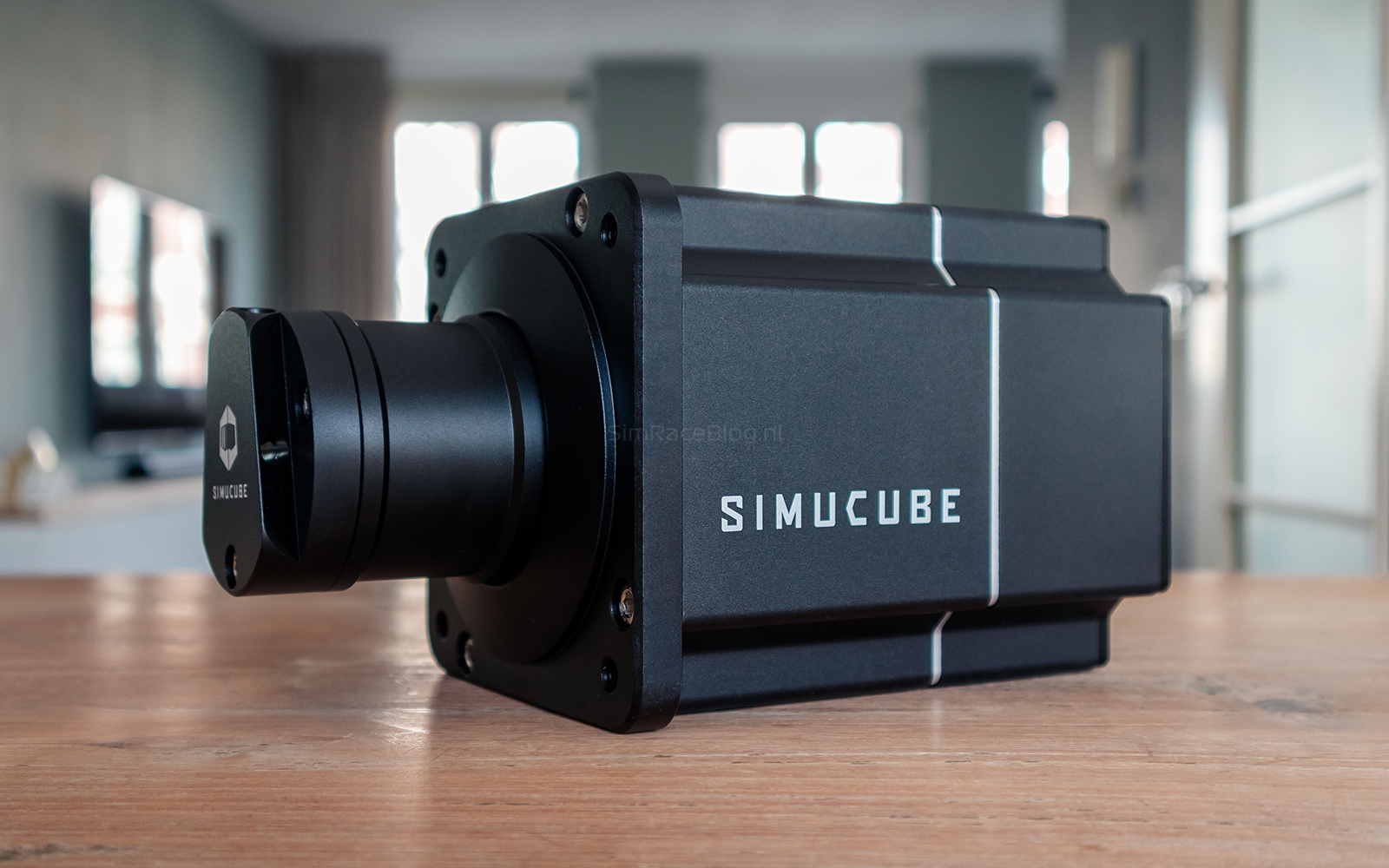
The Simucube 2 Sport is the entry-level wheelbase in the Simucube lineup of Direct Drive Wheelbases. With a weight of 8 kg and a fully aluminum housing measuring 130x130x250 mm, the wheelbase is delightfully compact. Internally, it features a direct-drive servo motor that operates without the need for a transmission mechanism such as gears and belts. It comes with a 280 Watt power supply and has a torque of 17 Nm, which should be more than sufficient for the average sim racer.
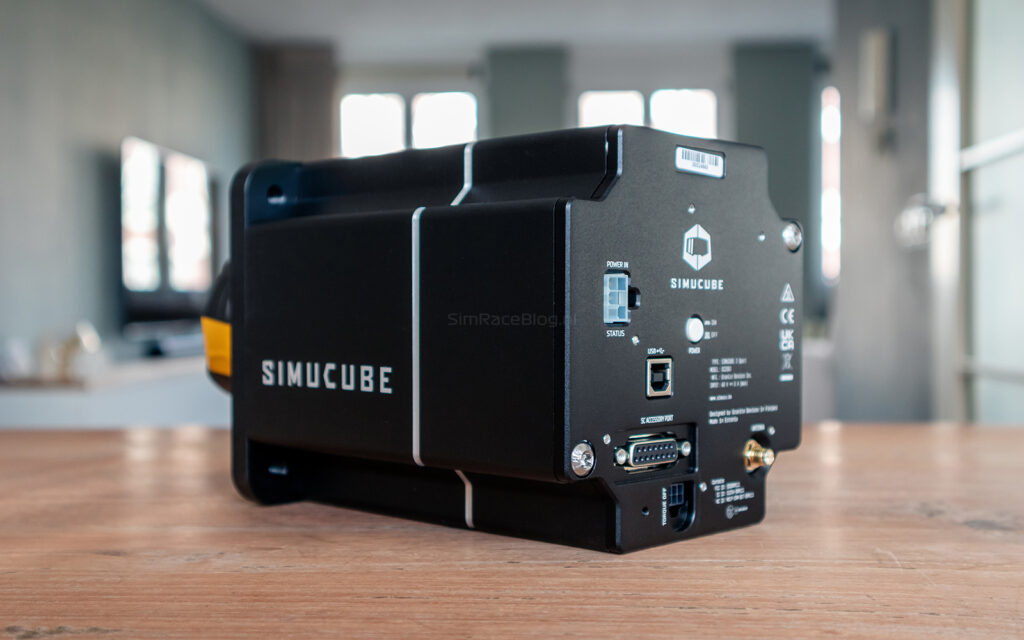
At the front of the wheelbase, we find the Simucube Quick-Release system, for which we still need to purchase a ‘wheelside kit‘ separately to mount a steering wheel from a brand other than Simucube. Additionally, there are four M8 mounting points at the front to attach the wheelbase to a front mount. Other mounting options are not available on a Simucube wheelbase. At the back of the wheelbase are the power button and connections for the power supply, emergency stop, USB input, antenna connection, and an accessory port.




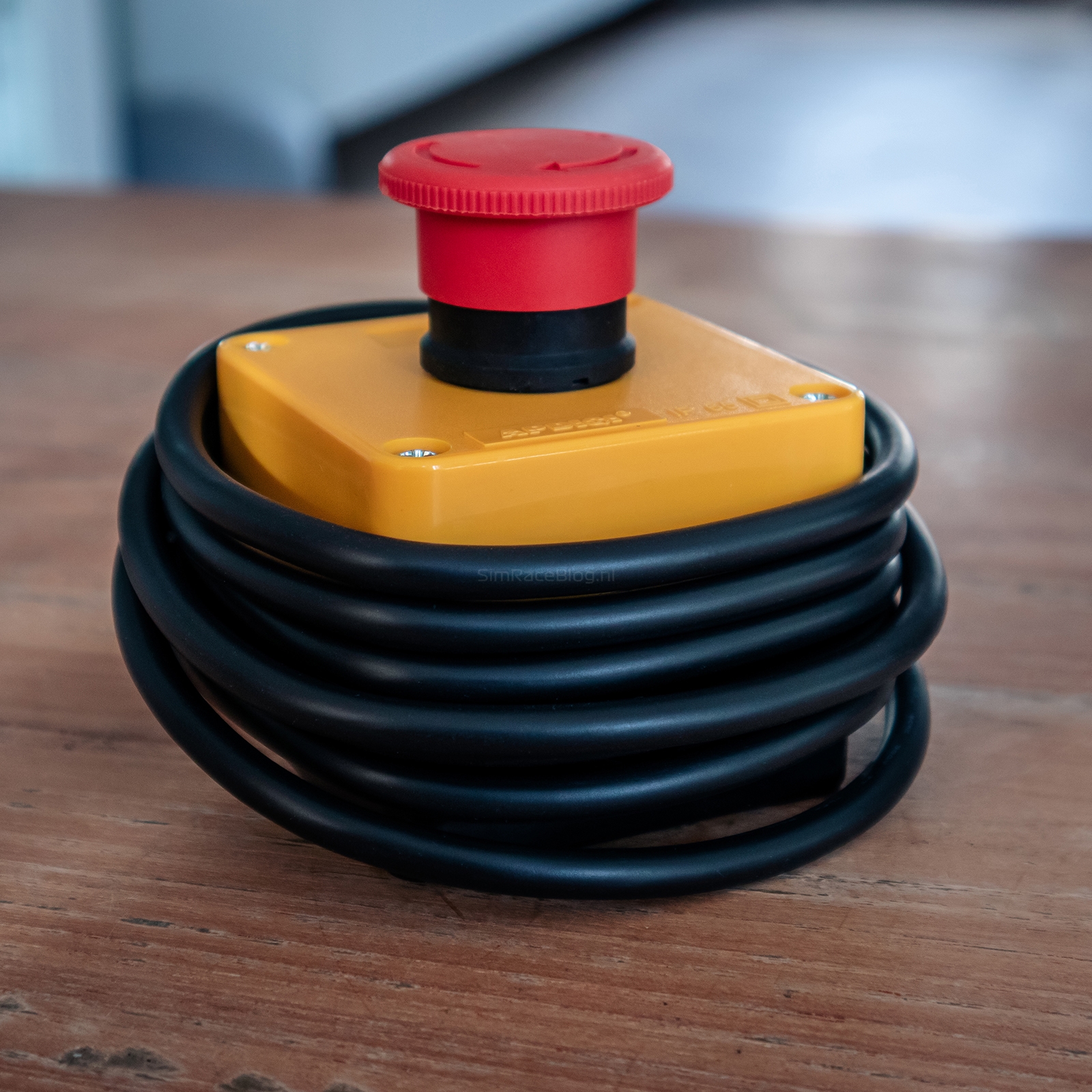
The standard included emergency stop (kill switch) is, in our opinion, a must for a wheelbase of this caliber. Given the amount of power the wheelbase delivers, safety is paramount. In the event of a crash where the wheelbase might go haywire, we can easily deactivate the full torque of the motor with a press of the button.
Our initial impression is that the Simucube 2 Sport wheelbase exudes quality and feels solid and well-finished. Thanks to the generously rounded corners of the wheelbase and its compact size, it’s very manageable and easy to handle. The appearance of the wheelbase itself is quite straightforward; once mounted on the front mount, we don’t really see much of it. However, that’s perfectly fine since performance is what matters in the end.
Assembly
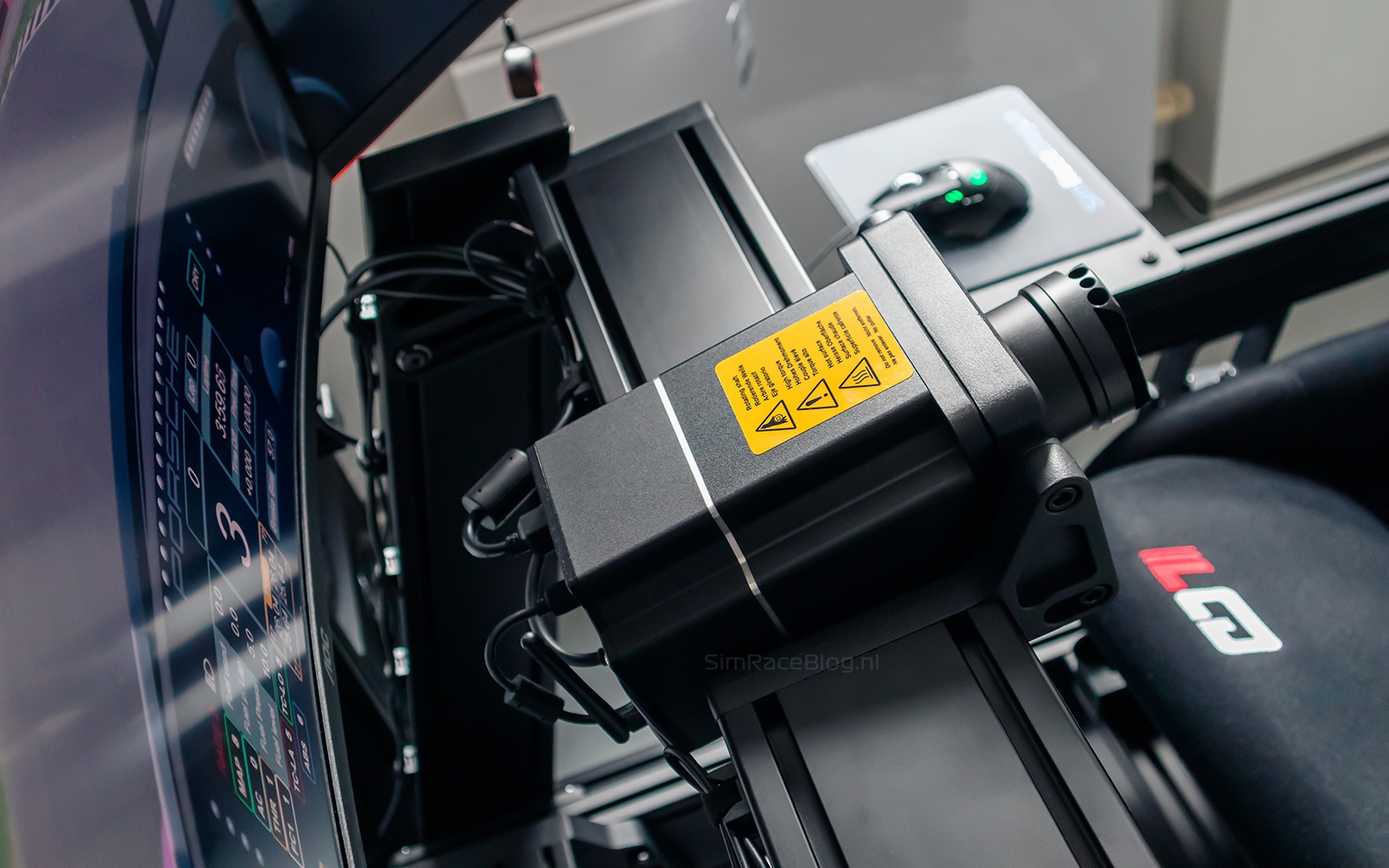
We’re going to mount the Simucube 2 Sport on our Sim-Lab P1X Pro Racing Cockpit using the corresponding Sim-Lab front mount. This is a fairly straightforward task since the wheelbase, due to its compact size, is easy to handle. With one hand, we hold the wheelbase behind the front mount, and with the other hand, we secure the necessary M8 bolts. Then, it’s a matter of ensuring the wheelbase is level and tightening it securely. Since we lack a carpenter’s eye, we place a small level on the wheelbase for extra assurance that we’re mounting it straight.
Once the wheelbase is in place, we attempt to mount the included emergency stop. Unfortunately, we notice that it’s not directly attachable to our cockpit due to the lack of suitable mounting points on the emergency stop itself. To solve this, we had a mounting plate 3D-printed, allowing us to easily mount it on a cockpit consisting of aluminum profiles. Next, we mount the antenna for wireless connection on our Tahko GT-21 Black Edition Steering Wheel and connect the USB cable for the connection to our PC. Of course, we make sure to neatly route the cables, mount the steering wheel on the wheelbase, and then we’re ready to get started.


Software & Configuration
To start using the wheelbase, we need the Simucube True Drive software, which is downloadable from the Simucube website. After installing the True Drive software, we turn on the wheelbase, and it’s automatically recognized by the software. We immediately receive a pop-up notification indicating that new firmware is available for the wheelbase. Installing the new firmware takes just a minute. Afterward, we promptly activate the ‘high torque mode’ to fully enable the 17Nm force that the Sport offers. Clicking on this option presents us with a few lines in various languages, allowing us to activate the mode. One significant advantage of Simucube over other brands, such as Fanatec, is that the “high torque mode” can be permanently enabled by ticking the “automatic activation on each start” option.


After completing these steps, it’s necessary to create one or more profiles. Simucube now offers an online platform called Paddock, where users can share their profiles with the community. To use this feature, we need to create an account, which we can do in a few simple steps. Once logged in, the process is straightforward: we can easily search for a profile suitable for our racing game and then select it. The profile is then loaded directly into the True Drive software and is available in offline mode. Here, we can fine-tune the profile as needed.
We follow this path by selecting a suitable Assetto Corsa Competizione profile and then fine-tuning it in offline mode. We create a specific Porsche profile with settings tailored to this car. We set this profile as the default because we primarily drive our virtual Porsche in Assetto Corsa Competizione. Additionally, we create a generic profile for all other cars available in Assetto Corsa Competizione. Although we have the option as users to create a profile for each brand/type of car, we find this sufficient for now.
Unfortunately, the software still has some shortcomings. It doesn’t clearly indicate which profile is set as the default, lacks the ability to automatically load profiles when we drive a specific car, and lacks an explanation of what the settings entail. For this last point, we have to refer to the Simucube Wiki, but we would have preferred to have a concise explanation within the software. Despite these points, we are ready to use the Simucube 2 Sport Wheelbase in our favorite racing game.


The Use
We’re going to extensively test the Simucube 2 Sport Wheelbase in Assetto Corsa Competizione, driving our virtual Porsche 992 II GT3 R, similar to how we did in the review of the Simucube Tahko GT-21 Black Edition Steering Wheel. To start, we load a newly created profile. We set the Overall Strength to 100% (17Nm) and the Steering Range to 800 degrees. Further adjustments are not necessary for us at this moment. Generally, we prefer to use the maximum output range available for our wheelbase, adjusting the game’s output if needed. This way, we minimize the risk of force feedback clipping and retain the full range of the wheelbase to handle more details and peaks in the force feedback. After adjusting these settings, we create a new profile in Assetto Corsa Competizione, configure all the necessary buttons, and we’re ready to hit the track.

Driving the Simucube 2 Sport
The initial impression of the Simucube 2 Sport wheelbase falls squarely into the ‘wow’ category because the first meters we cover in Assetto Corsa Competizione are immediately convincing. Since we’ve maxed out the settings of the wheelbase to test it thoroughly, we immediately experience the true power it offers. The forces exerted on our arms by the wheelbase are palpable, as expected from a 17Nm wheelbase. To make it slightly more comfortable and sustainable for a full race, we lower the force feedback output of Assetto Corsa Competizione to 60 percent.
Although we already generally consider the Porsche 992 II GT3 R as a car that quickly feels comfortable and easy to drive laps with, we notice that the Sport wheelbase also instills confidence rapidly. We sense many details in the asphalt, over the curbs, and even when we have a few wheels off-track. Above all, we notice that we quickly feel the car’s oversteer coming, allowing us to correct it promptly in many cases. The wheelbase feels very smooth yet sharp and responsive, providing us with a pleasant and precise driving experience.
The included emergency stop allows for immediate disabling of force feedback in case of emergency or a crash. When we press the emergency stop, the complete force feedback is instantly disabled. Once we release the button, the force feedback returns after a few seconds, and we can continue racing. It’s important to note that this emergency stop does not provide a way to turn the wheelbase itself on or off. If you prefer to do so using the emergency stop, you can upgrade to the “Simucube Premium Torque off button“. For us, the power button located at the back of the wheelbase works just fine.
Settings
After our initial impression, we naturally continue experimenting with the settings in True Drive and testing them in Assetto Corsa Competizione. Creating and modifying wheelbase presets is quite straightforward, and we choose to make a copy of our original profile and further edit it so that we can easily return to our baseline settings if we mess things up. An interesting aspect is that we can also adjust settings via a Simucube steering wheel, but in practice, this proves to be quite challenging without visual feedback. Therefore, we stick to working in the True Drive software. As we test the settings more extensively, we notice that the majority essentially does what it promises and which we expect, giving us fairly good control over the level of detail, sharpness, and responsiveness we want in force feedback.


Additional words
After an extensive period of driving with the Simucube 2 Sport wheelbase, we are fully convinced of its impressive performance and driving experience. The power it can deliver is substantial, and depending on the settings, this wheelbase offers a tremendous level of detail and responsiveness. Furthermore, the wheelbase continues to perform exceptionally well under heavy loads and remains cool throughout. This gives us a lot of confidence, especially in situations with high loads, such as long high-speed corners. In practice, we believe that a wheelbase with 17Nm of torque will be more than sufficient for the average user.

Conclusion
Simucube has built a strong reputation in the world of sim racing, which is confirmed by the quality of their products, including the Simucube 2 Sport Wheelbase. This wheelbase stands out for its performance, convenient size, and weight. Despite being compact, its 17Nm of torque is certainly impressive. The immediate feedback and power are palpable, resulting in a convincing driving experience for us. This wheelbase has the ability to convey subtle details, allowing us to quickly respond to changes in driving conditions, contributing to a precise and enjoyable driving experience.
Setting up the Simucube 2 Sport Wheelbase is straightforward. We start by downloading the required True Drive software from the Simucube website. After installation and firmware update, the wheelbase is automatically recognized. Profile management is convenient with easy access to online profiles via the Paddock platform. This allows us to start driving quickly and perform any fine-tuning offline.
Although it’s possible to adjust settings via a Simucube steering wheel, in practice, this proves challenging without visual feedback. Therefore, we prefer using the True Drive software. The configuration options enable us to precisely adjust the desired level of detail, sharpness, and responsiveness in the force feedback, allowing us to create a customized driving experience that aligns with our personal preferences. A major advantage is the ability to permanently enable the ‘high torque mode’, which is an improvement over some other brands.
After an extensive testing period, we are fully convinced of the impressive performance and durability of the Simucube 2 Sport Wheelbase. The powerful 17Nm motor provides more than enough power for the average sim racer and continues to perform excellently even under heavy loads. With its precise feedback and responsiveness, this wheelbase delivers an immersive driving experience that will appeal to both beginners and experienced sim racers.
After reading our review, are you excited about the Simucube 2 Sport wheelbase? You can get it through Simucube’s webshop for €1244.00, including Dutch VAT but excluding shipping costs.
Do you want to stay informed about SimRaceBlog content, news, announcements and (future) give-aways? Follow us on Instagram @simraceblognl and/or our Discord channel.