MOZA Racing HBP Handbrake
Very recently we published our review of the MOZA HGP Shifter. In it, we announced that we received this product from MOZA Racing together with the MOZA HBP Handbrake. We received these products from MOZA after keeping an eye on the development of their products for quite some time. As we mentioned in the HGP Shifter review, MOZA is still a relatively young player in the simracing market but has quickly established itself as a strong contender with a comprehensive product line-up and a self-developed ecosystem. After having several conversations with MOZA, we are pleased to finally be able to get to know and experience the products from their line-up. With a positive first impression of the HGP Shifter under our belt, we are equally excited to get started with the HBP Handbrake!
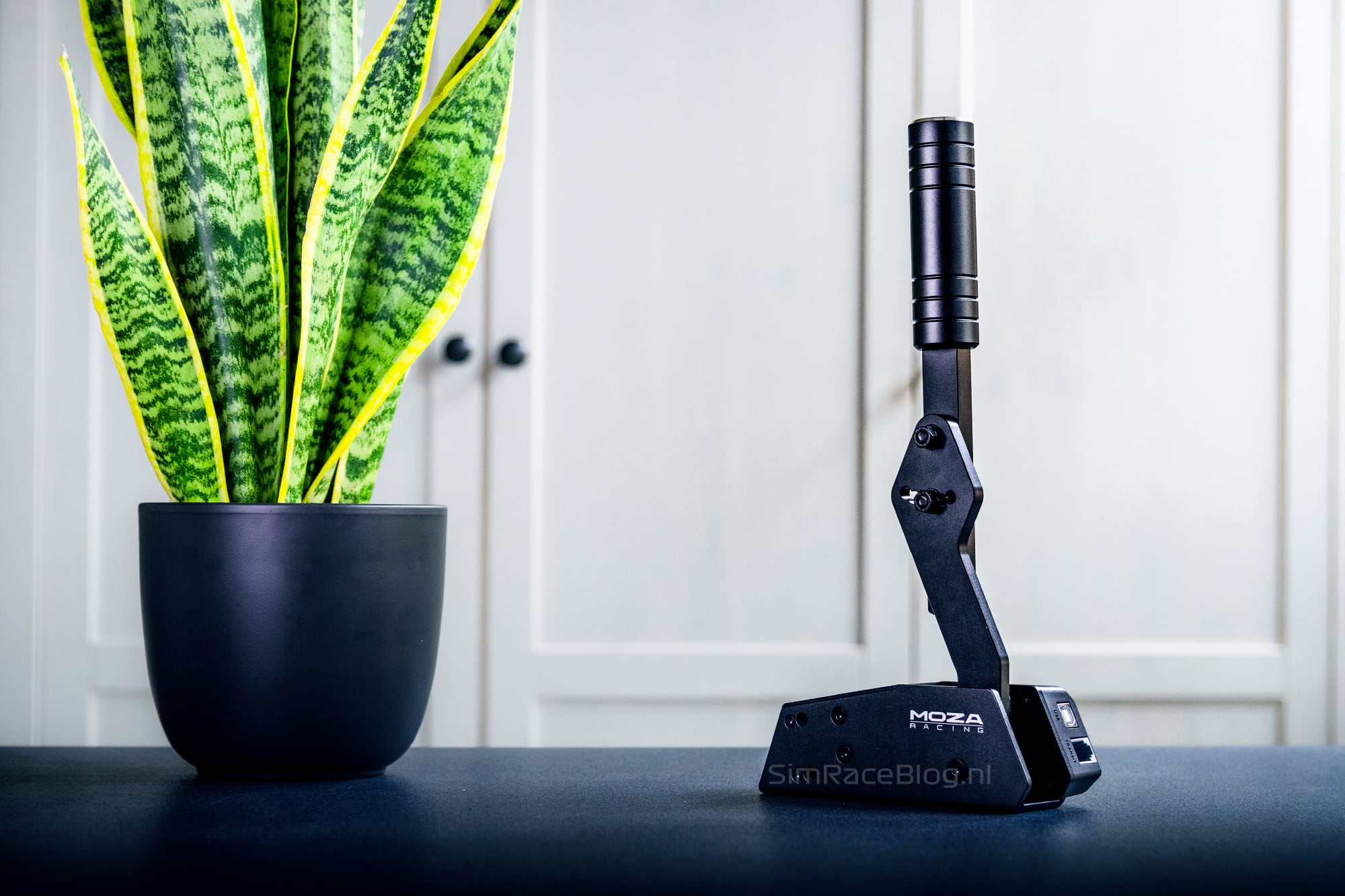
The MOZA Racing HBP Handbrake is an adjustable simracing handbrake that can be used both horizontally and vertically. The HBP Handbrake is designed for use on the PC and is priced at €109 excluding VAT and possible import costs on the MOZA webshop. At retailers, the HBP Handbrake is available for a price of €139 including VAT at the time of writing.
Packaging & Contents
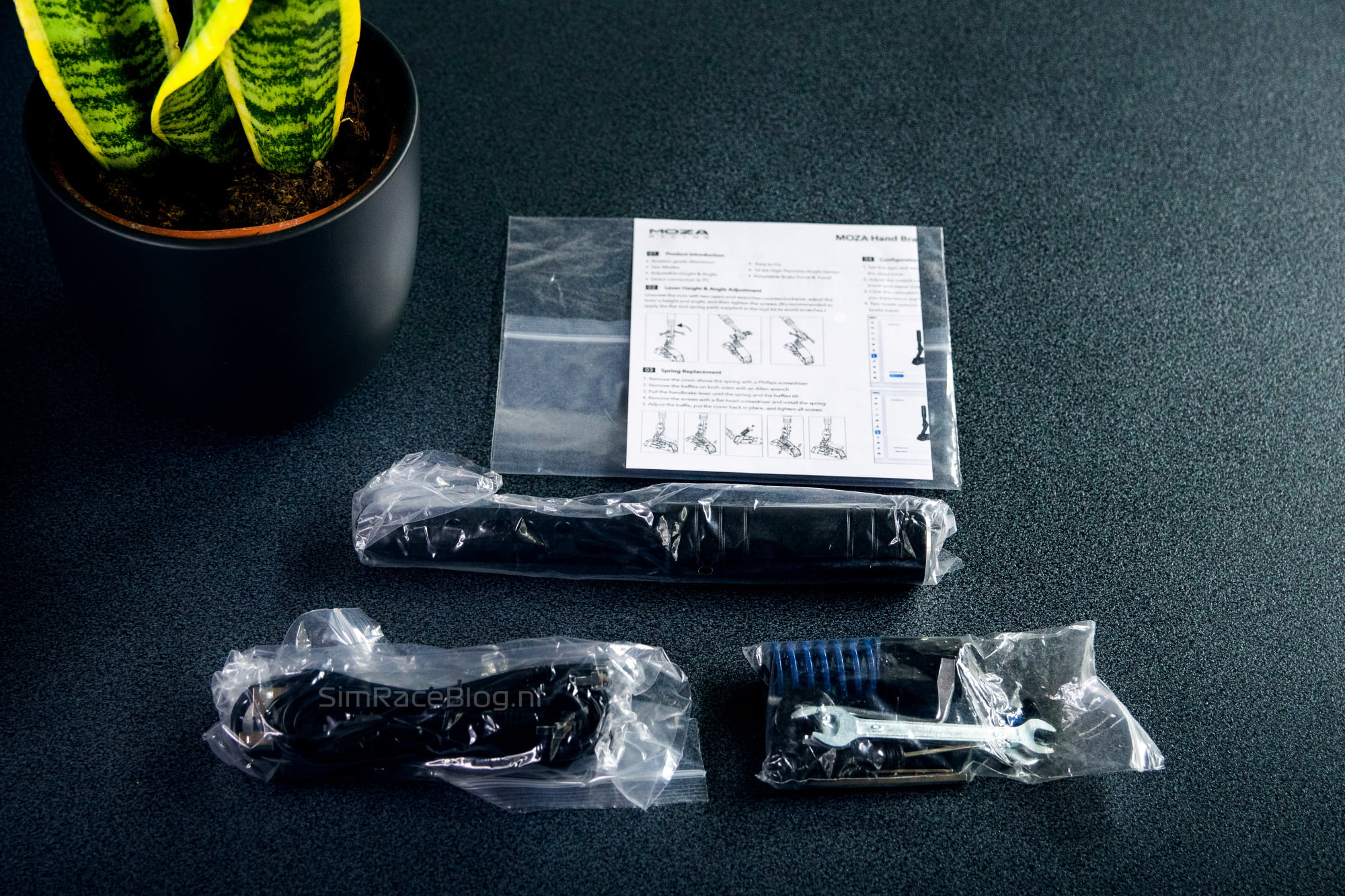
As mentioned, we received the MOZA HBP Handbrake simultaneously with the HGP Shifter. The HBP Handbrake and HGP Shifter were shipped by MOZA from China and were delivered to us by FedEx within 3 days. For receiving both products, we paid a total of €20.37 in import fees. We received a brown shipping box from MOZA containing the two product boxes. The white product box for the HBP Handbrake features images of the handbrake, highlighted specifications, and MOZA branding all around the box. The top of the box is adorned with a beautiful blue color, which, in our opinion, adds a recognizable and attractive identity to the packaging.
Upon opening the product box, we find a soft black foam cushioning with the manual protected in a sealed bag. Upon removing the top layer of foam, we see the HBP Handbrake waiting for us, nestled in more precisely cut soft black foam. The handbrake is packaged in two separate parts in bags for added protection. Additionally, we find a bag containing the USB and RJ11 cables and another bag containing extra parts, mounting materials, and a lot of tools. We find the packaging and the contents of the MOZA HBP Handbrake to be very neatly organized by MOZA and it immediately makes us eager to start working with it.



Engineering & Quality
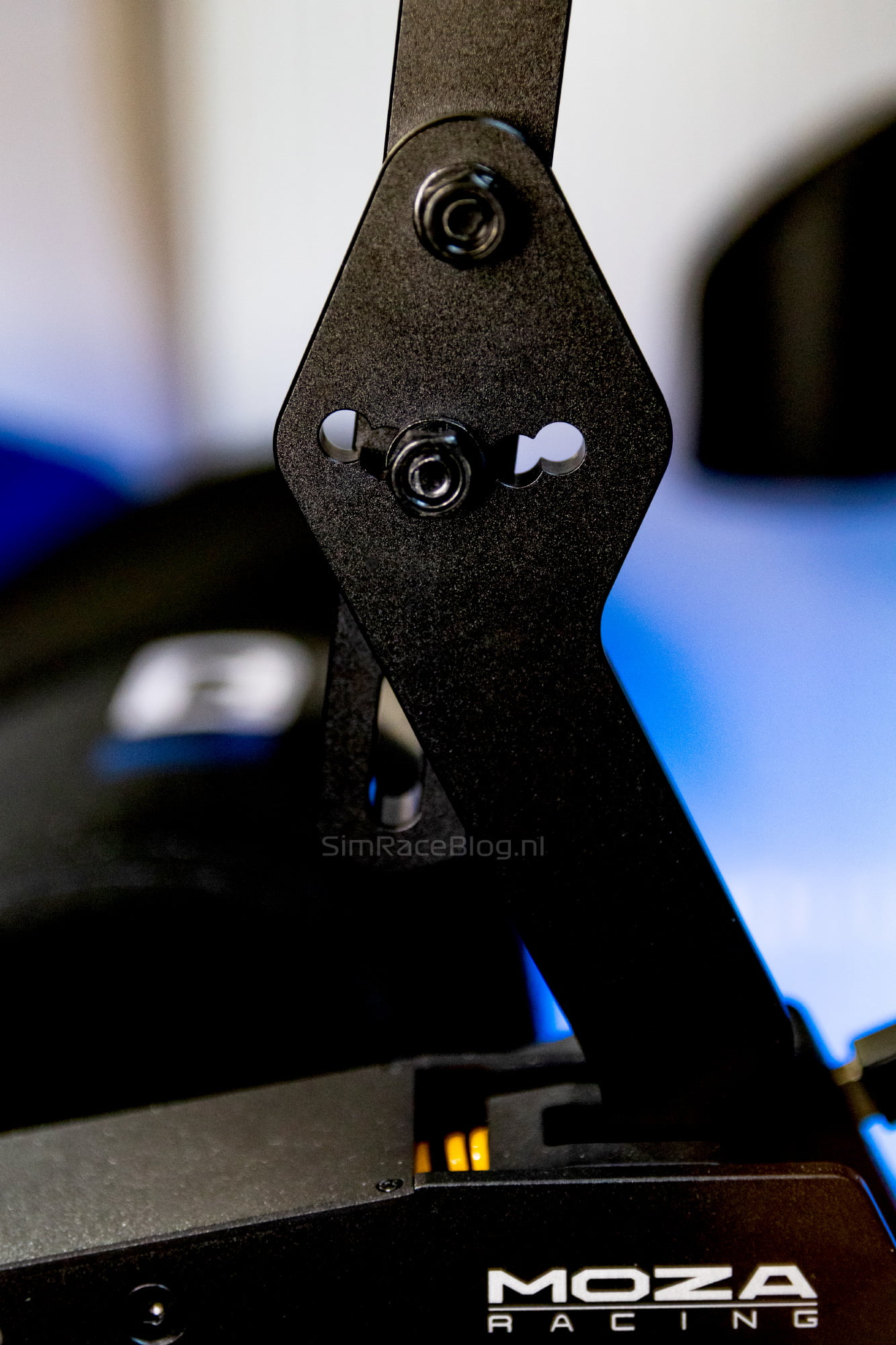
The MOZA HBP Handbrake is a simracing handbrake that can be used both in a vertical and horizontal position, with the lever being adjustable to two different lengths. The handbrake is constructed using CNC-machined, black anodized aluminum and exhibits a visibly high level of craftsmanship. All the corners and edges of the handbrake are neatly rounded, and the overall impression we get from the HBP Handbrake is solid and refined. We also find the finish of the actual lever of the handbrake to be very sleek and aesthetically pleasing.
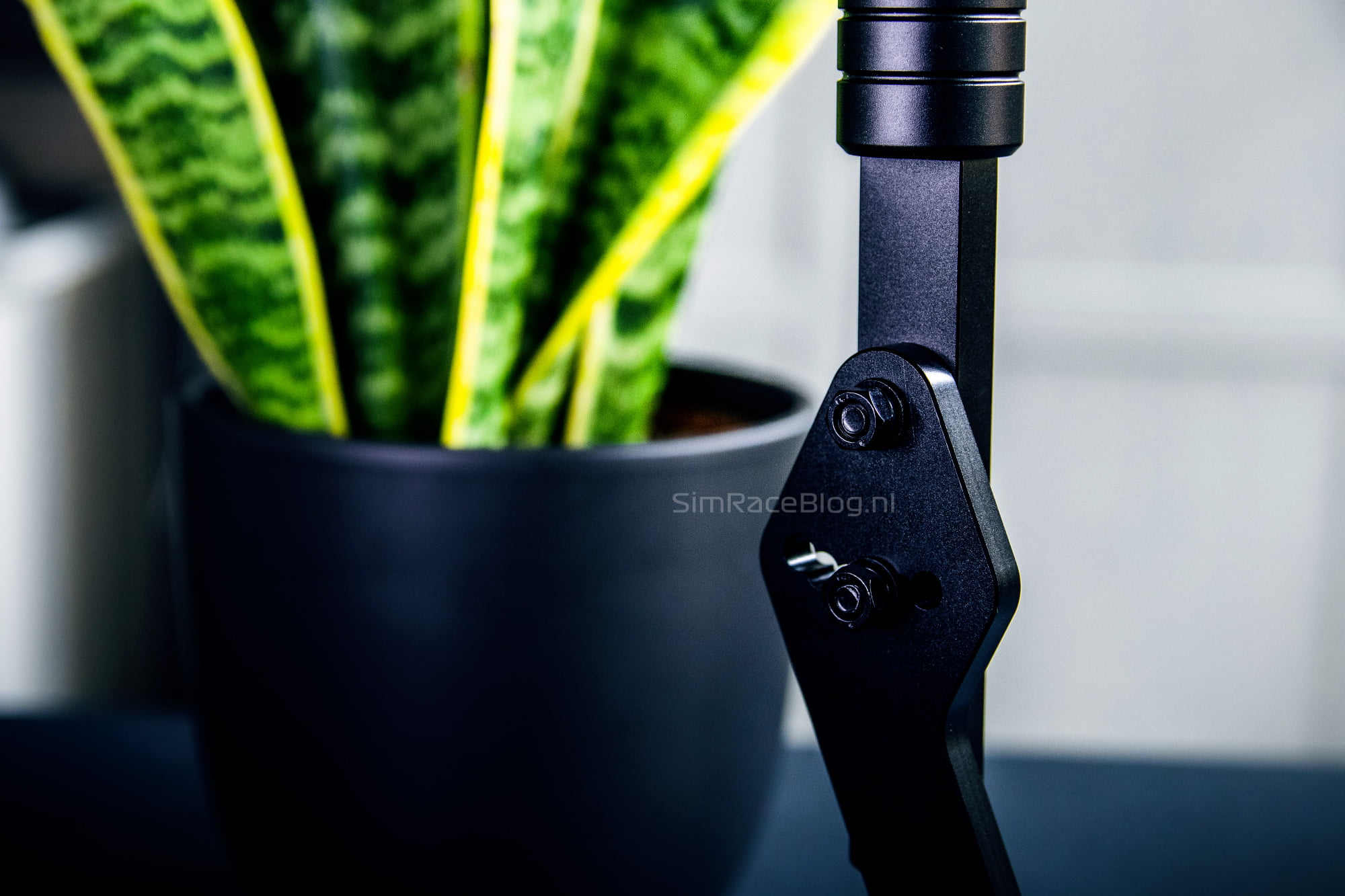
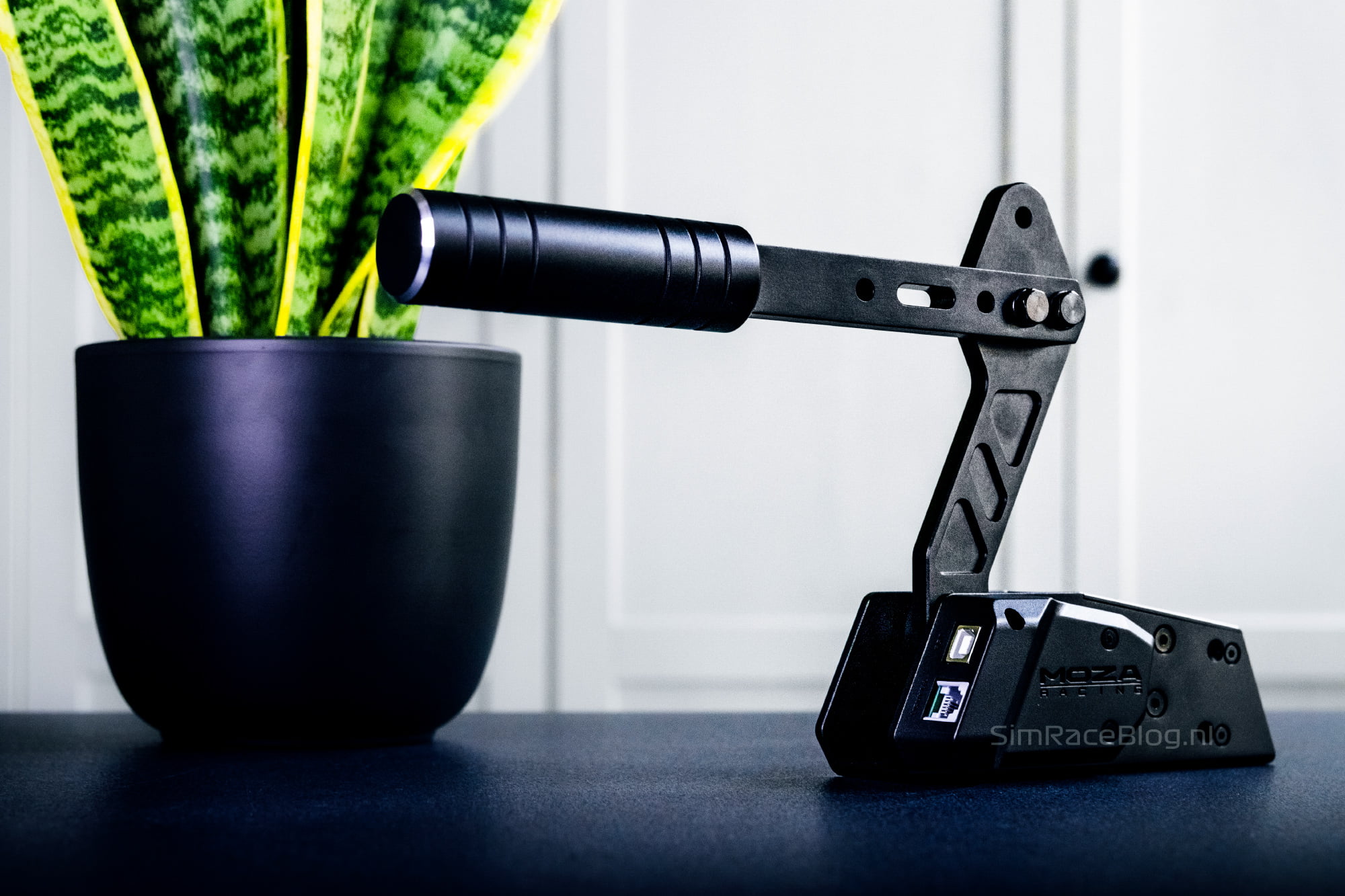
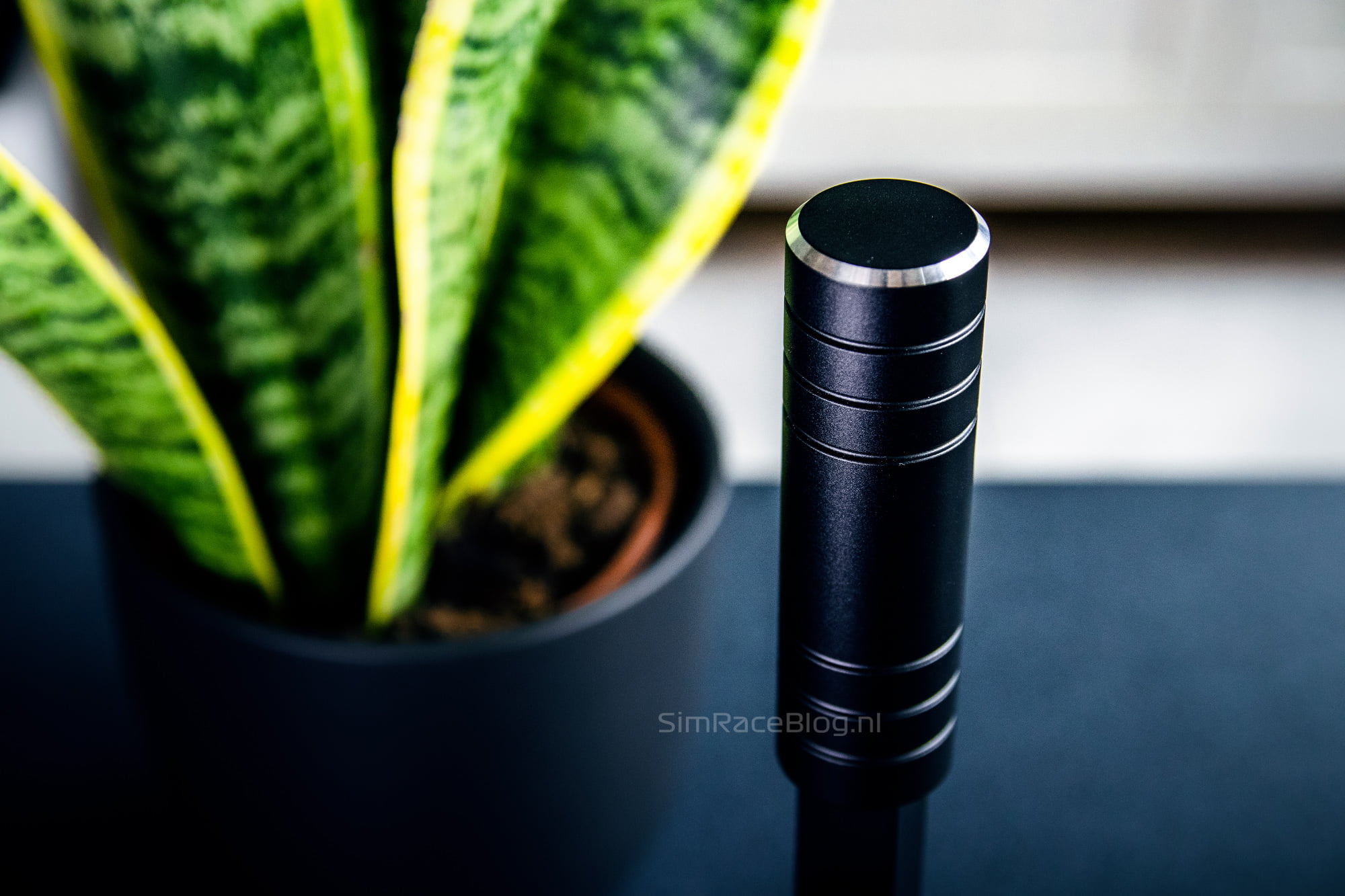
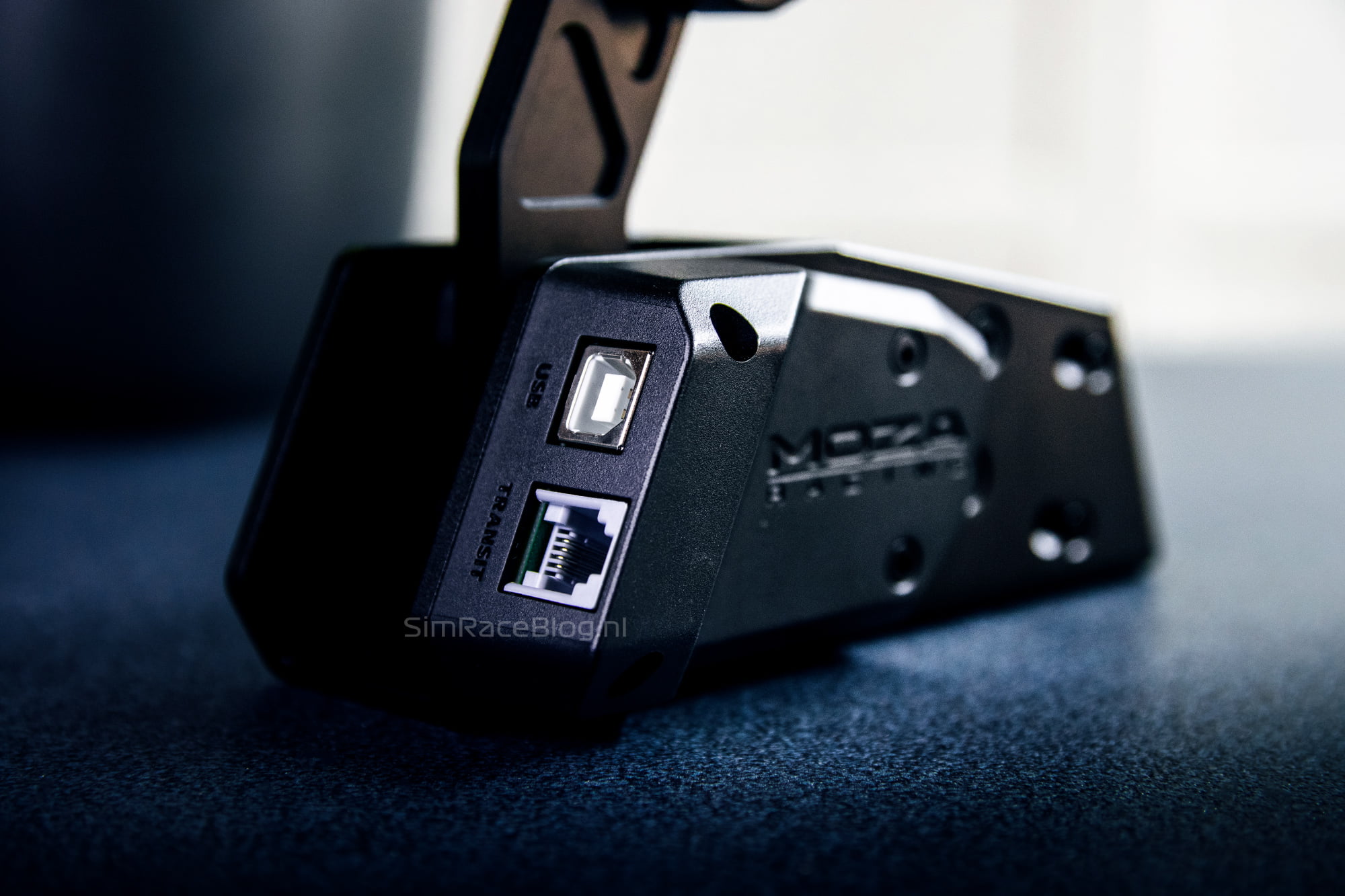
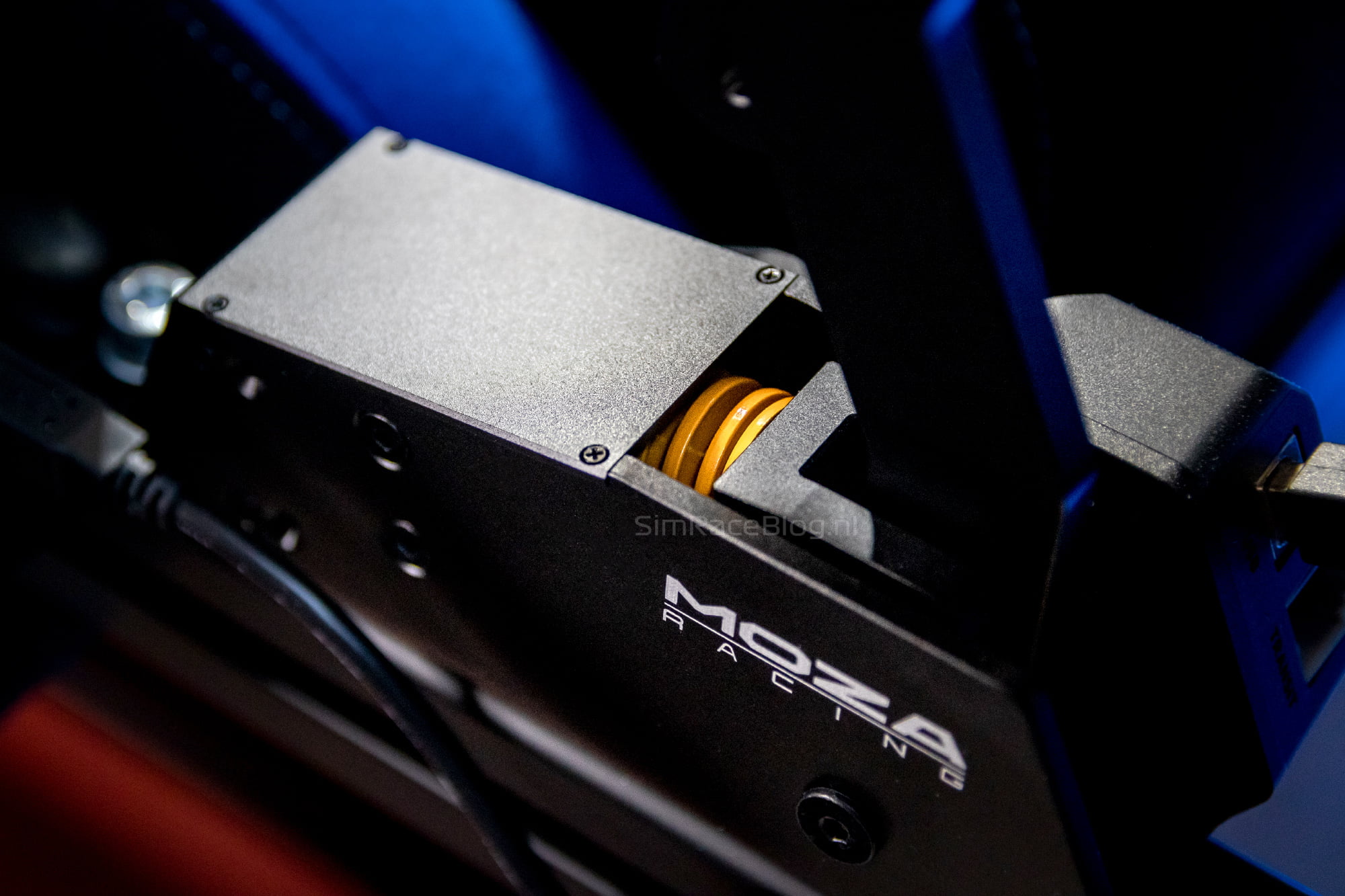
The HBP Handbrake is equipped with a 16-bit hall-effect sensor, which allows for contactless detection of the handbrake’s angle. As a result, the sensor of the handbrake is not subject to wear and tear. The feel and resistance of the handbrake are provided by an interchangeable yellow spring, a slightly stiffer blue spring, or a black elastomer. The yellow spring is installed by default and can be swapped out for the other two options. The spring or elastomer is slid onto a shaft inside the handbrake and held in place by a plate. The shaft of the handbrake passes through it towards the end stop, which is a similar aluminum plate but with a rubber pad in front of it for damping. Between the shaft and the plate that holds the spring/elastomer in place, there is an O-ring to dampen the return of the handbrake. The end stop of the handbrake can also be adjusted, with a total of two options, allowing you to choose between a long or short travel. Finally, at the front of the handbrake, there are two output ports. The Transit port allows the HBP Handbrake to be directly connected to a MOZA wheelbase using the provided RJ11 cable. The USB port is, of course, for connecting directly to the PC.

Mounting
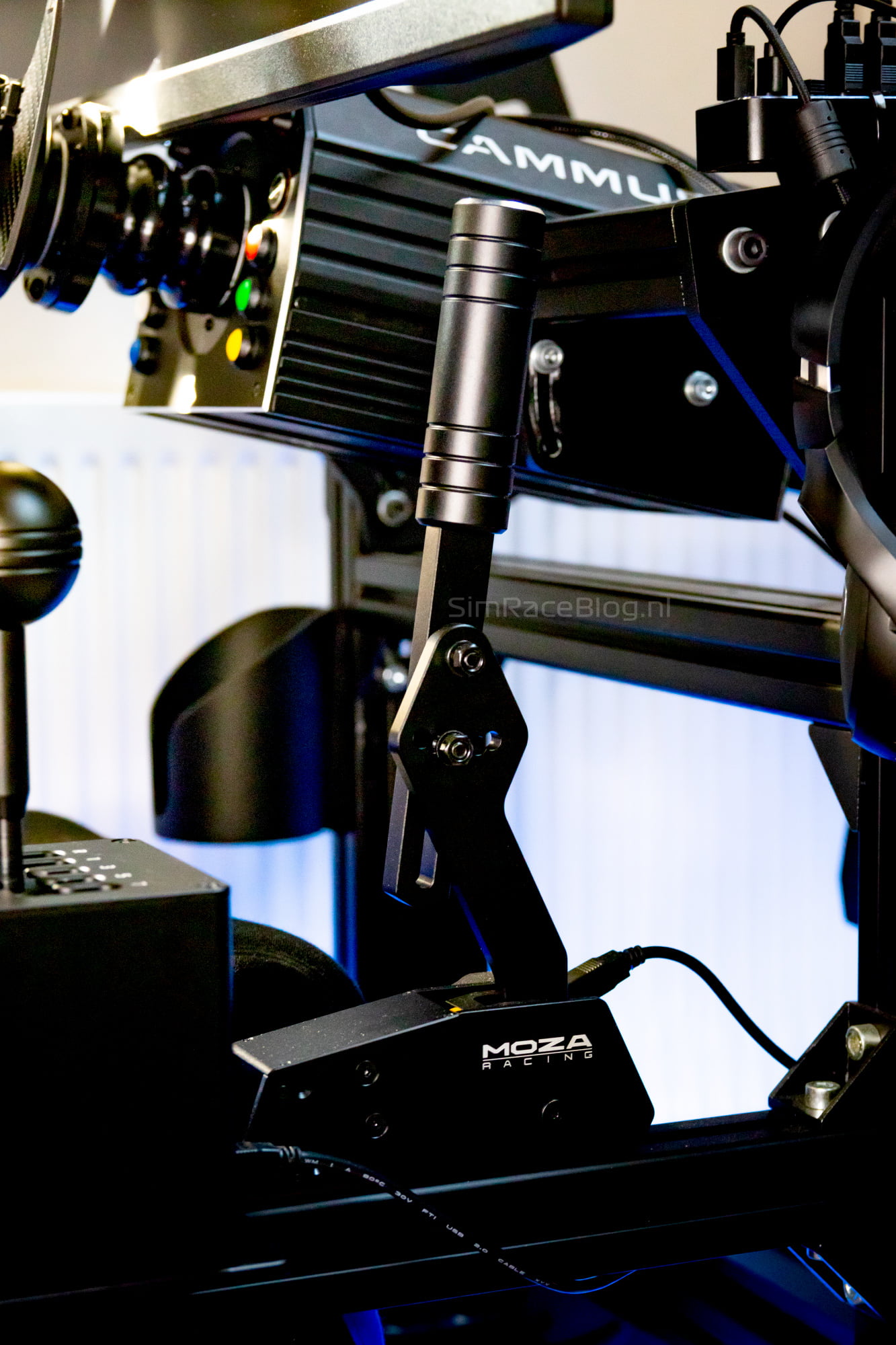
We are going to mount the MOZA HBP Handbrake on our TREQ One simrig, directly attaching it to an aluminum profile. During our assessment of the mounting materials, we noticed that they were not fully prepared for top-down mounting on an aluminum profile. We provided this feedback in our review of the HGP Shifter when we encountered the same issue as well. Since the use of aluminum profiles is quite popular in the construction of simrigs, we believe it would be a plus to include two T-slot nuts with products like these. In the end, we decided to use the provided M6 bolts from MOZA in combination with M6 T-slot nuts that we luckily had still laying around.
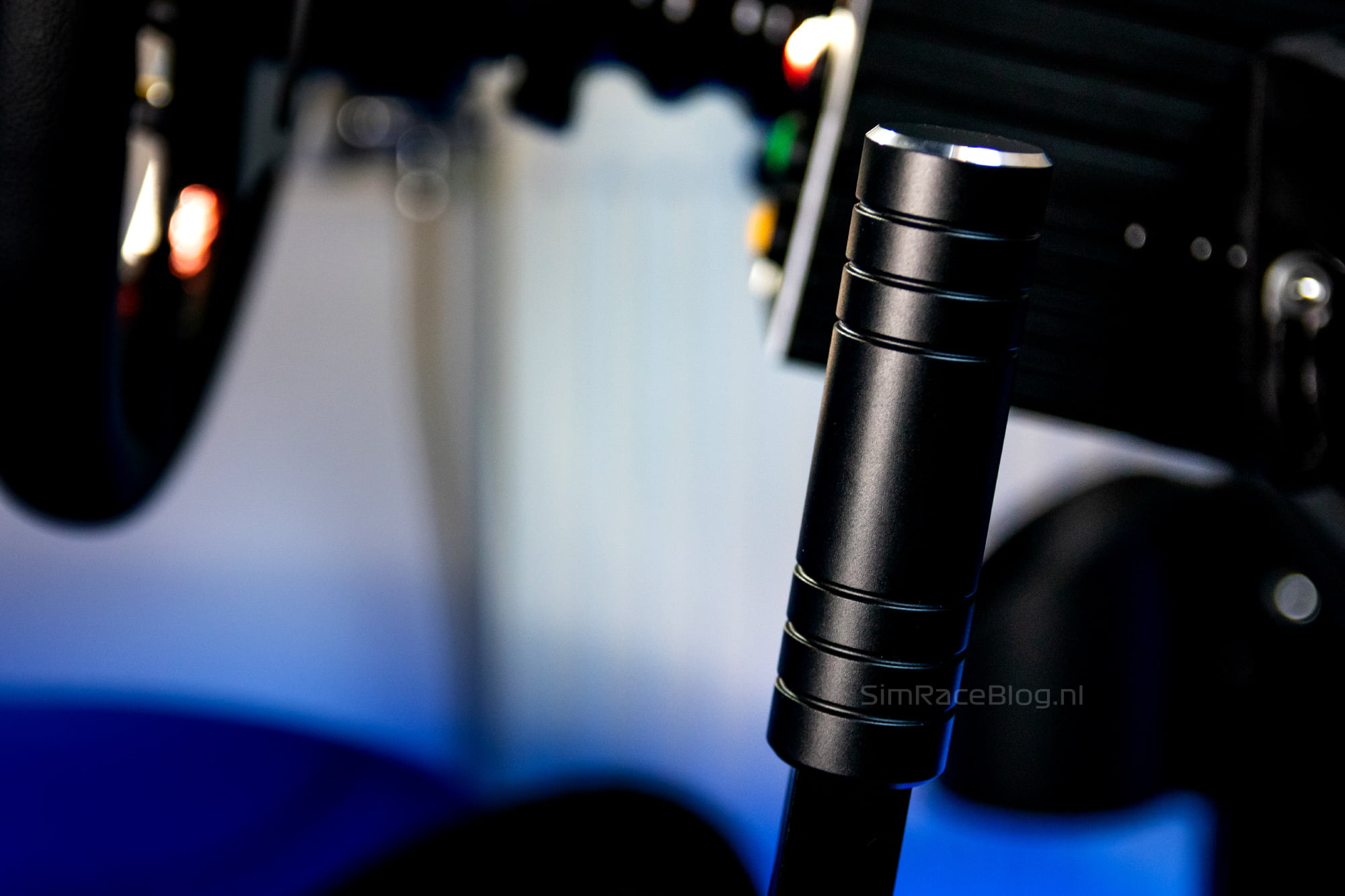
We choose to use the MOZA HBP Handbrake in the vertical position, with a slight forward tilt, and opt to set the lever to its shortest position. Mounting the lever is a breeze, and attaching it to the aluminum profile is straightforward as well. All that’s left for us to do is plug in the USB cable and configure the handbrake!


Software
For controlling their hardware, MOZA has developed its own software package called MOZA Pit House. This software allows you to manage and control the entire MOZA ecosystem, making it a comprehensive package. Downloading and installing Pit House is a breeze, and when you plug in the HBP Handbrake it is immediately recognized, allowing us to configure it according to our preferences right away.
Before we begin we will, of course, calibrate the handbrake, which is a breeze according to MOZA’s instructions. After this we proceed with configuring the handbrake. To start, the handbrake can be set as an analog input or as a button input. When set as an analog input, the handbrake can be carefully doses with the entire range available, whereas being configured as a button input, the handbrake is registered as a button that is either pressed or not. You can manually set a threshold point for when the input is registered during the handbrake’s pull. MOZA has provided a few presets to adjust the handbrake’s curve. Since we plan to use the HBP Handbrake for drifting, we will customize the settings accordingly. We will configure the handbrake as an analog and adjustable input but manually create a steep curve to quickly reach 100% input, allowing us to lock the wheels of our virtual drift car rapidly. With the HBP Handbrake configured in Pit House, we are ready for the next step.

Using the HBP Handbrake
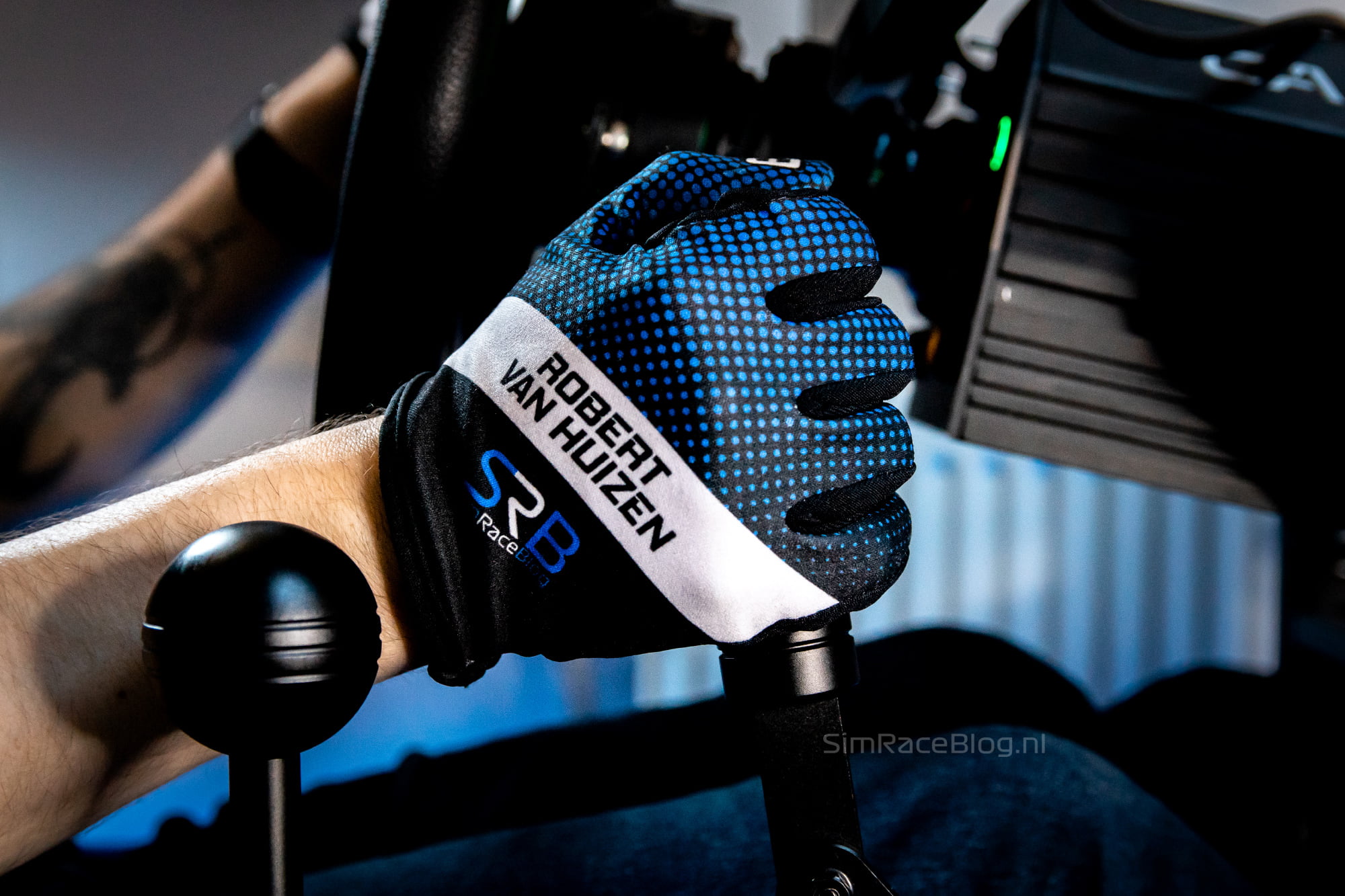
As mentioned, we are going to use the MOZA HBP Handbrake for drifting. We’ll be doing this in Assetto Corsa, with both the BMW M3 E30 drift, which is the ideal starter car for learning to drift in Assetto Corsa, and the Nissan Silvia S14 mod from the World Drift Tour Street Pack. Assigning the handbrake in Assetto Corsa Content Manager is as straightforward as expected, and in no time we can get behind the wheel to start our first drifting session!

First impression
The first impression we get while driving with the MOZA HBP Handbrake is quite clear; it’s smooth! As mentioned earlier, we initially use the HBP Handbrake configured as it came out of the box, except for the software adjustments. So, we’re using the yellow spring that the handbrake comes equipped with by default, without having moved the end stop. The resistance we feel on the yellow spring is actually very pleasant right from the start. With this spring, the handbrake doesn’t feel too light at all. In our experience, it has a nice amount of resistance that feels pretty linear. Both the end stop when pulling the handbrake and the return to the initial position feel soft due to the damping, which contributes to the smooth and pleasant sensation the handbrake provides. We’re driving in drift cars, and we’ve configured the handbrake in Pit House to suit our preferences, making it very comfortable and easy for us to lock the rear wheels quickly. For this purpose, the final travel is slightly on the long side, but that can always be adjusted if needed.

Adjusting
After driving with the yellow spring, we proceeded to fine-tune and customize the handbrake further. Despite the handbrake being relatively straightforward, there are still three adjustable options in total: the end stop position, the spring/elastomer, and the length of the lever. To adjust the first two, we first remove the cover plate on top by loosening the four very small screws. Underneath, we find the yellow spring and the end stop with damping in front of it. Initially, we found the travel of the handbrake to be a bit too long, so we decided to place the end stop in the most forward of the two positions. To do this, we removed the four bolts that secure the end stop in place, allowing us to slide it forward and then tighten it again. For our personal preference, we found the travel with the end stop in the forward position to be slightly on the short side, so we ultimately went back to the first position. This brings us to the next adjustable part: the length of the lever. With a longer lever, your hand automatically covers more distance relative to the pivot point when you pull the handbrake. For this reason, we expected that with the lever set to its longest position, the forward end stop would provide a comfortable handbrake travel, while the rear position would be too long. However, in our case, the handbrake with the long lever could potentially come into contact with our display monitor, so we couldn’t test this and continued with the end stop in the furthest position.
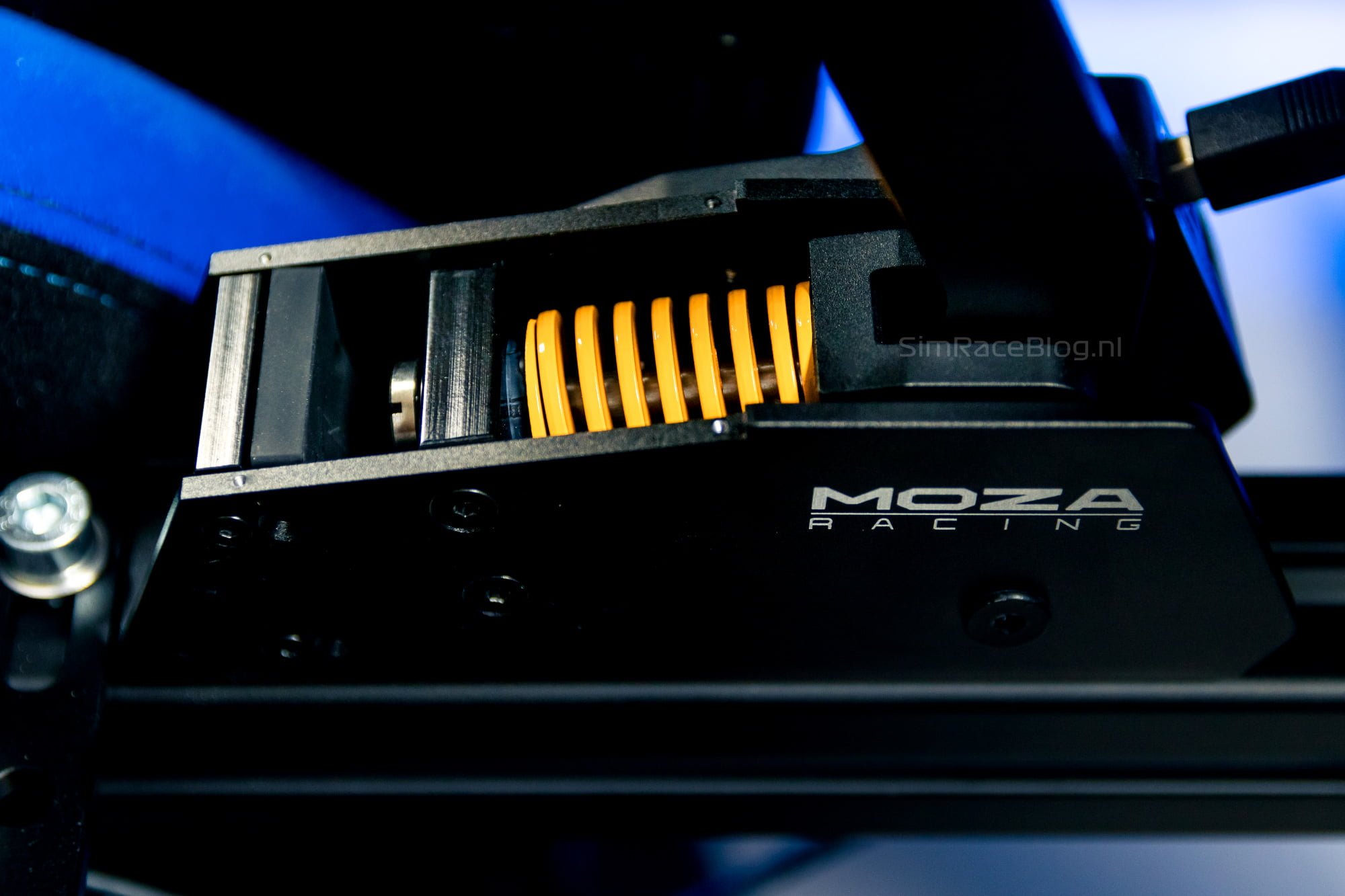


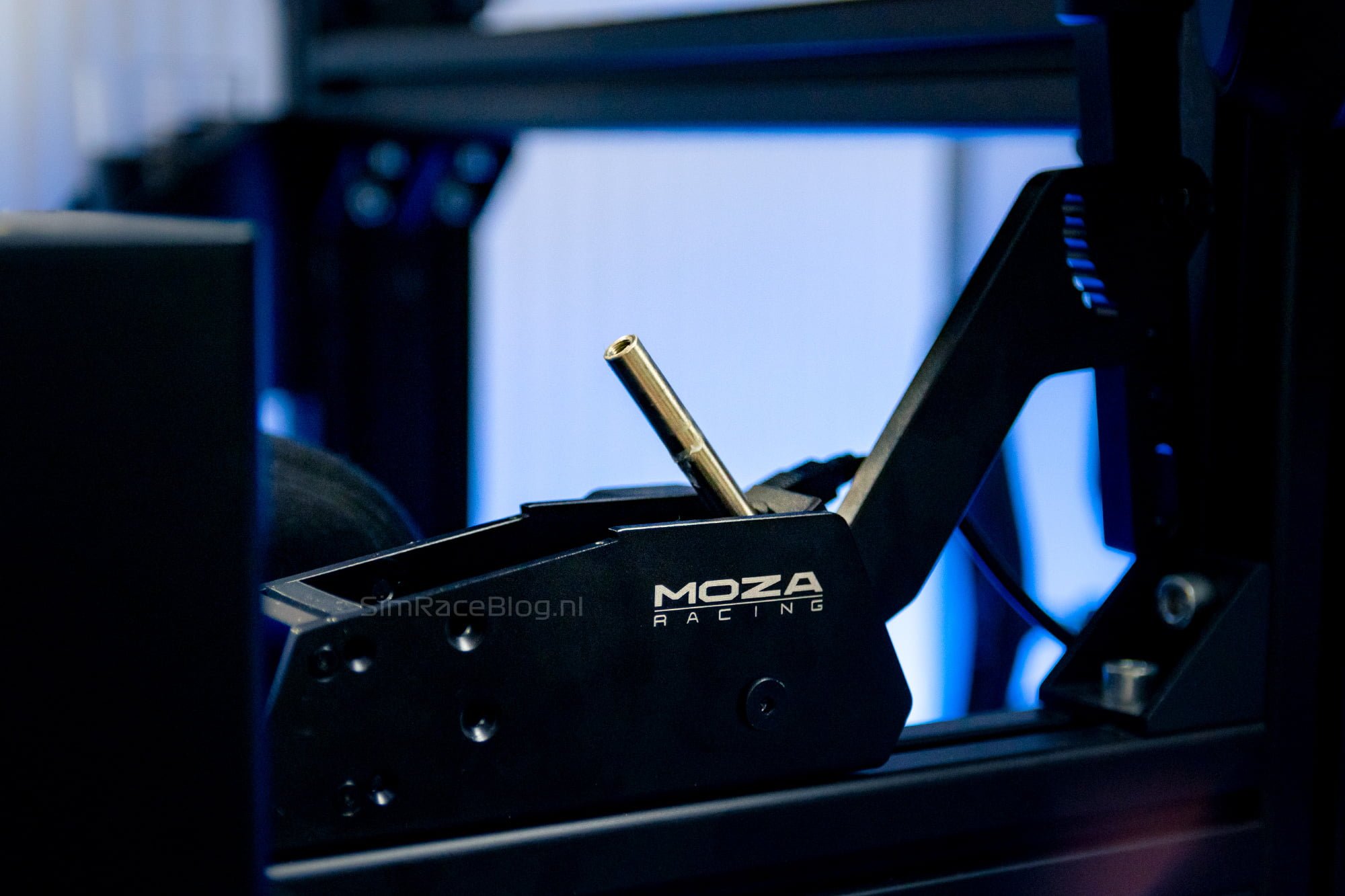
After determining the end stop we proceed with installing the blue spring, and later, the black elastomer. Again, we loosen four bolts from the plate that holds the yellow spring in place. Then we push the handbrake forward to lift the mechanism out of the housing, allowing us to remove it. In our case, this doesn’t work entirely smoothly because the lever of our handbrake comes into contact with the aluminum profile of our simrig when pushed forward. Therefore, we also need to detach the upper half of the lever to create the space necessary to tilt the mechanism forward. Then we unscrew the screw at the end of the spring’s shaft, remove the end plate, and then the spring. Next, we simply place the blue spring back in, followed by the end plate and the screw, and push the whole assembly back into the handbrake housing where we then tighten the bolts again. In our case, we also reattach the upper half of the lever. All in all, we find the adjustment of the handbrake to be a bit more time-consuming than we would have preferred. In total, without detaching the upper half of the lever, we had to loosen 12 bolts and screws to adjust both the end stop and the spring/elastomer. However, we don’t consider this to be a major drawback of the handbrake. For most sim racers, this adjustment will only need to be done once or twice, after which the handbrake will be used at the chosen settings.


Further impressions
After adjusting and, of course, recalibrating the HBP Handbrake, we start drifting with the blue spring instead of the yellow one. The overall impression of the handbrake remains the same; the blue spring feels just as smooth but slightly heavier. In our experience, it’s not a huge difference compared to the yellow spring, but it’s enough to provide an additional choice. We quickly decide to switch to the black elastomer, and we’re quite curious about how it will perform.
Switching to the black elastomer is done similarly to what was described above, except now the blue spring is replaced by the black elastomer with an additional ring at both ends. Our initial impression of driving with the black elastomer is quite positive! Despite finding both the yellow and blue springs comfortable and smooth, the handbrake takes on a completely different character with the elastomer. Not only does the handbrake feel slightly heavier, but the pressure you feel from the elastomer is also much more progressive than the springs. This means that the resistance of the handbrake increases as you pull it further, providing a more nuanced and precise feel.
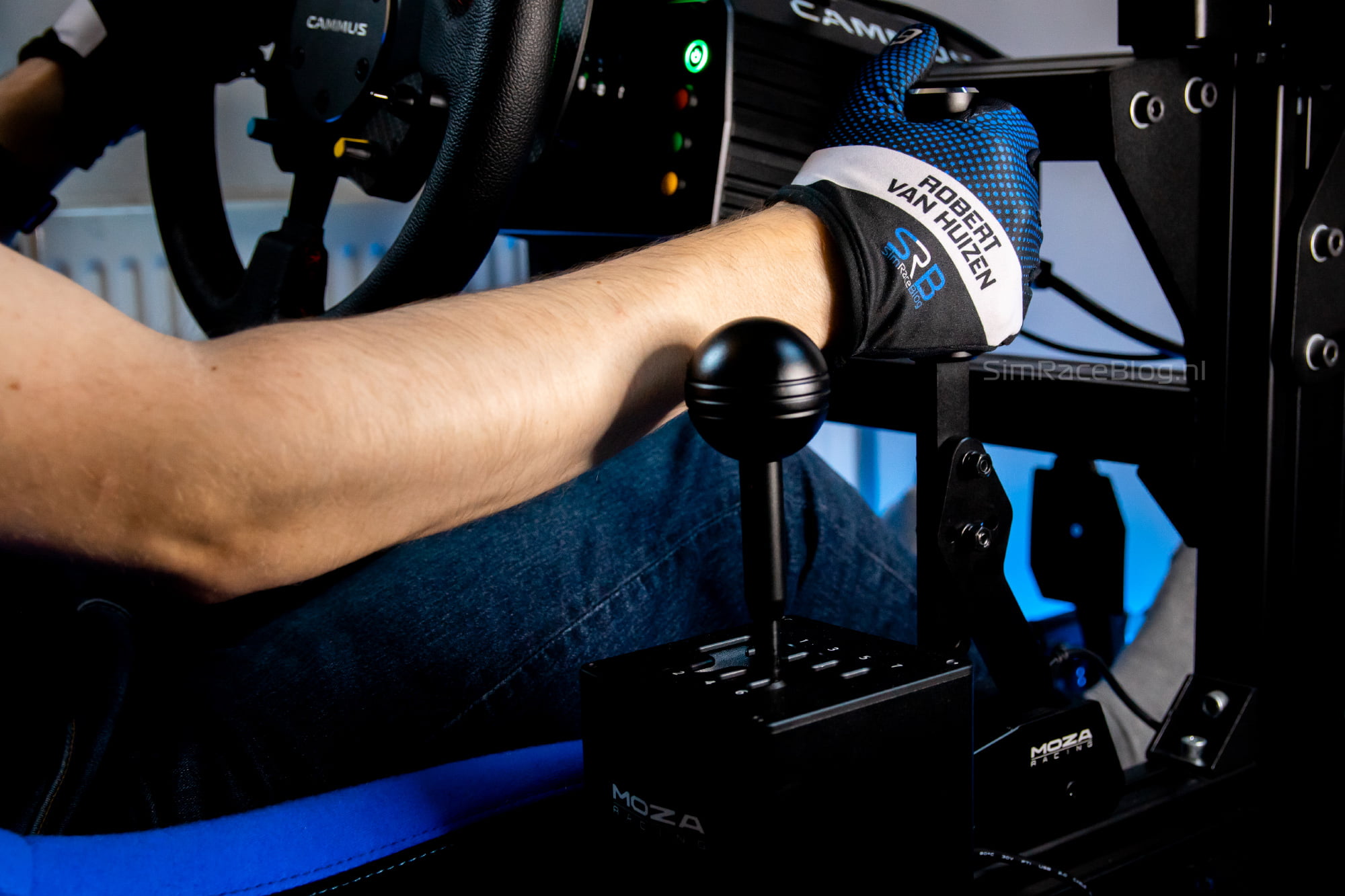
After spending some time driving with the handbrake, we have nothing but positive feedback. As we described earlier, in our case, we used the handbrake for drifting, where you want to be able to quickly lock the rear wheels. For us, the combination of the end stop at the farthest distance, the short lever setting, and the elastomer is an ideal combination, along with the steep curve in the software. Thanks to the heavier, progressive elastomer and the longer travel of the handbrake, we can pull it vigorously in one swift motion. We can feel the pressure build up from the elastomer, indicating that we’ve quickly reached 100% handbrake input. Every sim racer or sim drifter will have their own preferences, but for us, this setup is the most comfortable.
Video: Drifting with the MOZA HBP Handbrake
The video below is a short driving impression with the MOZA HBP Handbrake. We are drifting in Assetto Corsa with the Nissan Silvia S14 mod from the World Drift Tour Street Pack.
Conclusion
With the HBP Handbrake, MOZA has introduced a competitive simracing handbrake to the market to compete with other brands. The quality of the materials used for the HBP Handbrake is high, and the finishing of the black anodized aluminum is excellent. The entire handbrake feels very refined and solid, and the actual lever also feels very comfortable, thanks to its finish and weight.
The mechanism of the HBP Handbrake is relatively straightforward, but it’s clear that a lot of thought has gone into it. The resistance is generated by a spring or elastomer as desired, and thanks to the clever use of a rubber layer for the end stop and a ring for the handbrake’s return, the overall operation is extremely smooth and soft. We find that the resistance of the yellow and blue springs is quite close to each other, with the blue spring being slightly heavier. Both springs provide a fairly linear feeling of resistance. The black elastomer, which can be used in place of the springs, offers a heavier resistance, which also feels more progressive and gives the handbrake a different character. With the ability to adjust the length of the lever and the position of the end stop, we believe that the handbrake offers more than enough customization options, especially for its price.
The provided mounting materials are sufficient for bottom mounting, such as attaching the handbrake to a standalone plate. For use on an aluminum profile, we would have appreciated receiving matching T-slot nuts along with the bolts. However, the other included parts are excellent. Just like with the HGP Shifter, MOZA has thoughtfully included a spare part, in this case, the rubber pad for the end stop. We appreciate MOZA’s consideration for users and their commitment to long-term service. We find that adjusting the handbrake is slightly more time-consuming than we would have liked, but MOZA does provide all the necessary tools for this task. Given the competitive price of the HBP Handbrake and its overall quality, we are perfectly fine with putting in a bit more effort to fine-tune the handbrake’s settings.
All in all, we find the HBP Handbrake to be a sim racing handbrake that has exceeded our expectations. We can’t find any downsides, and especially thanks to the choice between the springs and the elastomer, the handbrake can be adjusted to every simracer’s liking. With its highly competitive price, we can’t help but say that this is the real bang-for-buck option for sim racers who want to get into, for example, drifting or rally driving.
Have you become enthusiastic based on our review? As of the time of writing, the MOZA HBP Handbrake is available on MOZA’s website for a price of €109 excluding VAT, and at retailers, starting from €139 including VAT at the time of writing.
Do you want to stay informed about SimRaceBlog content, news, announcements and (future) give-aways? Follow us on Instagram @simraceblognl and/or our Discord channel.