
P1sim Arnage Steering Wheel
Driven by their love and passion for racing, brothers Benoit and Benjamin founded P1Sim in 2021. With their extensive experience—Benoit as a former race mechanic for GT3 cars and Benjamin as a single-seater race engineer—they have a keen understanding of the quality and control virtual drivers expect and need. Although P1Sim is a young company, it has quickly made a name for itself in the sim racing world with innovative products like the Eau Rouge steering wheel, the Arnage steering wheel, and the Mistral pedals.
We have a very good relationship with P1Sim and previously reviewed the Eau Rouge steering wheel and Mistral pedals, but for various reasons, we haven’t been able to take a closer look at the Arnage steering wheel—until now. P1Sim has sent us the Arnage wheel, and we are excited to share our thoughts on it, as always!
The P1Sim Arnage steering wheel is available in the P1Sim webshop and, at the time of writing, is priced at €1,050.00 including VAT, excluding shipping costs. The steering wheel is typically delivered within 15 business days. Unlike the Eau Rouge steering wheel, there are no configuration options for the Arnage wheel. However, it comes as a well-rounded package. For more details on what’s inside the box, check out our unboxing in the section below, “Packaging & Contents.”
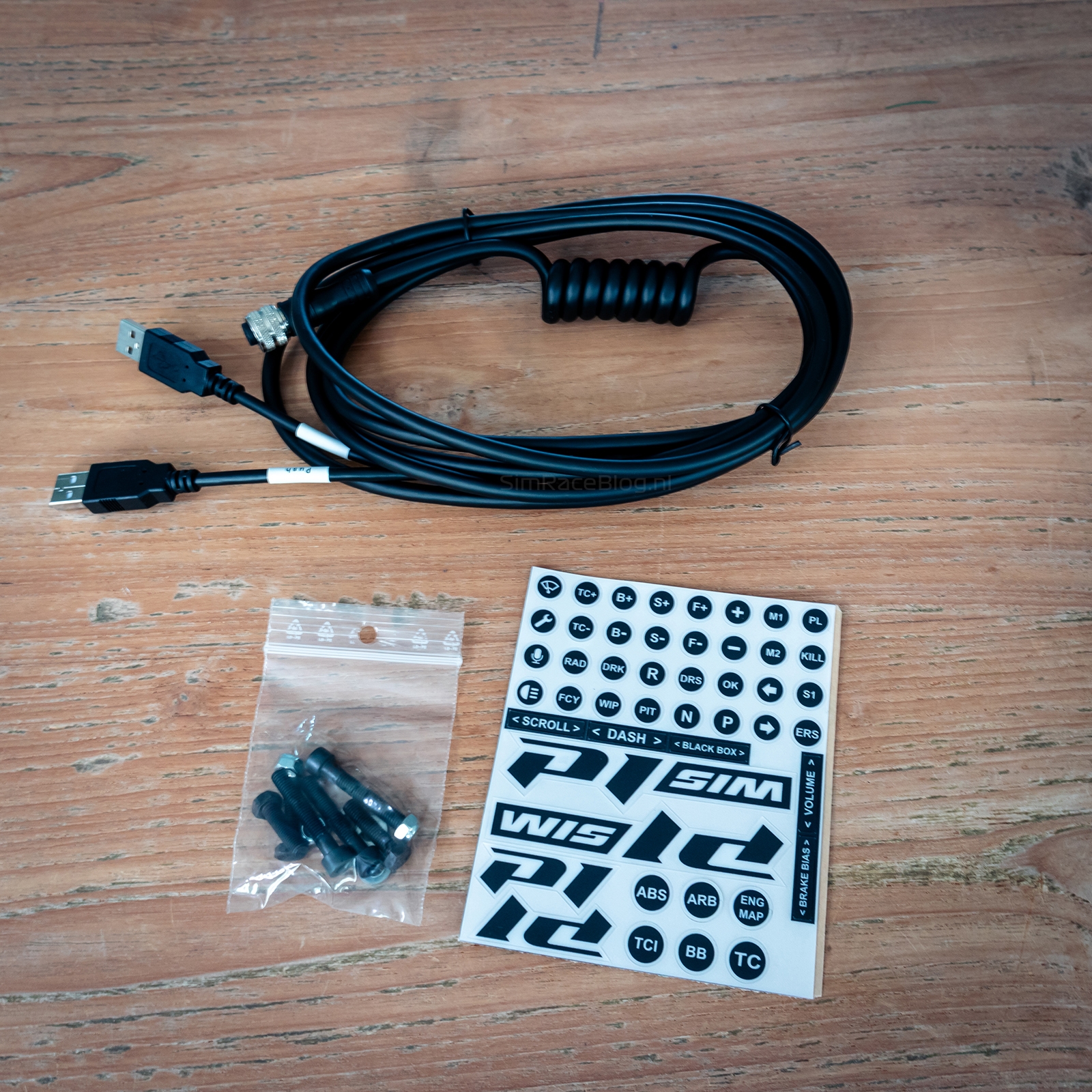
Packaging and Contents
We received a simple brown shipping box, which was delivered via Chronopost (DPD) from France within three business days after notification from P1Sim. Inside this brown box, we found a stylish product box, similar to the one used for the Mistral pedals. The product box is primarily black, featuring the P1 logo along with purple and white accents, giving it a modern and appealing look that we definitely appreciate.


Upon opening the box, we find a layer of gray foam on top. Once removed, we see precisely cut sections where the P1Sim Arnage steering wheel is securely held in place. There’s also a separate slot for the USB cable, six aluminum buttons in different colors for the rotary encoders near the thumbs, various mounting accessories, and a sticker sheet. Everything is carefully packed in custom-cut gray foam, providing excellent protection during transport.



The P1sim Arnage Steering Wheel
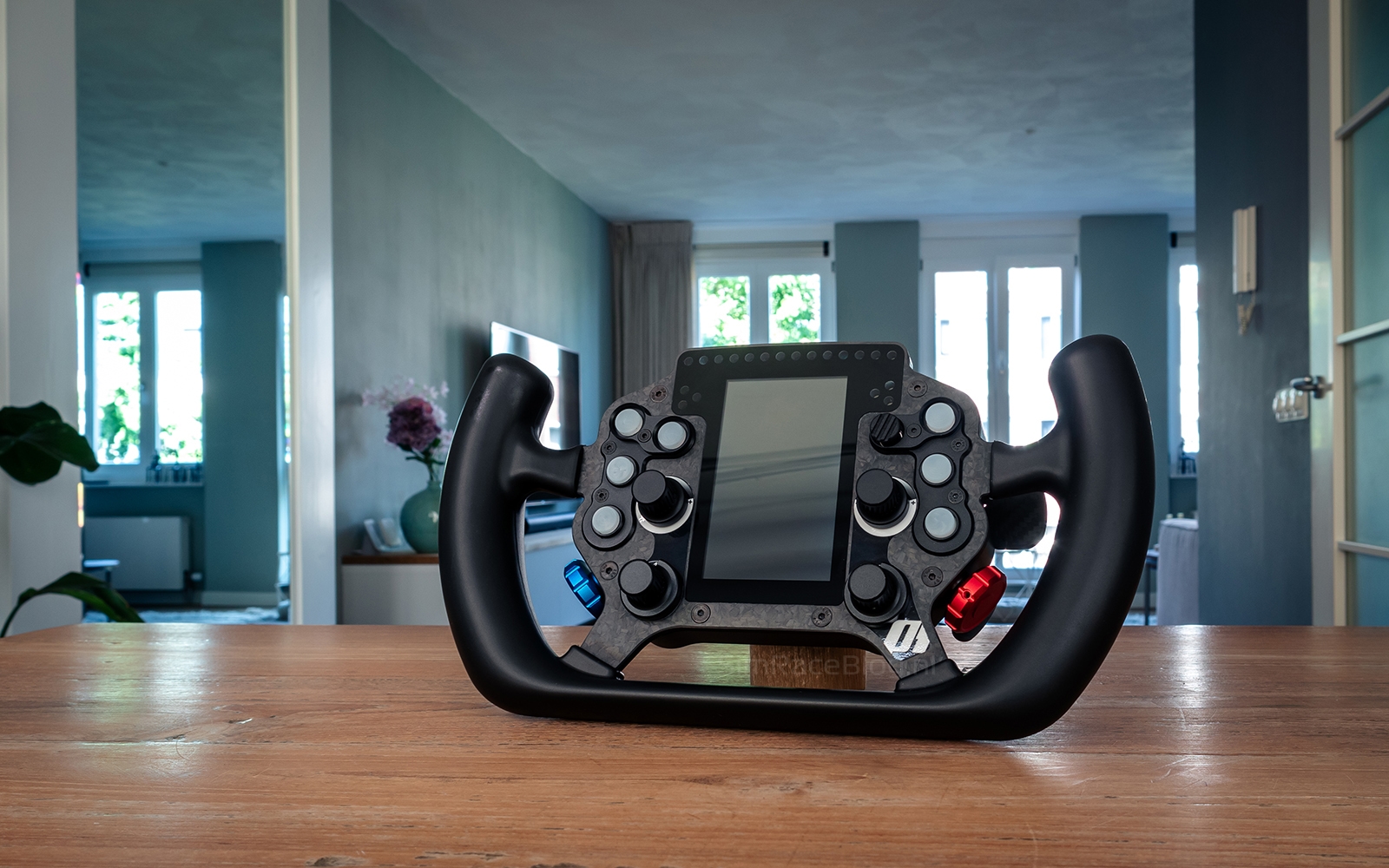
The P1Sim Arnage steering wheel is specifically designed for driving virtual GT cars. It has a width of 290 mm and features ergonomic grips with a thickness of 33 mm, made from injected polyurethane rubber. These grips feel firm yet soft, and not sticky, providing a comfortable hold. The wheel’s housing is made from CNC-milled, black anodized aluminum, with a 5 mm thick carbon fiber front plate.



Frontside
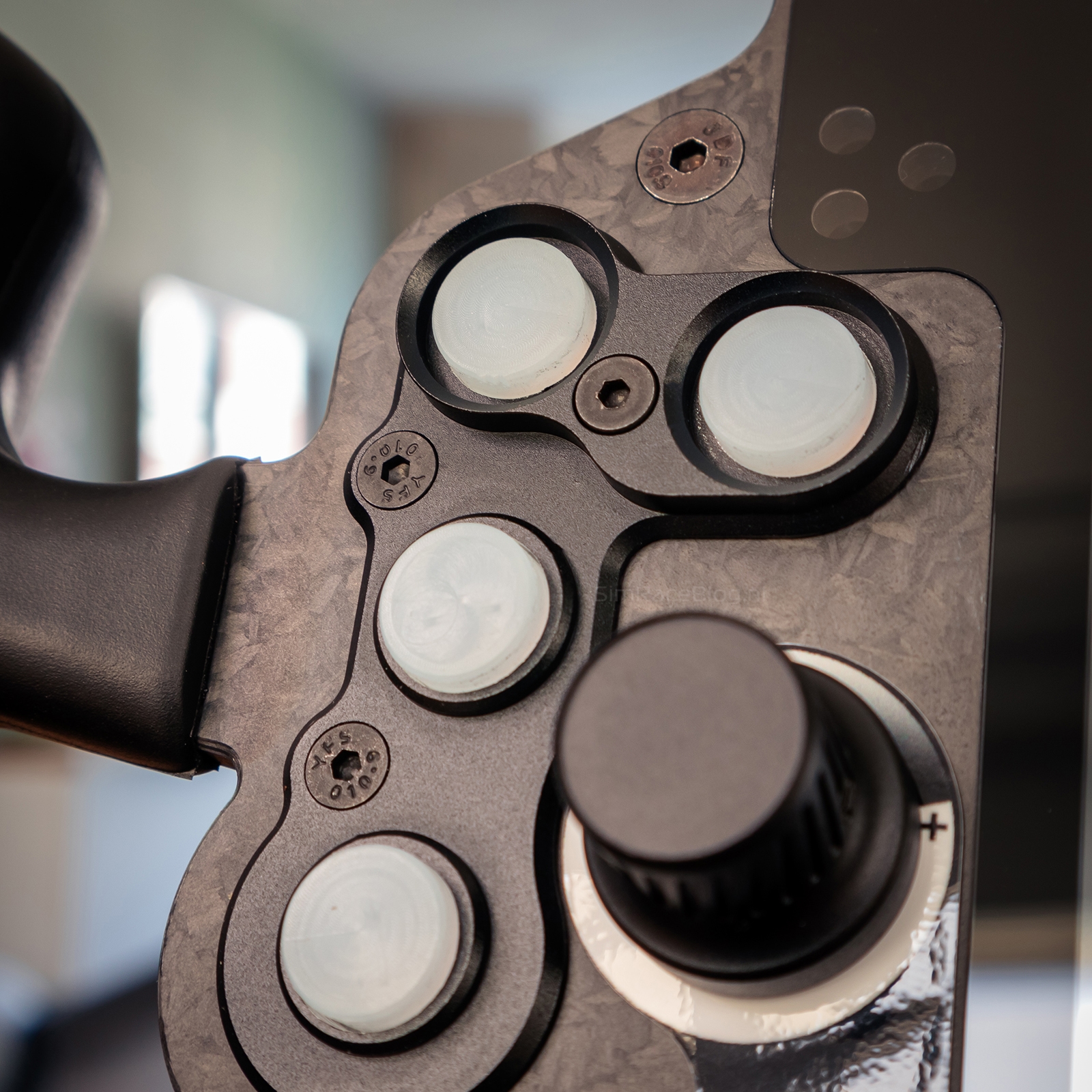
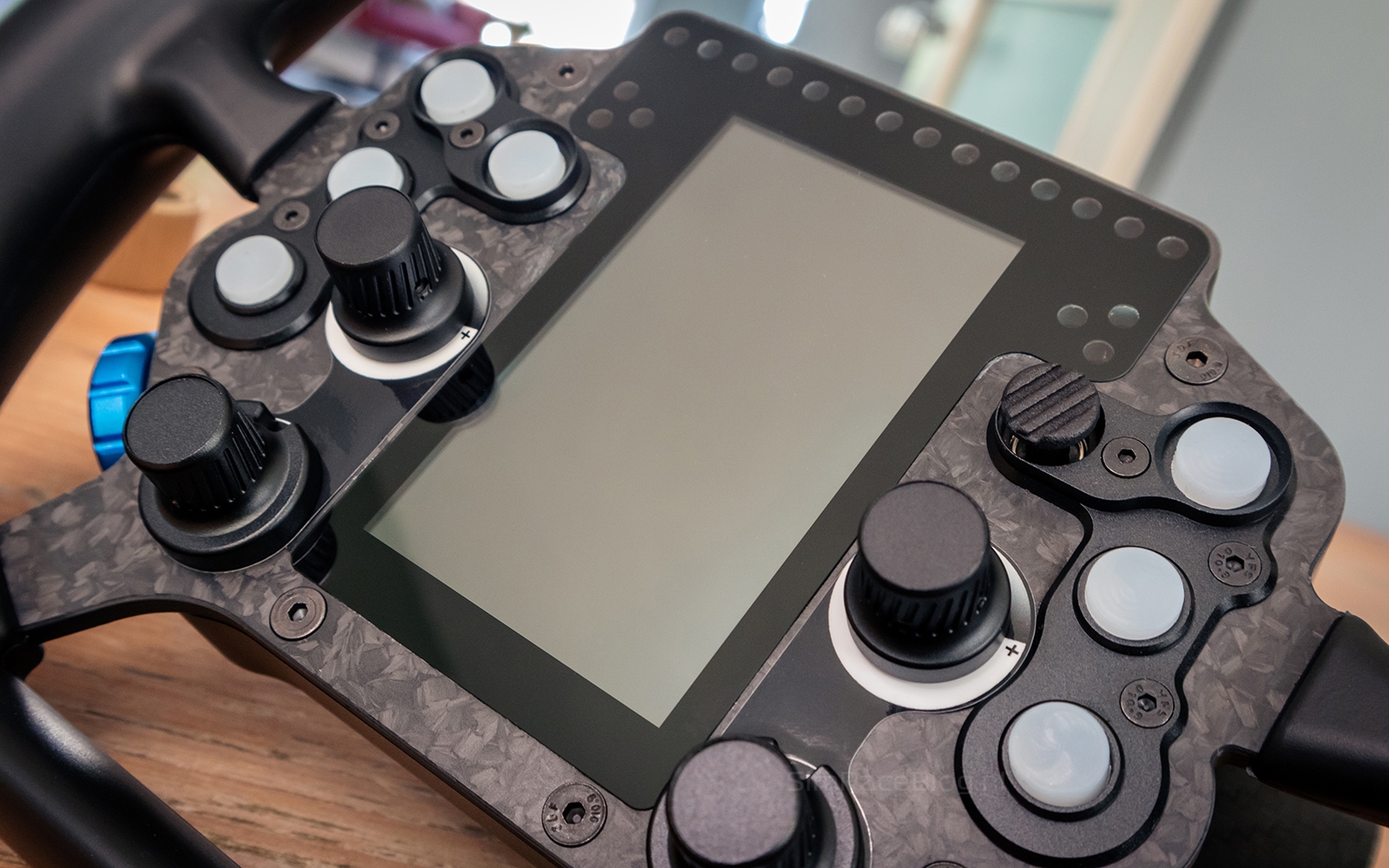
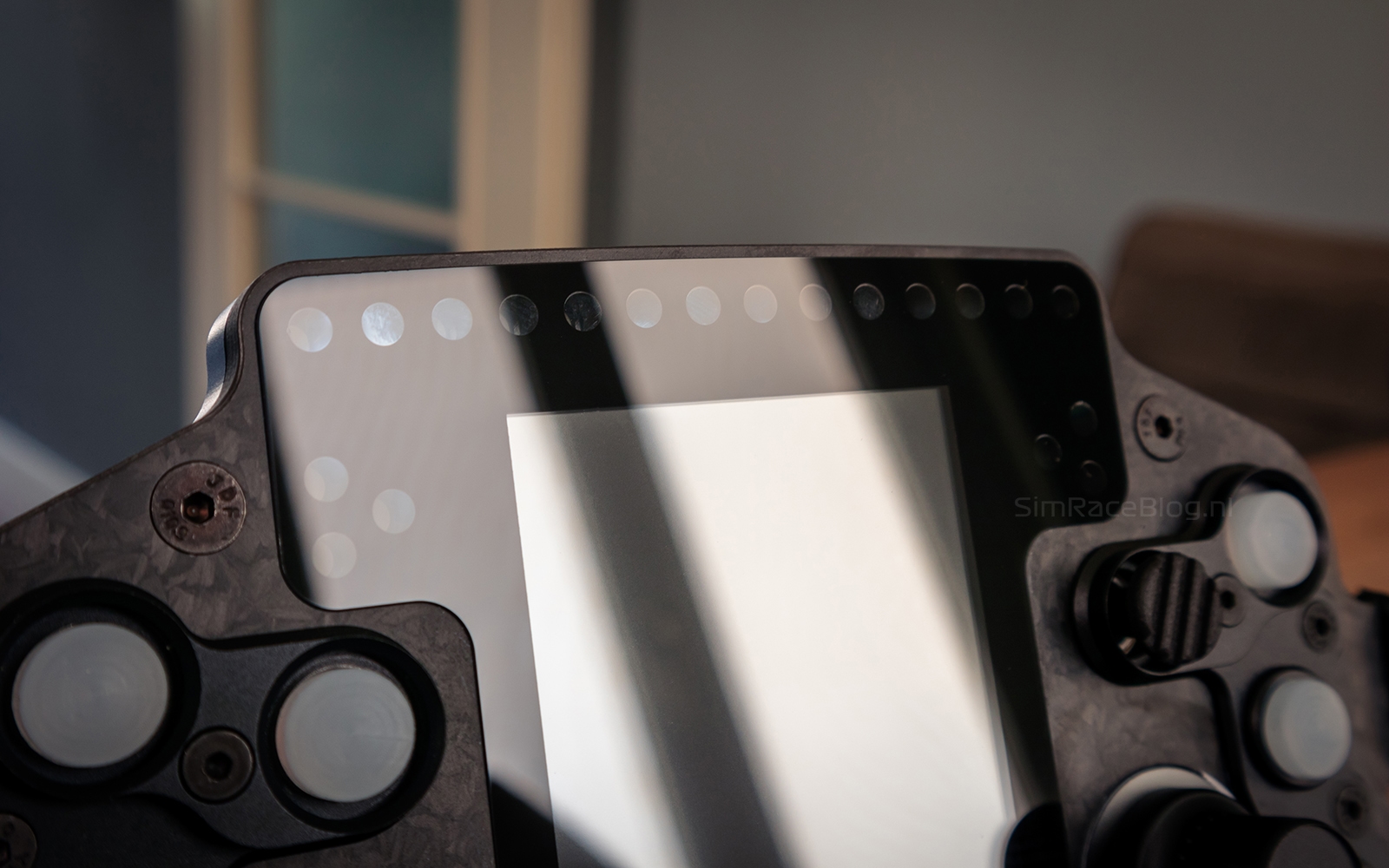
On the front of the wheel, there’s a 4-inch LCD touchscreen, which is mounted vertically giving the design a unique touch. Above the screen are 20 RGB LEDs: 14 RPM lights and three on each side for telemetry displays like flags, low fuel levels, and more. Additionally, the front of the wheel is equipped with seven illuminated push buttons, featuring sturdy, translucent rubber caps that beautifully diffuse and soften the light. There are also two rotary encoders, two 12-position rotary switches, and two thumb encoders. As mentioned earlier, extra aluminum buttons for the thumb encoders are included in different colors, allowing you to give the wheel a personalized touch.



Backside
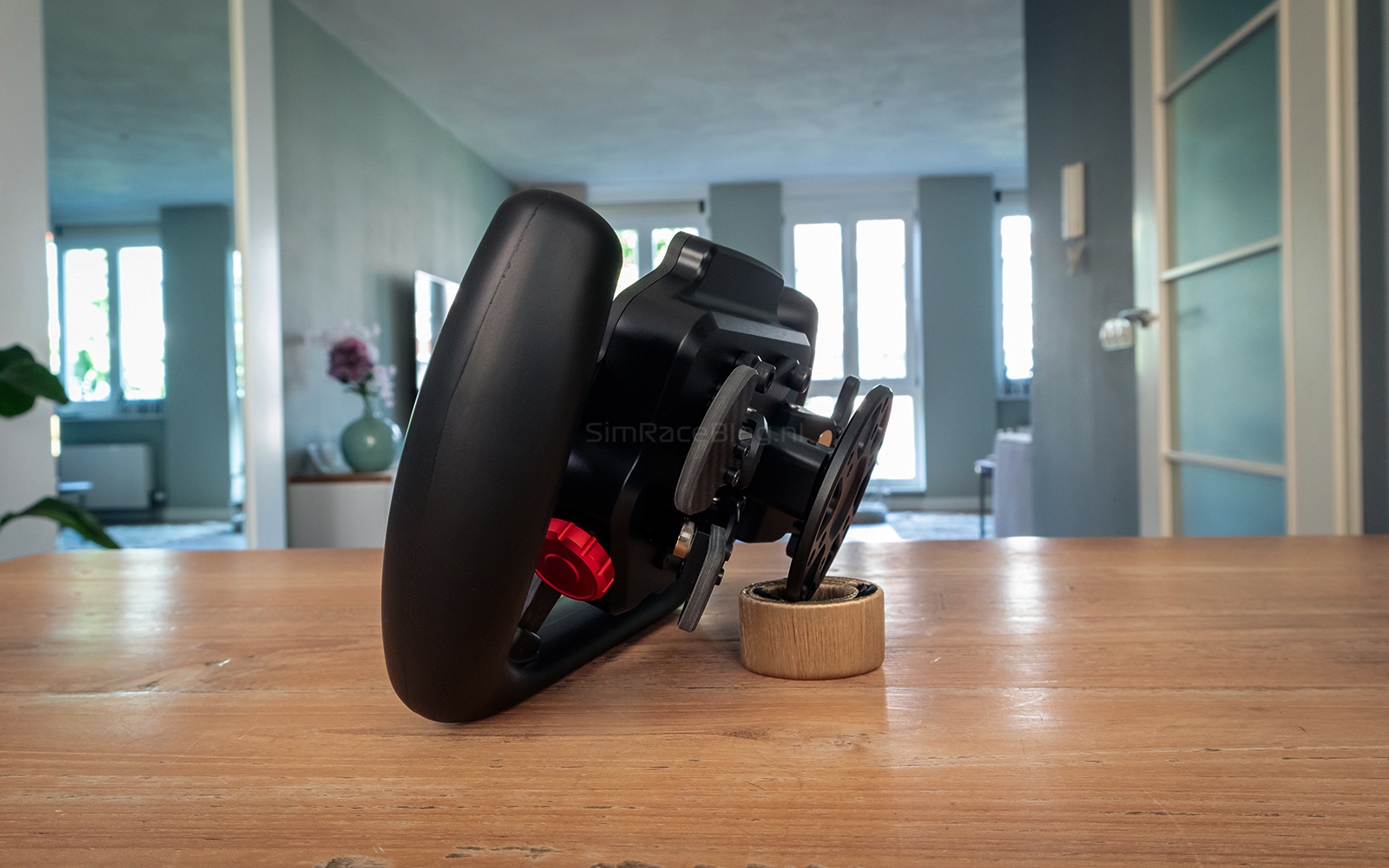
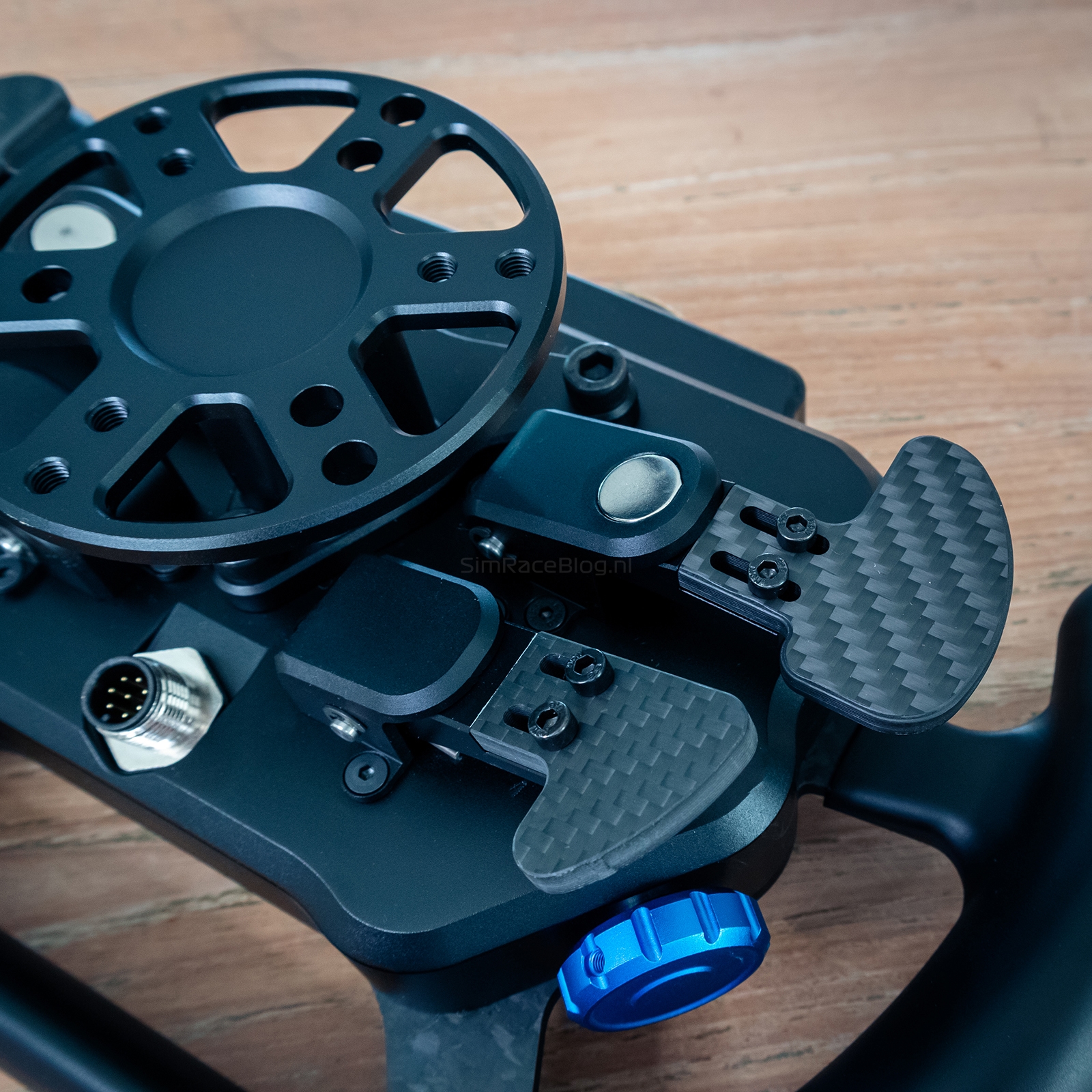
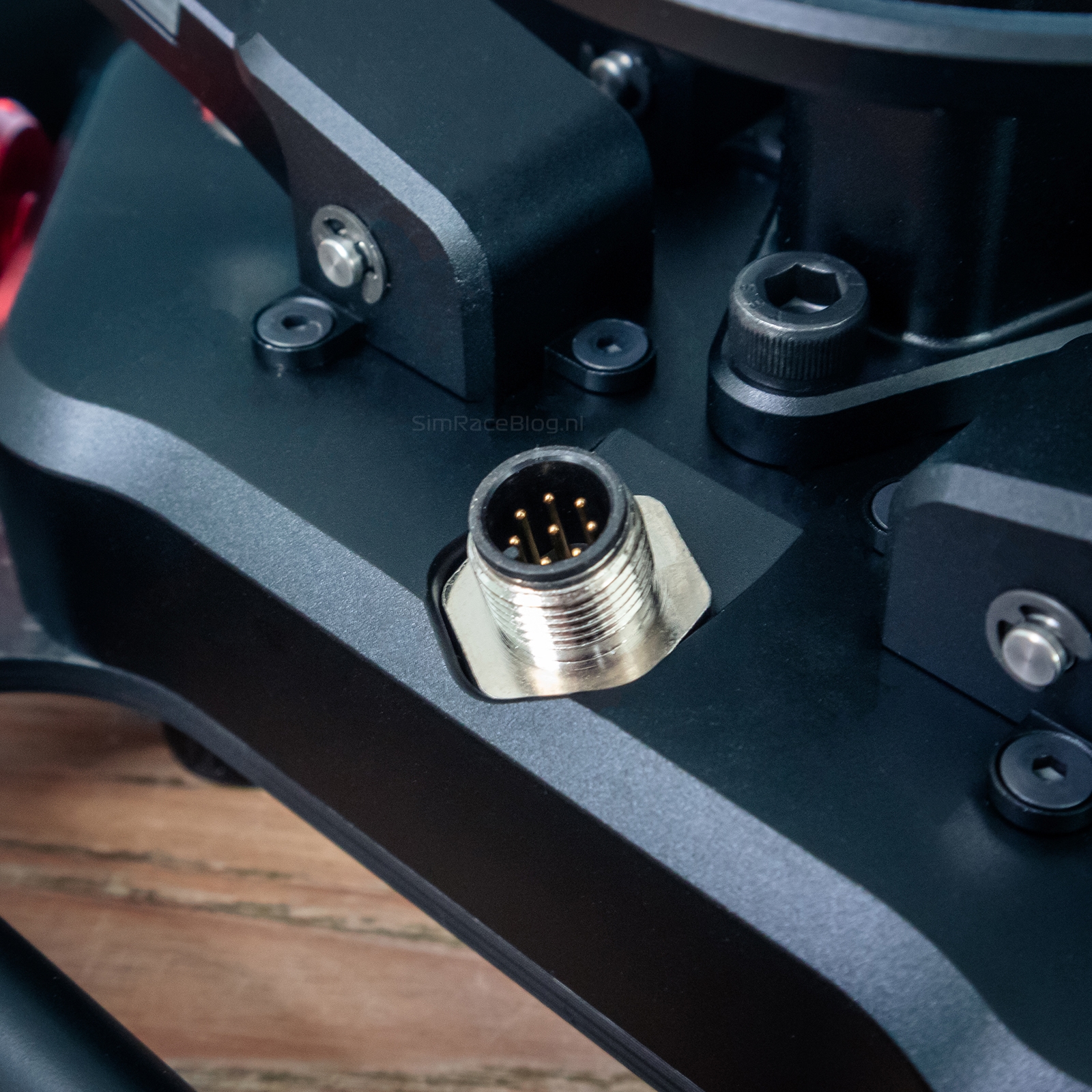
On the back of the steering wheel, we find two magnetic shifter paddles and two clutch modules that can be used as a dual clutch system. Both the shifter paddles and the clutch paddles are made from 5 mm thick carbon fiber, just like the front plate of the wheel. These paddles are width-adjustable. In the center is a 50 mm thick aluminum hub, designed for mounting a quick-release system or an adapter with a 50 or 70 mm bolt pattern. Below the aluminum hub is the connection for the GX12 connector, which allows the wheel to be connected to a PC using the included USB cable.

Assembly
We’ll be using the P1Sim Arnage steering wheel on our Simucube 2 Sport wheelbase, and to do so, we’ll mount a Simucube Quick-Release onto the aluminum hub. Both the mounting hardware provided with the Simucube Quick-Release and that of the steering wheel are compatible, so we can use either. Installing the Quick-Release is straightforward and takes just a few minutes. After that, we click the wheel onto the wheelbase, press the locking pin on the Quick-Release, connect the USB cable to both the wheel and the PC, and we’re ready to configure the wheel in SimHub.


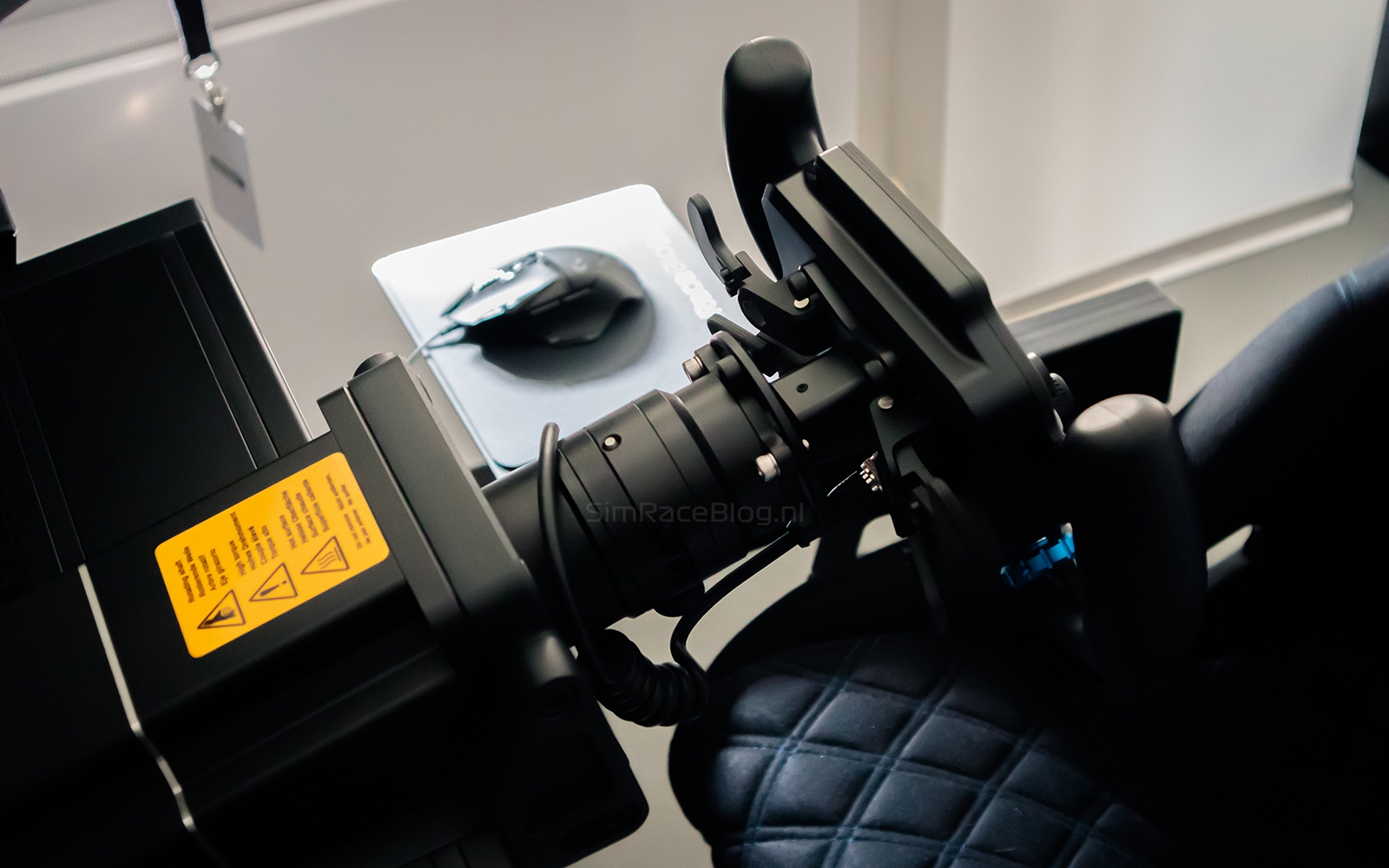
Regarding connecting the USB cable to the PC: to get the most out of the steering wheel, a powered USB hub is recommended. The included USB cable requires two USB ports on this hub. Typically, we wrap the steering wheel’s USB cable around the Quick-Release first and then plug it into the USB hub. This prevents loose cables from getting in the way while driving. However, the included USB cable is quite long (2.5 meters) and stiff, which makes this trick a bit more challenging. We also wonder why two USB ports are required for this steering wheel, while most wheels of this caliber only need one.


Software
To use the LCD screen, LEDs, and telemetry features, we need to add the P1Sim Arnage steering wheel in SimHub. Fortunately, this process is now quite simple, as most brands and types of wheels are included in SimHub by default. We just select the brand ‘P1Sim’, then choose the model ‘Arnage’, and click ‘Ok’. With these steps, the wheel is added to SimHub. This activates all basic functions, and we can assign the buttons for ‘next dash screen’ and ‘previous dash screen’, allowing us to easily switch between different screens using the P1Sim dashboard template. See the explanation below for further details.


Because the screen is vertically mounted, the common dashboard templates are unusable. To address this, P1Sim has provided a special vertical dashboard template. To use it, we need to install the dashboard suite software. This software adds the P1Sim-provided dashboard templates to SimHub, which you can then select. The installation is straightforward: we double-click on the downloaded software, click ‘Accept’, and then ‘Install’ on the next screen. Within seconds, the process is complete. After restarting SimHub, the new dashboard templates are available, and we can select them. The vertical dashboard template, as shown in the image below, features five different screens, and you can switch between them using the previously assigned buttons. The sixth ‘Pit Limiter’ screen automatically activates when you drive into the pit lane.


The Use
Now that the P1Sim Arnage steering wheel is ready for use, we just need to assign the buttons to in-game functions. Since the wheel has a GT style, we logically test it with GT cars. We choose the virtual Porsche 992 II GT3 R in Assetto Corsa Competizione for this purpose. Before diving in, we apply the stickers to the buttons on the steering wheel. The stickers feel sturdy and are easy to apply, but they tend to slide a bit on the rubber caps of the buttons. This issue persists over time and is a result of the combination of rubber caps and stickers.
Our first impression of the P1Sim Arnage steering wheel is very positive. The wheel feels great in hand and, with its 290 mm size, is just right—not too compact, making steering effortless. The grips are comfortable and neither too soft nor too hard, and the thickness is perfect for us. Whether driving with or without gloves, it’s comfortable, and we don’t experience sticky hands when driving without gloves.


Front controls
The quality of the front side of the P1Sim Arnage steering wheel is excellent. Every detail, from the push buttons to the aluminum buttons on the rotary encoders, exudes high quality and feels that way too. The push buttons are ergonomically placed, easily accessible, and can be operated without having to let go of the wheel. They provide clear click feedback when pressed. The rotary encoders also offer noticeable click feedback when turned, allowing for precise adjustments while driving. They rotate smoothly and respond quickly to input.


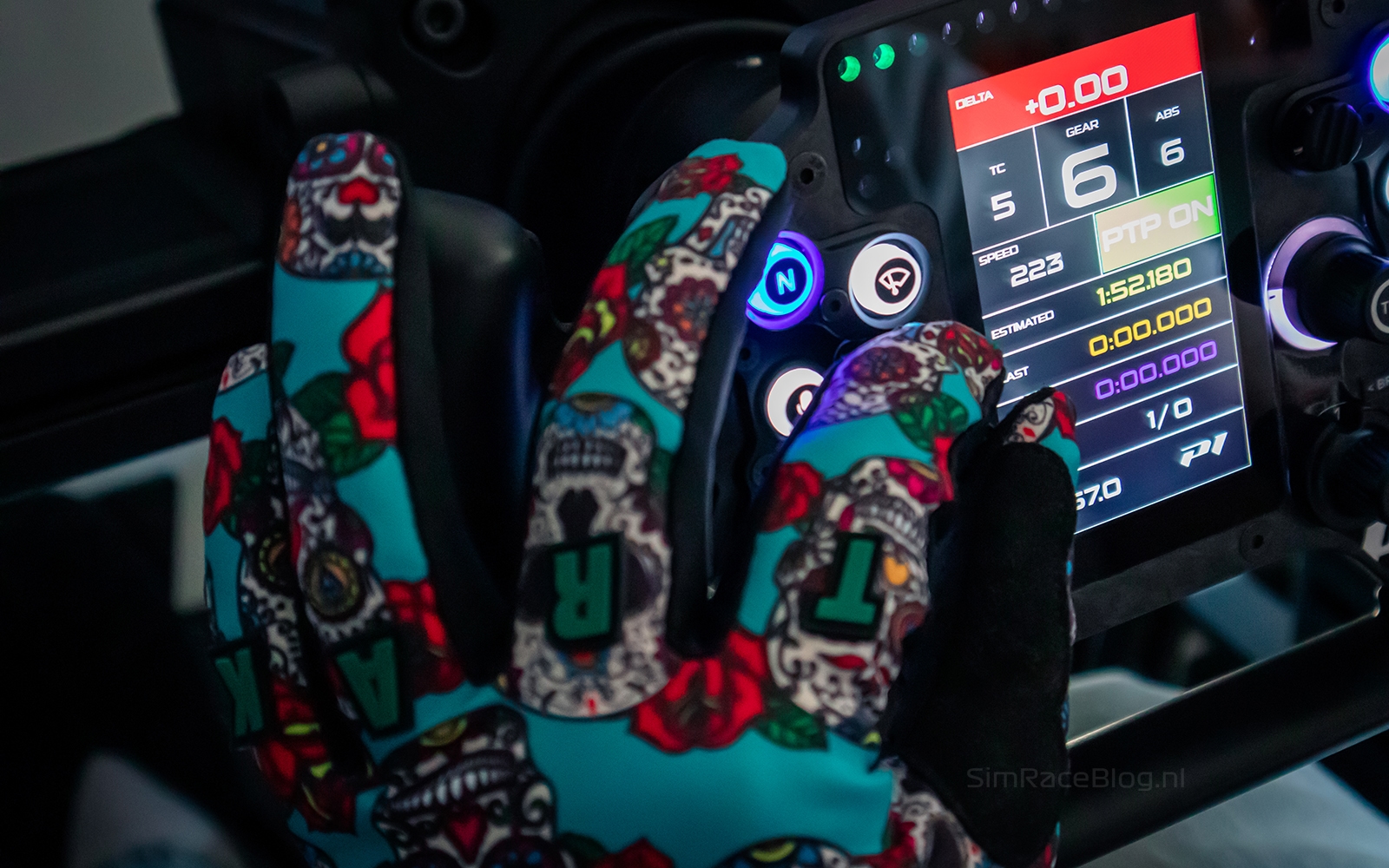

The 4-inch LCD screen is nicely mounted vertically on the steering wheel and is very easy to read while racing. Both the brightness and contrast can be adjusted through SimHub, and at maximum brightness, the screen remains clearly visible. The sharpness and color reproduction are excellent: the colors are vibrant, bright, and pleasant to look at. The screen can be set to a maximum of 30 fps (30Hz), which is sufficient for displaying telemetry data without noticeable lag. It’s important to note that you need a license in SimHub to send telemetry data to the wheel at 30Hz. With the free version, SimHub sends data with a refresh rate of up to 10Hz, which we find less enjoyable to view. The layout and number of LEDs on the wheel are well-designed. The colors are bright and accurately displayed according to our settings. The 3x14x3 LED layout above and beside the screen can be fully customized in SimHub. Each LED can be controlled by the available telemetry data. Both the screen and the LEDs offer excellent support in SimHub.

Rear controls
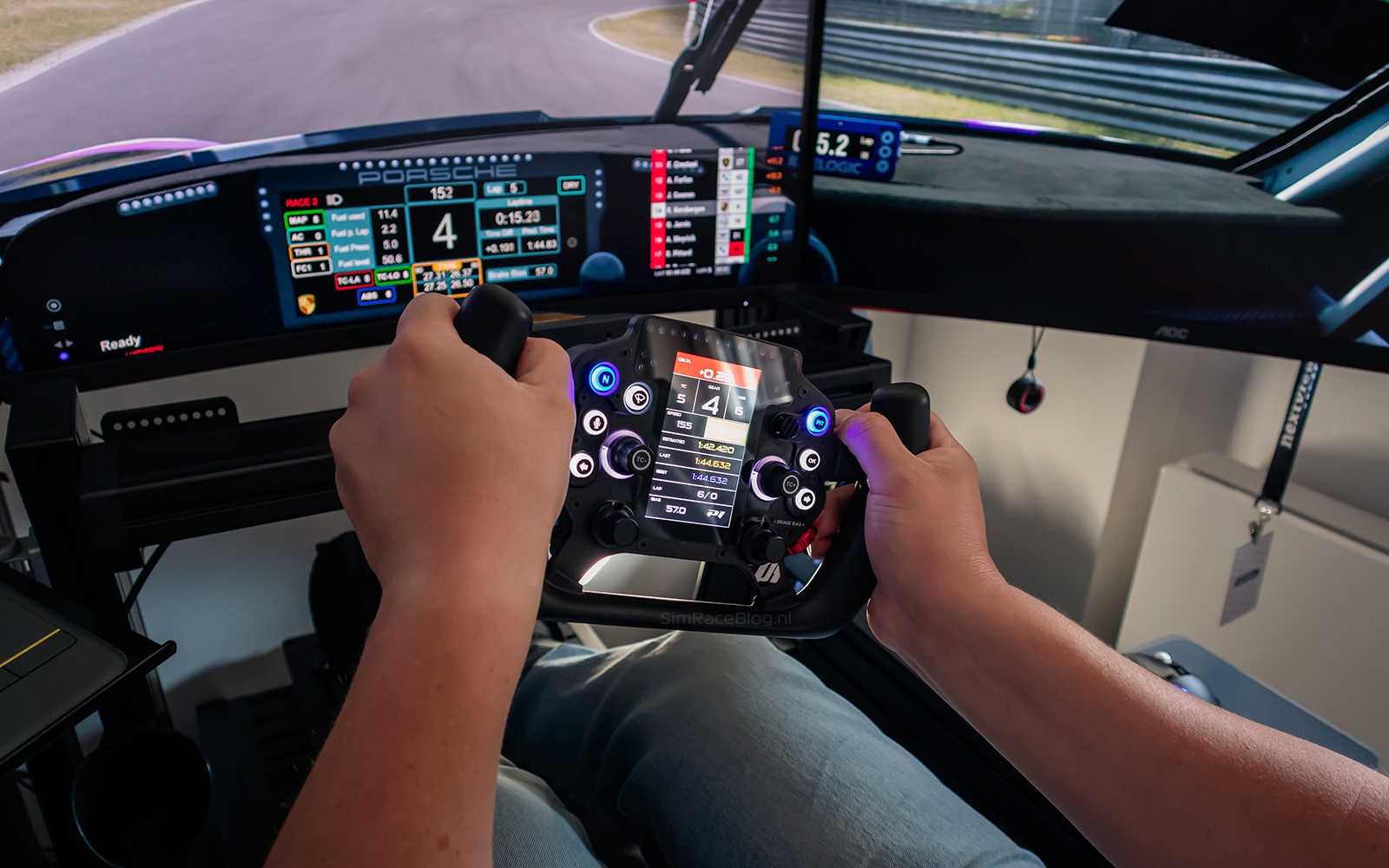
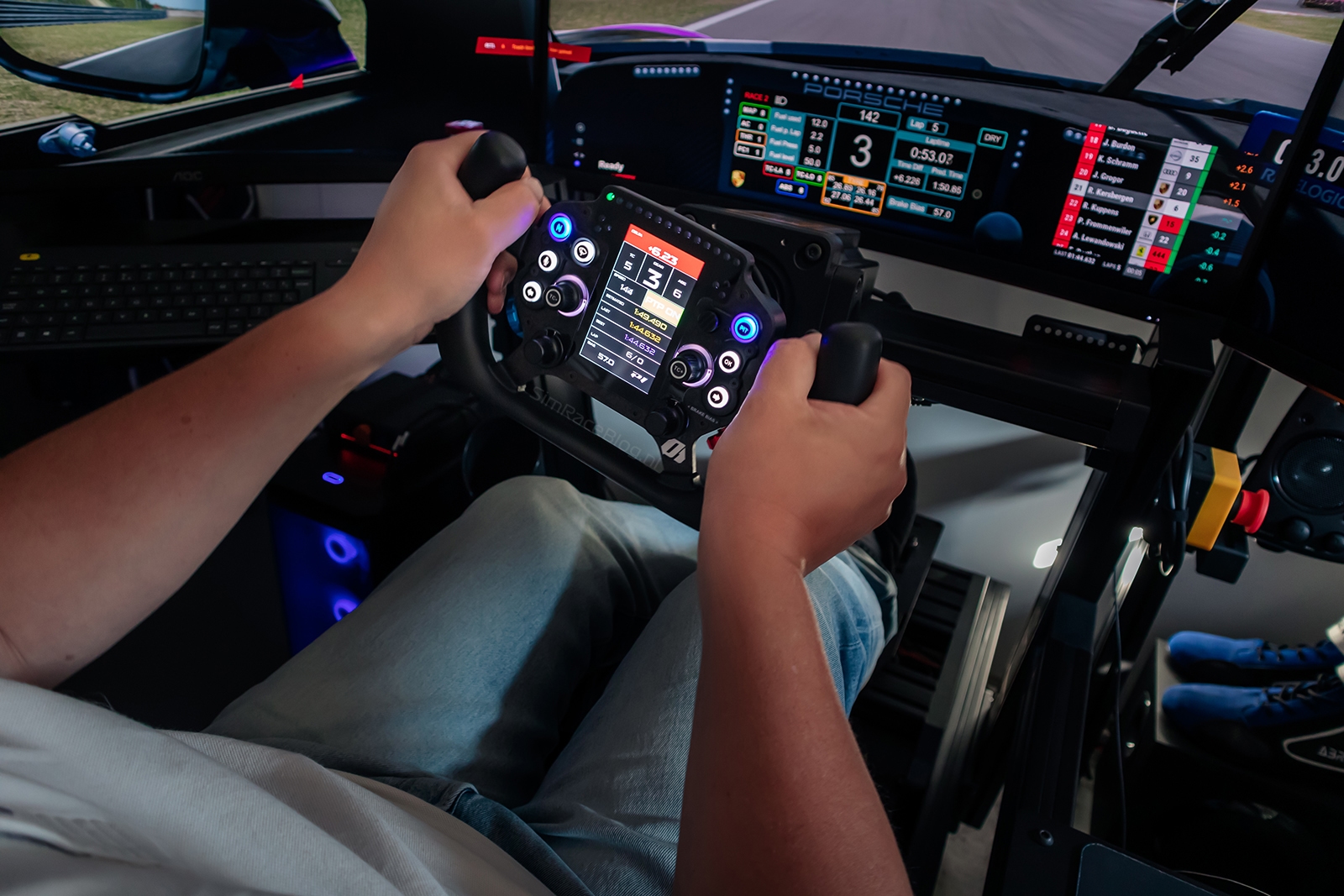
The shift modules on the back are well-positioned at the level of our middle fingers. They have a robust build quality, are neatly finished, and don’t make too much noise. While they feel comfortable, we find the travel of the shift modules a bit long. A shorter travel of a few millimeters would be preferable, and we miss the clear “click” feedback when shifting, as the feedback feels a bit lighter than expected. The carbon fiber shift paddles are finely finished and offer good grip. These paddles are adjustable in width by about a centimeter but not in depth. We have set them to the widest position for comfortable operation.
The clutch paddles are also well-placed, with a pleasant travel and good resistance. The engagement point of the clutch paddles is easily adjustable via a button combination, with settings visually indicated by the LEDs above the LCD screen. By holding down the two encoders next to the screen for three seconds, we enter the menu for setting the engagement point. The left encoder adjusts in 1% increments, while the right encoder adjusts in 5% increments. Changes in the settings are immediately reflected on the LEDs above the screen. We personally prefer an engagement point around 50% and can easily set this using the mentioned steps. Moving from a standstill with the clutch paddles is smooth; finding the right engagement point might take some practice, but once set, it’s straightforward. You pull both paddles in, release one to reach the preset engagement percentage, and then modulate the clutch with the other paddle. Just like the shift modules, the carbon fiber clutch paddles are neatly finished and provide good grip. These paddles are also adjustable by about a centimeter, and we have set them to the widest position for optimal comfort.


Conclusion
With the Arnage steering wheel, P1Sim has introduced a unique product to the market, thanks in part to the vertically mounted LCD screen. This gives the steering wheel a distinctive design, which we rate highly. Mounting the Simucube Quick-Release on the P1Sim Arnage steering wheel was smooth, and we were able to quickly connect it to the Simucube 2 Sport wheelbase.
In terms of software, SimHub provides excellent support for the steering wheel. P1Sim has made a vertical dashboard template available, which is easy to use after installation. The LCD screen and LED indicators work well, with adjustable brightness and smooth display of telemetry data. Although the USB cable can be a bit awkward due to its length and the use of two USB ports, we were able to configure the Arnage quickly and easily in SimHub.
The materials used feel high-quality. With a width of 290 mm, the steering wheel is very responsive and does not feel compact. The grips have a good thickness and firmness, making driving comfortable both with and without gloves. The steering wheel is lightweight, allowing the details of the force feedback to come through well, even on less powerful wheelbases.
Overall, the P1Sim Arnage steering wheel offers excellent quality, with solid and ergonomically placed controls such as buttons, encoders, and shift modules. While the controls are comfortable and precise to use, there are a few areas for improvement, such as the sliding stickers on the buttons, the long travel and light feedback of the shift modules, and the limited adjustability of the paddles. Additionally, setting the engagement point of the clutch paddles might be confusing for some users.
We are definitely pleasantly surprised, and the wait, due to various circumstances, was more than worth it! If you’re excited after reading our review and want to order the P1Sim Arnage steering wheel, it is available through the P1Sim webshop and currently costs €1,050.00 including VAT, excluding shipping costs.
Do you want to stay informed about SimRaceBlog content, news, announcements and (future) give-aways? Follow us on Instagram @simraceblognl and/or our Discord channel.


