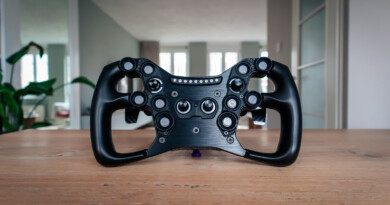
Leoxz DDU800 Display
Leoxz has entered the simracing market with a reasonable big bang with their very competitively priced Leoxz XF1-Sport steering wheel. Because this steering wheel is of very good quality and has a very competitive price tag, it has become extremely popular in no time. We were also allowed to make a review of this steering wheel a while back. At Leoxz they’re not planning on slowing down anytime soon as they recently announced a number of new products. Of course, there are very competitive price tags attached to them, which makes us suspect that these products will also become extremely popular. We have also been asked to review these products as well, which we will of course do with all our love. We received both the XF1-Pro steering wheel (review follows later) and the DDU800 Display from Leoxz.
The Leoxz DDU800 Display is an add-on that you can easily mount on your wheelbase and which can display accurate telemetry data about, for example, the car, the lap times and the circuit. The display, which you can only use on PC, has been given a price tag of € 189.95 excluding shipping costs.

Packaging & Contents
We received a brown shipping box from Leoxz, which was delivered to us by GLS from China within eight days. Inside the brown shipping box we find a small white box with the contours of the DDU800 on it. Below the image of the display we find a summary of the main specifications of the DDU800. The product box is fairly simple, but that doesn’t make it any less beautiful. The box also feels very sturdy and certainly invites us to open it quickly.
When opening the product box, we see an interior of black foam. As soon as we remove the first layer, we see a compartment containing various bags with the necessary mounting materials. This includes a USB-C cable, two M4x10 Allen bolts, two M6x10 Allen bolts for mounting on Fanatec wheelbases, two M8x12 Allen bolts for mounting on Simucube & Simagic wheelbases and a bag with the corresponding carbon mounting brackets for the mentioned wheelbases. In this case, the best comes last, because when we remove the second layer of foam, the Leoxz DDU800 display is waiting for us.


The Leoxz DDU800 Display
The Leoxz DDU800 Display is a Sim Dash which consists of an aluminum housing with a carbon cover plate on the back. This housing contains a 4.3-inch IPS LCD screen with a resolution of 800×480 pixels and a refresh rate of 60Hz. At the top of the display are 18 RGB LEDs which are fully adjustable in color and brightness. The RGB LEDs are placed in a 3x12x3 layout which means there are 3 LEDs on each side of the screen and 12 LEDs above the screen. At the back are four buttons to which you can assign a function, for example to switch between different dashboard templates or to operate the LEDs. To connect the display to the computer, there is a USB-C connector in the back of the housing. With the supplied carbon brackets and Allen screws you can mount the DDU800 on your Fanatec, Simucube or Simucube wheelbase.


Software
The Leoxz DDU800 Display is, in its own words, a plug-and-play device that you can install and use on the PC without a complicated installation procedure. Still, you have to do a number of actions before you can start using the DDU800. You need SimHub to display dashboards and send data to the DDU800 display. After downloading and installing SimHub you need the Leoxz SimBridge plugin, which you have to download and configure separately. This is a fairly simple job and Leoxz has put a nice tutorial online for this. With the Leoxz SimBridge plugin, the DDU800 is fully compatible with SimHub and no additional drivers need to be installed. After activating the SimBridge plugin, a menu called ‘Leoxz SimBridge’ will become available and the Leoxz products will be visible in SimHub. It is then possible to set your own (created) dashboard templates and LED profiles via the DDU800 tab. You can also assign the four buttons on the back of the screen via SimHub and adjust the brightness of the screen and the LEDs. Under the settings tab you have the option to update the firmware of the DDU800.


Assembly & Use
We mount the Leoxz DDU800 Display on our Fanatec DD2 wheelbase with the supplied carbon brackets which are suitable for the Fanatec wheelbases. First we mount the brackets with the M4 bolts on the back of the screen. After that we mount the whole assembly with the M6 bolts on the wheelbase and connect the USB-C cable to the display and our USB hub. After mounting, the screen can only be adjusted in height and the brackets do not offer a standard option to move the screen towards you (closer to the steering wheel). The display unit looks sleek and elegant while mounted on the wheelbase. The aluminum housing gives a nice look and feel to it and it feels very sturdy. The carbon finish at the back is a nice touch as well, but of course you don’t see it while driving.
As mentioned above, after activating the SimBridge plugin in SimHub, it is only a matter of choosing our favorite dashboard template(s) and configuring the buttons on the back, then we are ready to start using the DDU800 display . We are going to use the Leoxz DDU800 Display in Assetto Corsa Competizione together with the VPG Sim Stealth steering wheel. Because we like to drive a Porsche, we use the Porsche 992 GT3-R dashboard template and as an idle screen we use a self-made template with our SimRaceBlog logo.
The screen on the Leoxz DDU800 Display is a great size at 4.3 inches. At the brightest setting, we find the screen very pleasant to read and we do not necessarily think it the brightness should be lowered. The screen has a nice sharpness with a resolution of 800×400 pixels. Because the screen is an IPS panel, it also has a nice color reproduction. With a maximum refresh rate of 60Hz, the screen also responds very quickly. Importantly, to fully use the 60Hz refresh rate in combination with telemetry data, you need a SimHub license. With the standard free version, SimHub sends the data to your screen with a refresh rate of up to 10Hz.
The LEDs are a bit bright at first, so we’ve lowered the brightness to 10%. For us, this is more than enough to keep us from being distracted while racing. By default, there is a fairly extensive LED profile in the SimBridge plugin and we do not actually need to add any functionalities. If you do want to do this, this is also a fairly simple job in SimHub.
A small drawback that we noticed; Because we have connected the DDU800 to a powered USB hub, the screen remains on after shutting down our PC. The DDU800 lacks an on/off switch, so we have to turn off the USB hub or pull out the USB cable. If you use the screen on a normal (fixed and unpowered) USB port, the screen will turn off when you shut down the PC.

Conclusion
All in all, the Leoxz DDU800 Display left a great impression on us. A display like this is always a nice addition during sim racing and the DDU800 succeeds very well. The Leoxz DDU800 Display has a relatively low price tag and with that they position themselves very sharply in the market.
The screen responds quickly and the image is sharp with very nice color reproduction. The DDU800 is not completely plug-and-play. You need SimHub and you need to download and configure the Leoxz SimBridge plugin. After that, the screen can be fully used in SimHub and you can set your own dashboard templates or LED profiles.
The aluminum housing gives a nice look and feel to it and it feels very sturdy. The mounting options are good, but you are limited in adjusting the display. Apart from adjusting it up or down, there are no options to bring the DDU800 closer to you. We do miss an on/off switch on the DDU800 because the display remains on while you have connected it to a powered USB hub or USB port that remains active as soon as you switch off your PC.
Are you just as enthusiastic as we are and do you want to order the Leoxz DDU800 Display?! This is available through the Leoxz webshop and has a price tag of € 189.95.
Do you want to stay informed about SimRaceBlog content, news, announcements and (future) give-aways? Follow us on Instagram @simraceblognl and/or our Discord channel.