The Simruito Button Box One
More and more sim racing products are making their way from the Far East to the rest of the world. With companies like Simagic, Conspit, and MOZA experiencing rapid growth, China is proving that sim racing is a booming business. This fertile ground is also home to Simruito, a company based in Ningbo City.
Simruito used to mainly focus on producing sim racing components for other companies. However, they’ve now decided to invest in their own R&D team to start building their own product lineup. This lineup mostly consists of sim racing peripherals like handbrakes, dashboards, and shifters. And now, they’ve added something new to the mix: a button box.
With the release of their new button box called the “Button Box One”, they offered us the chance to review it — and of course, we didn’t pass that up! Simruito sent us the Button Box One, which at the time of writing is available in their webshop for $129.99 (around €110.50), excluding VAT and shipping. If you use the code “simraceblognl”, you’ll get an extra 5% discount on your order.

Packaging & Content
From their headquarters in China, the package takes about 5 working days to arrive at our door in the Netherlands via China Post and PostNL. The delivery guy hands us a package sealed in grey plastic.
When we remove the plastic, a simple black box appears. It’s clearly been through the rough world of package transport. The completely black box has no branding and is slightly dented, but it doesn’t seem too serious. When we open the box, we’re glad to see it’s packed with enough protective material to make sure the product inside won’t get damaged.
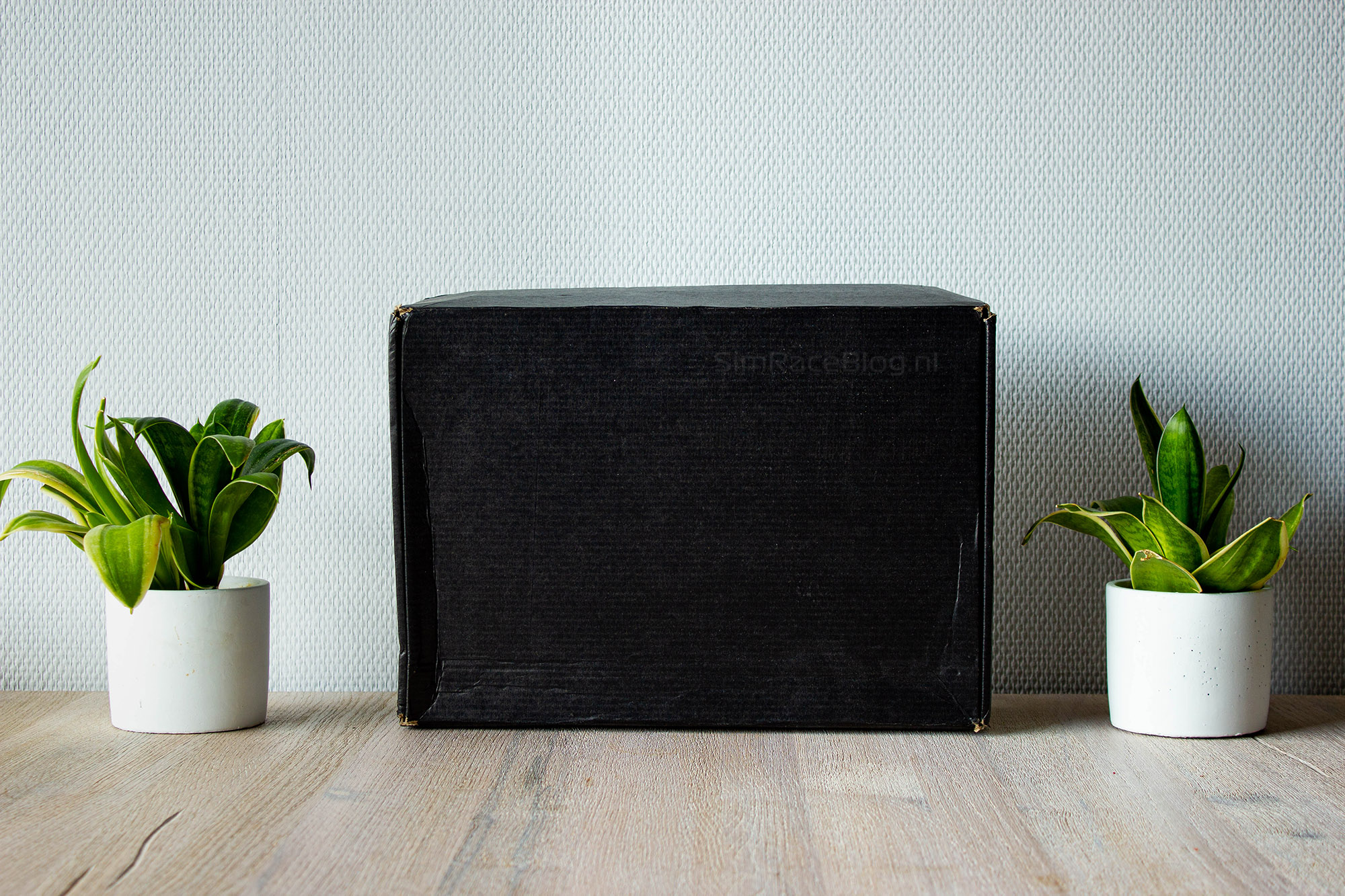
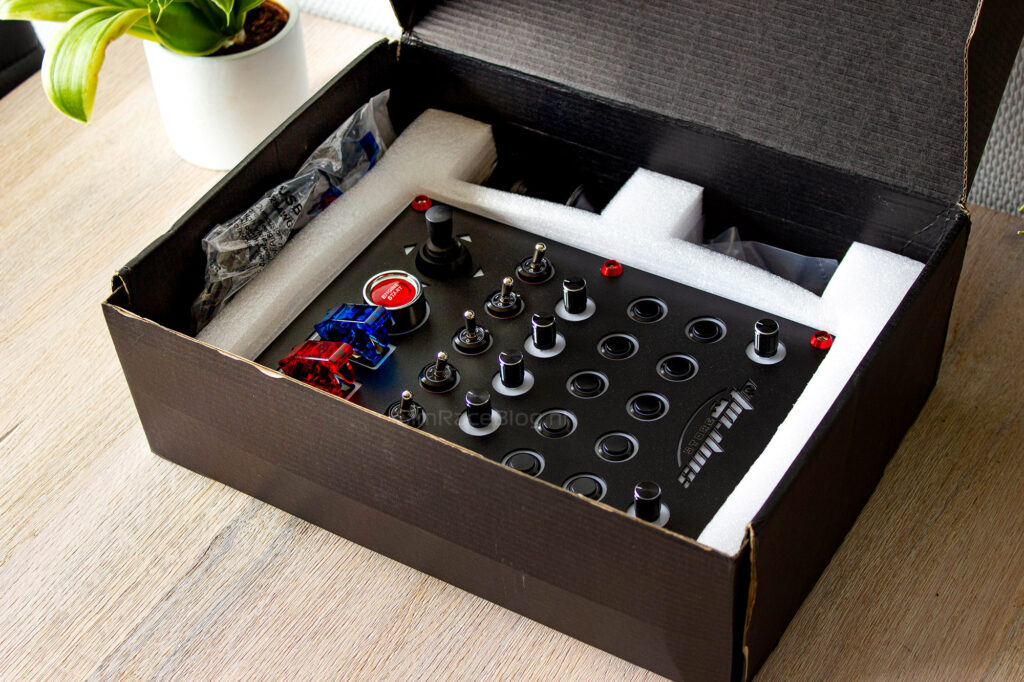
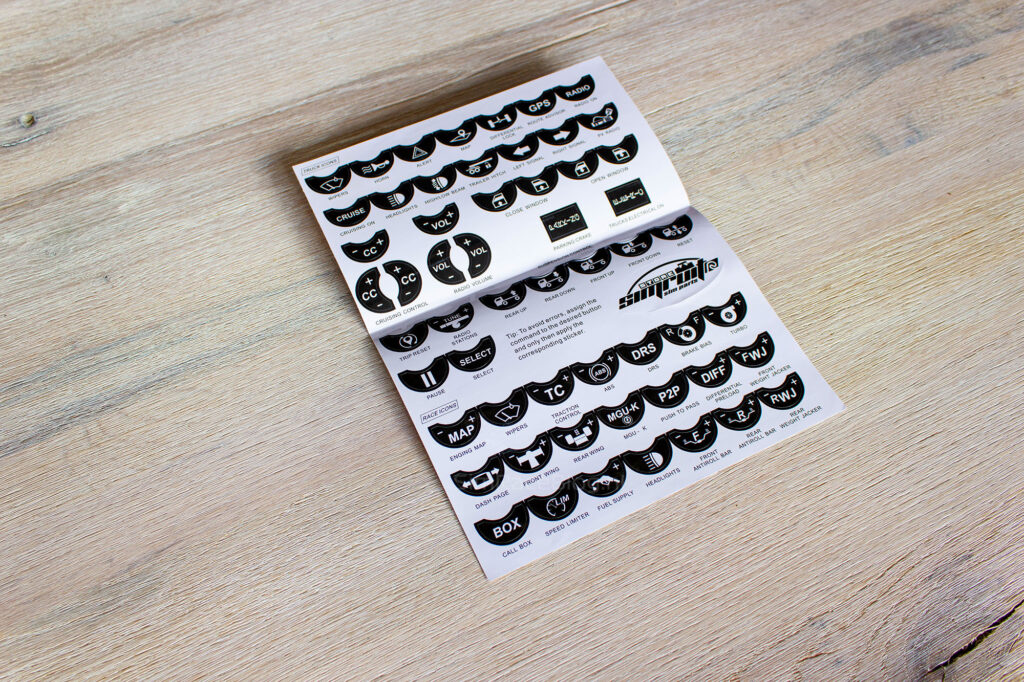
With the lid open, the first thing we see is a sturdy air cushion protecting the top of the product. When we remove this air cushion, we find a folded sticker sheet resting on a white foam block. The sticker sheet is neatly folded so that the stickers themselves aren’t creased.
Lifting the lid off the white foam block reveals the large Button Box One, securely held in place by the foam. Unfortunately, the first thing we notice is that the white text on the big red start button already looks a bit scratched. Around the edge of the foam block are three compartments where we find the USB cable, the desk clamp, and a small bag with mounting materials.
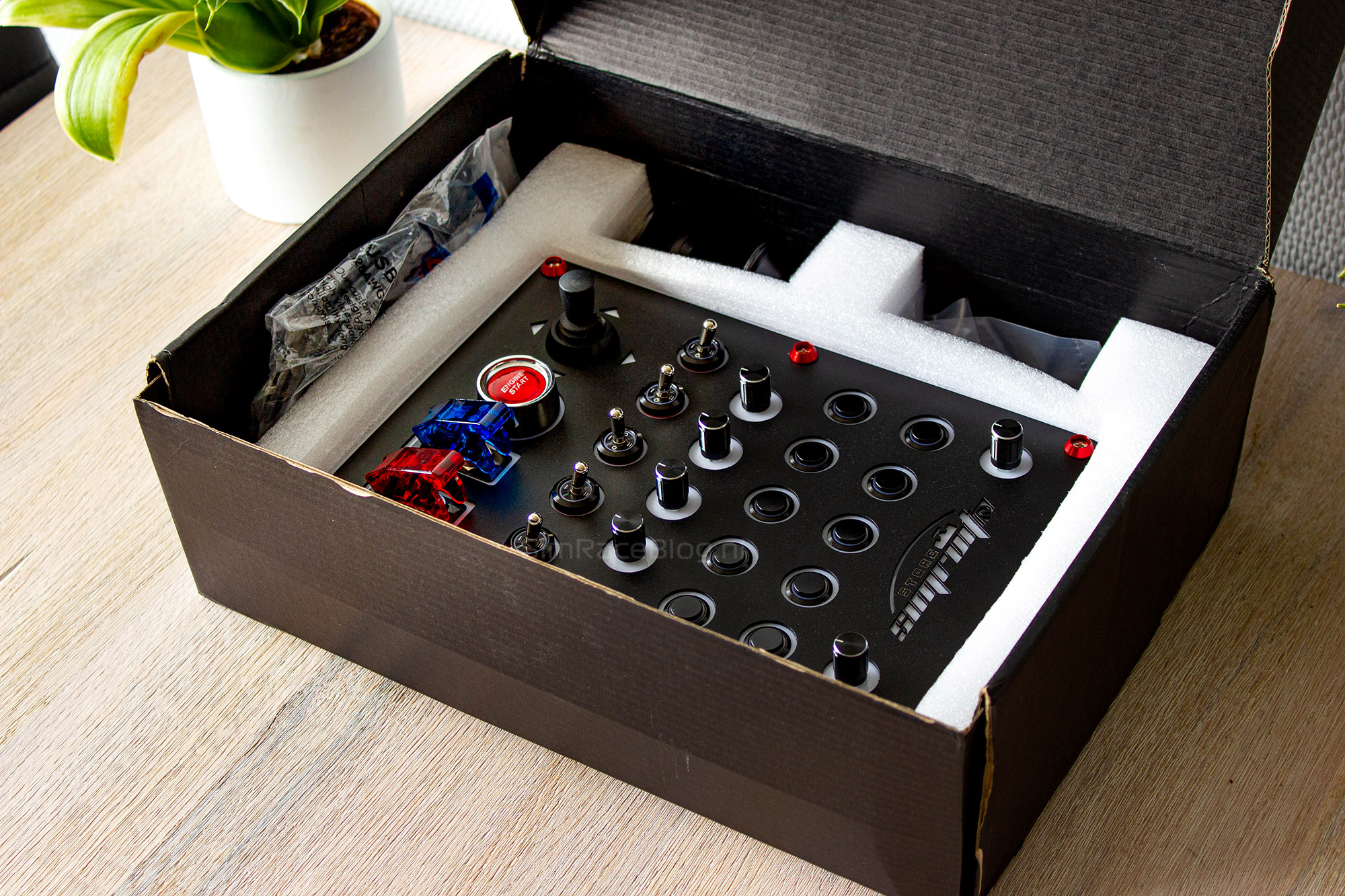


The Button Box One
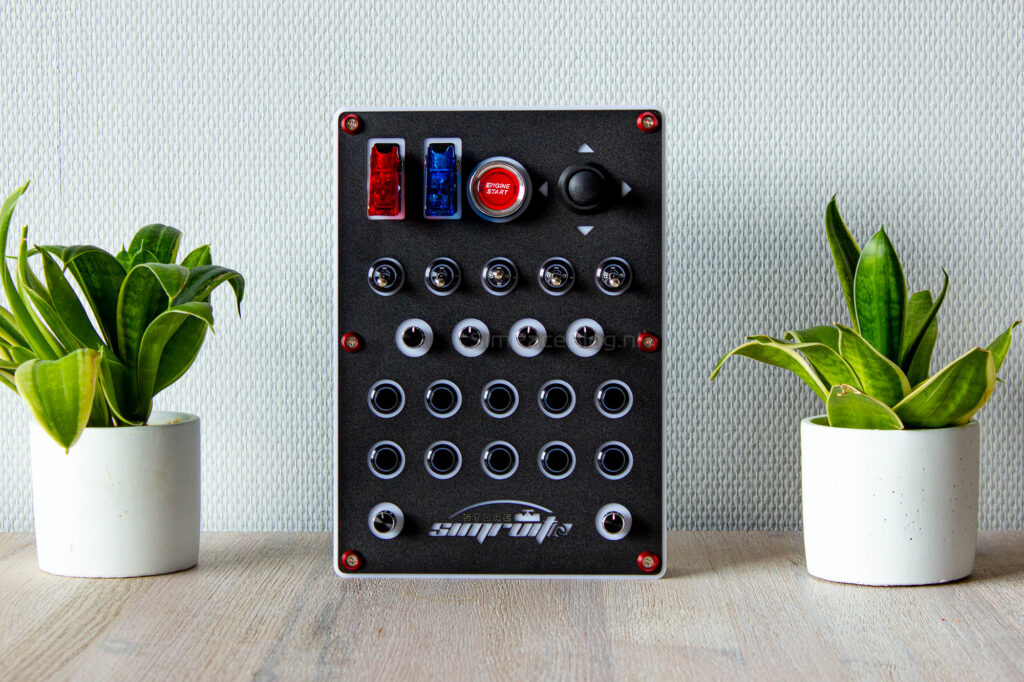
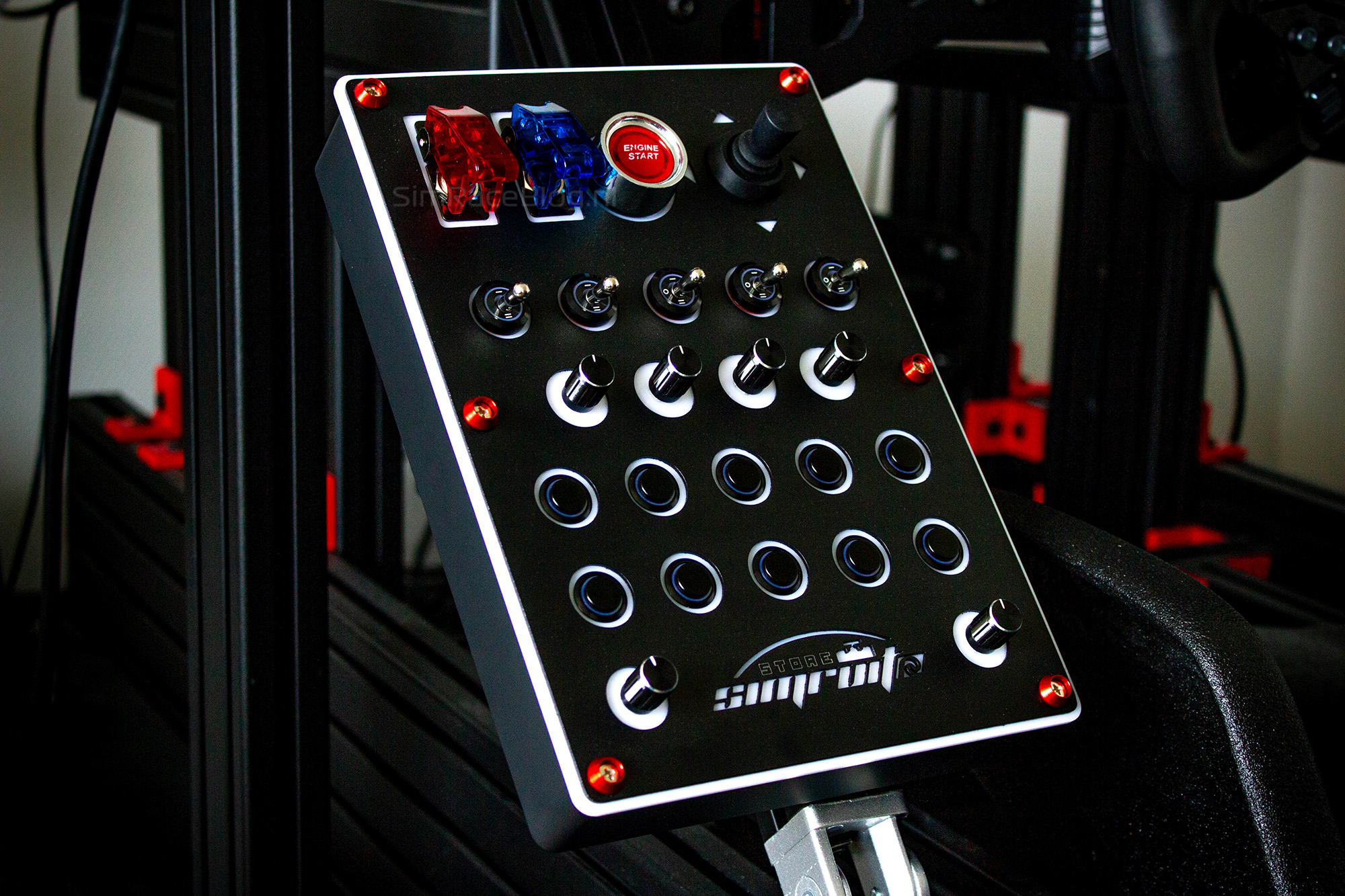
As we already mentioned, the Button Box One is quite large. The black plastic front plate measures 19 cm wide and 27 cm long. This front plate is attached with six screws embedded in a stylish red collar, which is mounted on a housing that’s almost the same size. Inside this housing, the circuit board and wiring are neatly tucked away.
The front
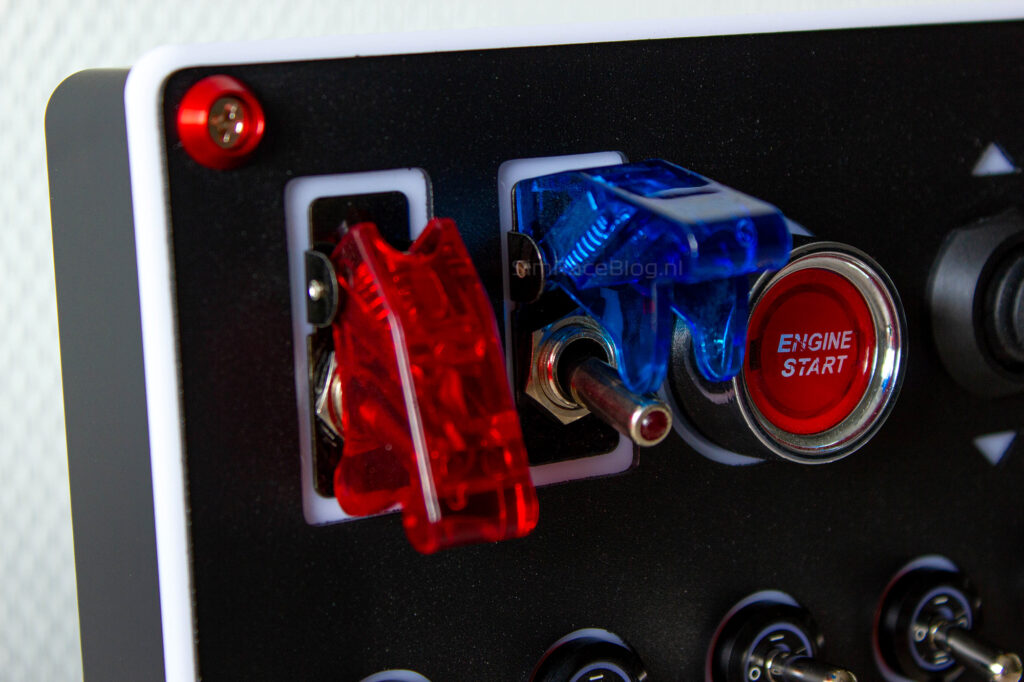
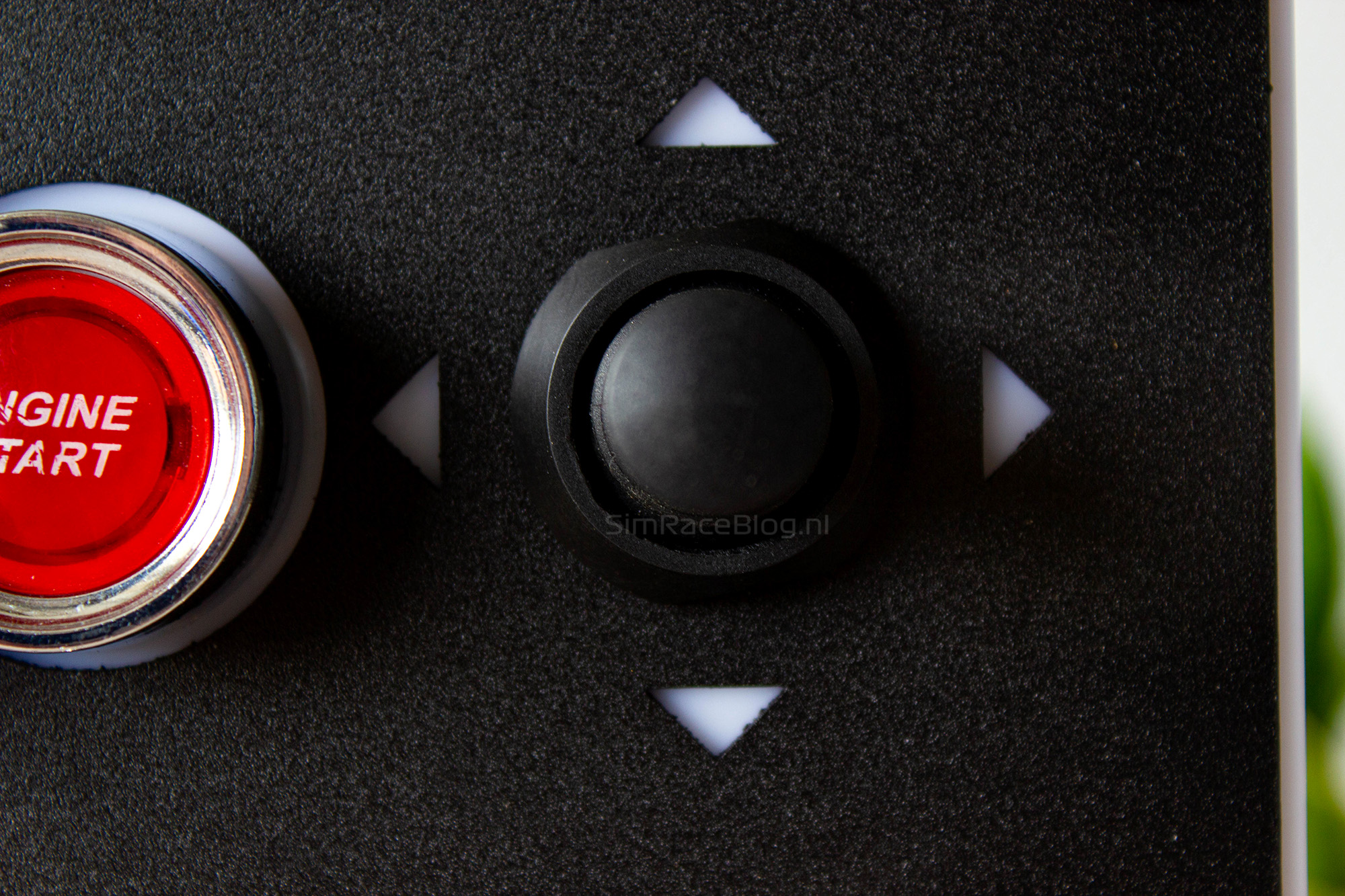
With all this space, there’s plenty of room to add various input options. Starting from the top left corner, we find two toggle switches, each covered by its own plastic protective cap. The left switch has a red transparent cap, while the right one features a blue version of this cap. To the right of these toggle switches, there’s a large red start button set in a sleek chrome-colored collar. Finally, on the top row, there’s a black plastic joystick that can be moved in four directions.

The second row on the Button Box One has five sturdy metal toggle switches. Two of these switches have two positions, while the other three have an additional neutral middle position.
Moving further down, there’s a row of four rotary knobs that can also be used as a push button.
Below that, there are two rows, each with five push buttons. These buttons are also made of metal and have a shiny black finish to it.
Finally, at the bottom of the button box, there are two more rotary knobs—one in the left corner and one in the right corner—with the Simruito logo placed nicely in between.


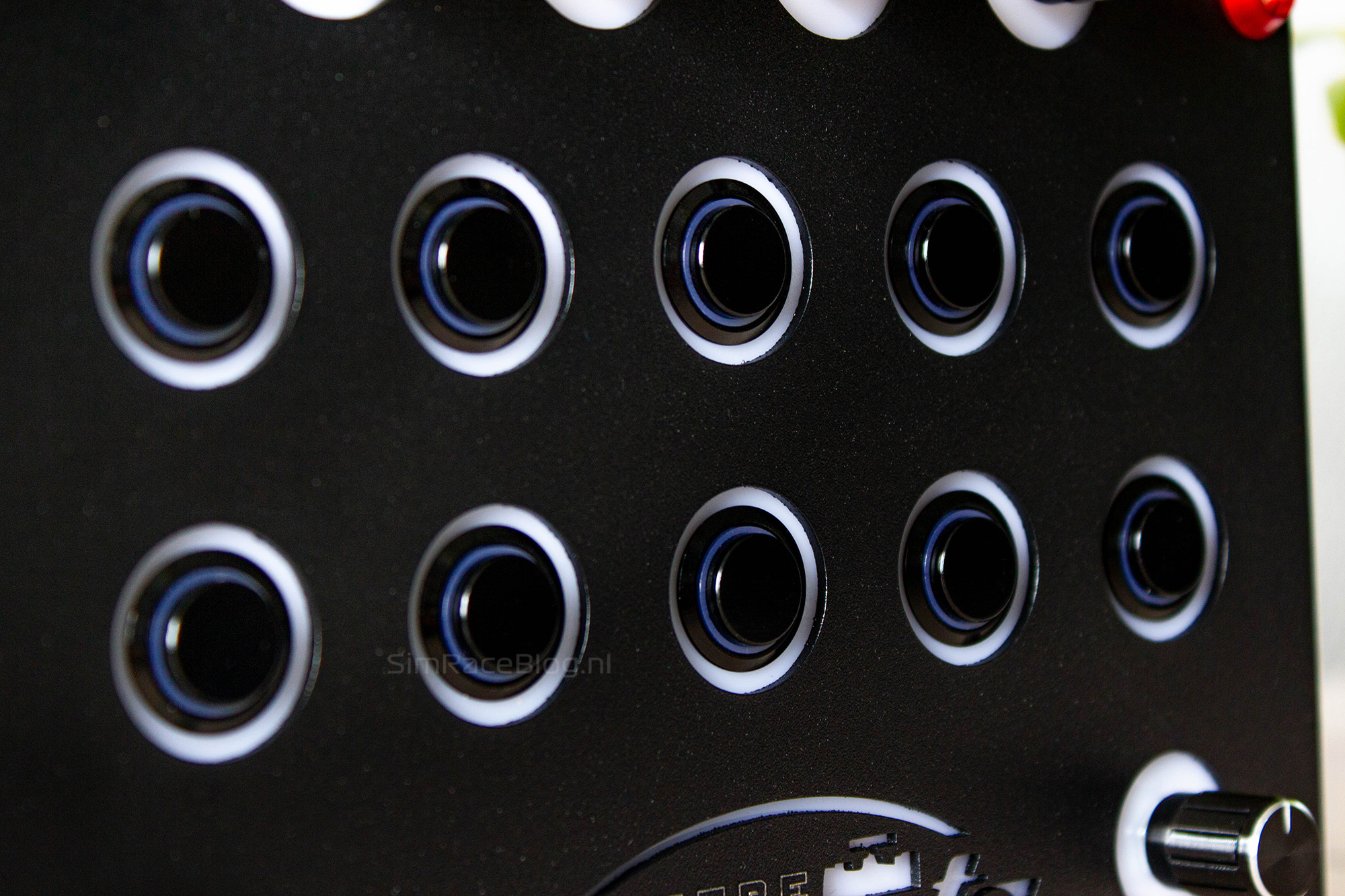


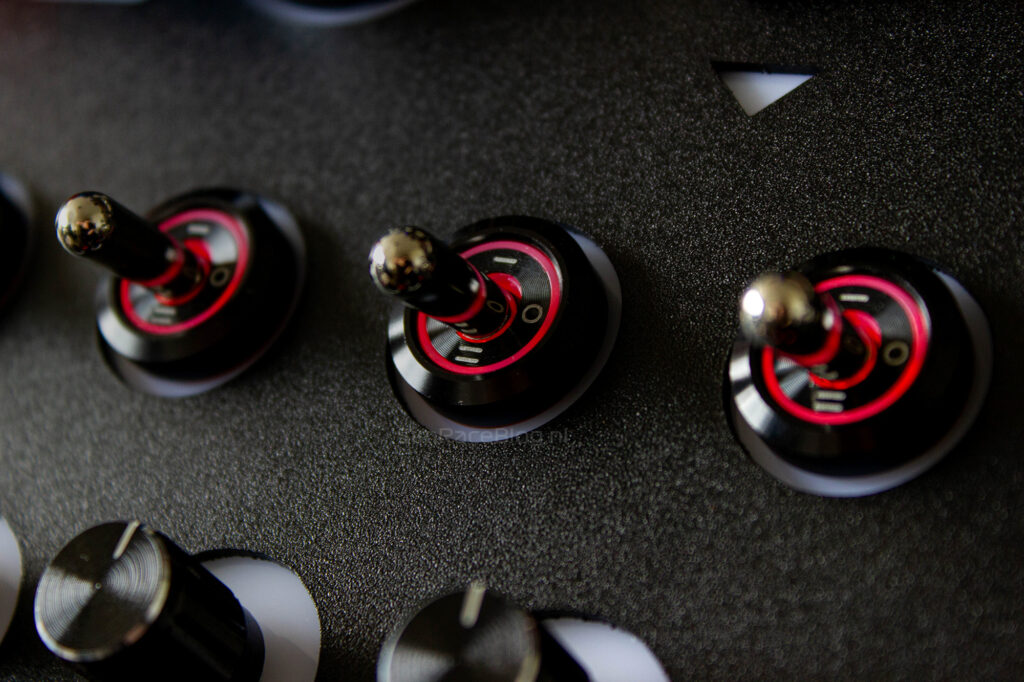
The Button Box One doesn’t just have buttons and switches—it’s also equipped with 106 RGB LEDs to complete the look. Every element on the button box has its own lighting ring around it, and the Simruito logo at the bottom is fully illuminated. But it doesn’t stop there—both the metal switches and metal push buttons also have internal light rings themselves.
The back
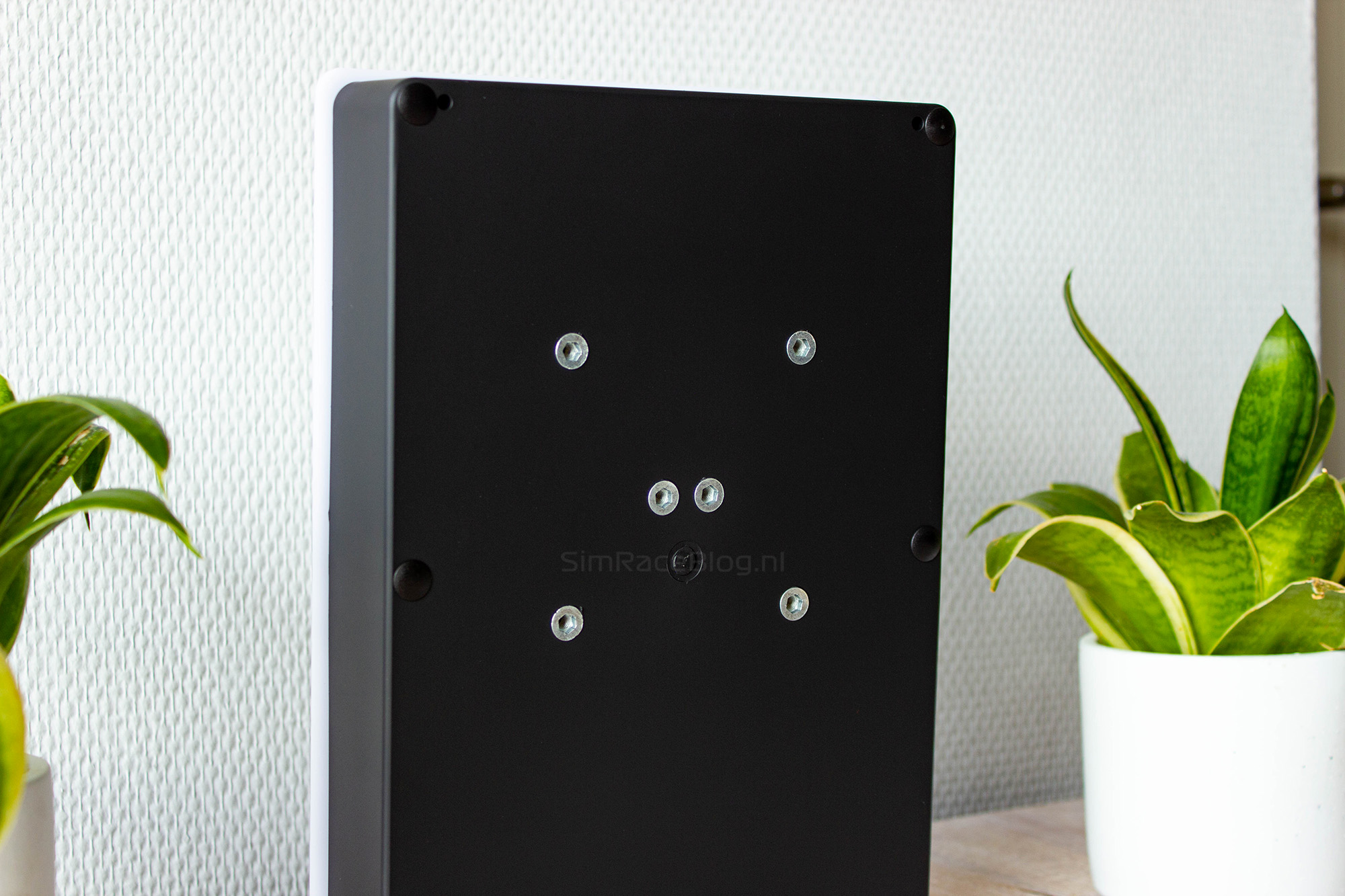
The back of the button box is much simpler and has only two features. The first is the hole pattern on the back. The Button Box One comes with a 75x75mm VESA pattern, which means you can mount it on a swing arm if you want. The second feature on the back is a USB-B port, which is used to connect the button box to our PC.


Mounting
There are several ways to mount Simruito’s Button Box One. You can either screw a VESA mount on the back or attach a desk clamp. Unfortunately, Simruito only includes the desk clamp, so that’s the only option we have. This might not be ideal for everyone, especially if you want to mount it on a sim rig. Luckily, on our rig, there’s a perfect spot where we can easily clamp the button box onto a profile with the desk clamp.
Still, it would make more sense if they included a VESA bracket as standard, which can be screwed onto an aluminum profile. After all, most sim racers who buy a button box want to attach it to their sim rig rather than their desk.
Mounting the desk clamp on the button box is super easy. With the included screws and Allen key, it only takes a few seconds to attach the clamp. After that, you just clamp it onto your profile, and the button box is securely in place.


That’s basically all there is to mounting the Button Box One. The only thing left to do before it’s ready to use is to connect it to our computer. The great thing is that the Button Box One is plug-and-play. As soon as we plug the USB cable into the box and our PC, it’s ready to go—no extra software or SimHub plugins needed.
Using the Button Box One
With the Button Box One attached to our rig and connected to our computer, we’re ready to put it to the test. The first thing we notice when we connect the box is that the lights on the switches and buttons immediately turn on. The box comes to life and instantly looks much more stylish.
Still, something feels off. After staring at the box for a moment, it hits us—the RGB backlighting is still off. Since there was no manual in the box, we had to look for instructions. We couldn’t find a manual anywhere, so we turned to Simruito’s Discord server. After asking there, we got a clear answer: the backlighting turns on by pressing the rotary knob in the bottom right of the button box.
As soon as we press it, the backlighting lights up, and the look is complete. Pressing this rotary knob lets us cycle through ten different color modes for the Button Box One. Unfortunately, there’s no option to customize the lighting per individual button.


When we start binding the buttons in iRacing, it’s our first real chance to try out the buttons and switches. Right away, they give us a very good impression. The first switches we want to bind are the ones under the plastic protective covers. These covers have a nice resistance when opening and feel solid.
When we flip the switch on, we notice there’s a small light inside the switch head that turns on as soon as the switch is activated. To turn the switch off, we gently push the cover, and thanks to an internal spring, it snaps shut with a satisfying click—turning the switch off.

The big start button also feels nice to use. It’s really large, making it easy to press. The button doesn’t have a click or anything when you press it—it feels more like you’re pushing down on a spring, which works perfectly fine for a start button. We’re also pleasantly surprised that when we press the button, it lights up to show it’s active.

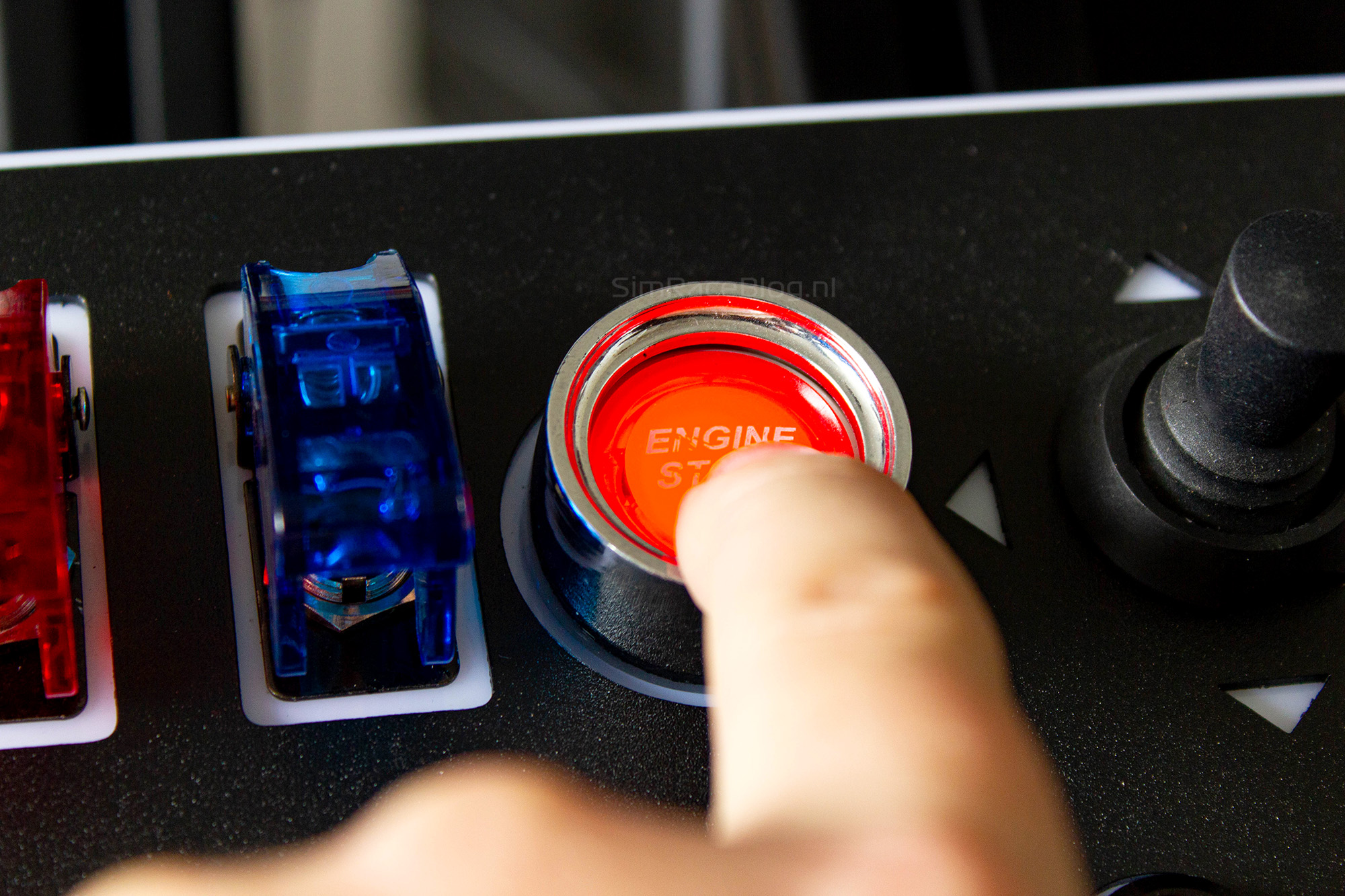
Next to the start button is the joystick, which also feels surprisingly good. It doesn’t take much force to push it in any direction, but it’s still firm enough to not feel loose. Even though the joystick is nice to use, we find ourselves preferring the funky switches on our wheel. Those allow us to keep our hands on the wheel while driving, and even when navigating menus, it just feels more natural to use the joysticks on the wheel.
We can be pretty brief about the toggle switches on the button box. They feel very sturdy, look really cool with their internal red lighting, and leave nothing to be desired. The same goes for the rotary knobs. They’re easy to operate and give clear, clicky feedback under your fingers, all while being completely silent. On top of that, they also work as push buttons that are firm and fairly quiet. Exactly how we want rotary knobs to feel.


As we move on, the push buttons also meet our expectations perfectly. Besides the fact that the black metal buttons look absolutely great with their red-lit rings, they feel fantastic too. The buttons have a decent travel with relatively high resistance. This resistance feels nicely heavy before it suddenly gives way and the button sinks deep into the box. When that happens, there’s a clear click you can feel, along with a fairly loud clicking sound.
The only downside we found is that the colored ring or the backlighting on the buttons can’t be customized individually. Because of this, we really have to focus on the button box and count the buttons before pressing the right one. In our opinion, it would be more user-friendly to have customizable colors so we could quickly spot the “Red” or “Blue” button from the corner of our eye.
One thing that works in its favor is the spacious layout — there’s plenty of room between the buttons, which makes accidentally hitting the wrong button less likely.

Conclusion
Looking back on our experience with the Simruito Button Box One, it feels a bit like a rough diamond. With a little extra attention to the small details and extras, it could really become a great product.
In our opinion, this attention should mainly go toward the customer experience. While packaging is just packaging, receiving a box with branding instead of a plain black box gives a different feeling. Using an outer box to protect the product box from damage also sends a clear message that care is taken to deliver the product in perfect condition. It would also be helpful to have a manual available, covering possible mounting options and how to control the lighting. Looking more closely at the details, a small improvement could be to include a VESA mount instead of just a table clamp.
Luckily, the diamond in this story is the product itself. The Button Box One is large, looks stunning, and uses top-quality materials. All buttons, switches, and knobs feel very sturdy and are a joy to use. Combine that with both the internal lighting of the buttons and switches and the RGB backlights, and the user experience is really enjoyable.
If we had to make one small criticism of the product itself, it would be that we’d like to see the lighting of the push buttons customizable individually. This would make it easier to operate the box using just peripheral vision.
Terugkijkend op onze ervaring met de Simruito Button Box One krijgen wij een beetje het gevoel van een ruwe diamant. Met een beetje extra aandacht aan randzaken en details kan het echt een zeer mooi product worden.
If you’re now interested in the Simruito Button Box One, it’s available in the Simruito webshop for $129.99 (about €110.50), excluding VAT and shipping. Using the code “simraceblognl” will get you an extra 5% discount on the total price.
Do you want to stay informed about SimRaceBlog content, news, announcements and (future) give-aways? Follow us on Instagram @simraceblognl and/or our Discord channel.